

Introduction
In this article I describe the @@fetch_status function in SQL Server that is used with a Cursor. I asume you have a basic knoweldge of Cursors; for more help you can visit the following links:
Cursor in SQL Server Part 1
Cursor in SQL Server Part 2
@@Fetch_Status:
It returns the last status of the fetch operation of the cursor which is currently opened and in use. We can say that the @@Fetch_Status function returns the status of a recent fetch operation of a cursor.
It is used with a while loop. The @@fetch_status returns 0,-1 or -2. When it returns 0 the fetch operation was successful. When it returns -1 it indicates that the FETCH statement failed and when it returns -2 it shows that the Row fetched is missing.
Examples of @@Fetch_status Function:
First of all we create a table and a cursor on that table.
Creation of Table:
create table stu(stuId int, stuName varchar(10))
Insertion of Data:
insert into stu
select 1,'Deepak'union all
select 2,'daljeet'union all
select 3,'pankaj'union all
select 4,'govind 'union all
select 5,'Ravi'
Output:
select * from stu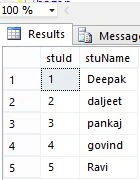
Creation of a scroll Cursor:
declare stuCursor cursor
scroll for
select * from stu
Example 1:
We can fetch all the rows from a table using the @@Fetch_status function and a Cursor. See:
fetch first from stuCursor
while @@FETCH_STATUS=0
begin
fetch next from stuCursor
end
Output: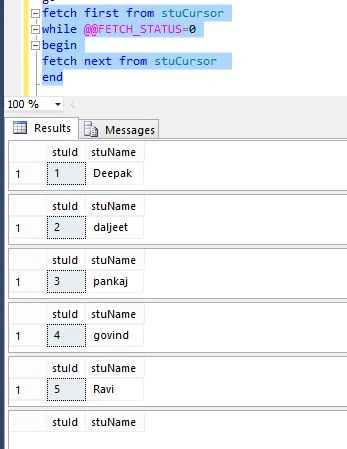
Example 2:
In this example we can fetch all the records from the table stu and insert data in a temprary table named #a:
declare @id int
Declare @name varchar(10)
fetch first from stuCursor into @id,@name
insert into #a values(@id,@name)
while @@FETCH_STATUS=0
begin
fetch next from stuCursor into @id,@name
insert into #a values(@id,@name)
end
Output: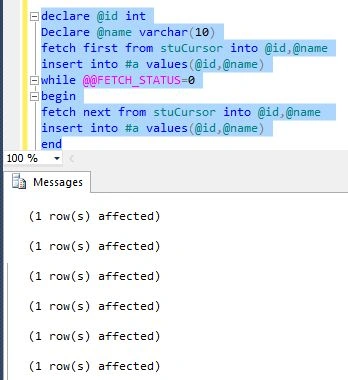
select * from #a
Summary:
In this article I described @@Fetch_Status in SQL Server. I hope this article has helped you to understand this topic. Please share if you know more about this. Your feedback and constructive contributions are welcome.
Join the conversation! Your thoughts help the community grow.