

In this comprehensive guide, we'll build a modern User Management System using Angular. This application showcases several advanced features including theme switching, undo/redo functionality, and robust data management.
Table of Contents
- Project Overview
- Architecture and Design
- Core Features Implementation
- Services Implementation
- Component Development
- Advanced Features
- Best Practices and Tips
Project Overview
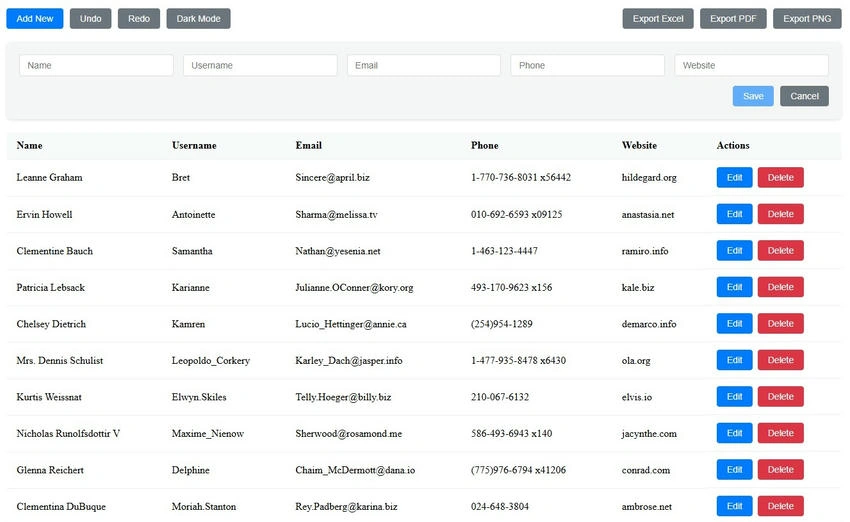
Our User Management System includes the following features.
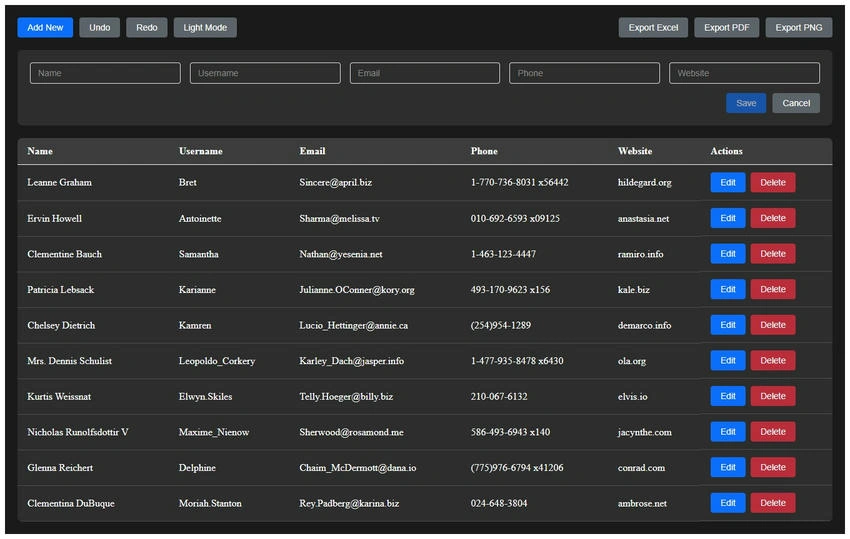
- Modern, responsive design with light/dark theme support
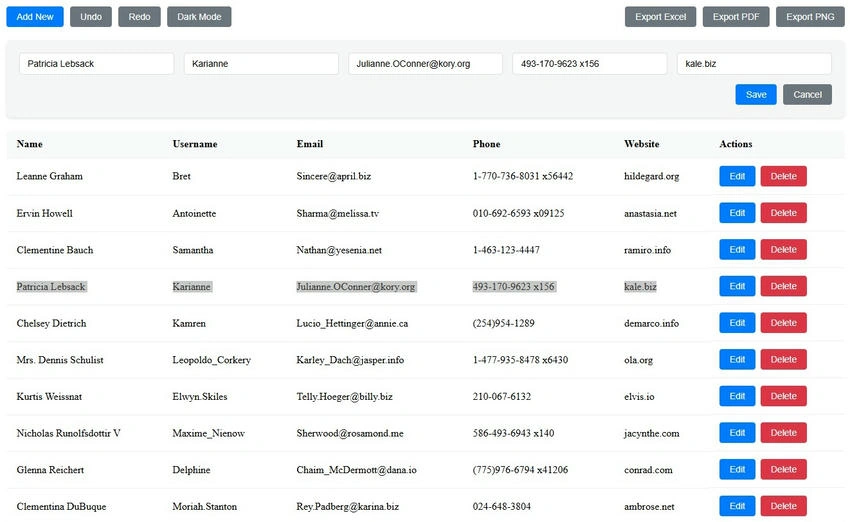
- Interactive data grid with in-place editing
- Complete CRUD operations with validation
- Undo/Redo functionality
- Data export capabilities (Excel, PDF, PNG)
- Loading placeholders
- Enhanced user experience with tooltips
- Form validation with error messages
- Duplicate entry prevention
- Confirmation dialogs
- Local storage persistence
- Reusable components
Architecture and Design
Project Structure
src/
├── app/
│   ├── components/
│   │   ├── user-grid/
│   │   └── shared/
│   ├── services/
│   │   ├── user.service.ts
│   │   ├── theme.service.ts
│   │   └── data.service.ts
│   └── models/
│       └── user.model.ts
Core Models
// user.model.ts
export interface User {
    id?: number;
    name: string;
    userName: string;
    email: string;
    phone: string;
    website: string;
}
export interface UserState {
    users: User[];
    undoStack: User[][];
    redoStack: User[][];
}
Core Features Implementation
- Theme Service: The theme service manages application-wide theme switching.
@Injectable({ providedIn: 'root' }) export class ThemeService { private isDarkTheme = new BehaviorSubject<boolean>(false); isDarkTheme$ = this.isDarkTheme.asObservable(); constructor() { const savedTheme = localStorage.getItem('theme'); if (savedTheme) { this.setDarkTheme(savedTheme === 'dark'); } } setDarkTheme(isDark: boolean) { this.isDarkTheme.next(isDark); localStorage.setItem('theme', isDark ? 'dark' : 'light'); document.body.classList.toggle('dark-theme', isDark); } } - User Service: The User Service handles all data operations with undo/redo support.
@Injectable({ providedIn: 'root' }) export class UserService { private readonly STORAGE_KEY = 'user_data'; private state: UserState = { users: [], undoStack: [], redoStack: [] }; private usersSubject = new BehaviorSubject<User[]>([]); users$ = this.usersSubject.asObservable(); // CRUD Operations with Undo/Redo Support addUser(user: User): boolean { if (this.isDuplicate(user)) return false; this.pushToUndoStack(); user.id = this.getNextId(); this.state.users.push(user); this.updateState(); return true; } // Additional methods for update, delete, undo, redo } - Data Grid Component: The main grid component implements the user interface.
@Component({
  selector: 'app-user-grid',
  template: `
    <div class="user-grid-container" [class.dark-theme]="isDarkTheme$ | async">
      <div class="header">
        <h2>User Management</h2>
        <div class="actions">
          <app-button (click)="addNewUser()">Add User</app-button>
          <app-button (click)="toggleTheme()">Toggle Theme</app-button>
        </div>
      </div>
      <!-- Grid implementation -->
    </div>
  `
})
export class UserGridComponent implements OnInit {
  users$ = this.userService.getUsers();
  isDarkTheme$ = this.themeService.isDarkTheme$;

  constructor(
    private userService: UserService,
    private themeService: ThemeService
  ) {}
}
Advanced Features
Export Functionality
export class ExportService {
  exportToExcel(data: User[]) {
    const worksheet = XLSX.utils.json_to_sheet(data);
    const workbook = XLSX.utils.book_new();
    XLSX.utils.book_append_sheet(workbook, worksheet, 'Users');
    XLSX.writeFile(workbook, 'users.xlsx');
  }
  // Similar methods for PDF and PNG export
}
Loading Placeholders
<ng-container *ngIf="loading$ | async; else userGrid">
  <div class="placeholder-grid">
    <div class="placeholder-row" *ngFor="let i of [1, 2, 3, 4, 5]">
      <!-- Placeholder content -->
    </div>
  </div>
</ng-container>
Form Validation
export class UserFormComponent {
  userForm = this.fb.group({
    name: ['', [Validators.required, Validators.minLength(2)]],
    email: ['', [Validators.required, Validators.email]],
    userName: ['', [Validators.required, Validators.pattern('[a-zA-Z0-9_-]*')]],
    // Additional form controls
  });
}
Tips
- State Management
- Use BehaviorSubject for reactive state management
- Implement undo/redo using stack data structures
- Persist state changes to localStorage
- Performance Optimization
- Use OnPush change detection strategy
- Implement trackBy functions for ngFor loops
- Lazy load features when possible
- Error Handling
- Implement comprehensive error handling
- Use toast notifications for user feedback
- Log errors appropriately
This User Management System demonstrates several Angular best practices and advanced features. Key takeaways include.
- Proper service architecture for state management
- Implementing complex features like undo/redo
- Creating reusable components
- Managing application themes
- Handling data persistence
- Form validation and error handling
Demo
Emmmanuel FIADUFEPosted Feb 18, 2025, 1:56 PM
Nice one Mr. Paul