

Introduction
This article demonstrates how to execute SQL queries, stored procedure using ODBC, how to pass a parameter to a stored procedure using ODBC, and return output parameter from stored procedure using ODBC.
ODBC (Open Database Connectivity) driver helps to access data in applications from the database management system.
Prerequisites
- Visual Studio
- MS SQL
Note
In this example, I am using Visual Studio 2019 community edition and the framework version is 4.7.2 with SQL server 2014.
In this example, I am using Visual Studio 2019 community edition and the framework version is 4.7.2 with SQL server 2014.
Let’s code.
In this example, we will use two SQL tables and Windows form applications to display the result on the screen.
- Customers: - SQL table for customers record
- Orders: - SQL table for orders of customers
- .NET Framework Windows Form application screen like below.
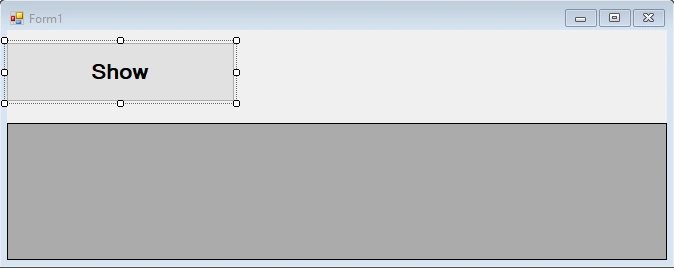
Show a button for showing the record on the screen.
Execute the SELECT command using ODBC
In the below example, I have added an inline ODBC connection string to make the connection between database and application. We can also use ODBC DSN for making a connection between the database and the application.
Execute the following code to check the result for SELECT command.
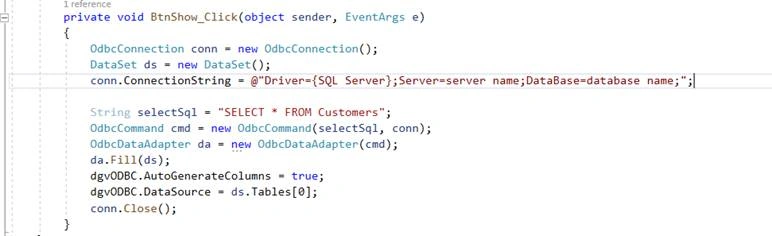
- private void BtnShow_Click(object sender, EventArgs e)
- {
- #region Execute SELECT command using ODBC: -
- OdbcConnection conn = new OdbcConnection();
- DataSet ds = new DataSet();
- conn.ConnectionString = @"Driver={SQL Server}"
- + "Server=server name;DataBase=database name;";
- String selectSql = "SELECT * FROM Customers;";
- OdbcCommand cmd = new OdbcCommand(selectSql, conn);
- OdbcDataAdapter da = new OdbcDataAdapter(cmd);
- da.Fill(ds);
- dgvODBC.AutoGenerateColumns = true;
- dgvODBC.DataSource = ds.Tables[0];
- conn.Close();
- #endregion
- }
Output
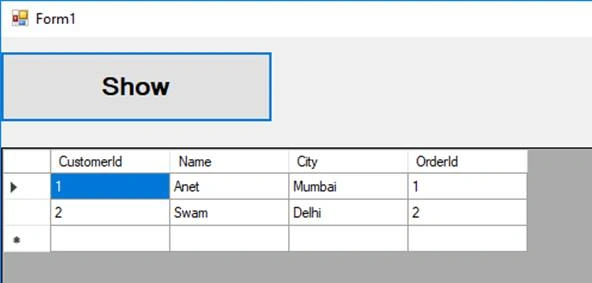
SQL INNER join using ODBC
Code
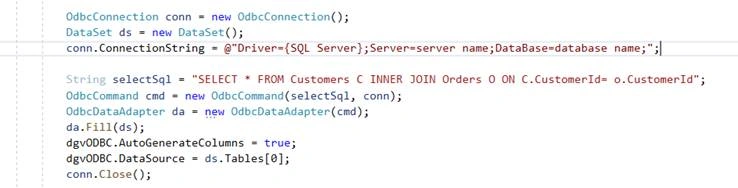
- private void BtnShow_Click(object sender, EventArgs e)
- {
- #region SQL INNER join using ODBC
- OdbcConnection conn = new OdbcConnection();
- DataSet ds = new DataSet();
- conn.ConnectionString = @"Driver={SQL Server};Server=server name;DataBase=database name;";
- String selectSql = "SELECT * FROM Customers C INNER JOIN Orders O ON C.CustomerId= o.CustomerId";
- OdbcCommand cmd = new OdbcCommand(selectSql, conn);
- OdbcDataAdapter da = new OdbcDataAdapter(cmd);
- da.Fill(ds);
- dgvODBC.AutoGenerateColumns = true;
- dgvODBC.DataSource = ds.Tables[0];
- conn.Close();
- #endregion
- }
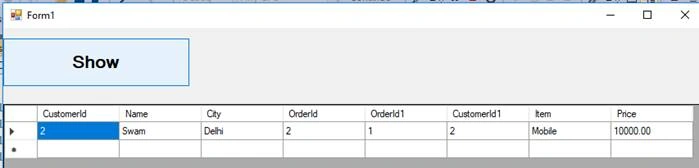
Output
SQL INSERT query using ODBC
We cannot pass the scaler variable in SQL query with ODBC. If you try to pass that, then it will throw an exception like below.

“’ERROR [42000] [Microsoft][ODBC SQL Server Driver][SQL Server]Must declare the scalar variable "@VariableName’.”
Then, how do we pass a parameter?
- We have a question mark(?) placeholder to solve this issue.
- The order should be proper while working with question mark placeholder
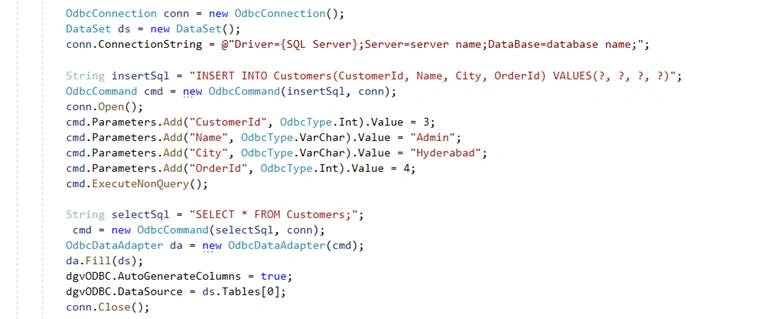
Refer to the below code.
Code
- private void BtnShow_Click(object sender, EventArgs e)
- {
- OdbcConnection conn = new OdbcConnection();
- DataSet ds = new DataSet();
- conn.ConnectionString = @"Driver={SQL Server};Server=DESKTOP-H9JA9S4\SQLEXPRESS;DataBase=EmployeeDB;";
- String insertSql = "INSERT INTO Customers(CustomerId, Name, City, OrderId) VALUES(?, ?, ?, ?)";
- OdbcCommand cmd = new OdbcCommand(insertSql, conn);
- conn.Open();
- cmd.Parameters.Add("CustomerId", OdbcType.Int).Value = 3;
- cmd.Parameters.Add("Name", OdbcType.VarChar).Value = "Admin";
- cmd.Parameters.Add("City", OdbcType.VarChar).Value = "Hyderabad";
- cmd.Parameters.Add("OrderId", OdbcType.Int).Value = 4;
- cmd.ExecuteNonQuery();
- String selectSql = "SELECT * FROM Customers;";
- cmd = new OdbcCommand(selectSql, conn);
- OdbcDataAdapter da = new OdbcDataAdapter(cmd);
- da.Fill(ds);
- dgvODBC.AutoGenerateColumns = true;
- dgvODBC.DataSource = ds.Tables[0];
- conn.Close();
- }
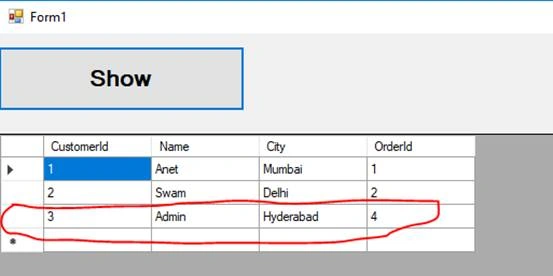
For Insert and Update queries also, we can use the same technique.
SQL Stored Procedure using ODBC
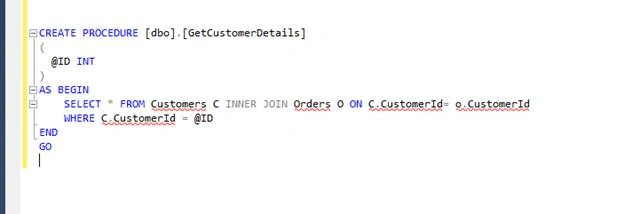
In this example, we will add a stored procedure with name GetCustomerDetails which accepts a parameter as id and based on Id, we will get a customer's record.
SQL query for the stored procedure.
- CREATE PROCEDURE [dbo].[GetCustomerDetails]
- (
- @ID INT
- )
- AS BEGIN
- SELECT * FROM Customers C INNER JOIN Orders O ON C.CustomerId= o.CustomerId
- WHERE C.CustomerId = @ID
- END
- GO
C# Code
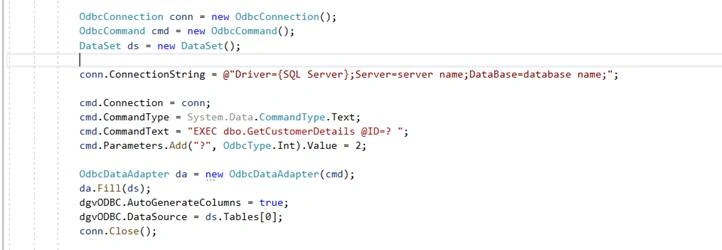
- private void BtnShow_Click(object sender, EventArgs e)
- {
- OdbcConnection conn = new OdbcConnection();
- OdbcCommand cmd = new OdbcCommand();
- DataSet ds = new DataSet();
- conn.ConnectionString = @"Driver={SQL Server};Server=servername;DataBase=database name;";
- cmd.Connection = conn;
- cmd.CommandType = System.Data.CommandType.Text;
- cmd.CommandText = "EXEC dbo.GetCustomerDetails @ID=? ";
- cmd.Parameters.Add("?", OdbcType.Int).Value = 2;
- OdbcDataAdapter da = new OdbcDataAdapter(cmd);
- da.Fill(ds);
- dgvODBC.AutoGenerateColumns = true;
- dgvODBC.DataSource = ds.Tables[0];
- conn.Close();
- }
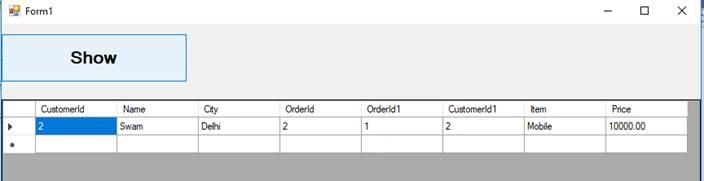
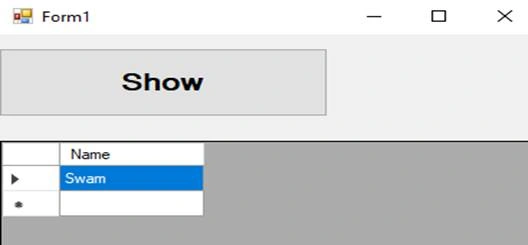
Output
SQL Stored Procedure with OUTPUT parameter using ODBC
In this example, we will alter the stored procedure and add one more parameter to return the name of the customer based on customer id.
SQL query for the stored procedure.
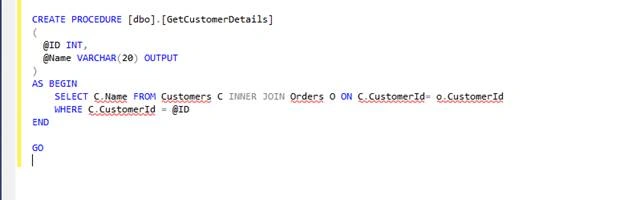
- CREATE PROCEDURE [dbo].[GetCustomerDetails]
- (
- @ID INT,
- @Name VARCHAR(20) OUTPUT
- )
- AS BEGIN
- SELECT C.Name FROM Customers C INNER JOIN Orders O ON C.CustomerId= o.CustomerId
- WHERE C.CustomerId = @ID
- END
- GO
C# Code
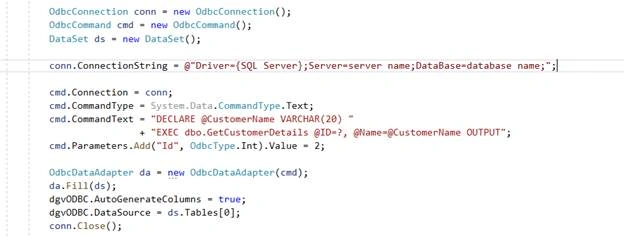
- private void BtnShow_Click(object sender, EventArgs e)
- {
- OdbcConnection conn = new OdbcConnection();
- OdbcCommand cmd = new OdbcCommand();
- DataSet ds = new DataSet();
- conn.ConnectionString = @"Driver={SQL Server};Server=server name;DataBase=database name;";
- cmd.Connection = conn;
- cmd.CommandType = System.Data.CommandType.Text;
- cmd.CommandText = "DECLARE @CustomerName VARCHAR(20) "
- + "EXEC dbo.GetCustomerDetails @ID=?, @Name=@CustomerName OUTPUT";
- cmd.Parameters.Add("Id", OdbcType.Int).Value = 2;
- OdbcDataAdapter da = new OdbcDataAdapter(cmd);
- da.Fill(ds);
- dgvODBC.AutoGenerateColumns = true;
- dgvODBC.DataSource = ds.Tables[0];
- conn.Close();
- }
Output
Summary
In this article, I demonstrated how to execute SQL query and stored procedure using ODBC, pass a parameter to a stored procedure using ODBC, and return output parameter from stored procedure using ODBC. Hopefully, it will help.
Gudoi AhamedPosted Oct 10, 2019, 3:15 AM
Nice article
Pushkar PhulePosted Oct 7, 2019, 5:03 AM
Thank for detail explanation
Pankajkumar PatelPosted Oct 7, 2019, 12:14 AM
Nice article
Sourav Kumar DasPosted Oct 4, 2019, 11:27 PM
Nice Article.