

This is a series of Security related articles.
- Top 10 Web Application Security Risks
- SQL Injection
- Server-Side Request Forgery (SSRF)
- Cross-Site Request Forgery (CSRF)
- Cross-Site Scripting (XSS)
- Cross-Frame Scripting (XFS)
- Comparisons among SSRF, CSRF, XSS and XFS
- CORS (1), Consume .NET Core Web API By MVC in Same Origin
F - 0: Introduction
This article is a part of Cross-Site Scripting (XSS), this is an example of a real high security issue created by Fortify Static Code Scanning.
This is the structure of this article,
- F - 0: Introduction
- F - 1: Overview
- F - 2: Details
- F - 3: Example
- F - 4: Recommendation
- F - 5: The Fix or Suggestion
- F - 6: False Positive Accepted
F - 1: Overview
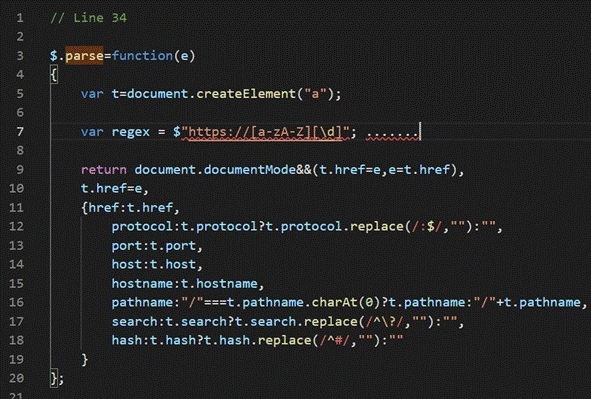
The method parse() in vendor.js sends unvalidated data to a web browser on line 34, which can result in the browser executing malicious code.

F - 2: Details
Cross-site scripting (XSS) vulnerabilities occur when:
- Data enters a web application through an untrusted source. In the case of DOM-based XSS, data is read from a URL parameter or other value within the browser and written back into the page with client-side code. In the case of reflected XSS, the untrusted source is typically a web request, while in the case of persisted (also known as stored) XSS it is typically a database or other back-end data store.
- The data is included in dynamic content that is sent to a web user without validation. In the case of DOM-based XSS, malicious content is executed as part of DOM (Document Object Model) creation, whenever the victim's browser parses the HTML page. In our case, the one line code:
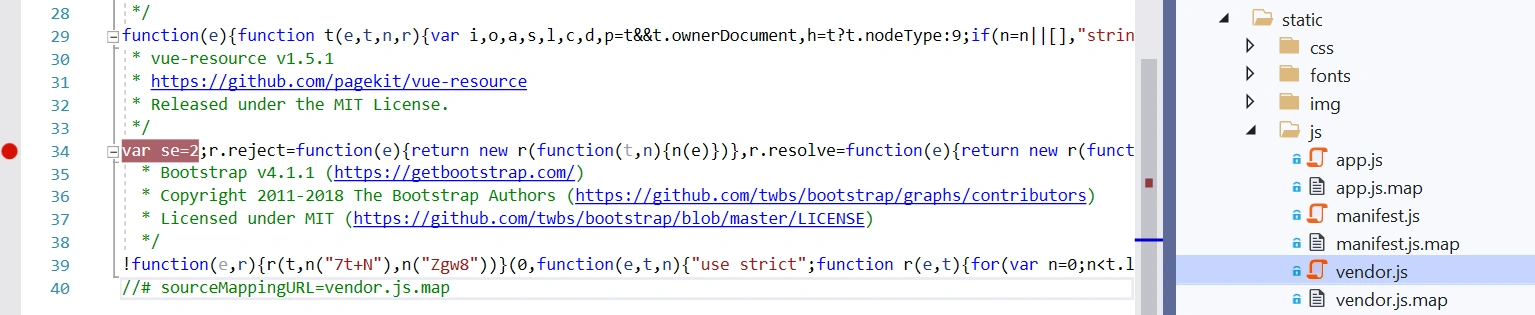
is a piece of function of javascript:
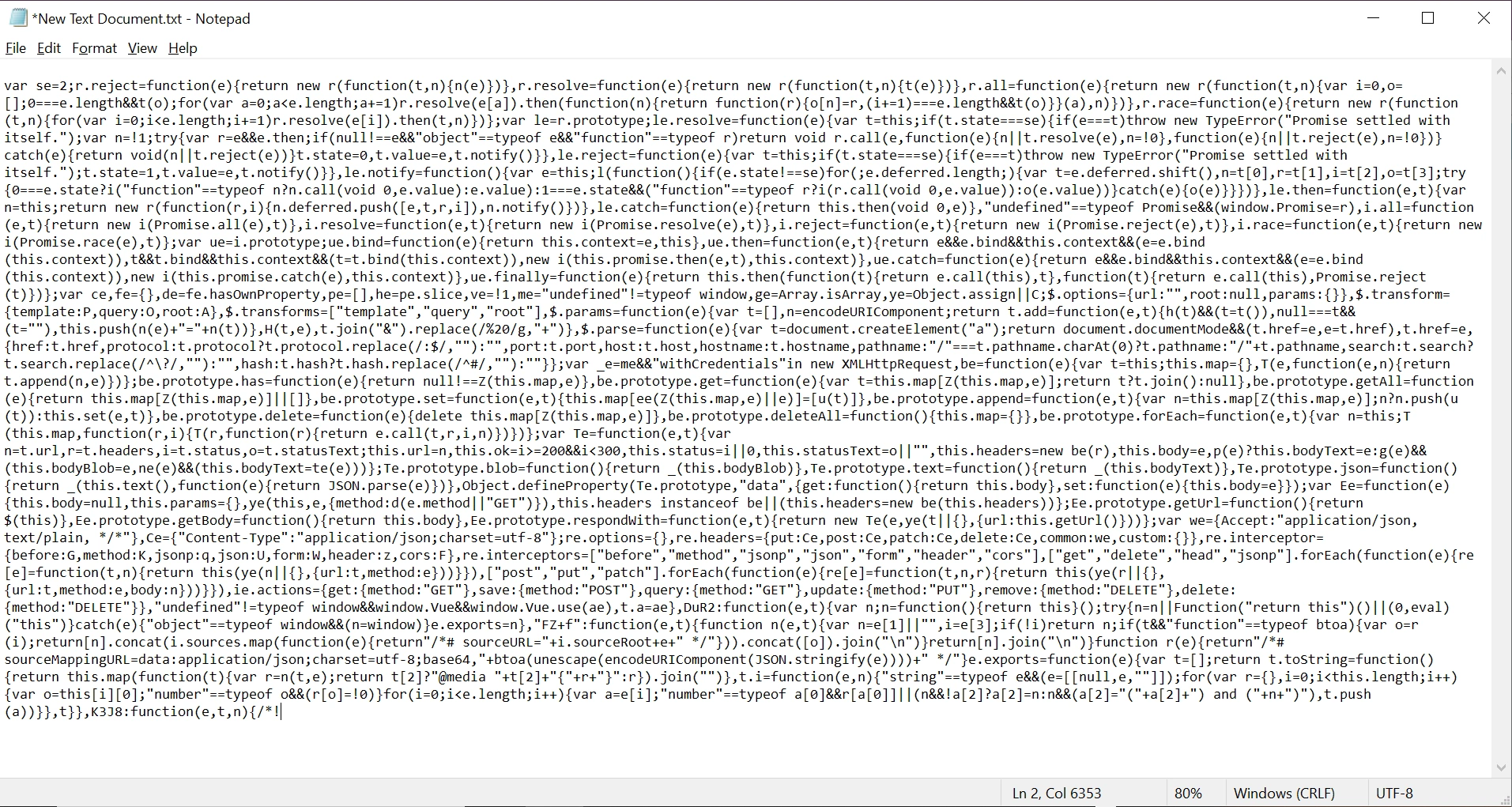
The malicious content sent to the web browser often takes the form of a JavaScript segment, but can also include HTML, Flash or any other type of code that the browser executes. The variety of attacks based on XSS is almost limitless, but they commonly include transmitting private data like cookies or other session information to the attacker, redirecting the victim to web content controlled by the attacker, or performing other malicious operations on the user's machine under the guise of the vulnerable site.
F - 3: Example
Example 1
The following JavaScript code segment reads an employee ID, eid, from a URL and displays it to the user.
<SCRIPT>
var pos=document.URL.indexOf("eid=")+4;
document.write(document.URL.substring(pos,document.URL.length));
</SCRIPT>
Example 2
Consider the HTML form:
<div id="myDiv">
Employee ID: <input type="text" id="eid"><br>
...
<button>Show results</button>
</div>
<div id="resultsDiv">
...
</div>
The following jQuery code segment reads an employee ID from the form, and displays it to the user.
$(document).ready(function(){
$("#myDiv").on("click", "button", function(){
var eid = $("#eid").val();
$("resultsDiv").append(eid);
...
});
});
These code examples operate correctly if the employee ID from the text input with ID eid contains only standard alphanumeric text. If eid has a value that includes metacharacters or source code, then the code will be executed by the web browser as it displays the HTTP response.
Example 3
The following code shows an example of a DOM-based XSS within a React application:
let element = JSON.parse(getUntrustedInput());
ReactDOM.render(<App>
{element}
</App>);
In Example 3, if an attacker can control the entire JSON object retrieved from getUntrustedInput(), they may be able to make React render element as a component, and therefore can pass an object with dangerouslySetInnerHTML with their own controlled value, a typical cross-site scripting attack.
Initially these might not appear to be much of a vulnerability. After all, why would someone provide input containing malicious code to run on their own computer? The real danger is that an attacker will create the malicious URL, then use email or social engineering tricks to lure victims into visiting a link to the URL. When victims click the link, they unwittingly reflect the malicious content through the vulnerable web application back to their own computers. This mechanism of exploiting vulnerable web applications is known as Reflected XSS.
As the example demonstrates, XSS vulnerabilities are caused by code that includes unvalidated data in an HTTP response. There are three vectors by which an XSS attack can reach a victim:
- Data is read directly from the HTTP request and reflected back in the HTTP response. Reflected XSS exploits occur when an attacker causes a user to supply dangerous content to a vulnerable web application, which is then reflected back to the user and executed by the web browser. The most common mechanism for delivering malicious content is to include it as a parameter in a URL that is posted publicly or emailed directly to victims. URLs constructed in this manner constitute the core of many phishing schemes, whereby an attacker convinces victims to visit a URL that refers to a vulnerable site. After the site reflects the attacker's content back to the user, the content is executed and proceeds to transfer private information, such as cookies that may include session information, from the user's machine to the attacker or perform other nefarious activities.
- The application stores dangerous data in a database or other trusted data store. The dangerous data is subsequently read back into the application and included in dynamic content. Persistent XSS exploits occur when an attacker injects dangerous content into a data store that is later read and included in dynamic content. From an attacker's perspective, the optimal place to inject malicious content is in an area that is displayed to either many users or particularly interesting users. Interesting users typically have elevated privileges in the application or interact with sensitive data that is valuable to the attacker. If one of these users executes malicious content, the attacker may be able to perform privileged operations on behalf of the user or gain access to sensitive data belonging to the user.
- A source outside the application stores dangerous data in a database or other data store, and the dangerous data is subsequently read back into the application as trusted data and included in dynamic content.
F - 4: Recommendation
Because this is a Fortify software automatically-created result, this part is exactly the same as those in the article, Example of Cross-Site Scripting, Reflected. So, we just ignore this part.
Note
The F - 1 to F - 4 are mainly from fortify auto detector (Micro Focus) with some of my input (graph or explanations), F - 5 and below are the input from myself --- the solution.
F - 5: The Fix or Suggestion
Analysis:
1. Where is the problem
On File: Web/Static/js/vendor.js
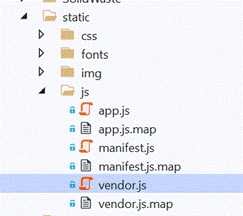
on line 34, and the code is used by line 29
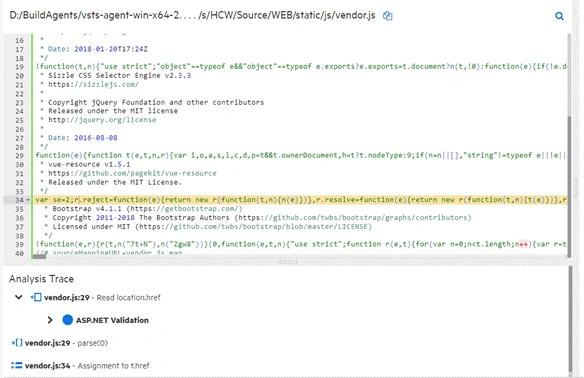
2. What is the issue
The Fortify detected Line 29 call parse(location.href) creates the problem, we make the problem part of the one line code readable like this:
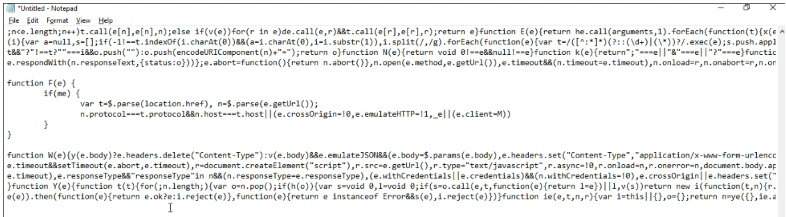
where location.href is a UI input, that is a vulnerability and could be attacked by hackers.
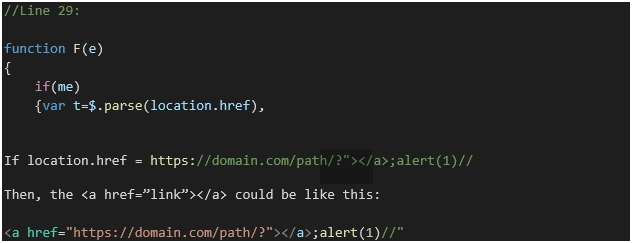
This is the security vulnerability that we should handle.
3. How to handle
This is the code we should handle at Line 34, we make the issue part in the one line code readable like this:
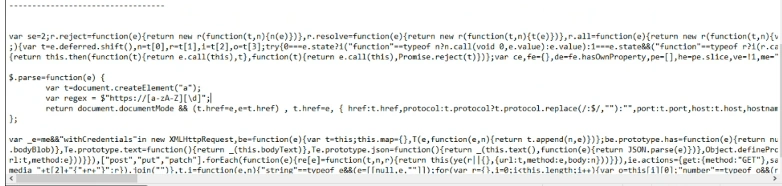
more viewable format:
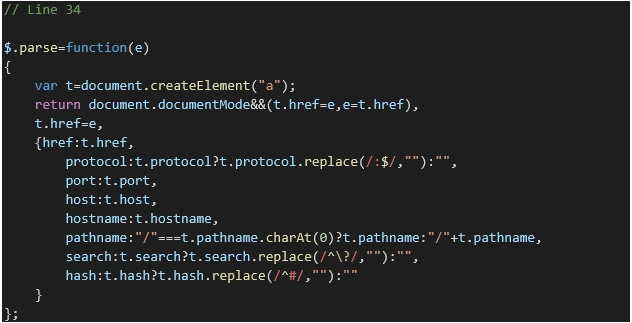
The Fix
We use a regular expression to limit the input:

then we got
The Request for a False Positive
After our fix, the problem should be gone, however, the Micro Focus Fortify (auto scanning software for security vulnerabilities) cannot tell the fixed change, then we have to open a False Positive request to the Fortufy System team (AppSec: Application Security Team).
F - 6: False Positive Accepted
Developer attestation accepted. --- From the Application Security Team.
Note
False Positive Accepted means the tool (Fortify Scanner) is wrong:
False positives occur when a security testing tool incorrectly flags an issue that is not legitimate (i.e. tool says SSL 3.0 is enabled, but it is not – the tool was wrong). In these cases, teams are encouraged to follow the process outlined below for issues to be suppressed and for us to ensure the bug is resolved.
Reference
Join the conversation! Your thoughts help the community grow.