

Note: this article is published on 08/31/2024.
After I wrote several articles on this site, I found out it seemed almost for every article, I needed to set up a sample application associated with an entity framework if accessing the database. And, every time, I needed to rewrite the setup process from scratch in order for a new reader to follow along easily. Even for introducing a very simple concept, such as Caching, I needed to spend 80% of the time setting up the sample app, and only 20% on introducing the Caching concept itself.
Therefore, I think it is better to write a basic model such as entity framework sample for various approaches, and then I can reuse them when needed. I made a list of the series of articles below, I will write them one by one, while the Entity framework overview and concept will be covered in the article (0):
- Entity Framework (0), Overview
- Entity Framework (1), with .Net MVC, Code-First
- Entity Framework (2), with .Net MVC, Database-First
- Entity Framework (3), with .Net MVC, Model-First --- this article
- Entity Framework (4), with .Net Core MVC, Code-First
- Entity Framework (5), with .Net Core MVC, Database-First
- Entity Framework (6), with .Net Core MVC, Model-First
- Entity Framework (7), with .Net WPF, Database-First
- Entity Framework (8), with .NET Core Web API, Stored Procedure
- Entity Framework (9), with .NET Core Web API, Stored Procedure Implementation
- Entity Framework (10), with .Net WebForms, Database-First
- Entity Framework (11), with .Net Core Razor Pages Code-First
- Entity Framework (12), with New .Net Core MVC Code-First
- Entity Framework (13), with .Net Core Code-First Summary
Note
We write the Entity Framework for MVC module, but the pattern is the same or similar when applying to Web Application or Web API.
Introduction
This article will be Entity Framework Model-First approach. We have not had chance to discuss the model first model till now, one reason was that I thought this model might just for Architecte to use, then payed less attention on it; secondly, I found there was much less matierilas online to discuss this kind of model.
Recently, I realize that
- Code First approach is a basic one, whatever Database First or Model First, when we use reengineering for Database First to get the database structure, or from model to get database structure in code, the next that we will go to is the exactly same procedure like what Code First Approach does. At this point, we can make details discussion on the Code First Approach, and then convert other approaches into this approach.
At this point, I do want to run the model first module, and see the details of the difference between model first approach and the code first approach.
The MVC Entity Model First Approach can be devided to two parts:
- Create Model
- Scaffold Controllers and Views
while the second part is exactly the same as other approaches, such as Code First Approach or Database First Approach, the Creating Model is just exactly the same as we discussed in article, Entity Framework (3-1), with .Net Console Model-First, for the Console app.
We will make a sample app step by step,
- Introduction
- Step 1: Create an .Net Framework Console app
- Step 2: Create Model
- Step 3. Scaffold Controllers and Views
- Step 4. Run
- Summary
At the end, we will have an MVC app that can consume a database directly through entity framework.
Step 1 - Create an .Net Framework Console app
We use the current version of Visual Studio 2022 17.11.2 and .NET Framework 4.8.1 (Originally) to build the app:
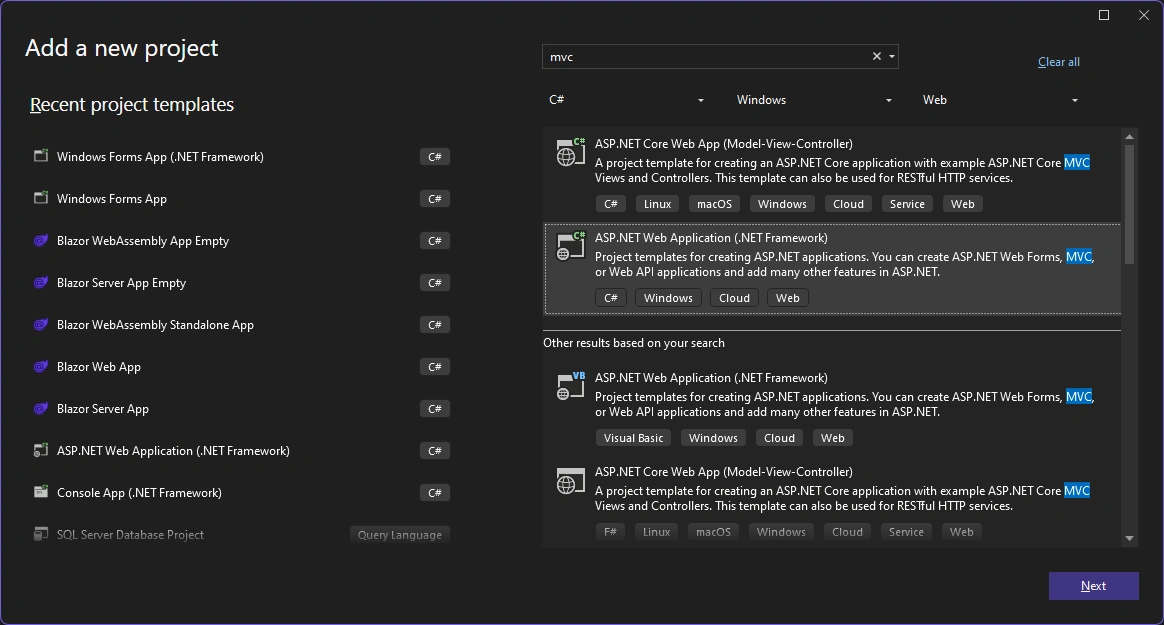
- Start Visual Studio and select Create a new project.
- In the Create a new project dialog, select ASP.NET Web Application (.NET Framework) > Next.
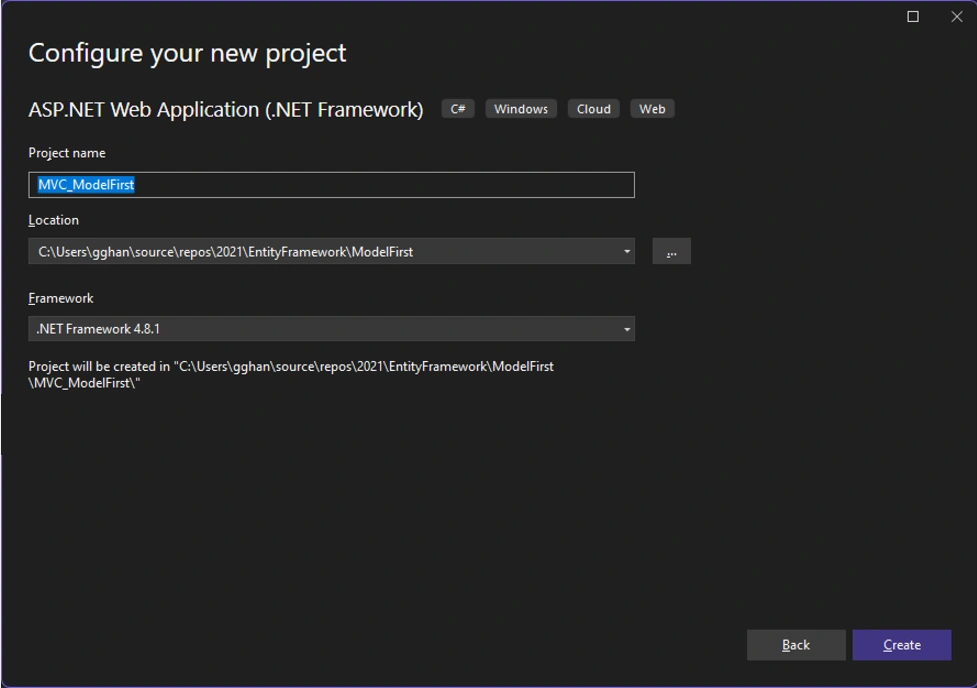
- In the Configure your new project dialog, enter MVC_ModelFirst for Project name > Create.
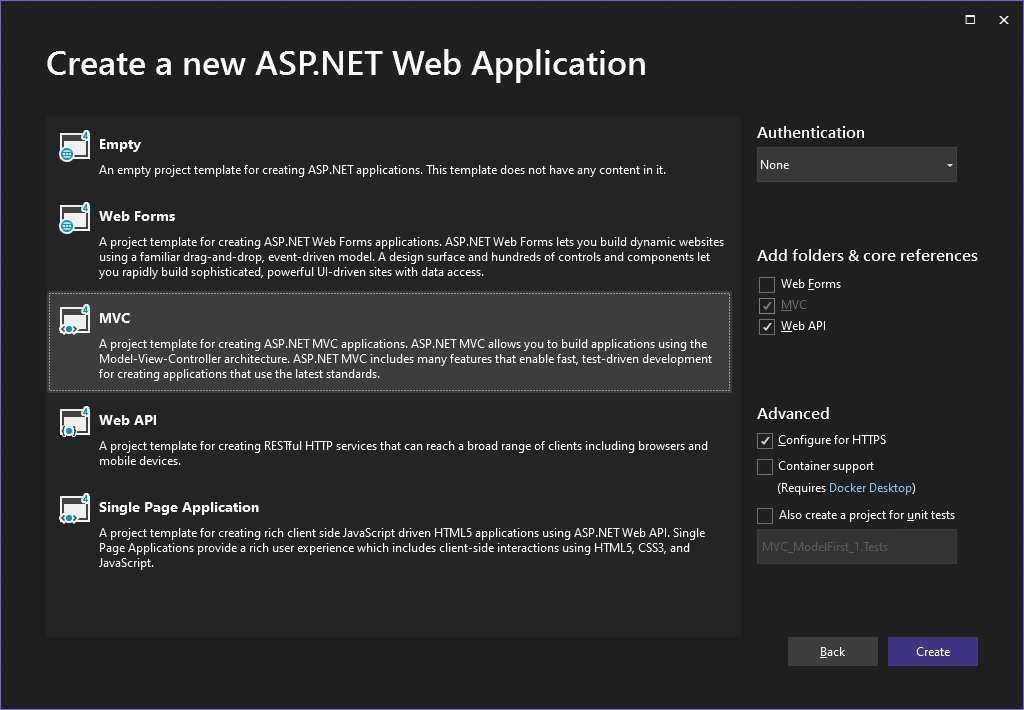
- In the Create a new ASP.NET Web Application dialog, select MVC > Creat
In Create a new ASP.NET Web Application: choose MVC => Create
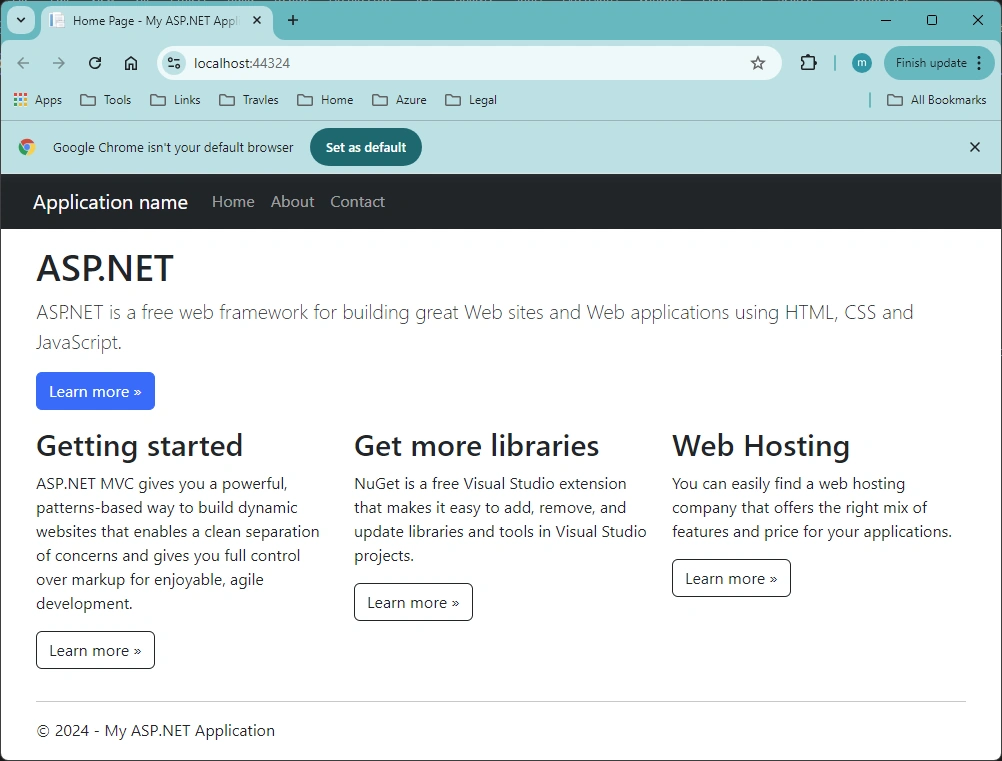
Run:
Step 1 - Create Model
Here, we follow the same procedure Step 2, 3, 4, in article,
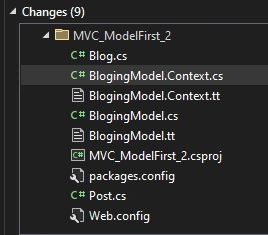
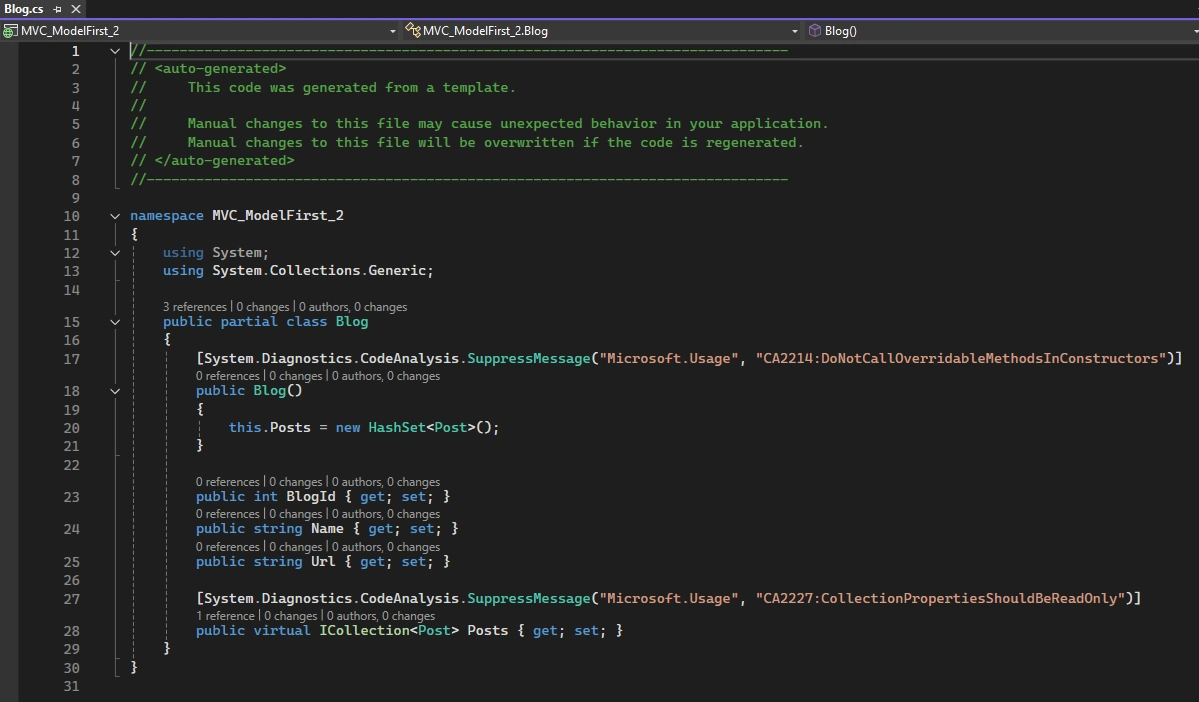
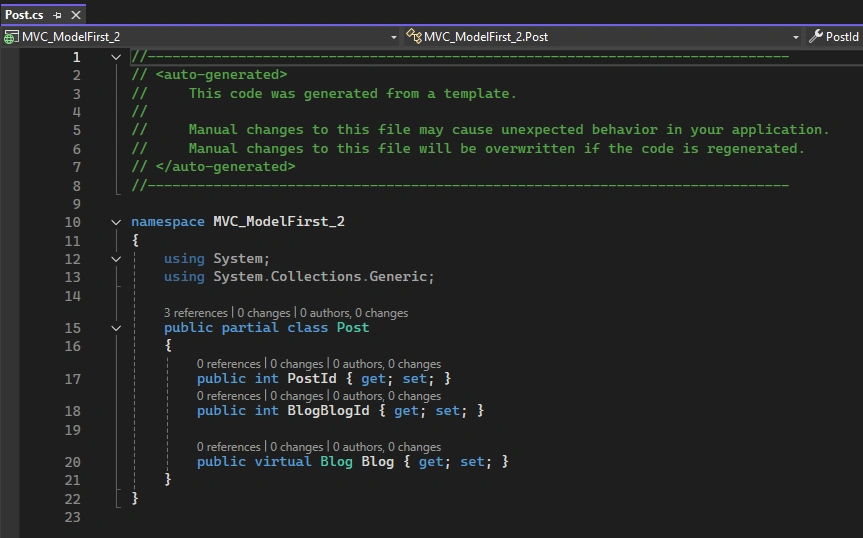
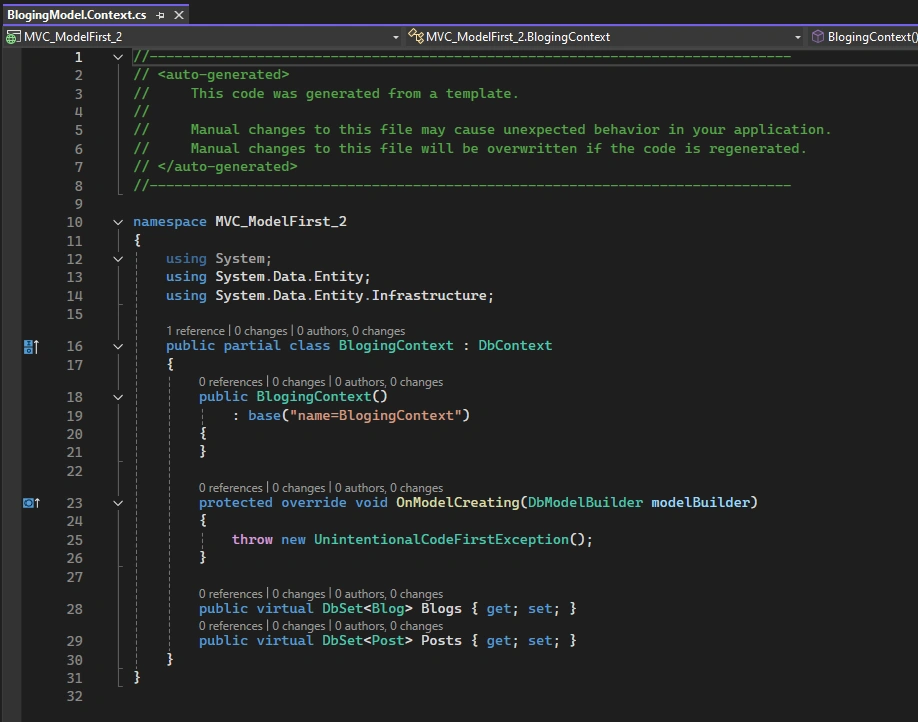
we can setup the data model, create the database and get a bunch of files:
Blog.cs
Post.cs
BlogingModel.Context.cs
Step 3. Scaffold Controllers and Views
We create the controllers and views exactly like the article,
we will do the following:
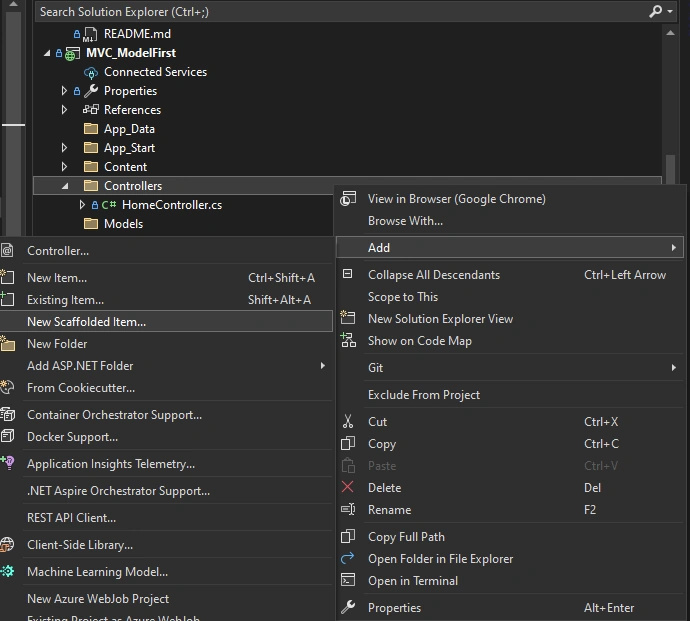
- Right Click the Controllers folder => Add => Add Scaffolded Item:
-
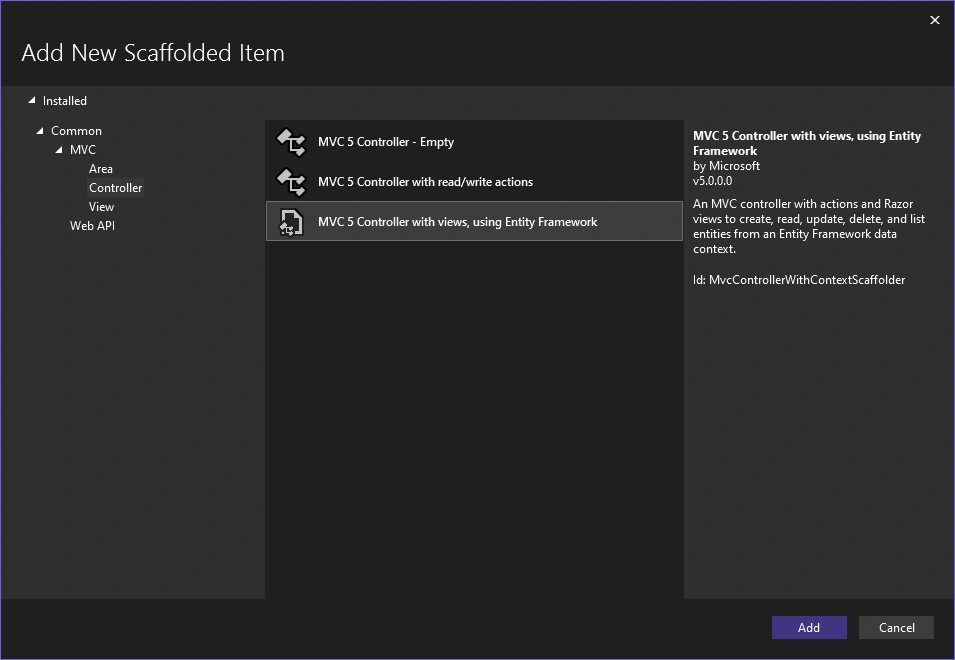
In the Add New Scaffold Item dialog box, click MVC 5 Controller with views, using Entity Framework, and then click Add.;
-
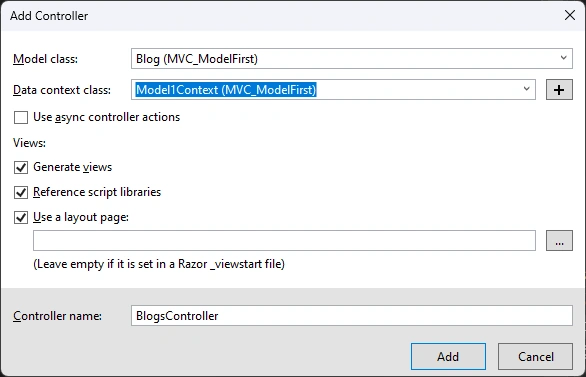
In the Add Controller dialog box,
- Select Blog (MVC_ModelFirst) for the Model class.
- ModelContext (MVC_ModelFirst) for the Data context class.
- For the Controller name enter BlogsController.
- Click Add.
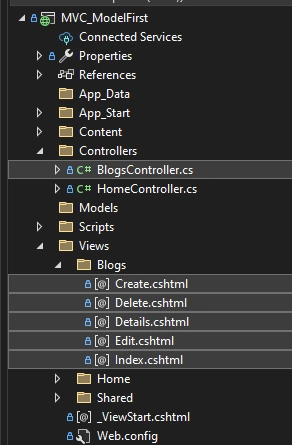
Following files are auto added after running Scaffolded
Step 4. Run
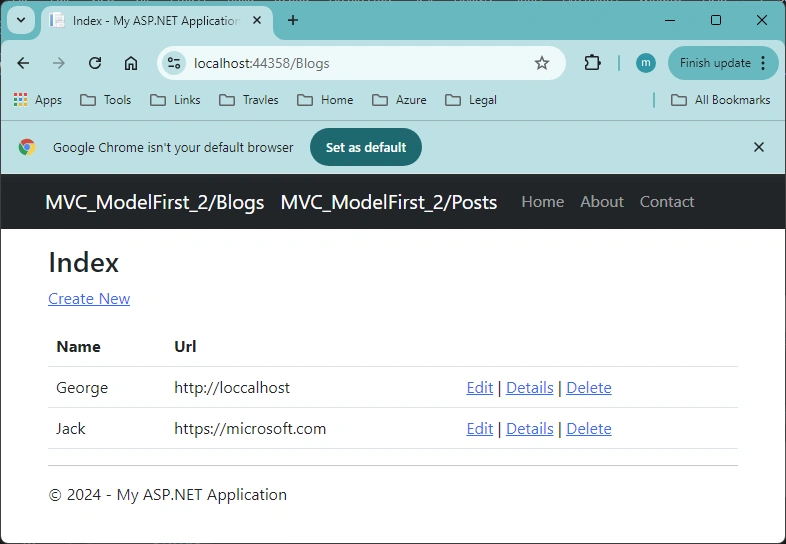
For convenience, you can update one line code in file Views/Shared/_Layout.chtml
<nav class="navbar navbar-expand-sm navbar-toggleable-sm navbar-dark bg-dark">
    <div class="container">
        @Html.ActionLink("MVC_ModelFirst_2/Blogs", "Index", "Blogs", new { area = "" }, new { @class = "navbar-brand" })
        @Html.ActionLink("MVC_ModelFirst_2/Posts", "Index", "Posts", new { area = "" }, new { @class = "navbar-brand" })
        <button type="button" class="navbar-toggler" data-bs-toggle="collapse" data-bs-target=".navbar-collapse" title="Toggle navigation" aria-controls="navbarSupportedContent"
                aria-expanded="false" aria-label="Toggle navigation">
            <span class="navbar-toggler-icon"></span>
        </button>
        <div class="collapse navbar-collapse d-sm-inline-flex justify-content-between">
            <ul class="navbar-nav flex-grow-1">
                <li>@Html.ActionLink("Home", "Index", "Home", new { area = "" }, new { @class = "nav-link" })</li>
                <li>@Html.ActionLink("About", "About", "Home", new { area = "" }, new { @class = "nav-link" })</li>
                <li>@Html.ActionLink("Contact", "Contact", "Home", new { area = "" }, new { @class = "nav-link" })</li>
            </ul>
        </div>
    </div>
</nav>
Run:
Summary
The MVC Entity Model First Approach can be devided to two parts:
- Create Model
- Scaffold Controllers and Views
while the second part is exactly the same as other approaches, such as Code First Approach or Database First Approach, the Creating Model is just exactly the same as we discussed in article, Entity Framework (3-1), with .Net Console Model-First, for the Console app.
References:
- Model First - EF6 | Microsoft Learn --- used in this article
- Tutorial: Get Started with Entity Framework 6 Code First using MVC 5 | Microsoft Learn
- Tutorial: Get started with EF Core in an ASP.NET MVC web app | Microsoft Learn
- Getting Started with Entity Framework 6 Code First using MVC 5 | Microsoft Learn
- Entity Framework - Model First Approach
- Model First with Entity Framework (entityframeworktutorial.net)
- Model First Approach Of Entity Framework | C# Corner
- Model First Approach in Entity Framework Asp.Net MVC 4 Example - Tutlane
- Model First Approach in Entity Framework | Complete Guide | DotNet Academy - YouTube
- Good Samples
- Model First Approach In Entity Framework (c-sharpcorner.com) --- employee
- Model First Approach in MVC Using Entity Framework (c-sharpcorner.com) --- student
- Model First Approach in Entity Framework (c-sharpcorner.com) --- Student, relations
- Get Started with WPF - EF Core | Microsoft Learn
- Model Binding in ASP.NET Core | Microsoft Learn
Join the conversation! Your thoughts help the community grow.