

Note: this article is published on 08/31/2024.
After I wrote several articles on this site, I found out it seemed almost for every article, I needed to set up a sample application associated with an entity framework if accessing the database. And, every time, I needed to rewrite the setup process from scratch in order for a new reader to follow along easily. Even for introducing a very simple concept, such as Caching, I needed to spend 80% of the time setting up the sample app, and only 20% on introducing the Caching concept itself.
Therefore, I think it is better to write a basic model such as entity framework sample for various approaches, and then I can reuse them when needed. I made a list of the series of articles below, I will write them one by one, while the Entity framework overview and concept will be covered in the article (0):
- Entity Framework (0), Overview
- Entity Framework (1), with .Net MVC, Code-First
- Entity Framework (2), with .Net MVC, Database-First
- Entity Framework (3), with .Net MVC, Model-First
- Entity Framework (4), with .Net Core MVC, Code-First
- Entity Framework (5), with .Net Core MVC, Database-First
- Entity Framework (6), with .Net Core MVC, Model-First
- Entity Framework (7), with .Net WPF, Database-First
- Entity Framework (8), with .NET Core Web API, Stored Procedure
- Entity Framework (9), with .NET Core Web API, Stored Procedure Implementation
- Entity Framework (10), with .Net WebForms, Database-First
- Entity Framework (11), with .Net Core Razor Pages Code-First
- Entity Framework (12), with New .Net Core MVC Code-First
- Entity Framework (13), with .Net Core Code-First Summary
Note
We write the Entity Framework for MVC module, but the pattern is the same or similar when applying to Web Application or Web API.
Introduction
This article will be Entity Framework Model-First approach. We have not had chance to discuss the model first model till now, one reason was that I thought this model might just for Architecte to use, then payed less attention on it; secondly, I found there was much less matierilas online to discuss this kind of model.
Recently, I realize that
- Code First approach is a basic one, whatever Database First or Model First, when we use reengineering for Database First to get the database structure, or from model to get database structure in code, the next that we will go to is the exactly same procedure like what Code First Approach does. At this point, we can make details discussion on the Code First Approach, and then convert other approaches into this approach.
At this point, I do want to run the model first module, and see the details of the difference between model first approach and the code first approach.
That is true, online there is few Model First approach sample, the one I can found is a article from Microsoft, Model First - EF6 | Microsoft Learn, puclished in 2020, and actually discussing about Visual Studio 2010 --- that is a old version. Because I did not find the other version of Model First Approach sample, I just follow this sample, starting from here, then figure out the difference between Model First Model and others, such like code first approach. This is a console module, so I just make console app.
We will make a sample app step by step,
- Introduction
- Step 1: Create an .Net Framework Console app
- Step 2: Create Model
- Step 3. Generating the Database and Get Model Classes
- Step 4. Generating the Database again
- Step 5: Run App
- Step 6, Dealing with Model Changes
- Summary
At the end, we will have an MVC app that can consume a database directly through entity framework.
Step 1 - Create an .Net Framework Console app
We use the current version of Visual Studio 2022 17.11.2 and .NET Framework 4.7.2 (Originally) to build the app:
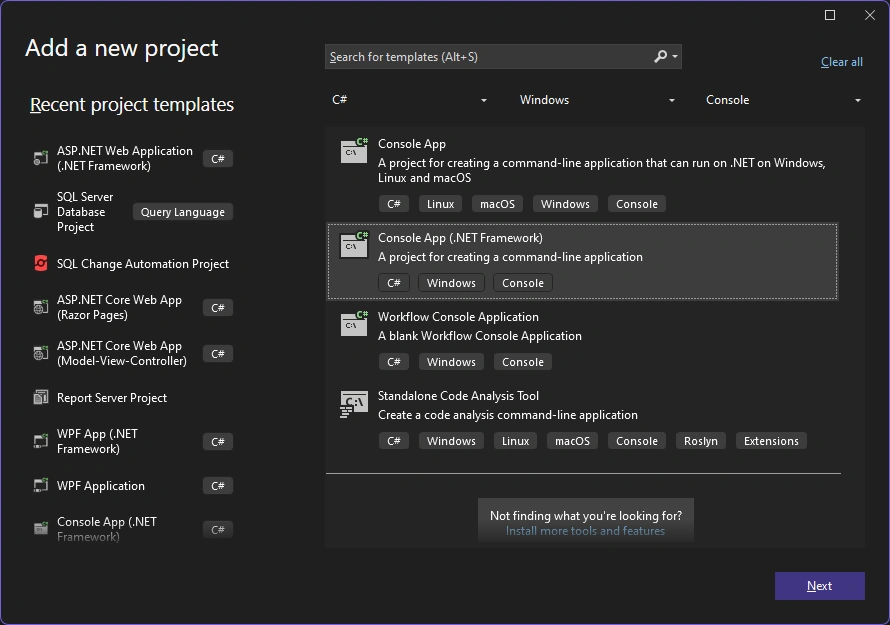
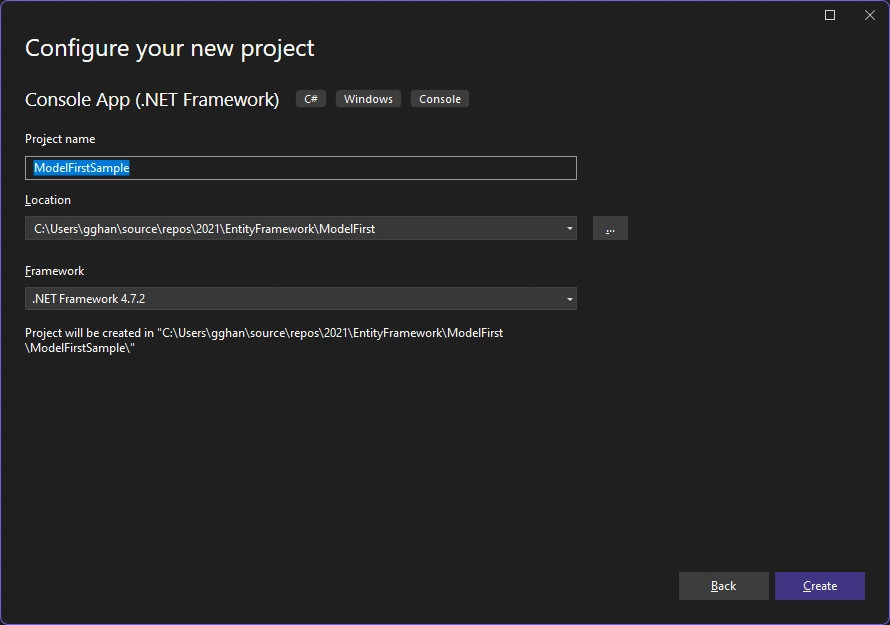
named as ModelFirstSample:
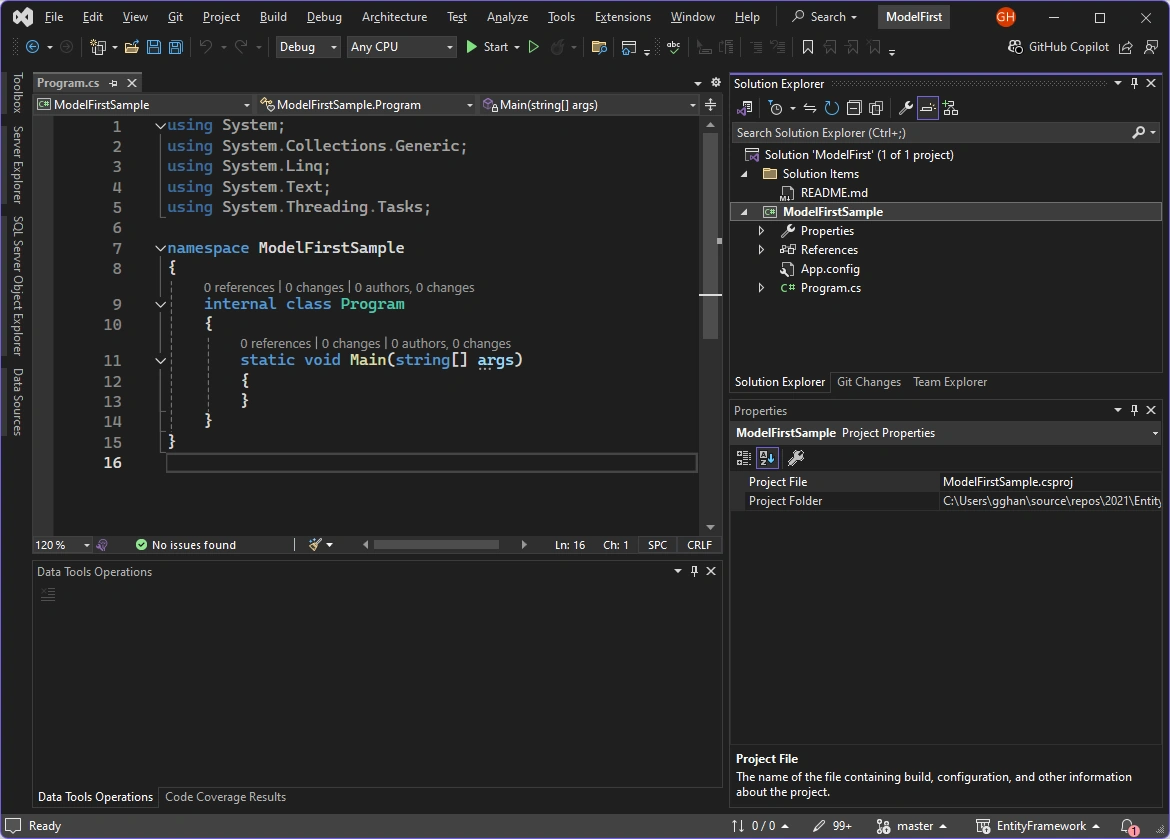
App development environment is opened:
Step 2: Create Model
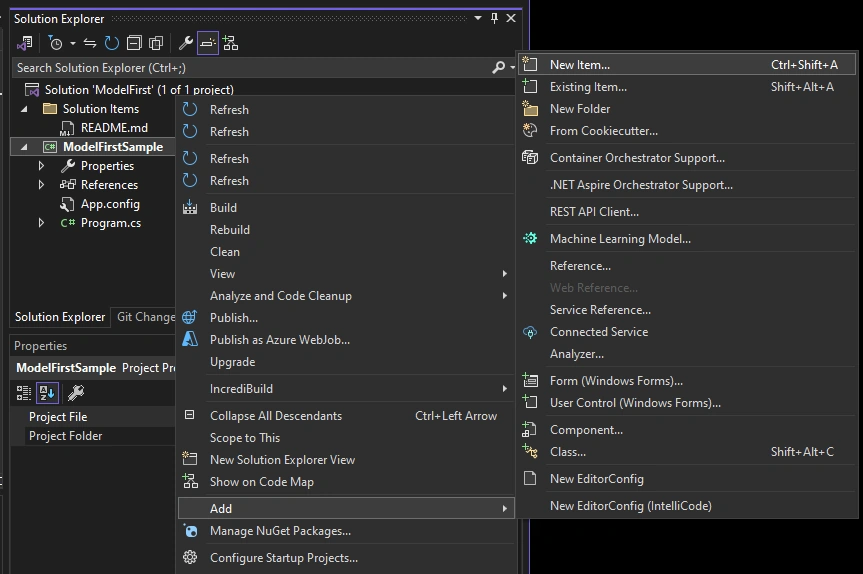
We’re going to make use of Entity Framework Designer, which is included as part of Visual Studio, to create our model.
-
Project -> Add New Item…
-
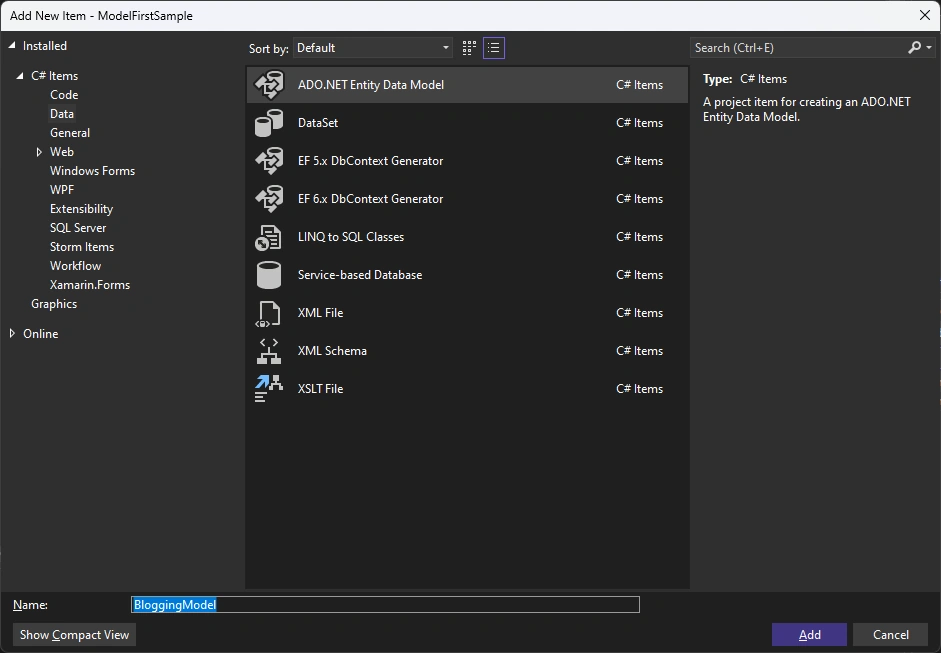
Select Data from the left menu and then ADO.NET Entity Data Model
-
Enter BloggingModel as the name
-
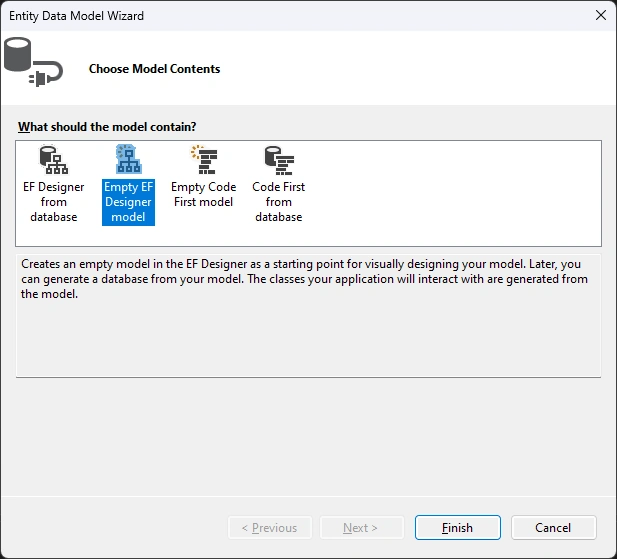
Click Add, this launches the Entity Data Model Wizard
-
Select Empty EF Design Model => Finish
we got the model:
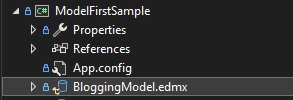
The Entity Framework Designer is opened with a blank model. Now we can start adding entities, properties and associations to the model.
-
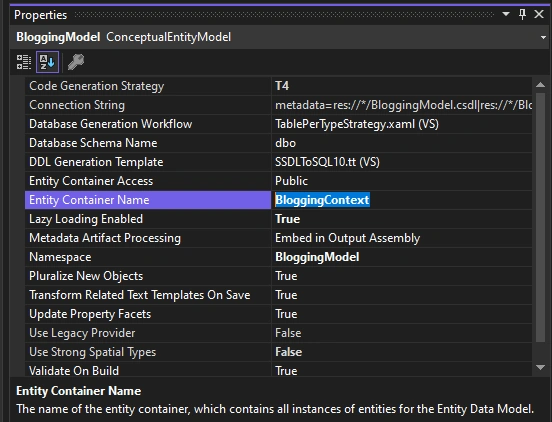
Right-click on the design surface and select Properties
-
In the Properties window change the Entity Container Name to BloggingContext This is the name of the derived context that will be generated for you, the context represents a session with the database, allowing us to query and save data
-
Right-click on the design surface and select Add New -> Entity…
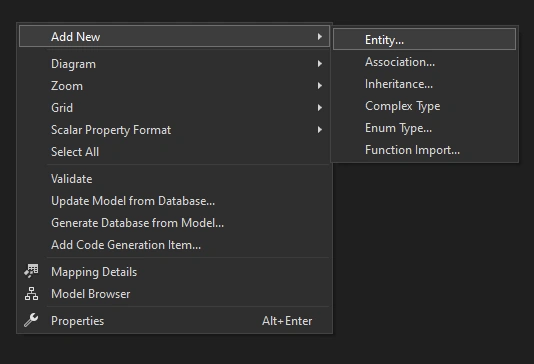
The Add Entity dialog is opened:
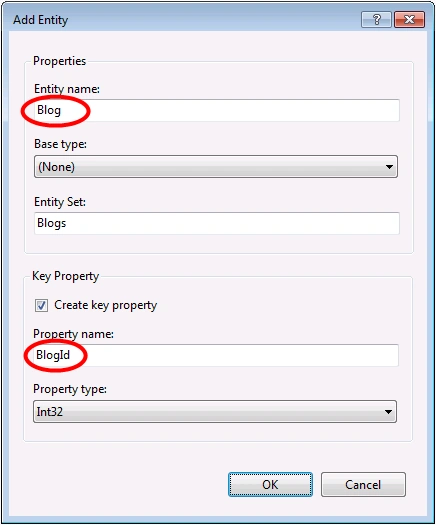
-
Enter Blog as the entity name and BlogId as the key name and click OK
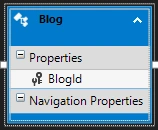
-
Right-click on the new entity on the design surface and select Add New -> Scalar Property, enter Name as the name of the property.
-
Repeat this process to add a Url property.
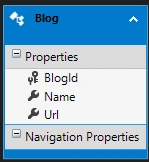
-
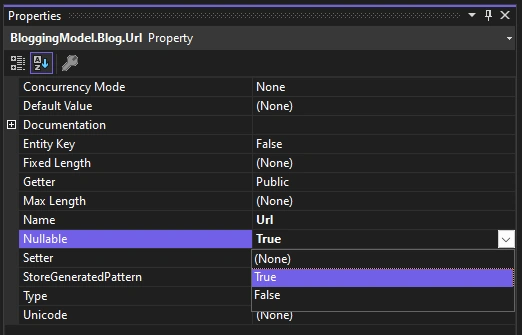
Right-click on the Url property on the design surface and select Properties, in the Properties window change the Nullable setting to True This allows us to save a Blog to the database without assigning it a Url
-
Using the techniques you just learnt, add a Post entity with a PostId key property
-
Add Title and Content scalar properties to the Post entity
Now that we have a couple of entities, it’s time to add an association (or relationship) between them.
-
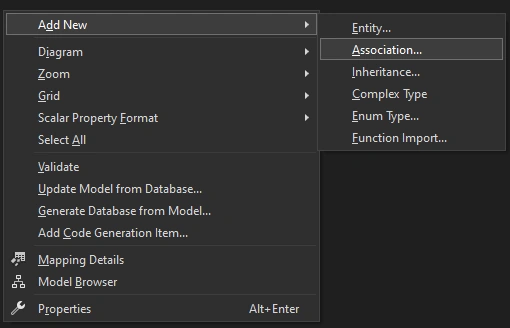
Right-click on the design surface and select Add New -> Association…
-
Make one end of the relationship point to Blog with a multiplicity of One and the other end point to Post with a multiplicity of Many This means that a Blog has many Posts and a Post belongs to one Blog
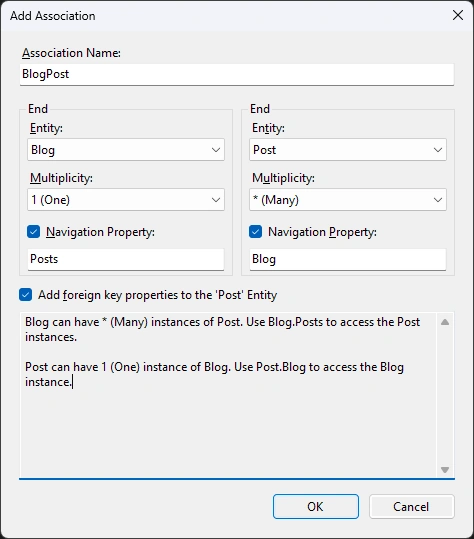
- Ensure the Add foreign key properties to 'Post' Entity box is checked and click OK
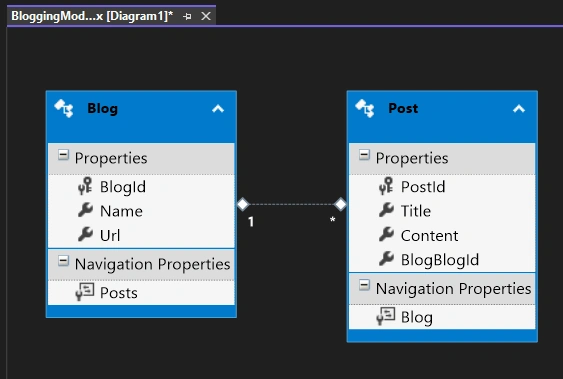
We now have a simple model with one to many relationship that we can generate a database from and use to read and write data.
Build
Step 3. Generating the Database and Get Model Classes
Given our model, Entity Framework can calculate a database schema that will allow us to store and retrieve data using the model
-
Right-click on the design surface and select Generate Database from Model…
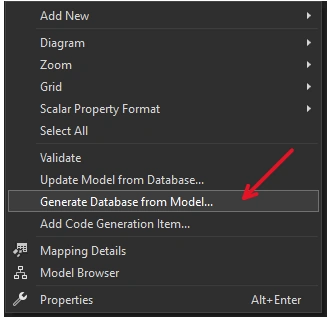
Generate Database Wizard window is open:
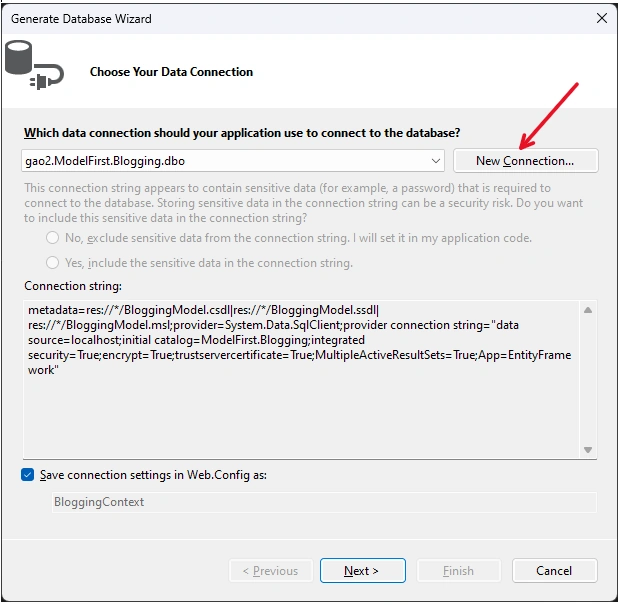
-
Click New Connection… and specify either LocalDB or SQL Express, depending on which version of Visual Studio you are using, enter ModelFirst.Blogging as the database name.
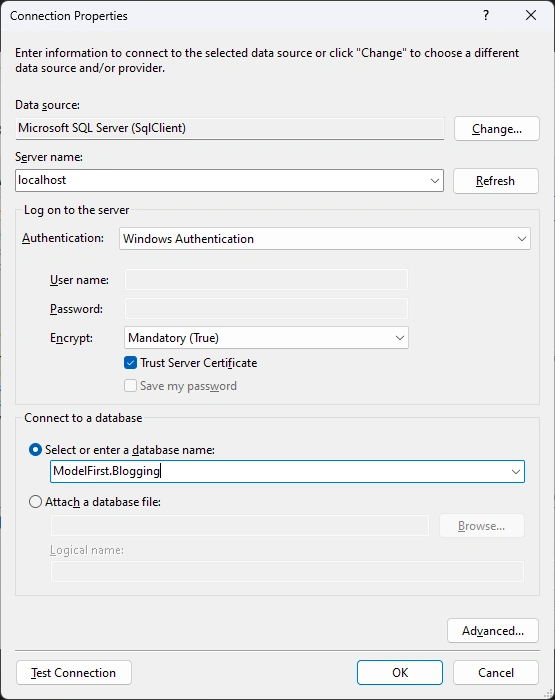
Warning, due to the database does not existing:
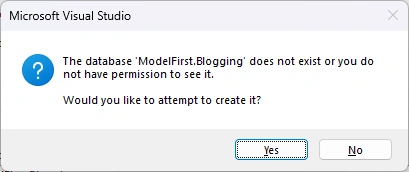
then back to Generate Database Wizard:
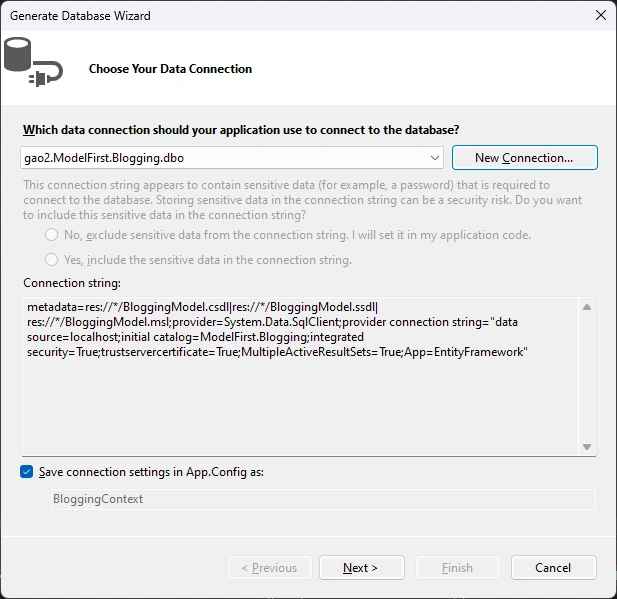
Click Next
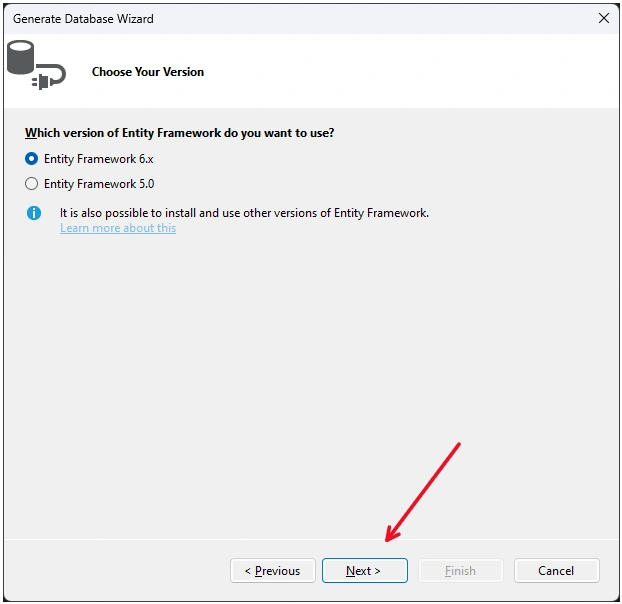
Click Next:
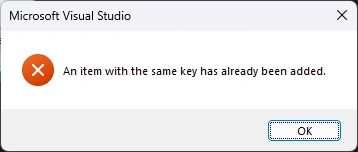
It never work --- unknown. Click Finish button:
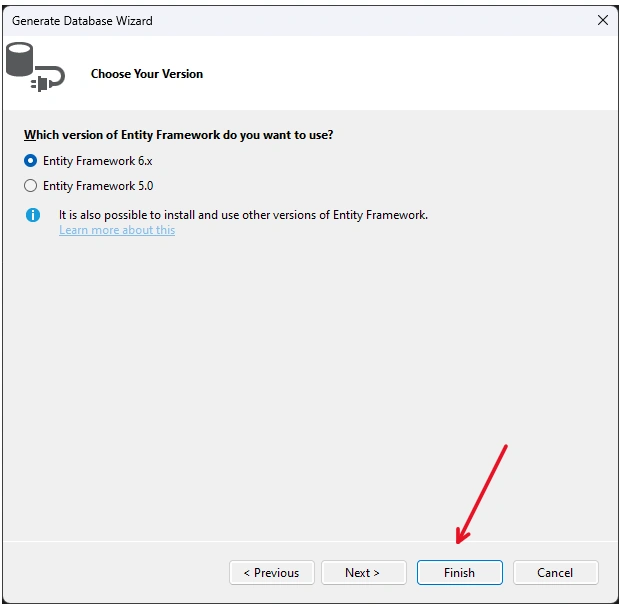
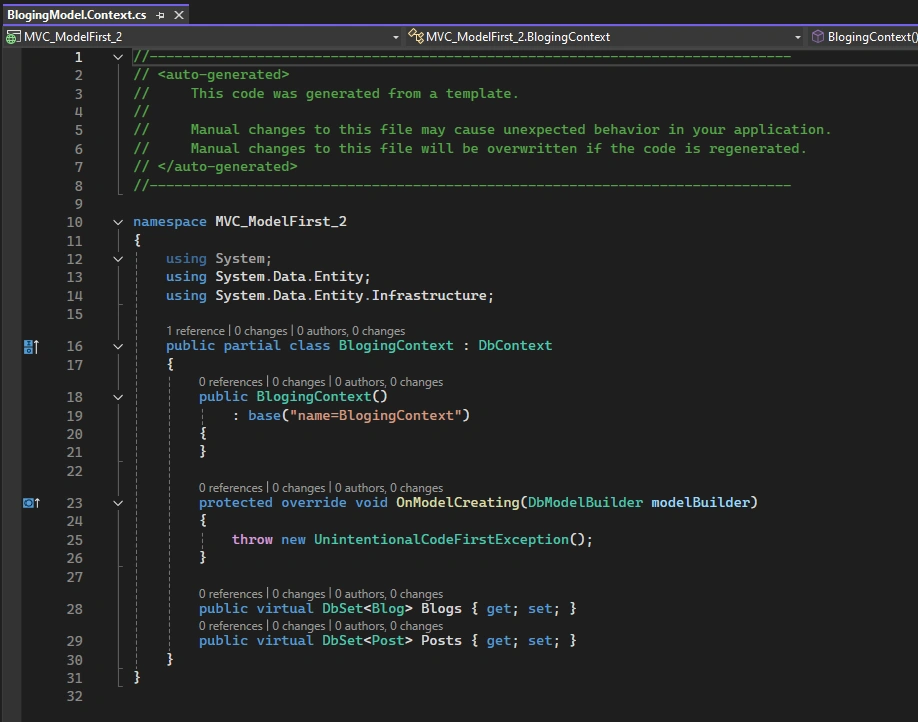
At this point, a bunch of files have been added:
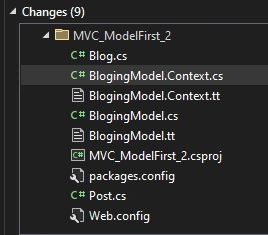
Blog.cs
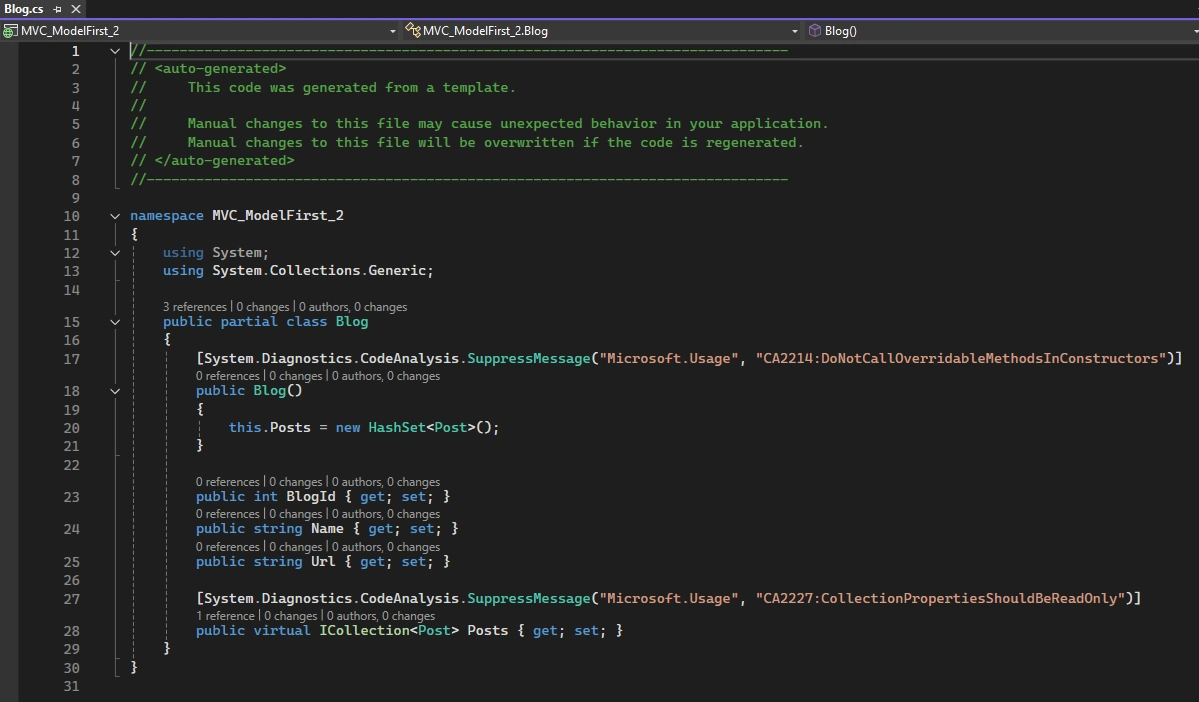
Post.cs
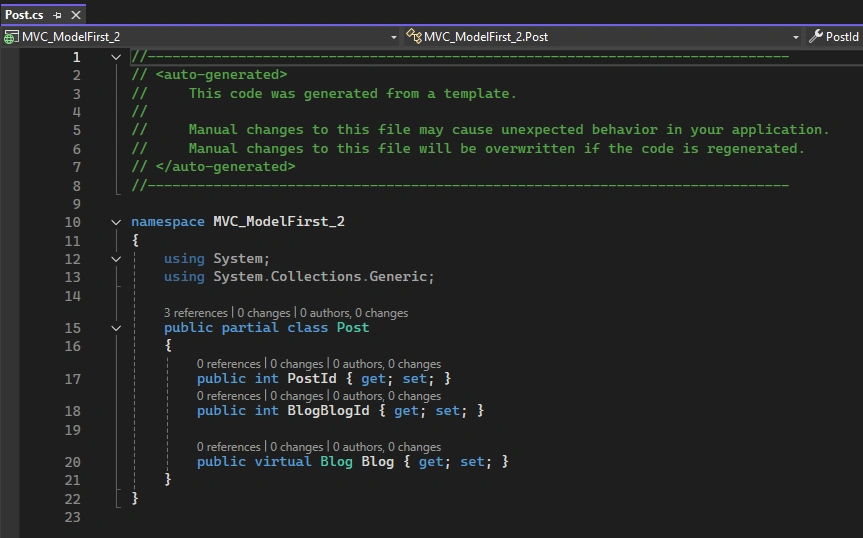
BlogingModel.Context.cs
Step 4. Generating the Database again
-
Re-do the task: Right-click on the design surface and select Generate Database from Model…
We got this error repeatly:
Click OK, --- we still cannot upload the data model to database:
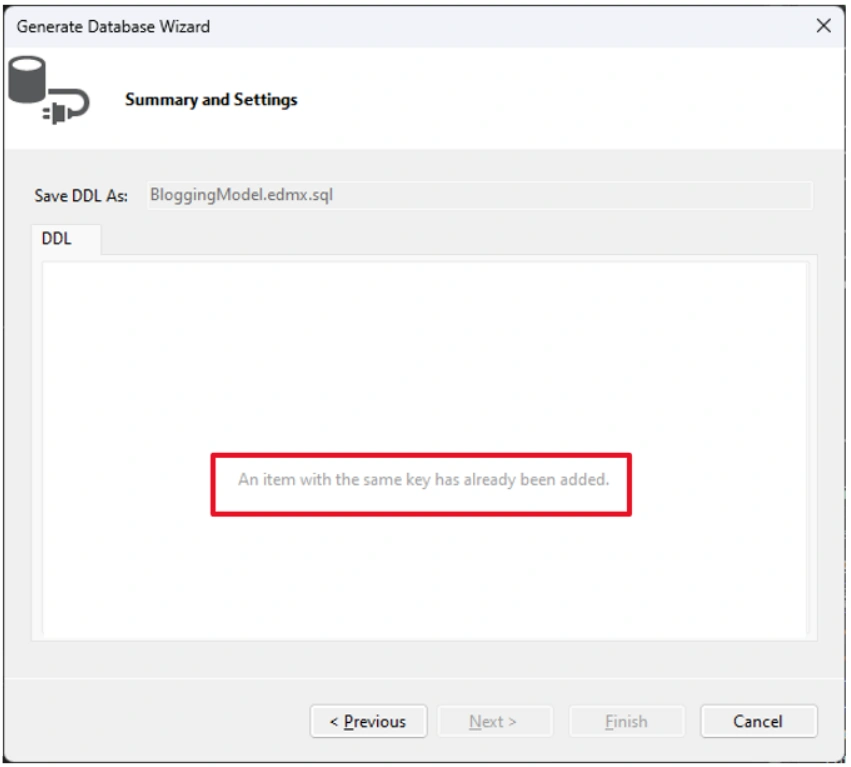
Walk arround for the bug:
Not sure the reason to get the bug. At the very beginning, I switched the project original version 4.7.2 to 4.8.1,
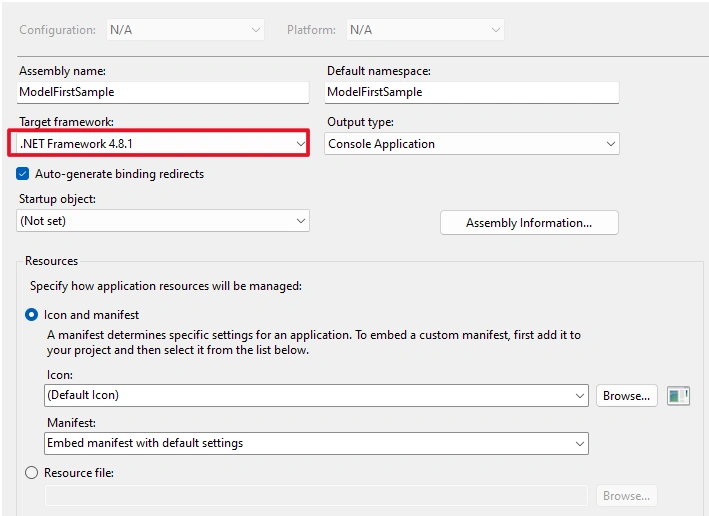
it just worked. I though maybe version 4.7.2 has some issue while version 4.8.1 good. However, if I open a project with 4.8.1, I still get the exactly the same bug, the same situation. Then I tried to switch the .Net version from 4.81 to 4.7.2, it also worked. So, by whatever reason, not by the specific version of .Net, but swiching the version can get rid of the bug.
After switch the version: 4.7.2 => 4.8.1 or 4.8.1 => 4.7.2 (4.6.1), re-do Generate Database from Model…
The database creation script is created:
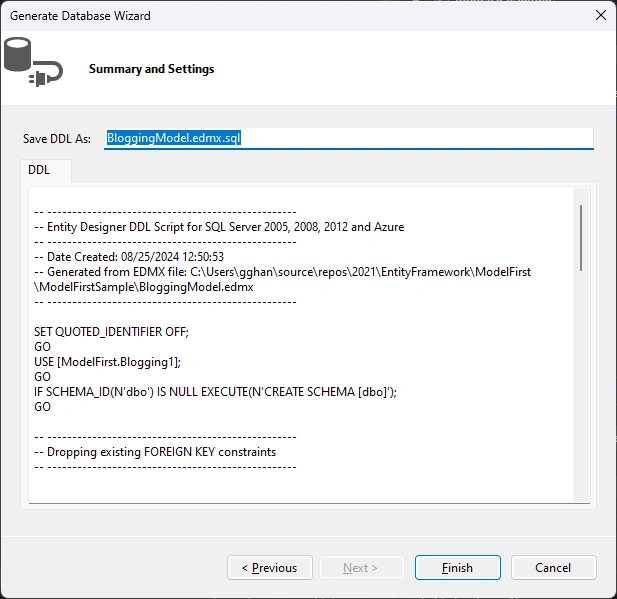
Click Finish,
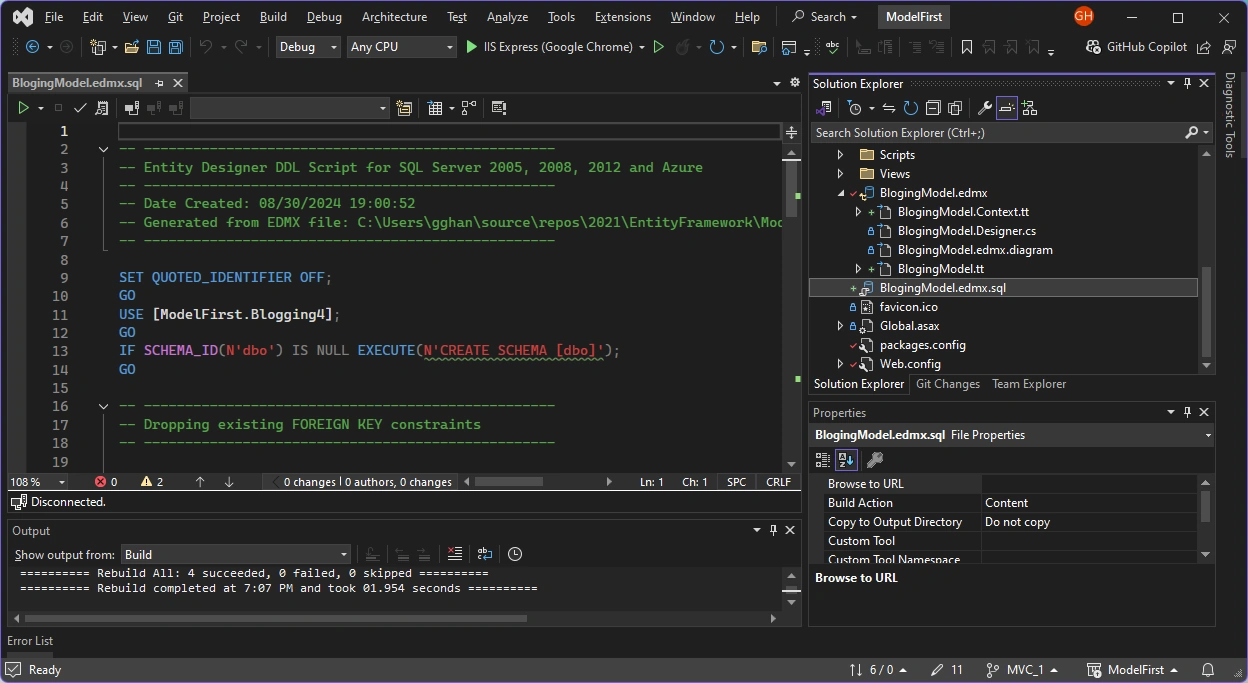 A SQL script file is created: BlogingModel.edmx.sql
-- --------------------------------------------------
-- Entity Designer DDL Script for SQL Server 2005, 2008, 2012 and Azure
-- --------------------------------------------------
-- Date Created: 08/25/2024 12:50:53
-- Generated from EDMX file: C:\Users\gghan\source\repos\2021\EntityFramework\ModelFirst\ModelFirstSample\BloggingModel.edmx
-- --------------------------------------------------

SET QUOTED_IDENTIFIER OFF;
GO
USE [ModelFirst.Blogging1];
GO
IF SCHEMA_ID(N'dbo') IS NULL EXECUTE(N'CREATE SCHEMA [dbo]');
GO

-- --------------------------------------------------
-- Dropping existing FOREIGN KEY constraints
-- --------------------------------------------------


-- --------------------------------------------------
-- Dropping existing tables
-- --------------------------------------------------


-- --------------------------------------------------
-- Creating all tables
-- --------------------------------------------------

-- Creating table 'Blogs'
CREATE TABLE [dbo].[Blogs] (
    [BlogId] int IDENTITY(1,1) NOT NULL,
    [Name] nvarchar(max)  NOT NULL,
    [Url] nvarchar(max)  NULL
);
GO

-- Creating table 'Posts'
CREATE TABLE [dbo].[Posts] (
    [PostId] int IDENTITY(1,1) NOT NULL,
    [Title] nvarchar(max)  NOT NULL,
    [Content] nvarchar(max)  NOT NULL,
    [BlogBlogId] int  NOT NULL
);
GO

-- --------------------------------------------------
-- Creating all PRIMARY KEY constraints
-- --------------------------------------------------

-- Creating primary key on [BlogId] in table 'Blogs'
ALTER TABLE [dbo].[Blogs]
ADD CONSTRAINT [PK_Blogs]
    PRIMARY KEY CLUSTERED ([BlogId] ASC);
GO

-- Creating primary key on [PostId] in table 'Posts'
ALTER TABLE [dbo].[Posts]
ADD CONSTRAINT [PK_Posts]
    PRIMARY KEY CLUSTERED ([PostId] ASC);
GO

-- --------------------------------------------------
-- Creating all FOREIGN KEY constraints
-- --------------------------------------------------

-- Creating foreign key on [BlogBlogId] in table 'Posts'
ALTER TABLE [dbo].[Posts]
ADD CONSTRAINT [FK_BlogPost]
    FOREIGN KEY ([BlogBlogId])
    REFERENCES [dbo].[Blogs]
        ([BlogId])
    ON DELETE NO ACTION ON UPDATE NO ACTION;
GO

-- Creating non-clustered index for FOREIGN KEY 'FK_BlogPost'
CREATE INDEX [IX_FK_BlogPost]
ON [dbo].[Posts]
    ([BlogBlogId]);
GO

-- --------------------------------------------------
-- Script has ended
-- --------------------------------------------------
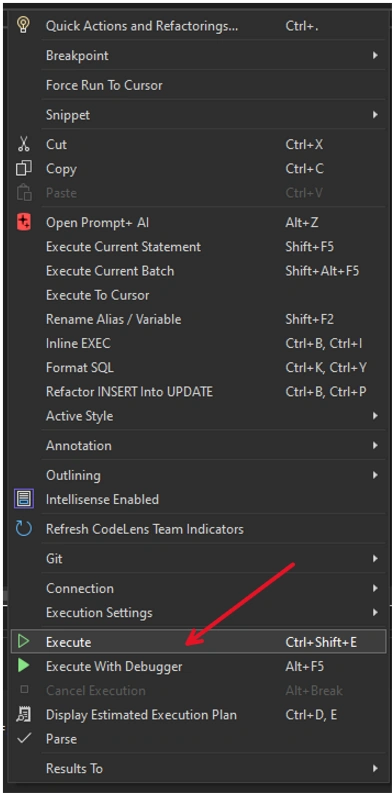
Execute the code by Right Click the code pane => Execute:
A connect window opened:
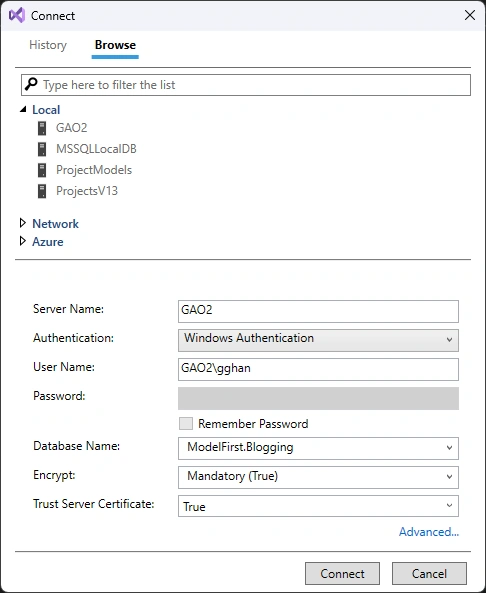
Click Connect => Processing
Completed
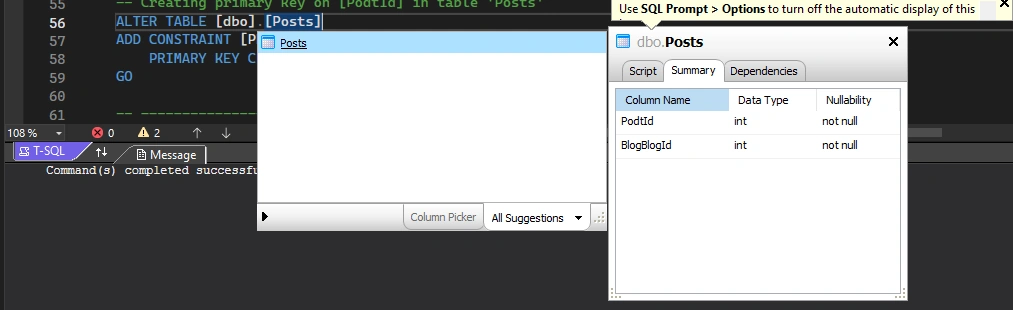
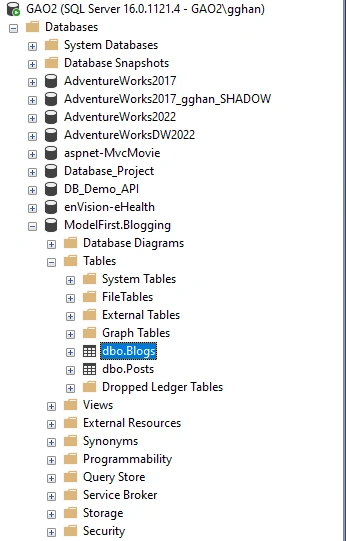
Check Database, tables Blogs and Posts are created:
Step 5: Run App
Implement the Main method in Program.cs as shown below. This code creates a new instance of our context and then uses it to insert a new Blog. Then it uses a LINQ query to retrieve all Blogs from the database ordered alphabetically by Title.
class Program
{
    static void Main(string[] args)
    {
        using (var db = new BloggingContext())
        {
            // Create and save a new Blog
            Console.Write("Enter a name for a new Blog: ");
            var name = Console.ReadLine();

            var blog = new Blog { Name = name };
            db.Blogs.Add(blog);
            db.SaveChanges();

            // Display all Blogs from the database
            var query = from b in db.Blogs
                        orderby b.Name
                        select b;

            Console.WriteLine("All blogs in the database:");
            foreach (var item in query)
            {
                Console.WriteLine(item.Name);
            }

            Console.WriteLine("Press any key to exit...");
            Console.ReadKey();
        }
    }
}
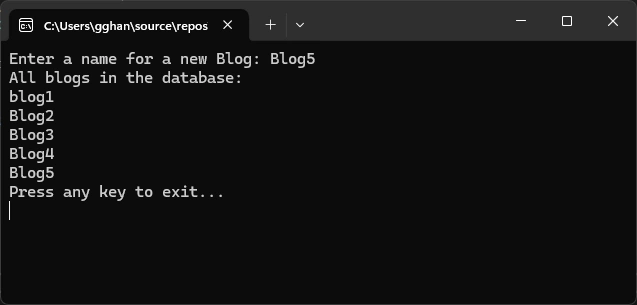
Run the app
Enter a name for a new Blog: ADO.NET Blog
All blogs in the database:
ADO.NET Blog
Press any key to exit...
as
Done.
Step 6, Dealing with Model Changes
Now it’s time to make some changes to our model, when we make these changes we also need to update the database schema.
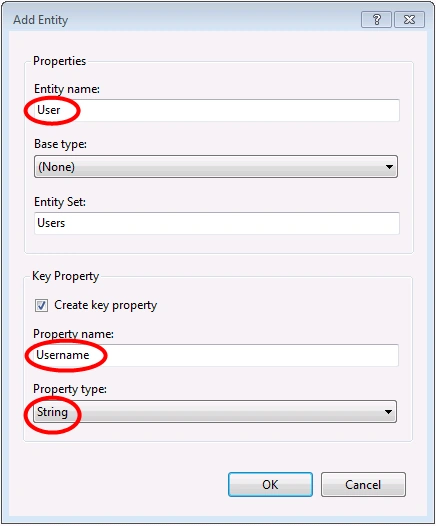
We’ll start by adding a new User entity to our model.
-
Add a new User entity name with Username as the key name and String as the property type for the key
-
Right-click on the Username property on the design surface and select Properties, In the Properties window change the MaxLength setting to 50 This restricts the data that can be stored in username to 50 characters
-
Add a DisplayName scalar property to the User entity
We now have an updated model and we are ready to update the database to accommodate our new User entity type.
- Right-click on the design surface and select Generate Database from Model…,
Entity Framework will calculate a script to recreate a schema based on the updated model.
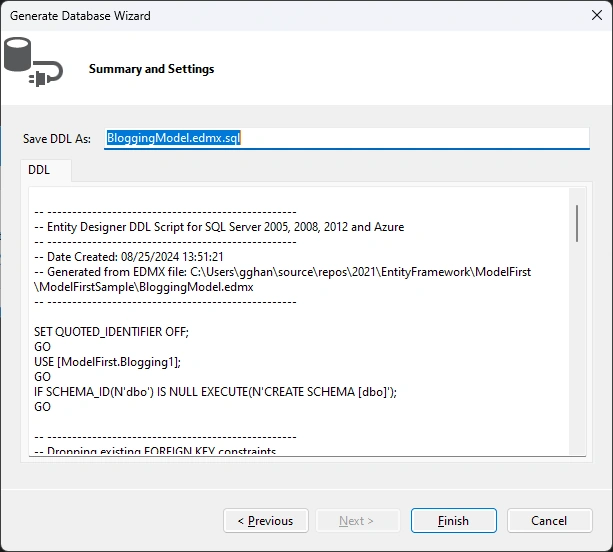
- Click Finish
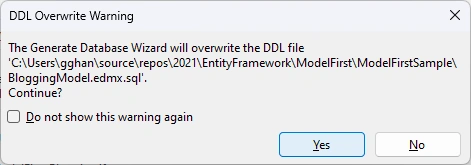
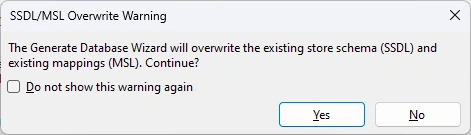
- You may receive warnings about overwriting the existing DDL script and the mapping and storage parts of the model, click Yes for both these warnings
- The updated SQL script to create the database is opened for you
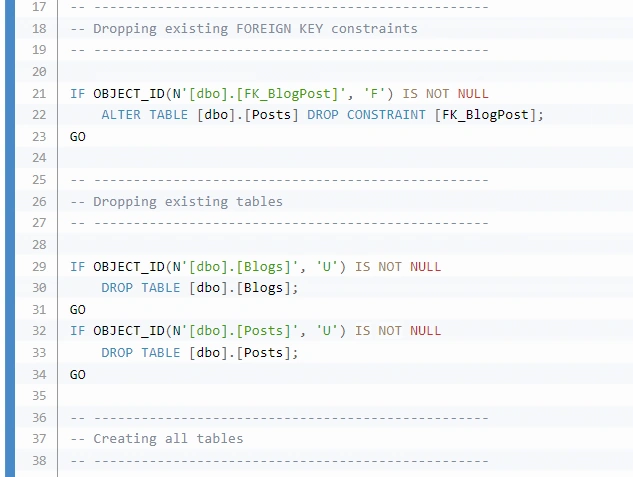
The script that is generated will drop all existing tables and then recreate the schema from scratch. This may work for local development but is not a viable for pushing changes to a database that has already been deployed. If you need to publish changes to a database that has already been deployed, you will need to edit the script or use a schema compare tool to calculate a migration script.
-- --------------------------------------------------
-- Entity Designer DDL Script for SQL Server 2005, 2008, 2012 and Azure
-- --------------------------------------------------
-- Date Created: 08/25/2024 13:51:21
-- Generated from EDMX file: C:\Users\gghan\source\repos\2021\EntityFramework\ModelFirst\ModelFirstSample\BloggingModel.edmx
-- --------------------------------------------------
SET QUOTED_IDENTIFIER OFF;
GO
USE [ModelFirst.Blogging1];
GO
IF SCHEMA_ID(N'dbo') IS NULL EXECUTE(N'CREATE SCHEMA [dbo]');
GO
-- --------------------------------------------------
-- Dropping existing FOREIGN KEY constraints
-- --------------------------------------------------
IF OBJECT_ID(N'[dbo].[FK_BlogPost]', 'F') IS NOT NULL
ALTER TABLE [dbo].[Posts] DROP CONSTRAINT [FK_BlogPost];
GO
-- --------------------------------------------------
-- Dropping existing tables
-- --------------------------------------------------
IF OBJECT_ID(N'[dbo].[Blogs]', 'U') IS NOT NULL
DROP TABLE [dbo].[Blogs];
GO
IF OBJECT_ID(N'[dbo].[Posts]', 'U') IS NOT NULL
DROP TABLE [dbo].[Posts];
GO
-- --------------------------------------------------
-- Creating all tables
-- --------------------------------------------------
-- Creating table 'Blogs'
CREATE TABLE [dbo].[Blogs] (
[BlogId] int IDENTITY(1,1) NOT NULL,
[Name] nvarchar(max) NOT NULL,
[Url] nvarchar(max) NULL
);
GO
-- Creating table 'Posts'
CREATE TABLE [dbo].[Posts] (
[PostId] int IDENTITY(1,1) NOT NULL,
[Title] nvarchar(max) NOT NULL,
[Content] nvarchar(max) NOT NULL,
[BlogBlogId] int NOT NULL
);
GO
-- Creating table 'Users'
CREATE TABLE [dbo].[Users] (
[Username] nvarchar(50) NOT NULL,
[DisplayName] nvarchar(max) NOT NULL
);
GO
-- --------------------------------------------------
-- Creating all PRIMARY KEY constraints
-- --------------------------------------------------
-- Creating primary key on [BlogId] in table 'Blogs'
ALTER TABLE [dbo].[Blogs]
ADD CONSTRAINT [PK_Blogs]
PRIMARY KEY CLUSTERED ([BlogId] ASC);
GO
-- Creating primary key on [PostId] in table 'Posts'
ALTER TABLE [dbo].[Posts]
ADD CONSTRAINT [PK_Posts]
PRIMARY KEY CLUSTERED ([PostId] ASC);
GO
-- Creating primary key on [Username] in table 'Users'
ALTER TABLE [dbo].[Users]
ADD CONSTRAINT [PK_Users]
PRIMARY KEY CLUSTERED ([Username] ASC);
GO
-- --------------------------------------------------
-- Creating all FOREIGN KEY constraints
-- --------------------------------------------------
-- Creating foreign key on [BlogBlogId] in table 'Posts'
ALTER TABLE [dbo].[Posts]
ADD CONSTRAINT [FK_BlogPost]
FOREIGN KEY ([BlogBlogId])
REFERENCES [dbo].[Blogs]
([BlogId])
ON DELETE NO ACTION ON UPDATE NO ACTION;
GO
-- Creating non-clustered index for FOREIGN KEY 'FK_BlogPost'
CREATE INDEX [IX_FK_BlogPost]
ON [dbo].[Posts]
([BlogBlogId]);
GO
-- --------------------------------------------------
-- Script has ended
-- --------------------------------------------------
All original tables are dropped first, and then recreate:
- Right-click on the script and select Execute
- you will be prompted to specify the database to connect to, specify LocalDB or SQL Server Express, depending on which version of Visual Studio you are using
After done, the database is updated: the user table is added:
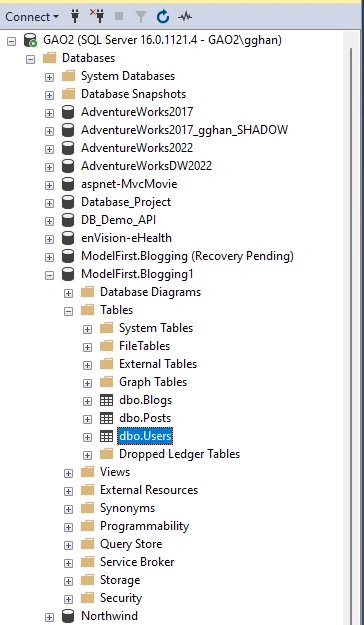
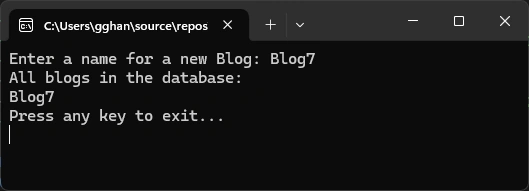
Run the app, we can see the database is empty because we have drop the old tables to create a new set.
Summary
This article detailed describes the Model First Approach process procedure. The Same and Dif amount the Model First Approach, Code First Approach and Database First Approach:
- The same:
- The setup model process is exactly the same as database first approach, and
- The Scaffolding process (will show later in ) is exactly the same as Code First Approach, after the Entity Model has been built by this Model approach.
- The Differ
- Sync with Database are different,
- For Code First Approach, there are two ways to go [ref]
- using EnsureCreated command to re-create the database
- using PMC (Package Management Console) Commands
- Add-Migration migrationName
- Update-Database
- for Model First Approach, using Generate Database Model Command
- For Code First Approach, there are two ways to go [ref]
- Sync with Database are different,
References:
- Model First - EF6 | Microsoft Learn --- used in this article
- Tutorial: Get Started with Entity Framework 6 Code First using MVC 5 | Microsoft Learn
- Tutorial: Get started with EF Core in an ASP.NET MVC web app | Microsoft Learn
- Getting Started with Entity Framework 6 Code First using MVC 5 | Microsoft Learn
- Entity Framework - Model First Approach
- Model First with Entity Framework (entityframeworktutorial.net)
- Model First Approach Of Entity Framework | C# Corner
- Model First Approach in Entity Framework Asp.Net MVC 4 Example - Tutlane
- Model First Approach in Entity Framework | Complete Guide | DotNet Academy - YouTube
- Good Samples
- Model First Approach In Entity Framework (c-sharpcorner.com) --- employee
- Model First Approach in MVC Using Entity Framework (c-sharpcorner.com) --- student
- Model First Approach in Entity Framework (c-sharpcorner.com) --- Student, relations
- Get Started with WPF - EF Core | Microsoft Learn
- Model Binding in ASP.NET Core | Microsoft Learn
Join the conversation! Your thoughts help the community grow.