

What is document set?
- Document set is a feature introduced in an earlier version of SharePoint 2010.
- Document set is a content type and it will attach to any document library.
- It will be helpful for grouping of documents from different content types associated with its own metadata.
How to enable document set in SharePoint 2013
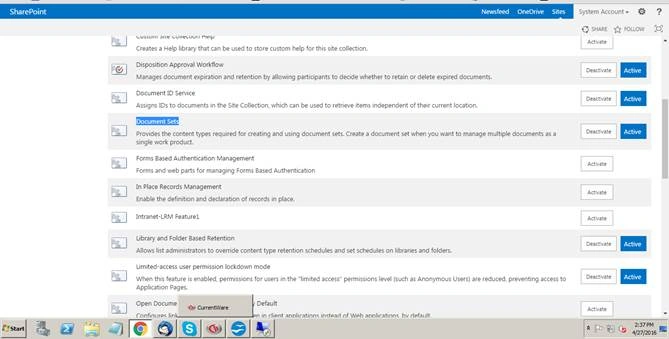
This feature will be activated manually under SharePoint site collection feature,
Open SharePoint site, Navigate to site settings, Site administration, Site collection feature, Navigate to document set feature, then click Active,
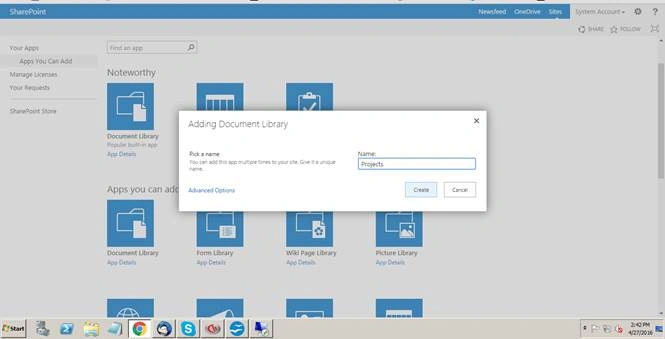
Now I am going to create a document library named “Projects”,
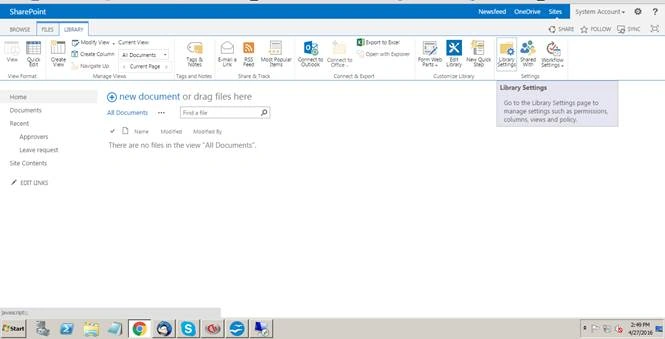
Navigate to library settings of the project library,
Click Advanced settings.
Check “Allow management of content types" to "Yes”,
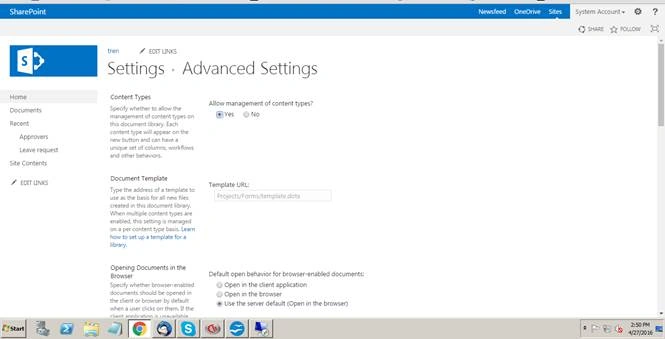
Click ok.
Navigate to site settings, Under web designer galleries, click Site content types,
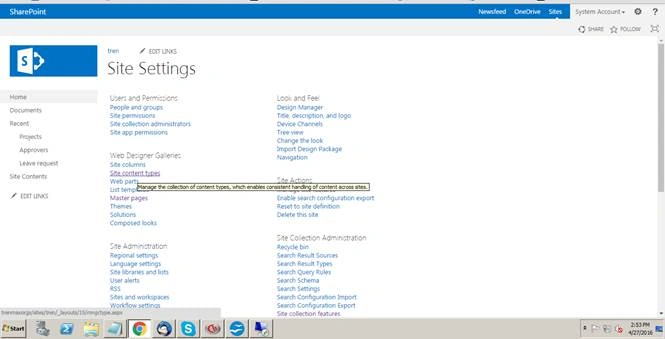
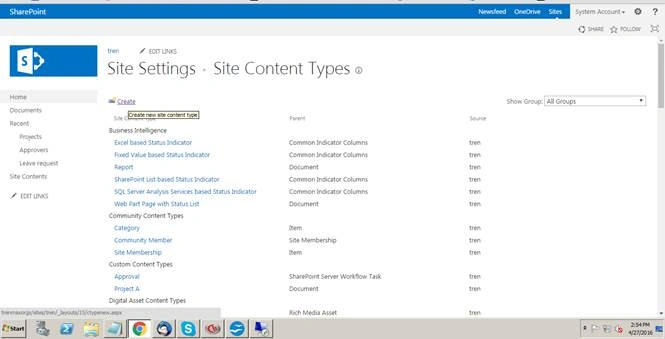
Click Create,
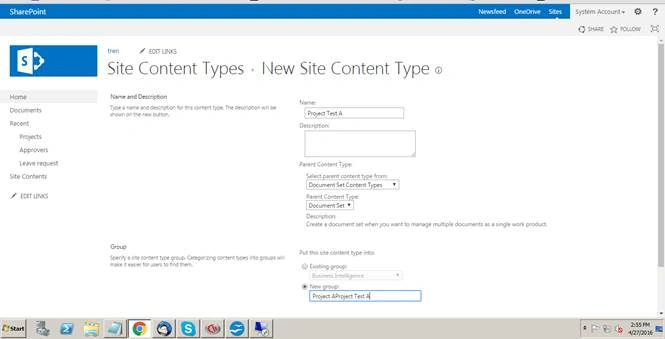
Provide the title of the content type.
Select parent content type into Document set content type.
Create a new group.
Click Ok.
After creating a content type “Add a new site columns”.
I have created these here,
- Project Owner
- Project Budget
- Project Status
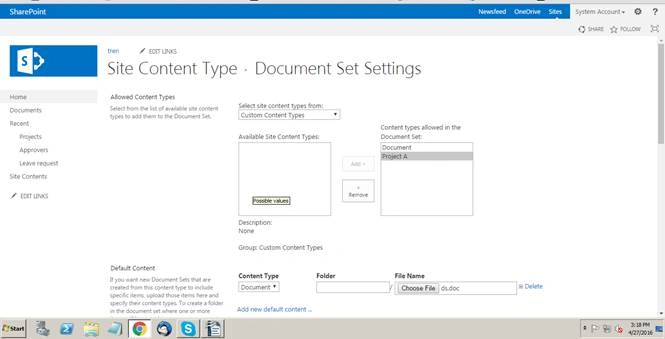
Select the Content type “Project A”.
Provide the default content of the content type, may be the document or PPT or XLS or Doc,
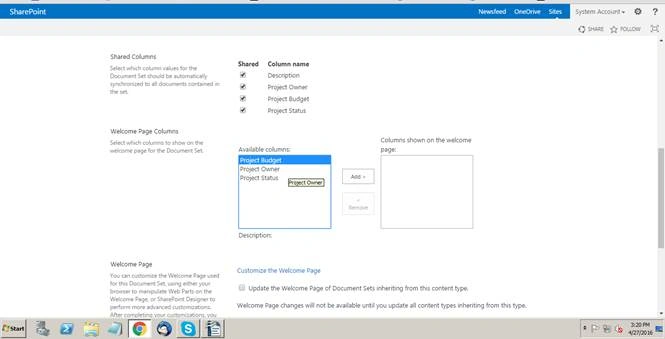
Check all the shared columns you have created already,
Add all the welcome page columns,
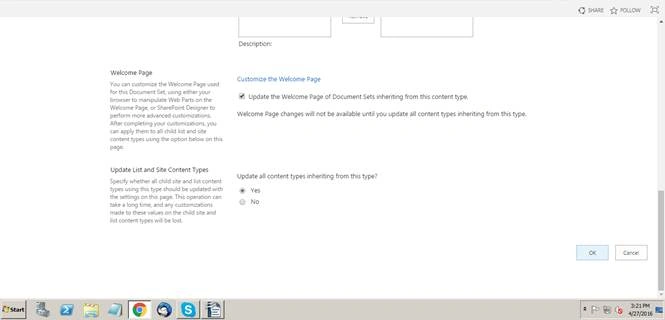
Click Ok.
Now navigate to library settings, then click Add from existing content types,
Select Project Test A from group,
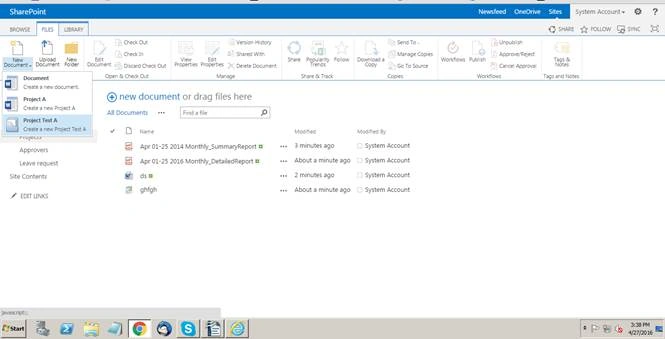
Now navigate to, then create new document,
Click Project Test A,
Fill all the information.
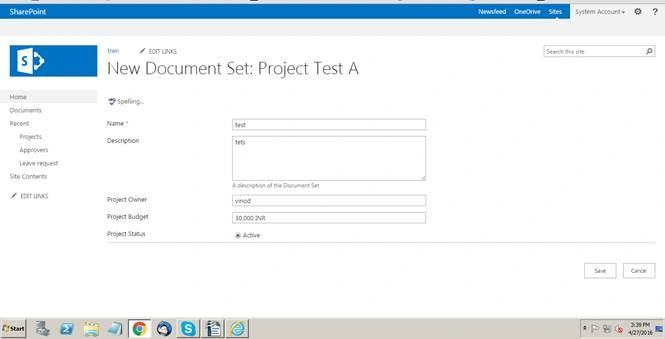
Click Save.
Now it will be redirected to the Welcome page of your document set,
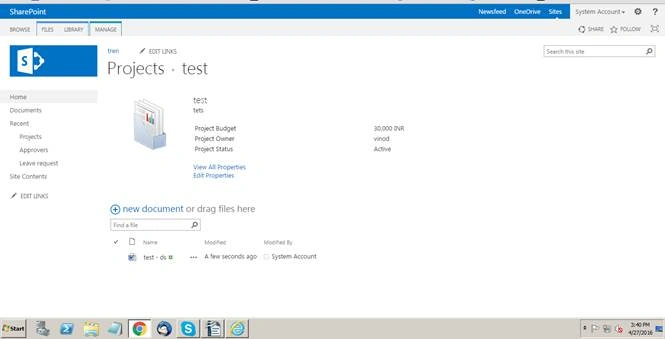
Here you can manage your document with different groups with its own content types.
Vinodh NarayananPosted May 14, 2016, 1:31 PM
Bhuvanesh Mohankumar Vignesh ManiDebasis SahaRajkiran SwainNitin TyagiSanthakumar Munuswamy Thanks to all
Santhakumar MunuswamyPosted May 9, 2016, 11:27 PM
Thank you for nice share
NitinPosted May 4, 2016, 7:37 AM
Thanks for sharing
Rajkiran SwainPosted May 4, 2016, 5:36 AM
Good One..
Debasis SahaPosted May 3, 2016, 9:29 AM
Good One..
Vignesh ManiPosted May 3, 2016, 8:38 AM
Good one
Bhuvanesh MohankumarPosted May 3, 2016, 8:18 AM
Nice...
Amit DavePosted May 3, 2016, 6:53 AM
Good share!