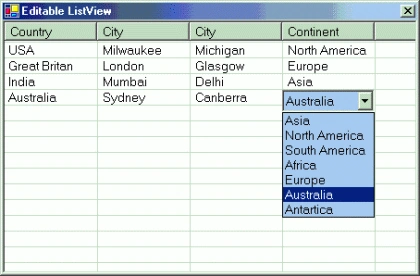
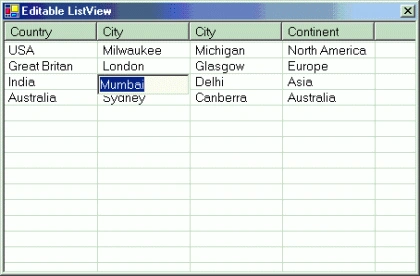
Based on the similar technique used my previous article, the Editable Listbox, we can edit columns and rows of a ListView control. We can overlay editbox to edit item , or combobox to enable item selection from a list into a listview.

Join the conversation! Your thoughts help the community grow.
Sign in to leave a comment
It is the same account you read, post and publish with — and you will come straight back to this page.
Eddy IrishPosted Aug 26, 2016, 8:03 AM
The problem of all similar solutions is that the edit control remains on its place when the ListView is scrolled (add enough items to reproduce that). Another drawback: the lack of the keyboard interface to select any subitem for editing. As for me, it makes much more sense to use a third-party lightweight and cheap editable ListView replacement like this: http://10tec.com/articles/editable-listview-replacement.aspx
SubashPosted Jul 19, 2016, 7:21 AM
Super
trilok pandeyPosted Feb 26, 2014, 4:42 AM
C# corrner is really good
Amit MaheshwariPosted Dec 3, 2011, 12:17 AM
Dear, kulkarni it's a great effort but you should write more about this article thanks.
Anandhavel TPosted Oct 21, 2011, 12:17 AM
It is a nice article,Its working.. I have a doubt,whether we can save the updated listview Items into database...
d cPosted May 19, 2009, 11:26 AM
Great it doesnt work!
Supriya GhudePosted Jan 16, 2009, 11:17 PM
Its not clear.
Nauman FarooqPosted Dec 24, 2008, 1:42 AM
check the code ,,,its not working Regards, Nauman Farooq http://www.technoblogy.net
Joe KellerPosted Mar 29, 2007, 8:06 PM
Really bad exaple hrd wiring - does not work if it scrolled