

Introduction
- This is a series of articles to get our hands dirty with Durable Functions and their patterns in detail.
- Please refer to my previous article to understand the basics of durable functions.
- In this article, we would cover the pattern Monitoring patterns.
It will cover the following things,
- Application Patterns
- Pre-requisites
- What is a Monitoring pattern?
- Hands-on Lab – Create durable function using Monitoring pattern in C#
- Hands-on Lab – Deploy a durable function using Monitoring pattern on Azure
Application patterns
The following application patterns can benefit from Durable Functions:
- Chaining
- Fan-out/fan-in
- Async HTTP APIs
- Monitoring(COVERED in this article)
- Human interaction
- Aggregator (stateful entities)
Pre-requisites
These are pre-requisites to start working on durable functions
- An Azure pay-as-you-go account enabled
- Install Visual Studio 2019
- Install Azure Storage Emulator
What is a Monitoring pattern?
- The monitor pattern refers to a flexible, recurring process in a workflow. An example is polling until specific conditions are met.
- You can use a regular timer trigger to address a basic scenario, such as a periodic cleanup job, but its interval is static and managing instance lifetimes becomes complex.
- You can use Durable Functions to create flexible recurrence intervals, manage task lifetimes, and create multiple monitor processes from a single orchestration.
Hands-on Lab – Create durable function using Monitoring pattern in C#
Steps to be followed,
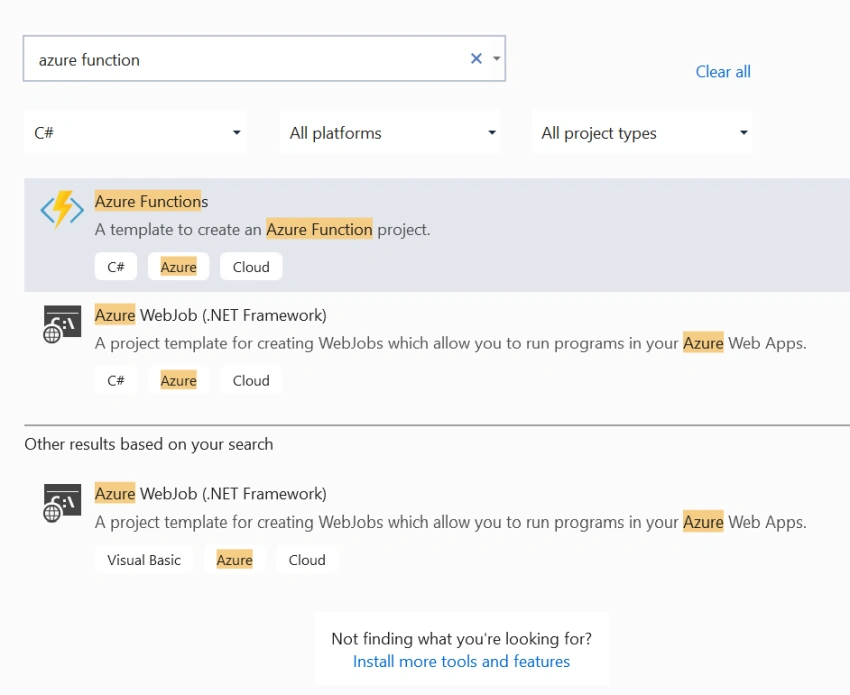
Open VS 2019 and create a project.
Choose the Azure function template and create a directory.
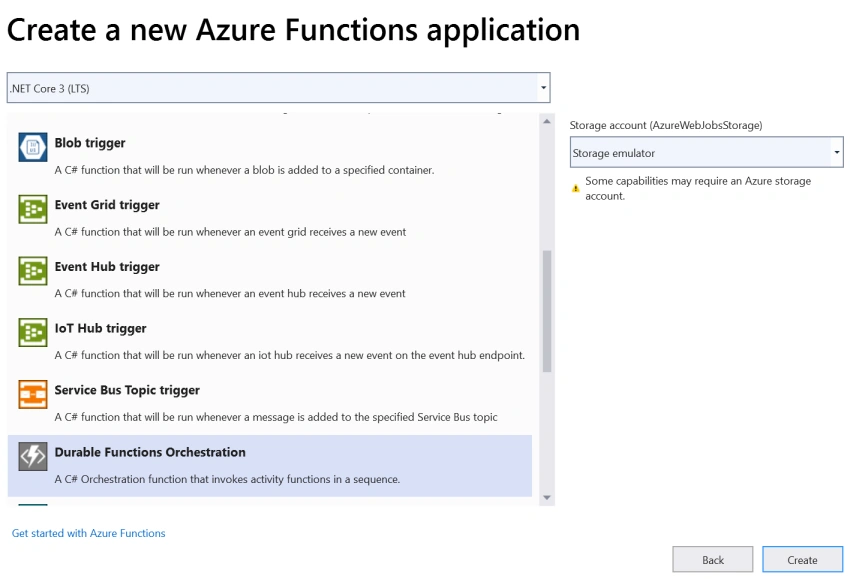
Choose durable functions orchestration template.
Once the application has been created, we would see three functions,
- MonitorJobStatus – Main functionality function which internally calls GetJobStatus and SendAlert in case job Status is completed
- GetJobStatus – Intermediate function gets called from MonitorJobStatus which return the status of the job, in our case, it completed only
- SendAlert– Intermediate function gets called from MonitorJobStatus which return the alert message in case job status is completed
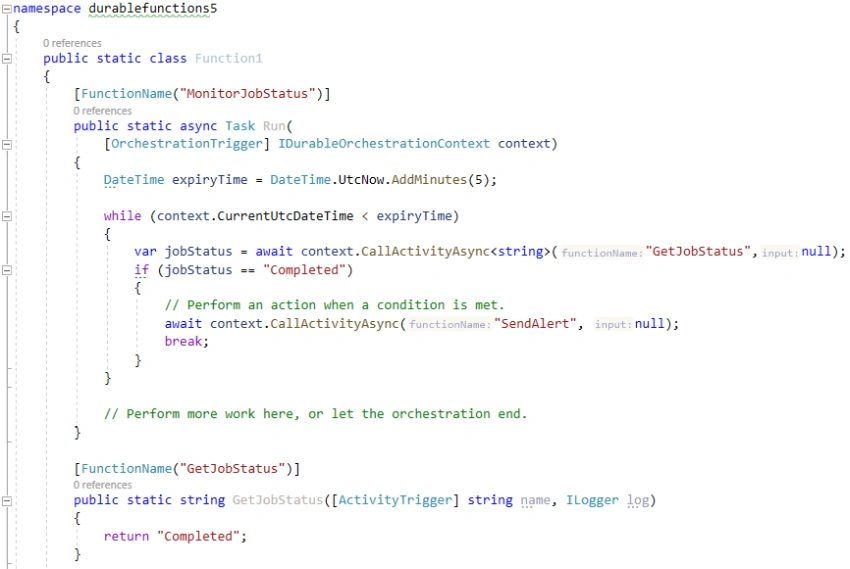
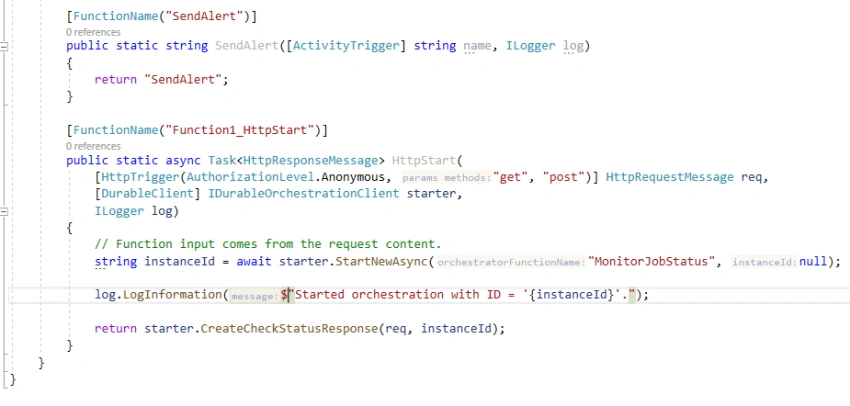
Run (F5) the application and see all the functions that have been listed here.
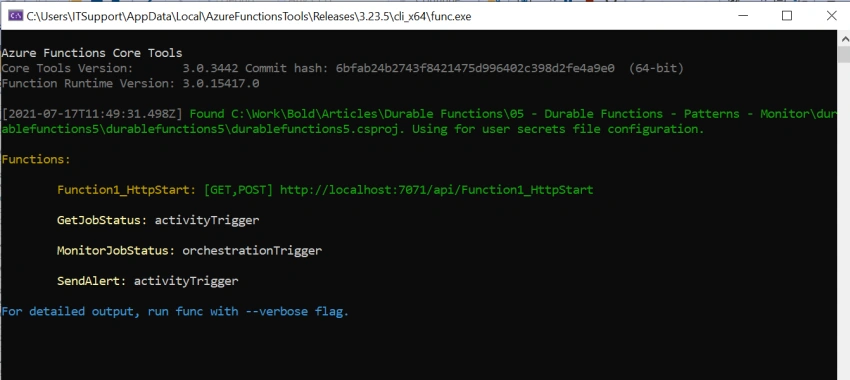
In this above example, you see an HTTP URL that allows instantiating the orchestration,
Copy the URL of Function1_HttpStart and run it in the browser.
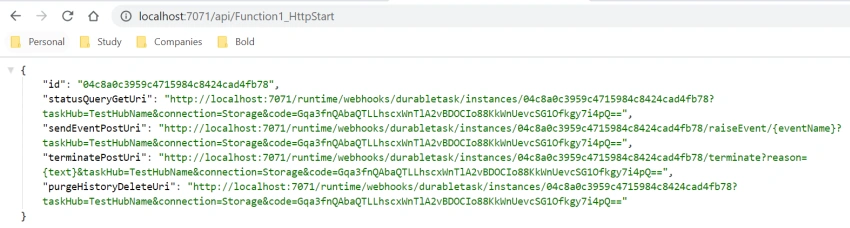
Copy the URL of statusQueryGetUri (GET URL) and run it in the browser.
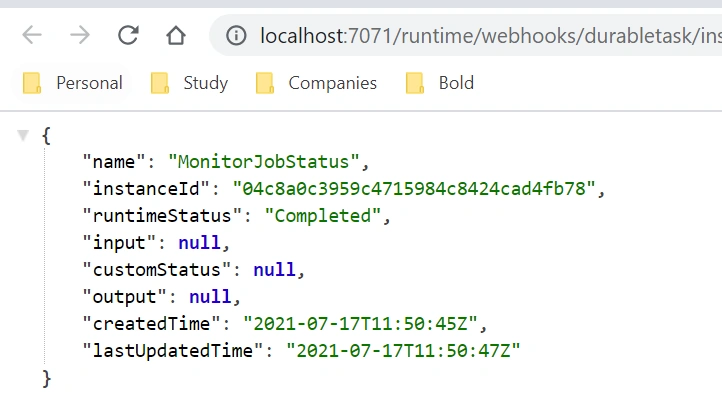
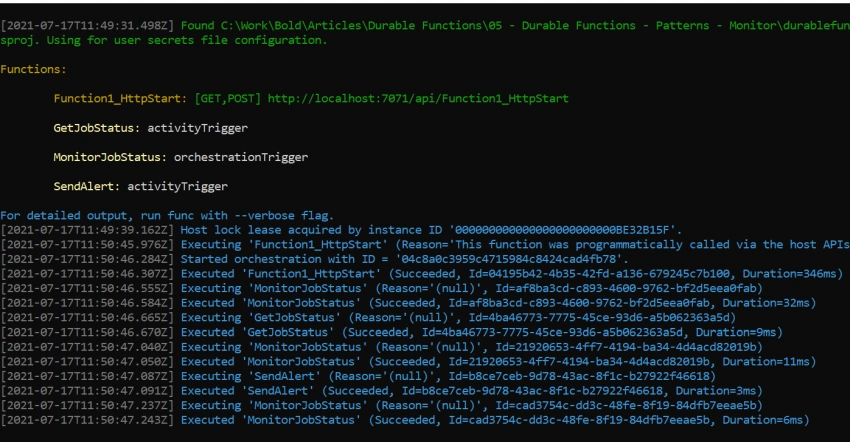
Here, you can see the events run, HTTP_START calls MonitorJobStatus followed by GetJobStatus, SendAlert, and MonitorJobStatus.
Hands-on Lab – Deploy a durable function using Monitoring pattern on Azure
Steps to be followed,
Right-click on the function and click on publish and choose target as Azure.
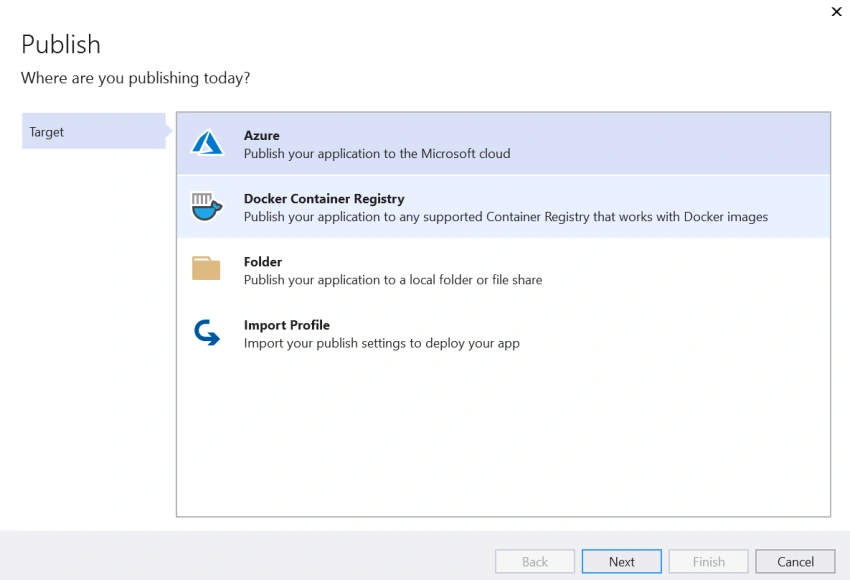
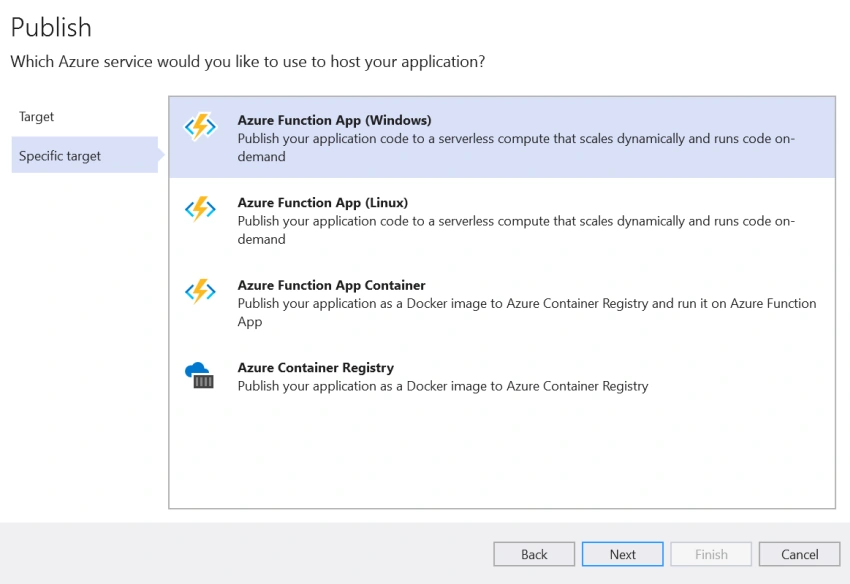
Choose an option as Azure function app (Windows).
Create/choose the new/existing resource group and resource for azure function deployment.
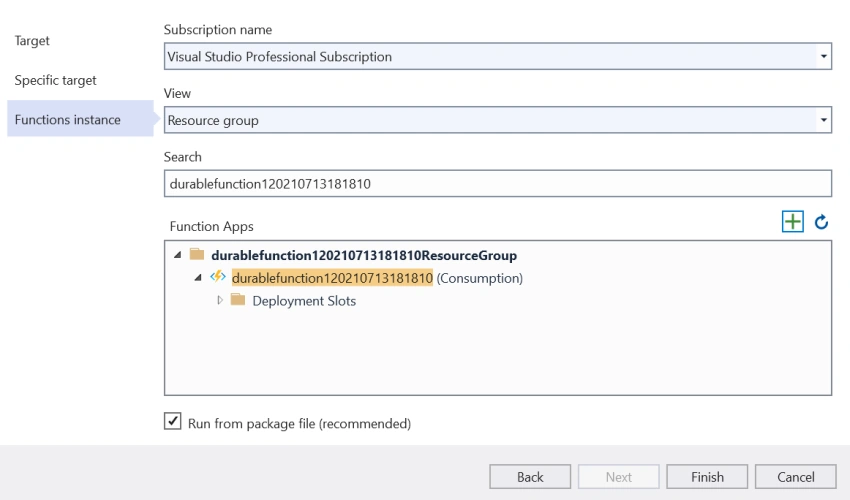
Click on Finish and let it get published and once published, go to the Azure portal and test the function app using the steps which we did in the above steps while creating durable functions
This is a basic example of Monitoring, where Orchestrator or main function is responsible for calling job status function and if it is completed and then calls the send alert, which means constantly monitoring the job status or anything and perform an action based on the results
There are multiple other patterns that represent where to use duration functions, stay tuned for the next series of articles to get a hang of it.
Happy learning!
Join the conversation! Your thoughts help the community grow.