

AngularJs Directive
Here in AngularJs a directive is a special instruction to the HTML tags to extend their functionality.
The AngularJs directive starts from the prefix (ng) or (data-ng).
The main difference between an ng directive and a data-ng directive is that if we are using the (ng-) prefix then the directive is only understood by and executed by the browser that support HTML5.
But if we are using the (data-ng) prefix then this directive is understood and executed by all the browsers, whether they support HTML 5 or not.
However if you are using (ng-) and it shows a Green line then you can avoid that by using the (data-ng) directive.1. ng-app
- It is the root AngularJs directive.
- Before including any directive we shall include this directive.
- Without this directive no other directive will work.
- Whereever you place this directive in between this area you can use your AngularJs code.
- This HTML code defines how you use this directive.
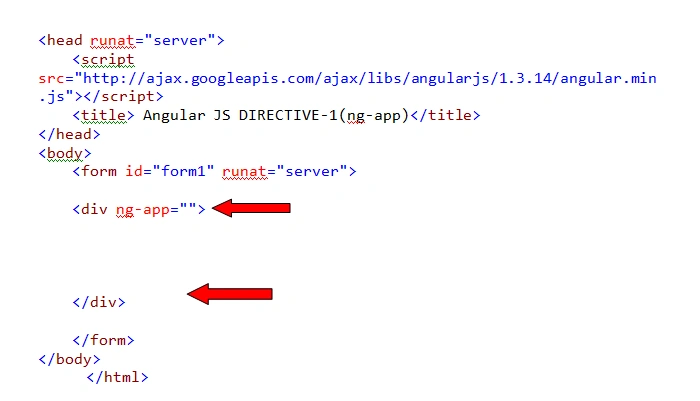
2. ng-init
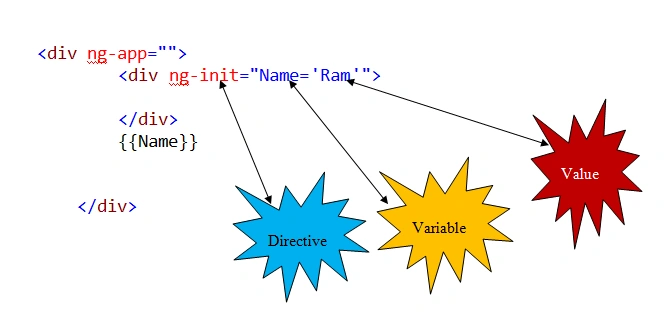
- The ng-init directive initializes any variable in AngularJs.
- This is very simple to use, just like you initialize a variable in C#, but before this you should prefix ng-init.
- You could declare it as follows.
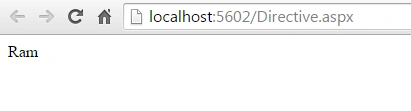
Note: The double curly braces indicate the data binding statements.
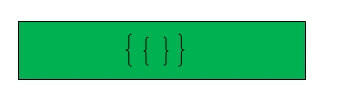
Whatever you write inside this, it will bind to the page.
3. ng-model
- The ng-model directive binds the value of HTML controls (such as input, select and textarea) to the application data.
- We can use this model data to retrieve the control data anywhere in the HTML form.
- Provides type validation for application data (such as number, email and required).
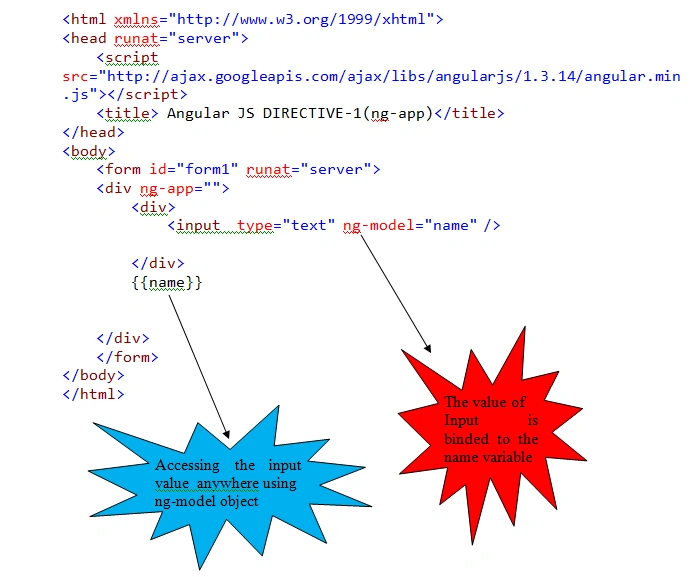
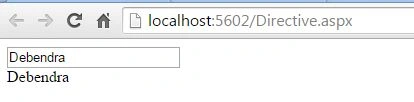
The main difference between data-bind expression ({{}}) and ng-bind.
This ng-bind is a directive and will place a watcher on the passed variable. So the ng-bind will only apply, when the passed value does actually change.
The brackets on the other hand will be dirty checked and refreshed in every $digest, even if it's not necessary.
4. ng-repeat
- ng-repeat is just like a loop in our UI part.
- It is mainly used to repeat the element from an array.
- <head runat="server">
- <script src="http://ajax.googleapis.com/ajax/libs/angularjs/1.3.14/angular.min.js"></script>
- <title></title>
- </head>
- <body>
- <form id="form1" runat="server">
- <div ng-app="">
- <div>
- <p>
- <span ng-model="Name=['Ram','Harish','sunita','vinod']"></span>
- </p>
- <br />
- <br />
- <ul ng-repeat="myname in Name">
- <li>
- {{myname}}
- </li>
- </ul>
- </div>
- </div>
- </form>
- </body>
- Ram
- Harish
- sunita
- vinod
- This is an excellent directive in AngularJs.
- This directive will report if someone copies something from a webpage.
- <head runat="server">
- <script src="http://ajax.googleapis.com/ajax/libs/angularjs/1.3.14/angular.min.js"></script>
- <title></title>
- </head>
- <body>
- <form id="form1" runat="server">
- <div ng-app="">
- <div ng-init="action=false" ng-copy="action='True'">
- India (Listeni/ˈɪndiÉ™/), officially the Republic of India (BhÄrat GaṇarÄjya),[12][c] is a country in South Asia. It is the seventh-largest country by area, the second-most populous country with over 1.2 billion people, and the most populous democracy in the world. Bounded by the Indian Ocean on the south, the Arabian Sea on the south-west, and the Bay of Bengal on the south-east, it shares land borders with Pakistan to the west;[d] China, Nepal, and Bhutan to the north-east; and Burma (Myanmar) and Bangladesh to the east. In the Indian Ocean, India is in the vicinity of Sri Lanka and the Maldives; in addition, India's Andaman and Nicobar Islands share a maritime border with Thailand and Indonesia.
- </div>
- <br />
- <br />
- <br />
- <b>
- <span>Have you copyed the text:-{{action}}</span>
- </b>
- </div>
- </form>
- </body>
SoWhen we run the page it will be like this:



6. ng-Cut
The same as copy, AngularJs provides another directory, ng-cut, to specify if the content is to be cut from the web site or not.
If something is cut then the value becomes true.
- <head runat="server">
- <script src="http://ajax.googleapis.com/ajax/libs/angularjs/1.3.14/angular.min.js"></script>
- <title></title>
- </head>
- <body>
- <form id="form1" runat="server">
- <div ng-app="">
- <div ng-init="action=false" ng-cut="action='True'">, the Arabian Sea on the south-west, and the Bay of Bengal on the south-east, it shares land borders with Pakistan to the west;[d] China, Nepal, and Bhutan to the north-east; and Burma (Myanmar) and Bangladesh to the east. In the Indian Ocean, India is in the vicinity of Sri Lanka and the Maldives; in addition, India's Andaman and Nicobar Islands share a maritime border with Thailand and Indonesia.
- </div>
- <br />
- <br />
- <br />
- <b>
- <span>Have you Cut the text:-{{action}}</span>
- </b>
- </div>
- </form>
- </body>
- select the text
- press CNTRL+x
- And then check the status.
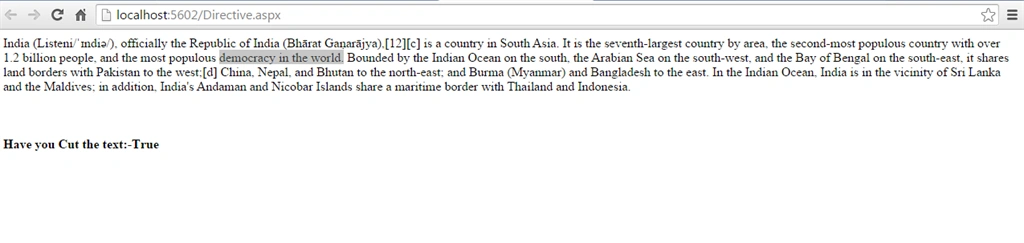
This will be true when we cut some text from the web page.
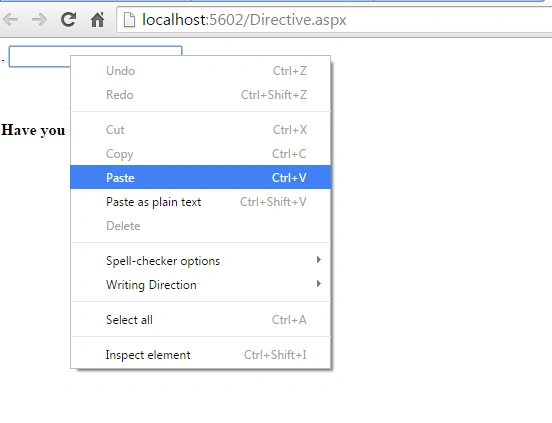
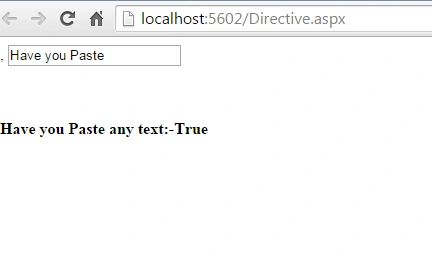
7. ng-Paste
This directory becomes true if you paste something into an HTML element.
- <head runat="server">
- <script src="http://ajax.googleapis.com/ajax/libs/angularjs/1.3.14/angular.min.js"></script>
- <title></title>
- </head>
- <body>
- <form id="form1" runat="server">
- <div ng-app="">
- <div ng-init="action=false" ng-cut="action='True'">,
- <input type="text" ng-init="action=false" ng-paste="action='True'" />
- </div>
- <br />
- <br />
- <br />
- <b>
- <span>Have you Paste any text:-{{action}}</span>
- </b>
- </div>
- </form>
- </body>
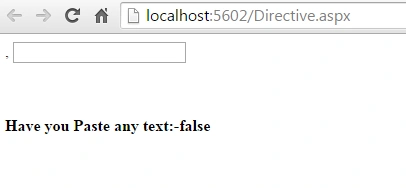
Step 2
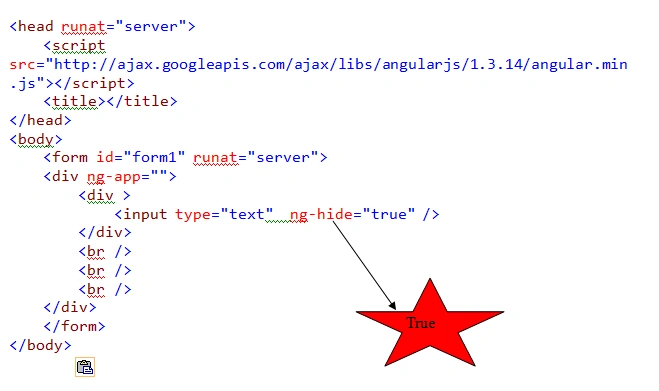
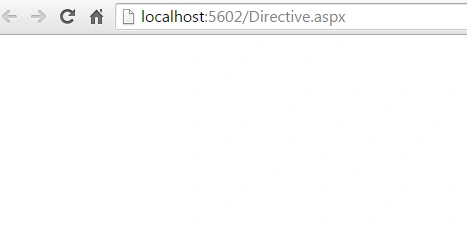
8. ng-hide
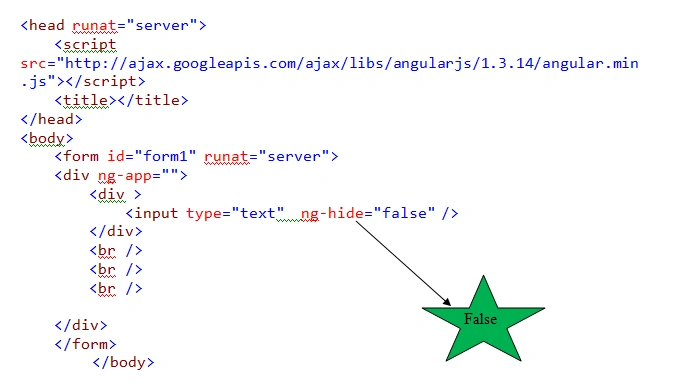
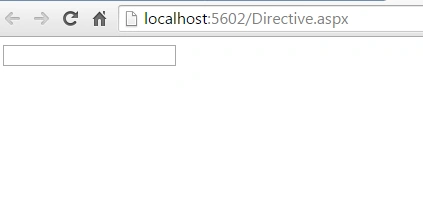
This directive is used to hide a HTML element when set to true.
When it is set to false it will unhide the element, or it comes into its default view.
9. ng-click
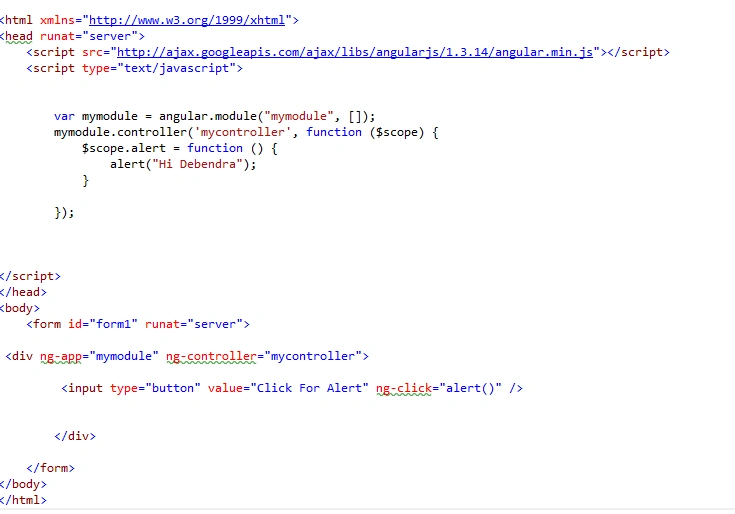
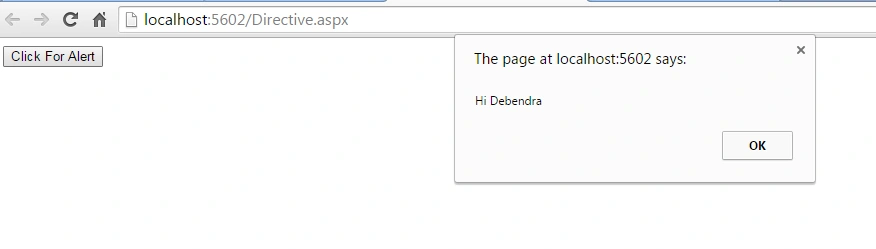
This directive is equivalent to the click event of a button or onclick event of a HTML button.
- <div ng-app="mymodule" ng-controller="mycontroller">
- <input type="button" value="Click For Alert" ng-click="alert()" />
- </div>undefined</form>undefined</body>
- <head runat="server">
- <script src="http://ajax.googleapis.com/ajax/libs/angularjs/1.3.14/angular.min.js"></script>
- <script type="text/javascript">
- var mymodule = angular.module("mymodule", []);
- mymodule.controller('mycontroller', function ($scope) {
- $scope.alert = function () {
- alert("Hi Debendra");
- }
- });
- </script>
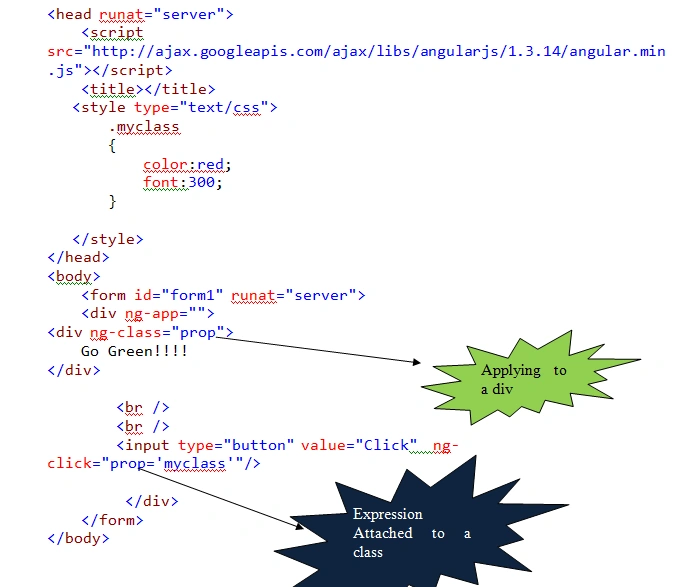
10. ng-class
The ng-class allows you to dynamically set a CSS class on an HTML element by binding an expression that represents the class.
Debendra DashPosted Jul 8, 2015, 6:28 AM
Thanks Jacob.......
Jacob RobinsonPosted Jul 8, 2015, 3:09 AM
Nice Article..
Sibeesh VenuPosted Jul 8, 2015, 12:44 AM
Good One! Thanks for sharing
Nilesh JadavPosted Jul 8, 2015, 12:25 AM
Good one
Gopi ChandPosted Jul 7, 2015, 11:11 PM
Great explanation
Pankaj Kumar ChoudharyPosted Jul 7, 2015, 11:07 PM
Nice Article Sir...........