

Note: this article is published on 07/10/2024.
These will be a series of articles about Design Patterns. We start from MVC Pattern:
- Design Pattern (0), Overview
- Design Pattern (1), MVC
- Design Pattern (2), MVVM
- Design Pattern (3), Singleton
- Singleton vs. Static Class: Design Pattern (3-1), Differences between Singleton and Static Class
- Why Singleton Class is Sealed
- Lazy Loading and Eager Loading in Stingleton Design Pattern
- Design Pattern (4), Desposal
- Design Pattern (5), Dependency Injection
A: Introduction
.NET supports the dependency injection (DI) software design pattern, which is a technique for achieving Inversion of Control (IoC) between classes and their dependencies. Inversion of Control is a principle in software engineering which transfers the control of objects or portions of a program to a container or framework.
This article will be an implementation of Dependency Injection for a MVC app with a constructor injection and associated with a .NET Core built in container to handle the service lifetimes. This article has the same structure with Design Pattern (5-3), Dependency Injection, Console Demo, just with the different platform.
- A: Introduction
- B: Setup Environment
- C: Setup the Program
- D: Run and Result
B: Setup Environment:
Open a .NET Core Web App (MVC) by Visual Studio 2022, Version 17.10.3, current on 07/07/2024
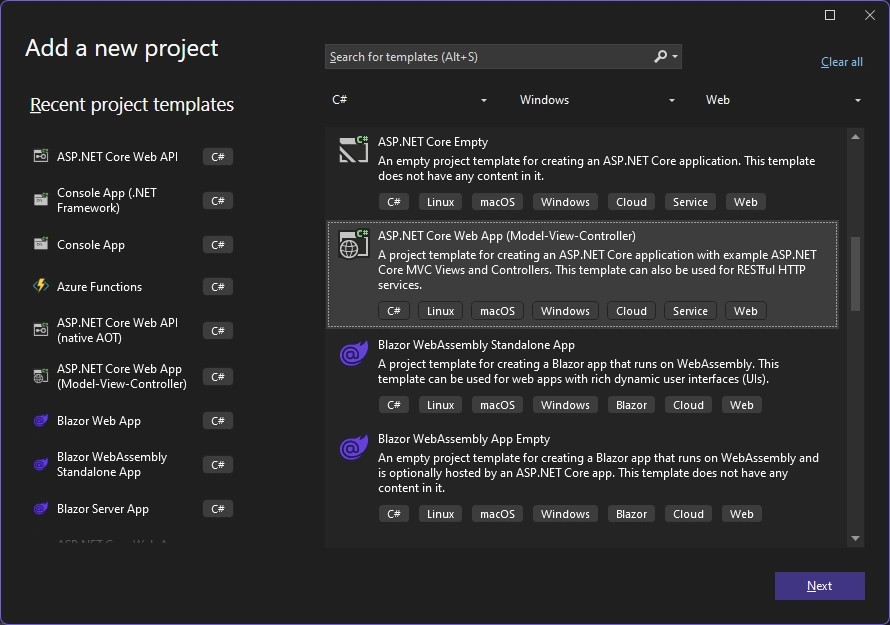
Project Name as TransientScopedSingleton
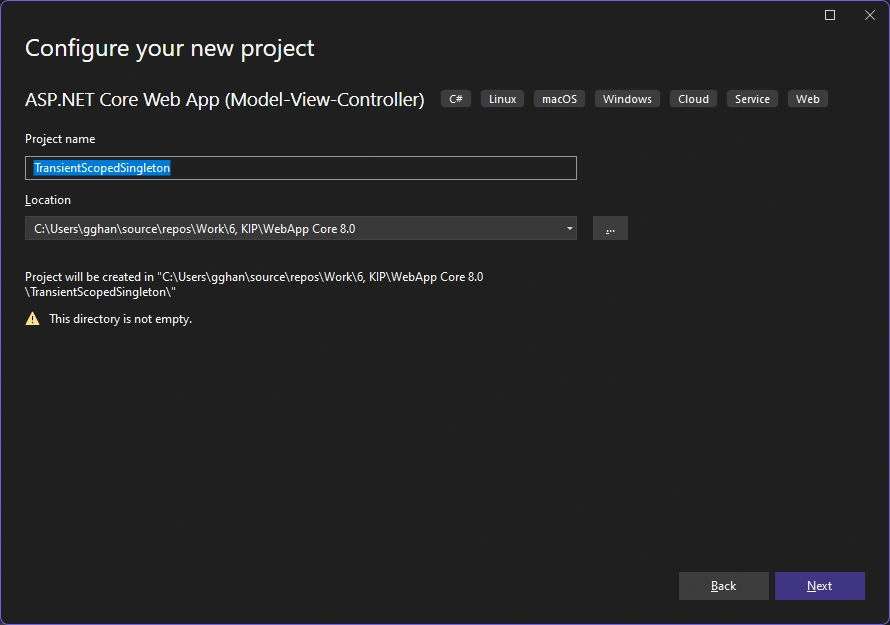
Framework: .NET 8.0 (Long Term Support)
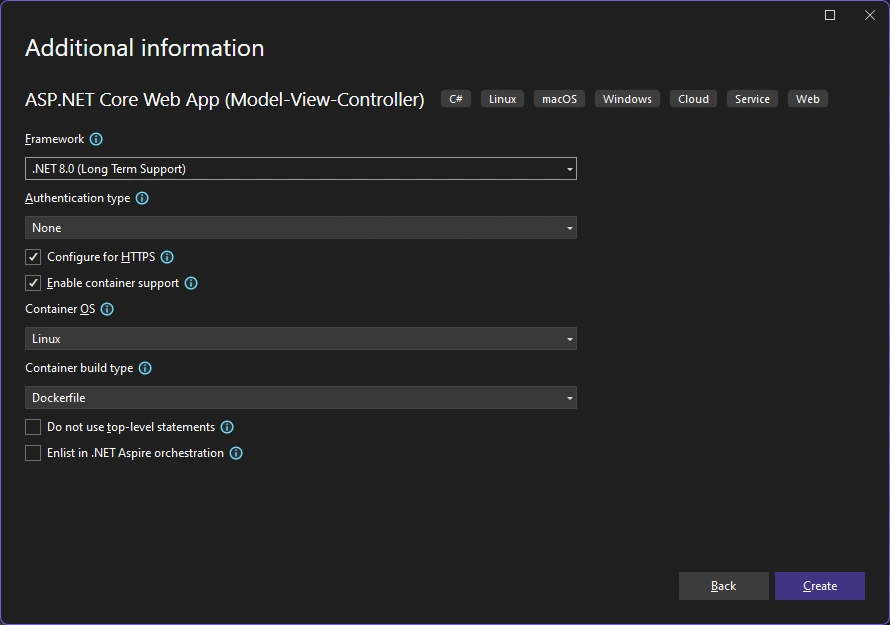
Running:
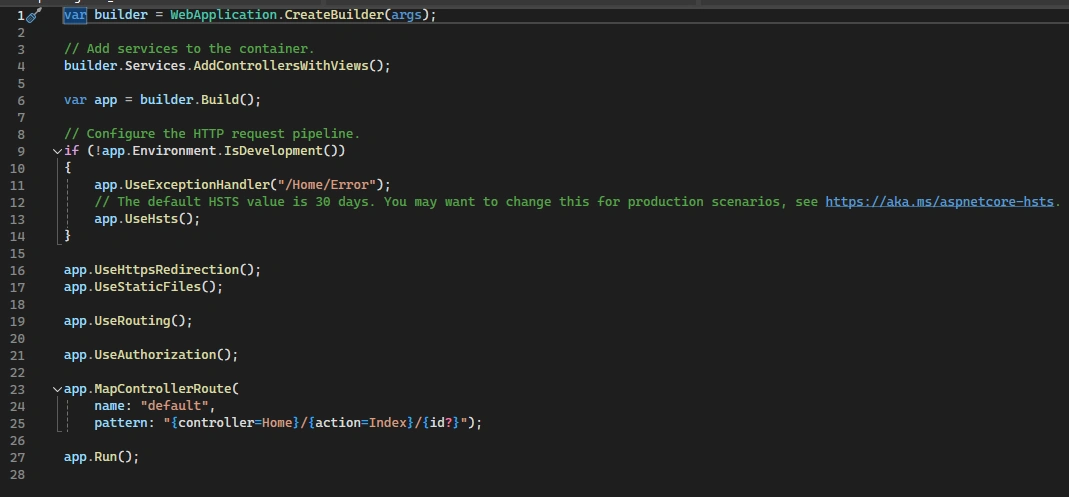
This is the default program.cs:
C: Setup the Program:
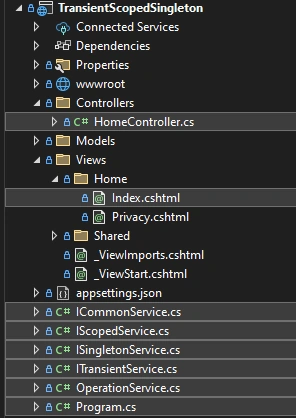
After the program is setting up, we will have these:
Now we go step by step according to the process of setting up a Dependency Injection,
- Setup Interface
- Make a service
- Register the service to a Container (.Net Core Default DI Container)
- Make a client
1. Setup Interfaces:
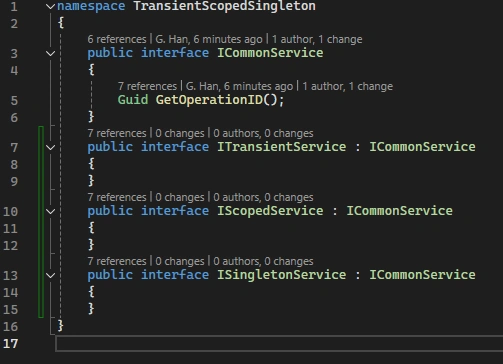
- ICommonService --- Line 3
- A
Guid Idproperty that represents the unique identifier of the service.
- A
- ITransientService : ICommonService --- Line 7
- IScopedService : ICommonService --- Line 10
- ISingletonService : ICommonService --- Line 13
Note:
For convenience, I combine the four saperated pages for interfaces in one as above:
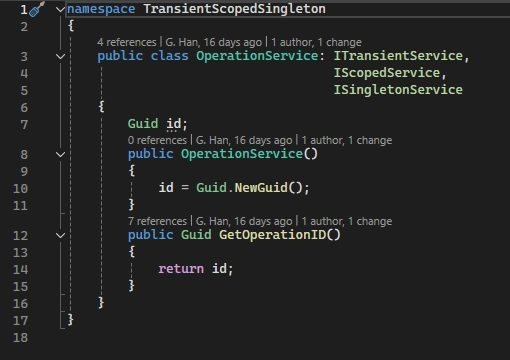
2. Make Services: in OperationService.cs
Implementations for the interfaces: Initializing their Id property with the result of Guid.NewGuid().
- public class OperationService: ITransientService, IScopedService, ISingletonService: Line 3
3. Register Services for DI (.NET Core default DI container): in program.cs
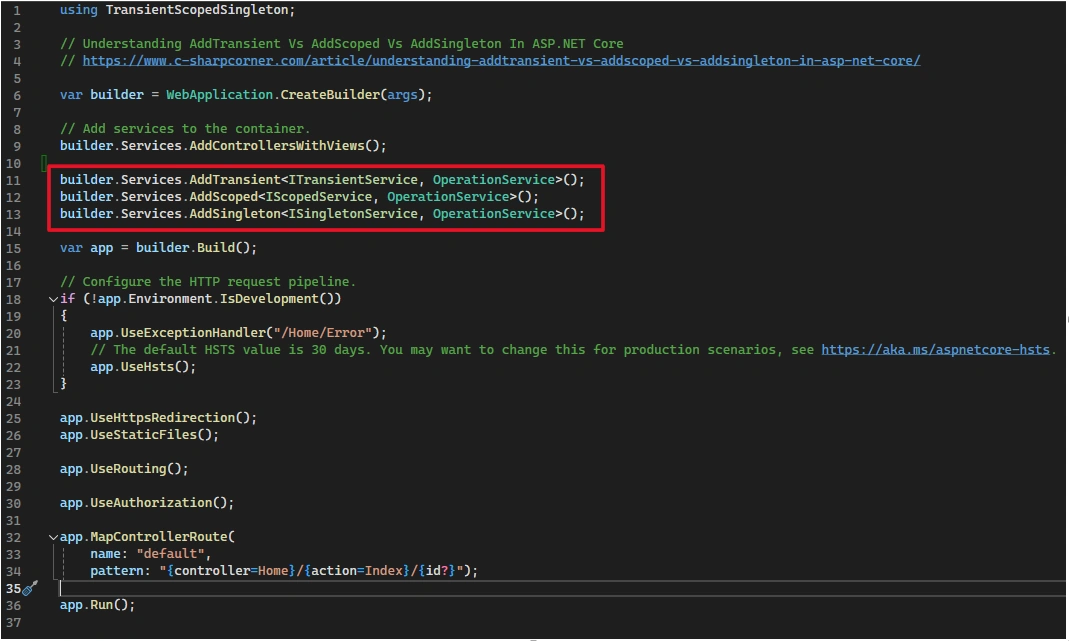
- builder.Services.AddTransient<ITransientService, OperationService>(); --- Line 11
- builder.Services.AddScoped<IScopedService, OperationService>(); --- Line 12
- builder.Services.AddSingleton<ISingletonService, OperationService>(); --- Line 13
4. Make a Client: in program.cs
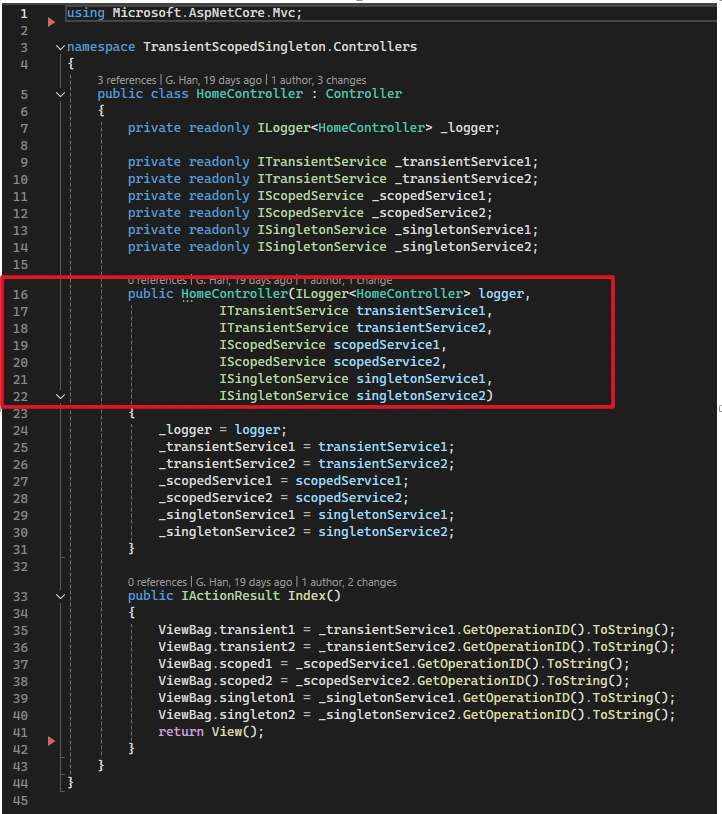
Use HomeController that requires DI
- public HomeController(ILogger<HomeController> logger,
ITransientService transientService1,
ITransientService transientService2,
IScopedService scopedService1,
IScopedService scopedService2,
ISingletonService singletonService1,
ISingletonService singletonService2) --- Line 16~21
The HomeControllerdefines a constructor that requires each of the aforementioned service interfaces, that is, ITransientService , IScopedService, and ISingletonService. The object exposes a single method that allows the consumer to useon the service with a given lifetimeDetails parameter.
D: Run and Result
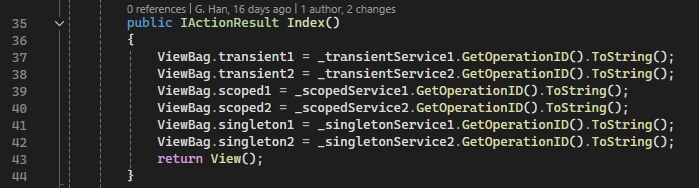
Run the project and we made three requests from browser. In each request from the brwoser, the app will make twice requests from the DI container with each service lifetime:
- Transient
- Scoped
- Singleton
such as
The reaults are
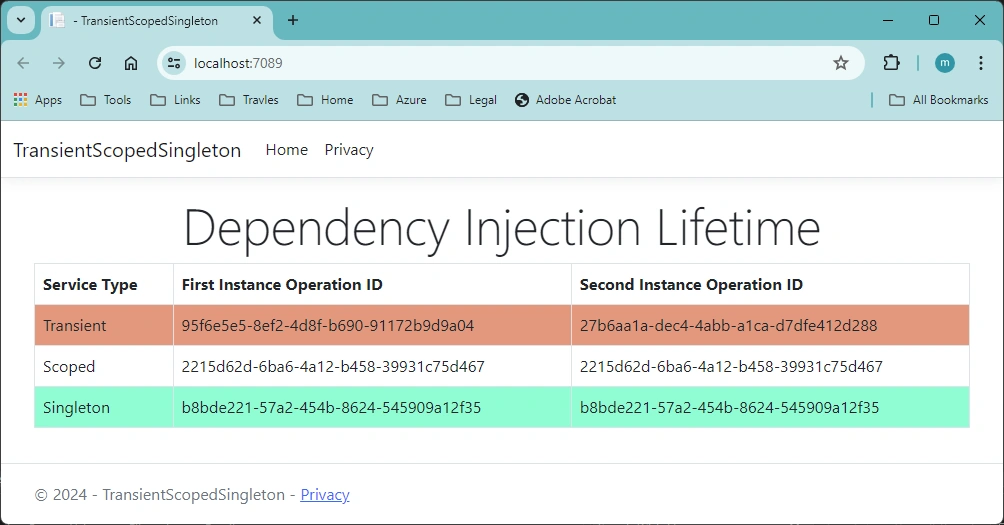
Request 1
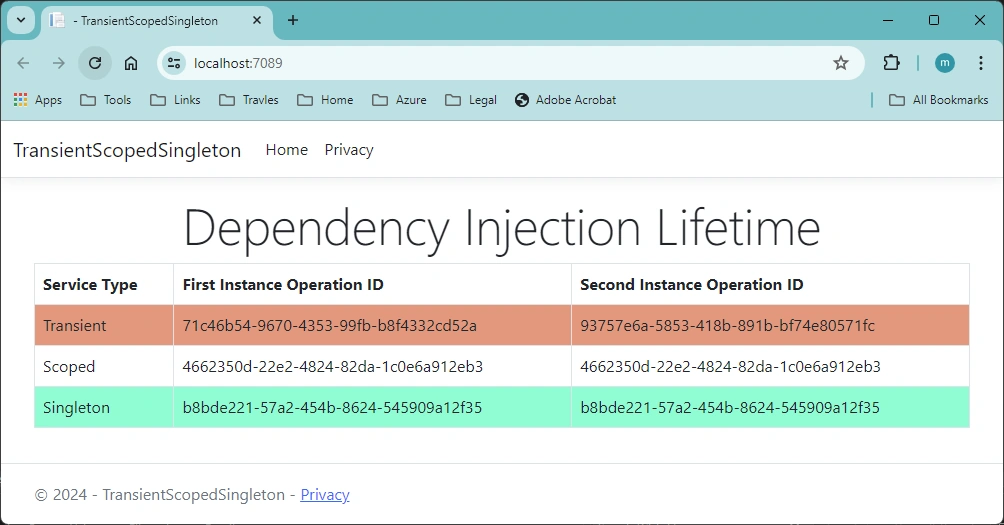
Request 2
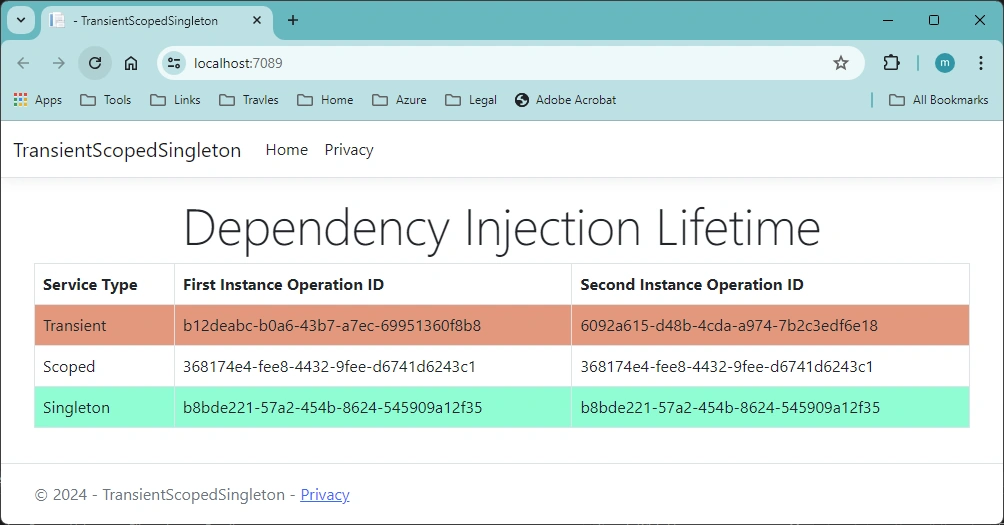
Request 3
From the app output, you can see that:
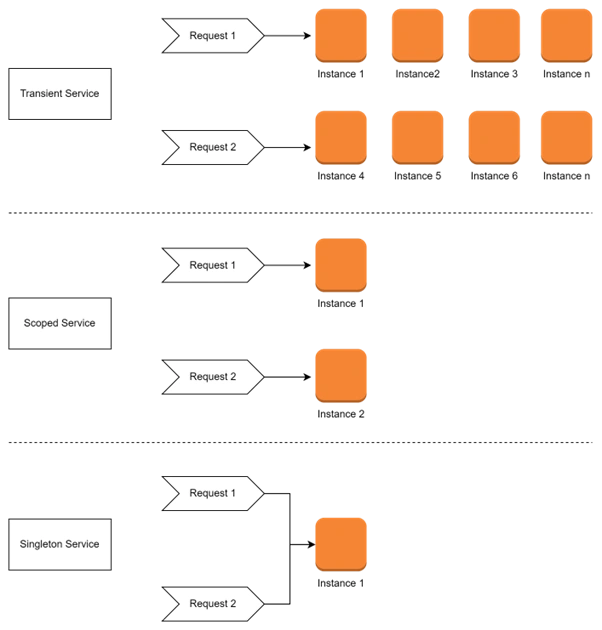
- Transient services are always different in each browser request and each container request, a new instance is created with every retrieval of the service.
- Scoped services change only with a new scope created by browser request, but are the same instance within a scope (each browser request).
- Singleton services are always the same (in the app lifetime), a new instance is only created once.
These results can be demoed by the following graph for each container request:
References:
- How to Implement Dependency Injection in ASP.NET Core --- roundthecode.com
- IoC Design Patterns Tutorial For Beginners & Professionals (scholarhat.com)
- Dependency Injection in C# (2023) (c-sharpcorner.com)
- Dependency injection - .NET | Microsoft Learn
- Understanding Dependency Injection in .NET Core (auth0.com)
- Dependency injection in ASP.NET Core | Microsoft Learn
- Dependency injection into controllers in ASP.NET Core | Microsoft Learn
- Use dependency injection - .NET | Microsoft Learn
- Product Review : BinaryIntellect Database Helper 2.0 | BinaryIntellect Knowledge Base
- How to implement dependency injection in ASP.NET Core (roundthecode.com)
- Architectural principles - .NET | Microsoft Learn
- Dependency injection - .NET | Microsoft Learn
- Dependency Inversion Principle (tutorialsteacher.com)
- Dependency Injection --- Important
- Service Lifetime:
- Service Lifetimes in .NET Core Applications (c-sharpcorner.com)
- Dependency Injection in .NET 6 - Service Lifetimes (exceptionnotfound.net)
- Service lifetime - .NET Core - Devonblog
- Understanding Service Lifetimes in ASP.NET Core Dependency Injection | LinkedIn
- Dependency Injection Lifetimes in ASP.NET Core - Code Maze (code-maze.com)
- Singleton, Scoped and Transient:
- Difference between AddSingleton vs AddScoped vs AddTransient in asp.net core --- coreprogramm.com
- Understanding AddTransient Vs AddScoped Vs AddSingleton In ASP.NET Core --- c-sharpcorner
- Understanding Singleton, Scoped, and Transient in .NET Core | by Susitha Bandara | Medium
- What is the AddSingleton vs AddScoped vs Add Transient C# Asp.net Core? --- tutorialspoint.com
- AddTransient, AddScoped and AddSingleton Services Differences --- stackoverflow
- AddTransient Vs AddScoped Vs AddSingleton Example in ASP.Net Core - Jayant Tripathy
- Dependency Injection Lifetime: Transient, Singleton & Scoped --- tektutorialshub.com
- Dependency Injection and Service Lifetimes in .NET Core | by Henrique Siebert Domareski | Medium
- Difference between AddTransient, AddScoped and AddSingleton in ASP.NET Core - QA With Experts
Mariusz PostolPosted Dec 17, 2024, 2:54 PM
You said "Inversion of Control is a principle in software engineering which transfers the control" - it looks like the DI is the only pattern where we have inversion of control but what about delegates and events? Check out the video >https://www.c-sharpcorner.com/article/programming-in-practice-delegates-and-events/> and let me know how it works for you.
Mariusz PostolPosted Dec 17, 2024, 2:41 PM
For your information (FYI) there is a question referring to the scope of dependency injection applicability. <https://www.c-sharpcorner.com/forums/dependency-injection-scope-of-use>
Mariusz PostolPosted Dec 17, 2024, 2:26 PM
You said "Inversion of Control is a principle in software engineering which transfers the control" - it means that to have an inversion of control there must be a method invocation - I am confused because the inversion of control is a pattern. Additionally, to the definition of what it is, we need precise advice on what conditions must be met to use this pattern. My point is that a pattern should be applied to solve a problem. Hence what problem do we have to apply this pattern?