

Introduction
DataVerse is a secured database introduced by Microsoft to manage data that’s is been used by business applications, offering easy to configure integration features with Microsoft’s cloud services including Dynamics CRM.
Microsoft Office with access to 200+ connectors of Power Automate and application including Azure Logic Apps.
DataVerse is a SaaS offering that can enable a business to connect to devices, applications, systems, and services.
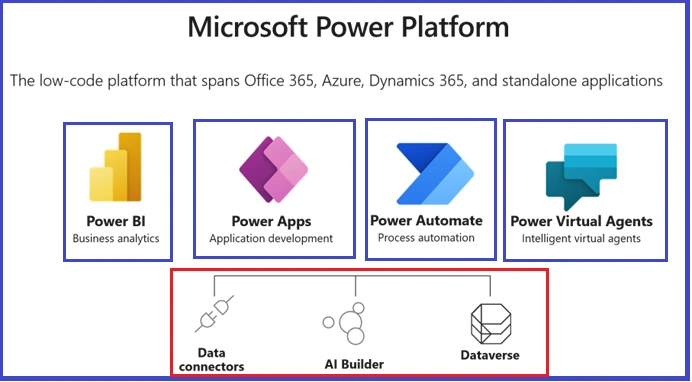
Advantages of DataVerse
- DataVerse is a cloud-based solution that is used to store data and its metadata in a single place which can be accessed through a user-friendly interface.
- A role-based security model has been implemented by Microsoft that allows Admin to control the access to data in different tables for different users in the organization
- Data from Dynamics 365 is stored in DataVerse which helps us to build and extend PowerApps
- DataVerse offers rich metadata including all data types and easy to customize relationships between different data tables
- DataVerse has in-built features which assist us to implement logic and validation through calculated columns, business rules, workflows, power automate
DataVerse and Dynamics 365
When we provision a cloud-based Dynamics 365 instance, Power Platform by default creates a DataVerse Database, where data from Dynamics 365 Sales: Dynamics 365 marketing and all modules is stored and can be accessed through a User-Friendly Interface.
The data tables in the dataverse can be used to build and implement another business requirement through PowerApps directly against the core business data without the need for any new custom integration.
Along with it logics implemented in Dynamics Application are auto-implemented over the apps developed utilizing the data from dataverse through PowerApps ensuring data consistency.
Security roles created in Dynamics Application are implemented and are accessible to admin through DataVerse platform and can be assigned to users, ensuring access control over the data in different tables.
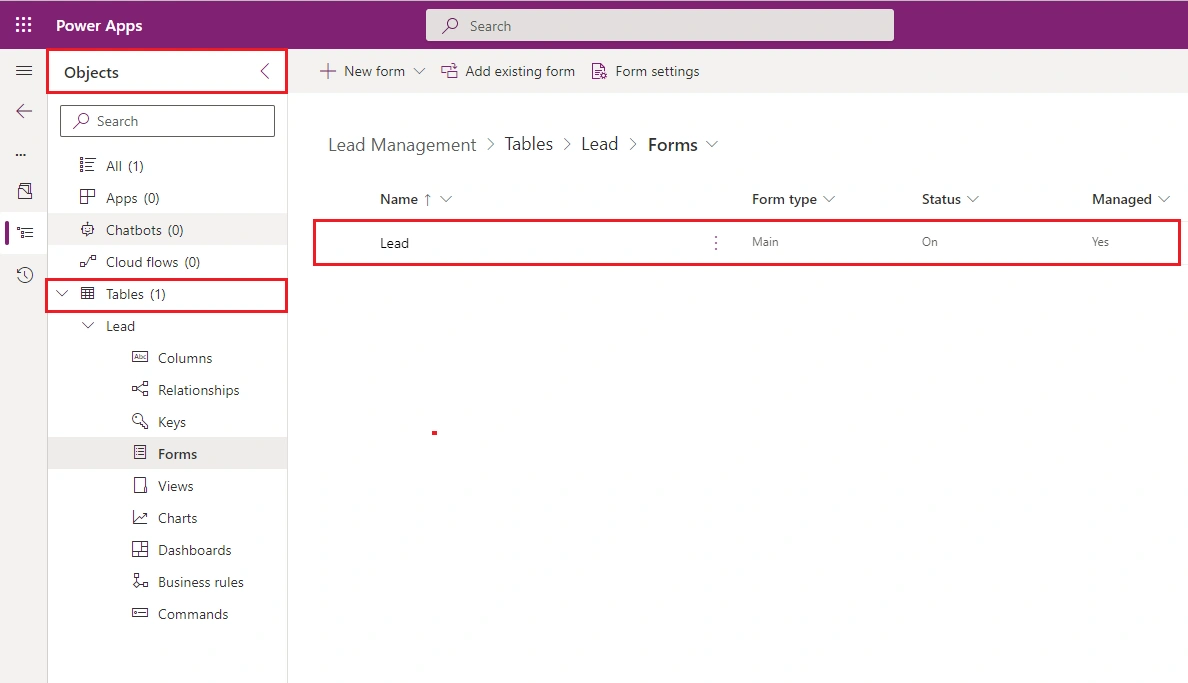
Storing Data in DataVerse
Implementing a business requirement involves data from multiple sources and dataverse offers this feature to integrate data from multiple sources into a single source which can then be used in different applications including PowerApps, PowerBI, Power Automate, and Power AI Builder.
Data can be stored in Dataverse through,
- Scheduled Integrations
Data from multiple applications can be stored in Dataverse through scheduled jobs by using SSIS: Power Automate flows or any other conventional technology
- One time activity
Data can be imported to DataVerve through Data Import jobs utilizing excel import, this is usually when there is a requirement to create some metadata like data for all countries: states: regions, etc.
Creating a Security Role for DataVerse
Microsoft Dataverse has been developed and implemented keeping in mind the importance of data integrity and security of users. Security of data in dataverse is defined by a combination of Business unit and Role assigned to an individual user
Below is the high-level overview of the security model,
- User needs to be authenticated to log in through Active Directory
- User needs to have a valid license to access the required PowerApps component including Power Flows: Power Apps: Power BI
- The environment to which the user has been assigned the role plays an important role
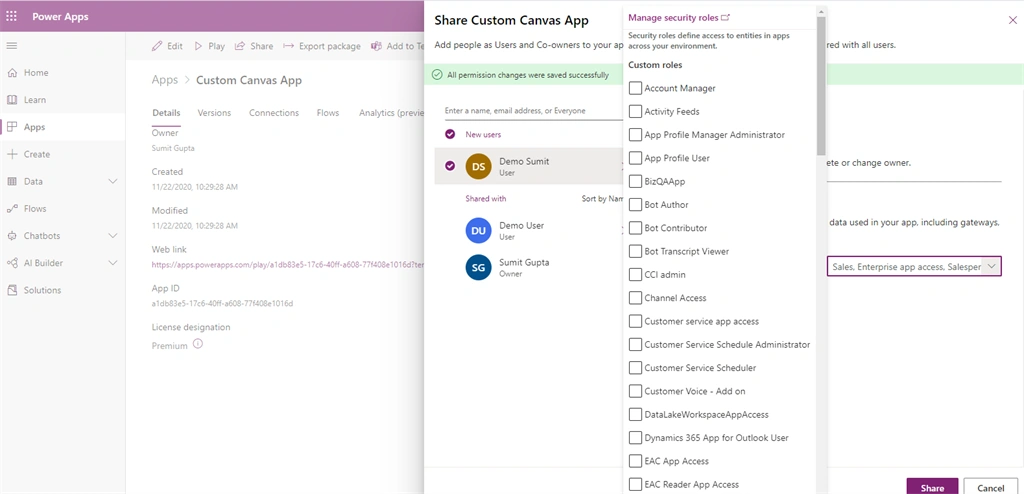
- Apps ( Canvas: Model-Driven Apps) shared by the user are again controlled by the security role which has to be assigned while sharing the app.
Steps to create a new security role
- Admin needs to login to Dynamics Application and creates a new role
- Associates the role with required Business Unit
- Need to configure the required permissions empowering the user to Read: Create: Update: Append records for the entity
Sharing an App with User
- Login to make.powerapps.com
- Select the App which you wish to assign to the user
- After selecting the user, select the appropriate role for the user
Join the conversation! Your thoughts help the community grow.