

This is a small article intended for audiences who are working in an Angular project, using Visual Studio Code and finding it difficult to add debugger.
Initially, I found it very weird when I started, using Visual Studio Code for debugging Angular project but later I found it cool. I found lots of people had a question about how to debug angular project in VSCode. So, I thought of writing this small article.
Note.I made use of Angular CLI to create & run my Angular project which internally uses WebPack .
Step by Step add debugger in Visual Studio Code
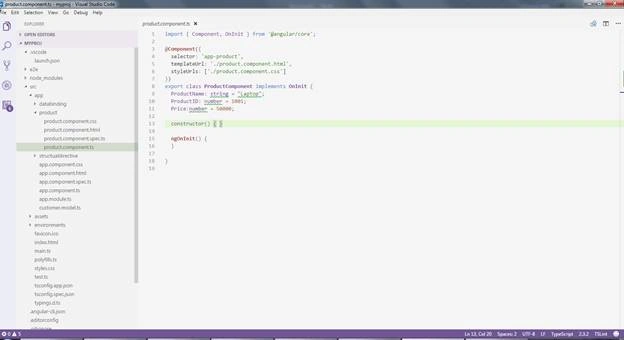
- Open your Angular project in Visual Studio Code.
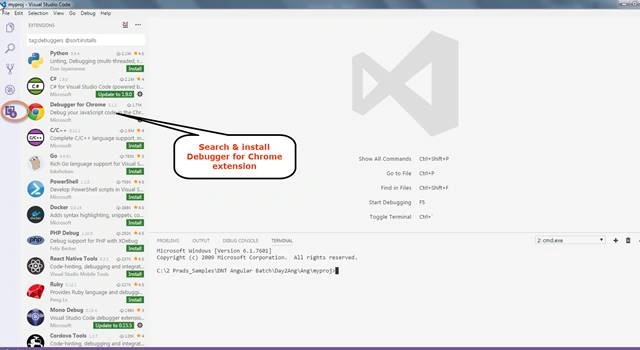
- Install Extension, as shown below.
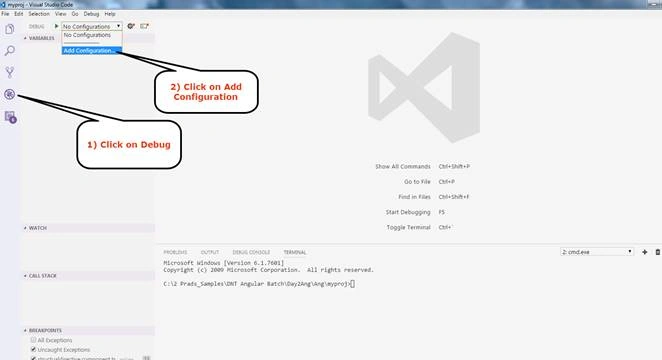
- Click Debug icon & Add Configuration, as shown below.
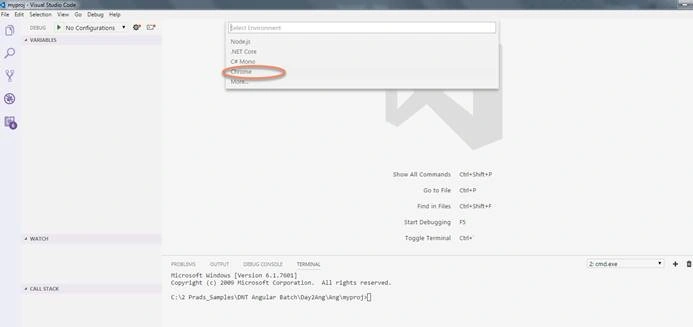
- Select Chrome and add the configuration given below in launch.json file (This file gets created in .vscode folder).
{
    "version": "0.2.0",
    "configurations": [
        {
            "name": "Launch Chrome against localhost",
            "type": "chrome",
            "request": "launch",
            "url": "http://localhost:4200",
            "sourceMaps": true,
            "webRoot": "${workspaceRoot}",
            "sourceMapPathOverrides": {
                "webpack:///./*": "${workspaceRoot}/*"
            }
        }
    ]
}
- Open command terminal. As I am using Angular CLI to run my Angular project. I am using
> ng serve
command to build and run my application. By default, it runs on port 4200 (Same port is mentioned in my launch.json file).
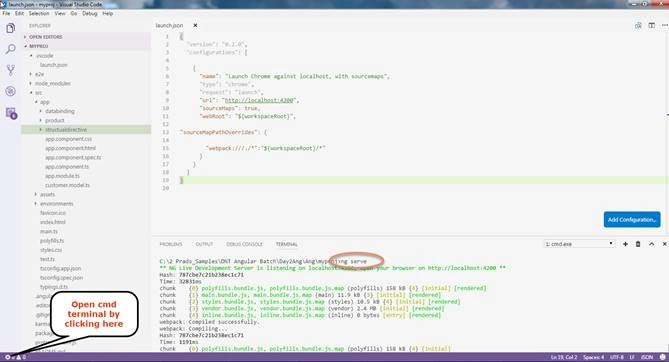
- Now, your development Server is running. Now, you can press F5 or play icon in the debug tab. Keep the break point and it will hit the .ts file.
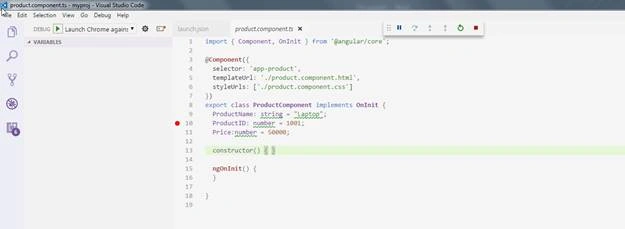
Note.You may be surprised how JS can map my .ts file in code and debugger can hit my .ts file. This is because of "sourceMaps": true setting in launch.json. Similarly, we can add more debugger by adding an extension and then configuring in same launch.json file.
I hope, this small article will be helpful to you. Please do comment, whether it’s good or bad. Sharing is valuable. Thank you for reading and have a great day.
Join the conversation! Your thoughts help the community grow.