

Note: This article is published on 02/15/2021, three and half a year ago.
Note on 11/24/2024: I realize the reading is more than 207 K, that is the second highest reading of my all articles, while the number 1 is CORS (3), Enable CORS In .NET Core Web API, that is 225 K readings. This meant how popular it is for the technique I introduced here, how many people they are to use the angular platform. However, this technique, VS Code Extention: Debuger for Google Chrom, has been deprecated, I will introduce a new alternative later (see this Debug Angular (1-1), In VS Code by Debuggers for Chrome New you will see, this article is still valid or useful). (11/24/2024).
This series of articles will discuss debugging for Angular App.
- Debug Angular (1), In VS Code by Debugger for Chrome --- this article
- Debug Angular (2), In Browser --- DevTools
- Debug Angular (3), in Visual Studio
This article will demonstrate how to install and use VS Code Extention: Debuger for Google Chrom,
Introduction
This article will demonstrate how to debug Angular in VS Code and then give some general discussion on debugging in VS Code.
Angular is a great front-end framework for web apps. Angular is usually edited in Visual Studio Code editor. Their powers combined let you not only develop Angular app code but also debug it through the editor! We will introduce the Angular debugging in VS code in this article with an example.
VS Code is also a great source code editor for various language families, such as PHP, Ruby, Go, C#, Python, C++, PowerShell, TypeScript, React, Vue, and many others, and the debugging method introduced here will work for all other languages.
We use VS Code v1.53 to set up debugging for Angular. The content of this article:
- Introduction
- A - Create an Angular application;
- B - Install Debugger for Chrome (you could install other debuggers you like)
- C - Configure Debug Environment;
- D - Start Debugging;
A - Create an Angular application
We use the Angular CLI to create projects,
- npm install -g @angular/cli // Install the Angular CLI
- ng new my-app // Create a new Angular app
- cd my-app // change to the app directory
- code. // Open VS Code for the current directory
B - Install Debugger for Chrome
In VS Code environment: Left Click Manage (Left Bottom Corner) > Extensions (or Ctrl+Shift+X).
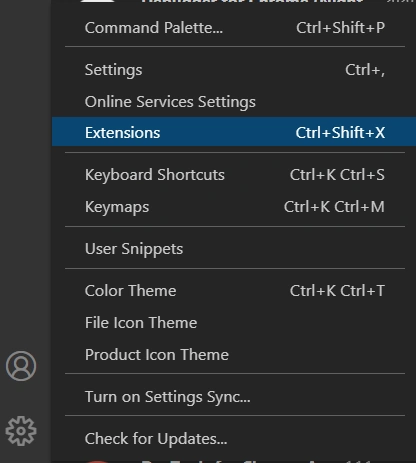
Open the Extensions view. Then type 'chrome' in the search box. You'll see the extensions: Debugger for Chrome.
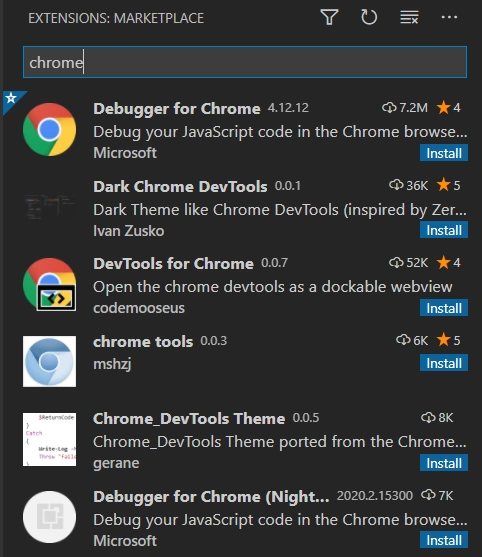
Press the Install button for Debugger for Chrome.
C - Configure Debug Environment
In the VS Code environment: Click the Run Button on the left side (or Ctrl+Shift+D).
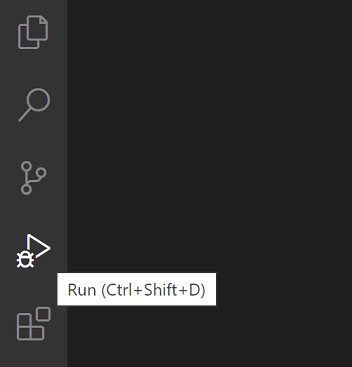
If running and debugging are not yet configured (no launch.json has been created), VS Code shows the Run start view.
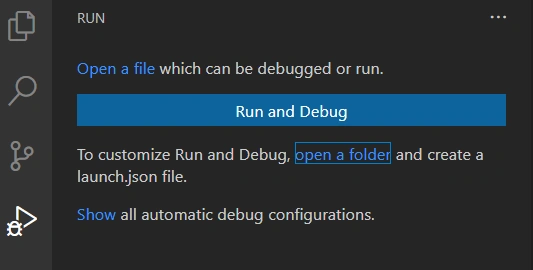
You can configure the environment by creating launch.json the file yourself manually, but you can do that automatically by Clicking the Run and Debug button to open the Select Environment dialog box.
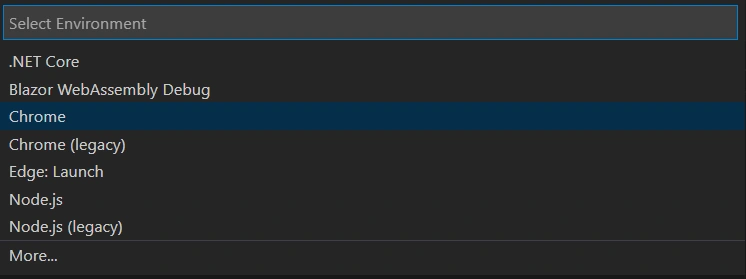
Select Chrome. Then VS Code will create a launch.json
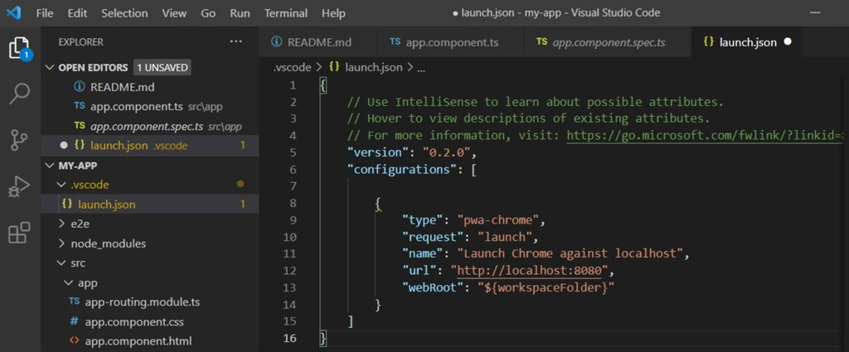
You might need to change the port to what your app is running on, say, 4200.
D - Start Debugging
Now, in VS Code, if you Click the Run Button on the left side (or Ctrl+Shift+D), you will have a debugging environment like this,
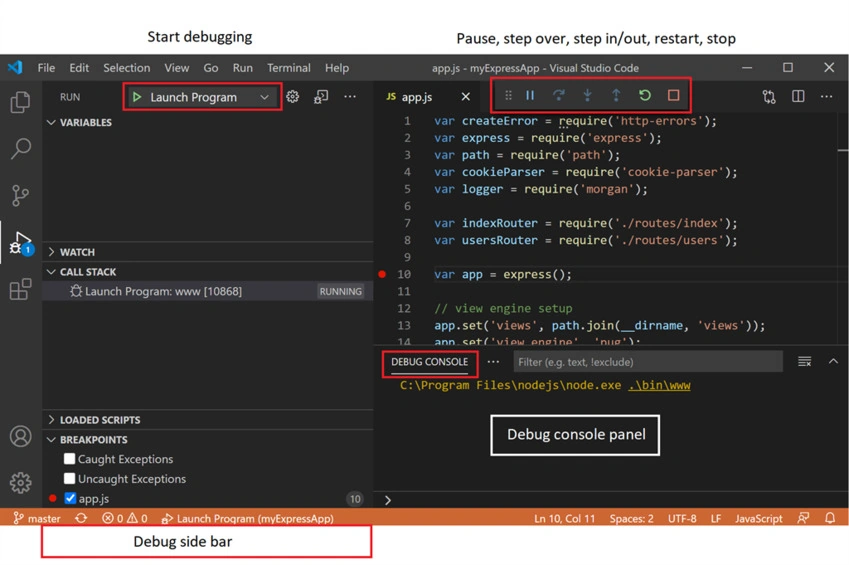
Run the app from the Angular CLI (very important, otherwise, the debugging will not work) by command.
ng server -o
You will see the app running.
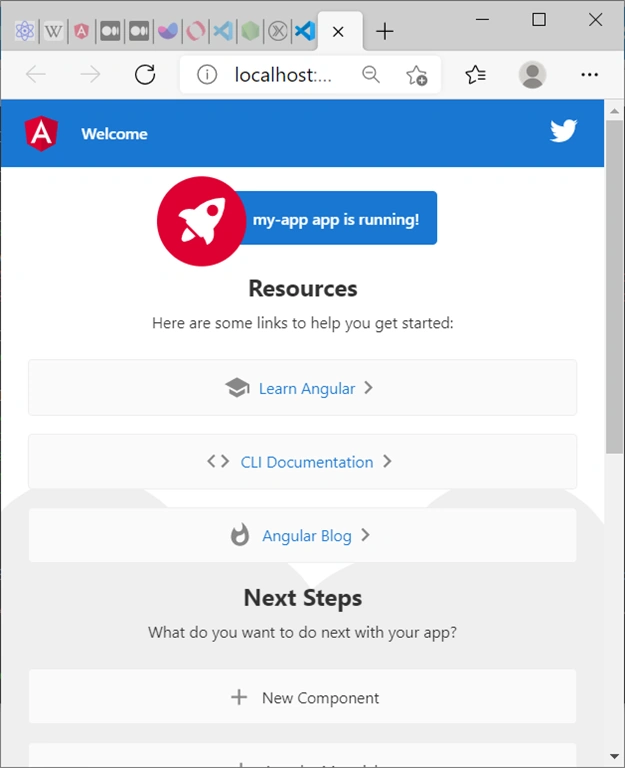
Now, set your breakpoint, and run the debug.
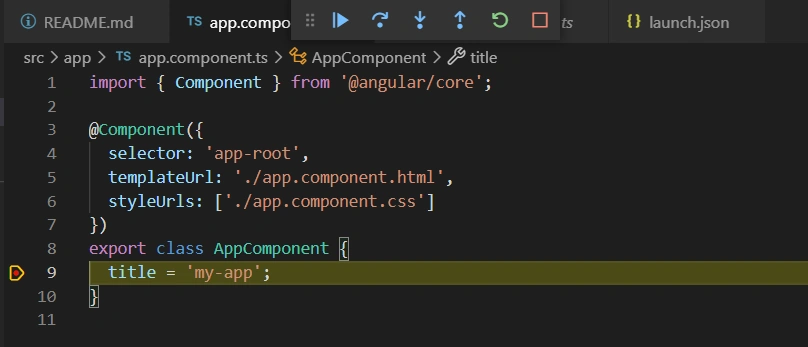
Once a debug session starts, the Debug toolbar will appear on the top of the editor.

- Continue / Pause F5
- Step Over F10
- Step Into F11
- Step Out Shift+F11
- Restart Ctrl+Shift+F5
- Stop Shift+F5
The debug session is on like this
Summary
We demonstrated how to debug Angular in VS Code in this article. The method introduced here will work for all other languages that the VS Code editor supports.
References
- Debugging --- code.visualstudio.com, Visual Studio Docs
- Extension MarketPlace --- code.visualstudio.com, Visual Studio Docs
- Visual Studio Code Marketplace --- marketplace.visualstudio.com
- Node.js debugging in VS Code --- code.visualstudio.com, Visual Studio Docs
- Using Angular in Visual Studio Code --- code.visualstudio.com, Visual Studio Docs
sina hzhPosted Aug 2, 2021, 8:51 AM
Thanks, very good and good luck
ca ThichPosted Jun 2, 2021, 12:29 PM
Thanks. Would it be possible to debug Angular app in VS2019?
Raj KumarPosted Feb 16, 2021, 3:47 PM
Good one and useful for angular developer. Thanks for sharing
Siddharth GajbhiyePosted Feb 16, 2021, 5:44 AM
Very informative article thank you so much for sharing
Hamid KhanPosted Feb 15, 2021, 5:40 PM
Very nice explanation...............