

Note: This article is published on 12/15/2024.
This series of articles will discuss debugging for Angular App.
- Debug Angular (1), In VS Code by Debugger for Chrome
- Debug Angular (1-1), In VS Code by Debuggers for Chrome New --- this article
- Debug Angular (2), In Browser --- DevTools
- Debug Angular (3), in Visual Studio
This article will demonstrate how to install and use VS Code Extention: Debuger for Google Chrom,
Introduction
The article, Debug Angular (1), In VS Code by Debugger for Chrome, was written on 01/15/2021, more than 4 years ago. That article is so popular with 208 K readings. That meant the Angular is very popular tool for web development, on the other hand, the angular devugging tech is an issue to get so many developers to pay attention on it. I realize, the VS Code Debugger for Chrome has been deprecated, this article is a supplement of the original article. We will see the original article is still valid or useful.
The content of this article
- Introduction
- Debug Angular in VS Code
- Debugging in VS Code
Debug Angular in VS Code
Now the current VS Code is with v1.95.3. The VS Code Debugger for Chrome is deprecated:
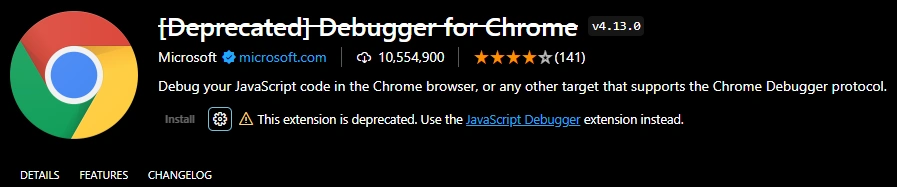
.However, user is introduced to use the JavaScript Debugger extension instead. Click the link, we can see that
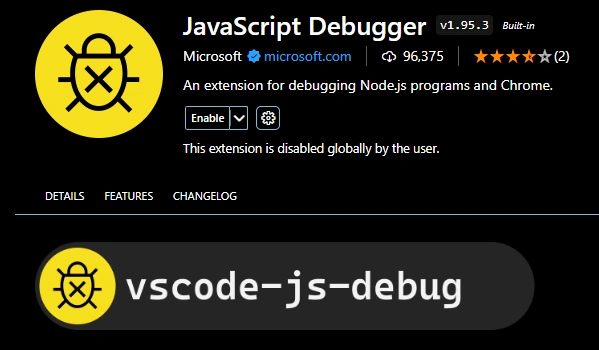
this extension is already installed if you use VS Code or Visual Studio:

And furthermore,
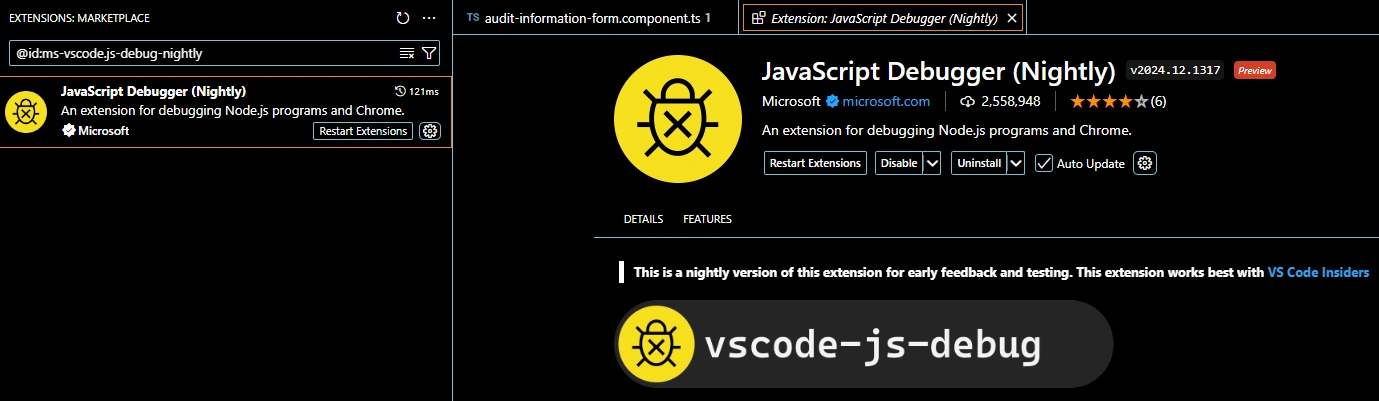
Nightly Extension you may want to install our nightly build to get the latest fixes and features. The nightly build runs at 5PM PST on each day that there are changes. You can get Nightly extension from JavaScript Debugger (Nightly) - Visual Studio Marketplace, or search in VS Code extension for
@id:ms-vscode.js-debug-nightly
to get:
Debugging in VS Code
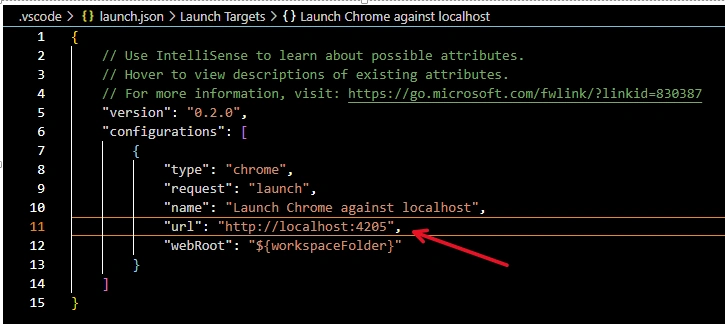
Actually, the debugging is the same way as we introduced in article, Debug Angular (1), In VS Code by Debugger for Chrome, we will not repeat the process, but given here the major points:
- Configure the launch.json file --- choose the port as your app running
- Run the app from the Angular CLI (very important, otherwise, the debugging will not work) by command.
- Strat to debug
References
- Debugging --- code.visualstudio.com, Visual Studio Docs
- Extension MarketPlace --- code.visualstudio.com, Visual Studio Docs
- Visual Studio Code Marketplace --- marketplace.visualstudio.com
- Node.js debugging in VS Code --- code.visualstudio.com, Visual Studio Docs
- Using Angular in Visual Studio Code --- code.visualstudio.com, Visual Studio Docs
Join the conversation! Your thoughts help the community grow.