

Introduction
Today, in this article I am going to describe one of the new concepts of HTML5.
In this article, we will be learning how to create a DataList in HTML5 using the <datalist> tag.
Datalist Tag in HTML5
The Datalist Tag is new in HTML5. The <datalist> tag defines a list of selectable data as a dropdown list of input values that contain only legal values. The Dropdown list is displayed when the user places the focus on the TextBox. It specifies a list of predefined options for an <input> element. The <datalist> tag is used to provide an "autocomplete" feature of <input> elements.
Users will see a drop-down list of pre-defined options as they input data.
Syntax
<datalist id="value">options</datalist>
Here the id attribute binds the datalist options with the list.
Browser Support
The <datalist> tag is supported in all major browsers, except Internet Explorer and Safari.
Complete Source Code
- <!DOCTYPE html>
- <html>
- <head>
- <title>
- Datalist in HTML5
- </title>
- </head>
- <body>
- <h1 align="center" style=color:"Black">DataList Tag in HTML5</h1>
- <p align="center">
- Enter your Choice:
- <input type ="text" list="Match"/>
- <input type ="submit">
- <datalist id= "Match">
- <select>
- <option value="Test Match">Test Match</option>
- <option value="One Day">One Day</option>
- <option value="Twenty Twenty">Twenty Twenty</option>
- </select>
- </datalist>
- <p>
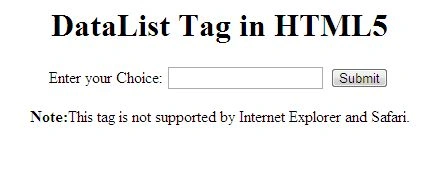
- <p align="center"><b>Note:</b>This tag is not supported by Internet Explorer and Safari.</p>
- </body>
- </html>
Output
Join the conversation! Your thoughts help the community grow.