

I was genuinely stunned to discover that Excel now supports DATABRICKS.SQL and DATABRICKS.TABLE worksheet functions 😃. For years, analysts and business users have relied on exporting CSVs or building complex connectors to bridge the gap between enterprise-scale data platforms and the familiar spreadsheet environment. That gap just got dramatically smaller.
What This Means
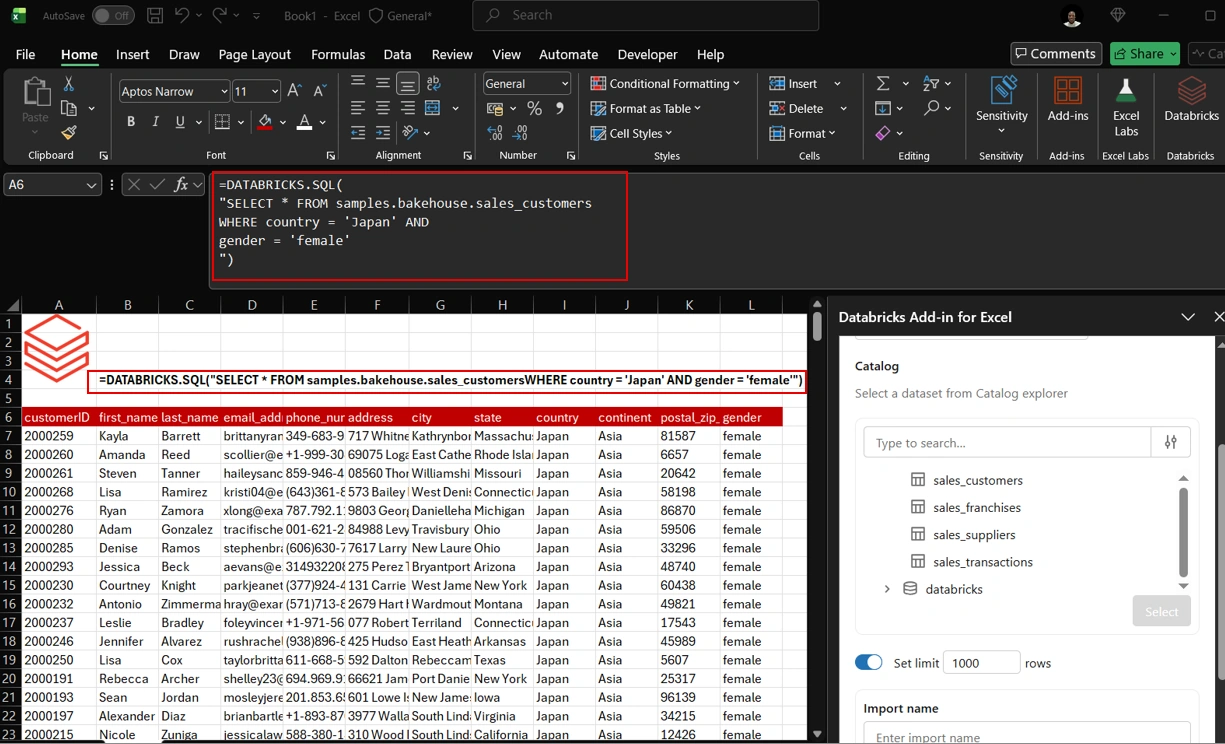
Direct SQL in Excel: With
DATABRICKS.SQL, you can write queries against your Databricks lakehouse directly inside a cell. No external tools, no copy-paste gymnastics—just pure SQL returning live results.
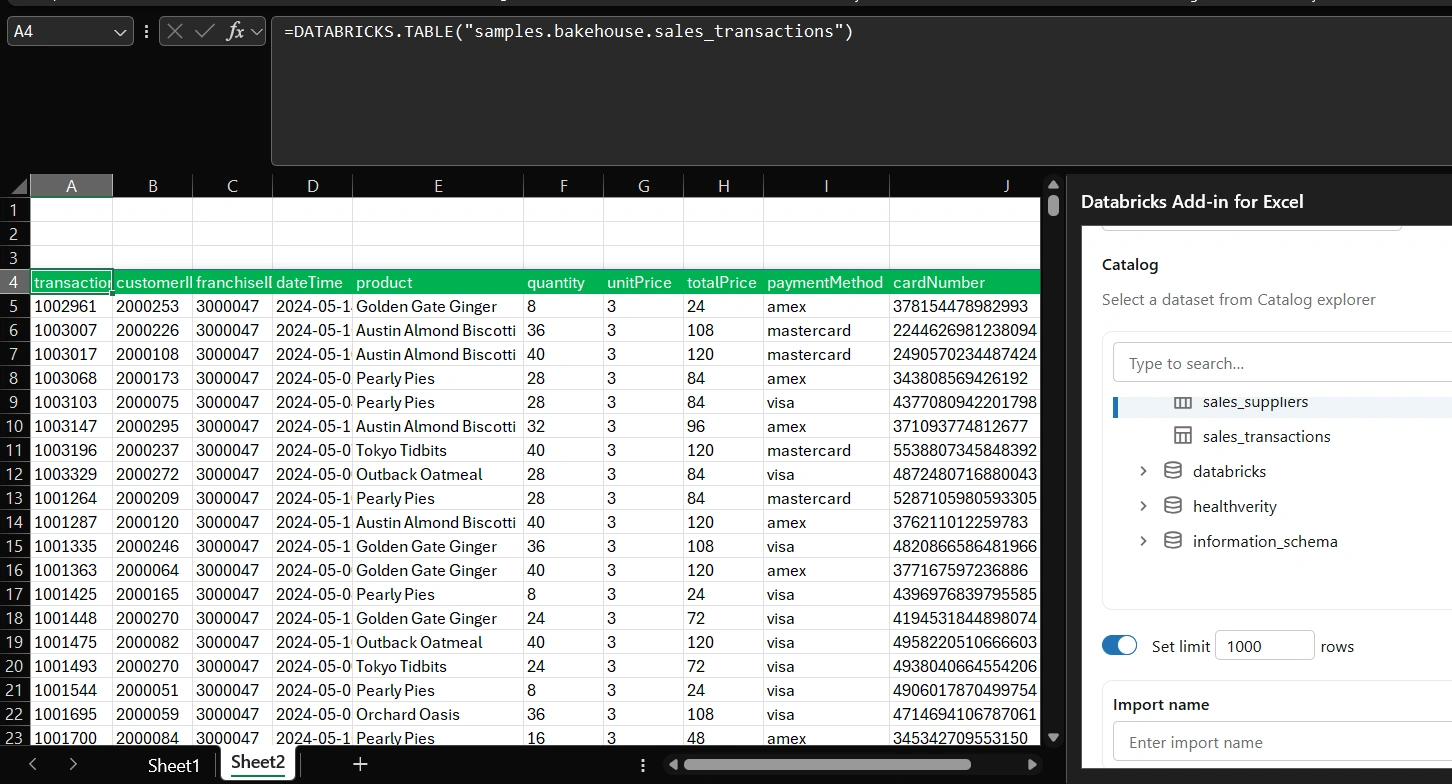
Tables as Native Ranges:
DATABRICKS.TABLElets you reference Databricks tables as if they were native Excel ranges. This means pivot tables, charts, and formulas can now consume enterprise data seamlessly.
Real-Time Insights: Instead of working with stale exports, you can refresh data straight from Databricks, ensuring decisions are based on the latest information.
Accessibility for All: Business users who aren’t SQL experts can still benefit by consuming curated Databricks tables in Excel, while power users can unleash advanced queries without leaving their spreadsheet.
Why It Matters
This integration dissolves the boundary between data engineering and business analysis. Excel, long considered the tool of choice for quick analysis and reporting, is evolving into a true front-end for modern data platforms. Analysts can now combine the scale of Databricks with the flexibility of Excel, creating hybrid workflows that are both powerful and intuitive.
The Bigger Picture
We’re witnessing the rise of the modern data stack in everyday productivity tools. Excel isn’t just a spreadsheet anymore—it’s becoming a gateway to enterprise-scale analytics. For organizations, this means faster insights, reduced friction between teams, and a democratization of data access.
Join the conversation! Your thoughts help the community grow.