

Introduction
This article explains how to retrieve data from the database in a F# Windows Forms Application.
Create Table In Database
The following will create a table in the database:
CREATE TABLE [dbo].[UserInformation](
[UserId] [int] IDENTITY(1,1) NOT NULL,
[UserName] [varchar](30) NULL,
[FirstName] [varchar](30) NULL,
[LastName] [varchar](30) NULL,
[Address] [nvarchar](max) NULL,
[City] [varchar](30) NULL
)
Insert values into the table fields:
insert into userinformation values ('Pank','Pankaj','Lohani','a-43 santnagar','Delhi')
insert into userinformation values ('Nicks','Nimit','Joshi','Vinod Nagar','Delhi')
insert into userinformation values ('pr','pravesh','khanduri','pratap vihar','Delhi')
insert into userinformation values ('Nicks','Nimit','Joshi','Vinod Nagar','Delhi')
insert into userinformation values ('Ammu','Amit','Senwal','East Vinod Nagar','Delhi')
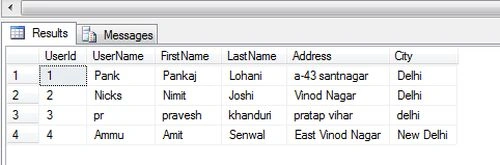
Now let's use the following procedure.
Step 1:
Open Visual Studio and click on "Create New Project" then select "F# Console Application".
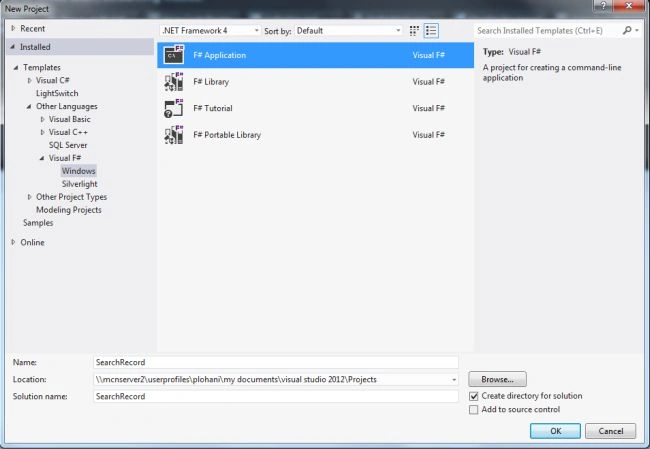
Step 2:
Now go the Solution Explorer on to the right side of the application. Select "References" and right-click on it and select "Add references".
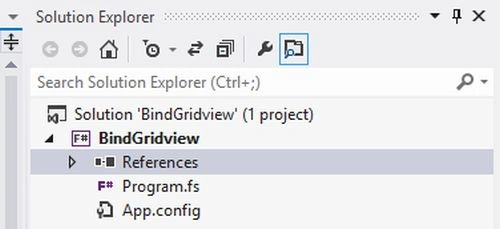
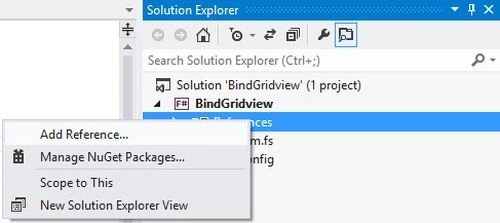
Step 3:
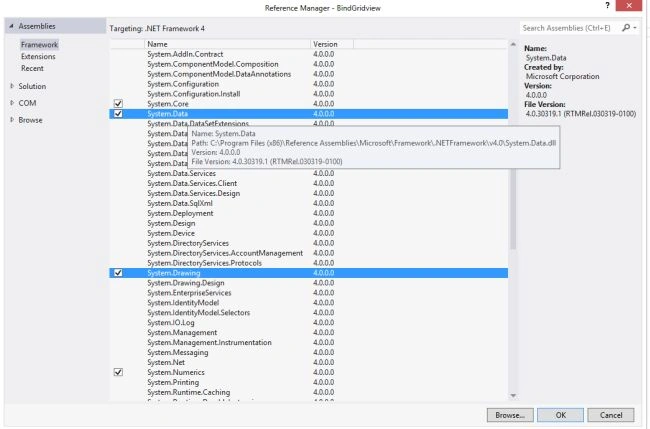
After selecting "Add References", in the framwork template you need to select "System.Windows.Forms", "System.Drawing" and "System.Data" while holding down the Ctrl key and click "Ok."
Step 4:
Write the code for the F# applcation as in the following:
// Learn more about F# at http://fsharp.net
// See the 'F# Tutorial' project for more help.
//Adding NameSpace
open System
open System.Windows.Forms
open System.Data.SqlClient
open System.Drawing
open System.Data
//Connection String
let constring = @"Data Source=MCNDESKTOP20;Initial Catalog=information;User ID=sa; Password=password@123"
let con = new SqlConnection(constring)
let com1 = new SqlCommand() //creating the command object
//Creating Window Form
let form = new Form()
//Creating usercontrols on forms
let lbluserId = new Label(Top = 10, Left = 0, Height = 20)
let txtuserId = new TextBox(Top =10, Left = 100,Height = 20)
let lblusername = new Label(Top = 50, Left = 0,Height = 20)
let lbluserfname = new Label(Top = 90, Left = 0,Height = 20)
let lbluserlname = new Label(Top = 130, Left = 0,Height = 20)
let lbluseraddress = new Label(Top = 170, Left = 0, Height = 20)
let lblusercity = new Label(Top = 200, Left = 0, Height = 20)
let lblname = new Label(Top = 50, Left = 100,Height = 20)
let lblfname = new Label(Top = 90, Left = 100,Height = 20)
let lbllname = new Label(Top = 130, Left = 100, Height = 20)
let lbladdress = new Label(Top = 170, Left = 100, Height = 20)
let lblcity = new Label(Top = 200, Left = 100, Height = 20)
let btn1 = new Button(Top = 280, Left=80)
//Adding Controls()
form.Controls.Add(lbluserId)
form.Controls.Add(txtuserId)
form.Controls.Add(lblusername)
form.Controls.Add(lblname)
form.Controls.Add(lbluserfname)
form.Controls.Add(lblfname)
form.Controls.Add(lbluserlname)
form.Controls.Add(lbllname)
form.Controls.Add(lbluseraddress)
form.Controls.Add(lbladdress)
form.Controls.Add(lblusercity)
form.Controls.Add(lblcity)
form.Controls.Add(btn1)
form.Text <- "Searching The Records"
btn1.Text <-"Search"
lbluserId.Text <- "Enter UserId :"
lblusername.Text <- "UserName:"
lbluserfname.Text <- "FirstName :"
lbluserlname.Text <- "LastName :"
lbluseraddress.Text <- "Address :"
lblusercity.Text <- "City :"
btn1.Click.Add(fun _->
con.Open()
com1.Connection <- con
com1.CommandText <- " select * from UserInformation where UserId = "+txtuserId.Text+" "
let dr = com1.ExecuteReader()
while dr.Read() do
lblname.Text <- dr.Item(1).ToString()
lblfname.Text <- dr.Item(2).ToString()
lbllname.Text <- dr.Item(3).ToString()
lbladdress.Text <- dr.Item(4).ToString()
lblcity.Text <- dr.Item(5).ToString())|>ignore
Application.Run(form)// Run the application
Step 5:
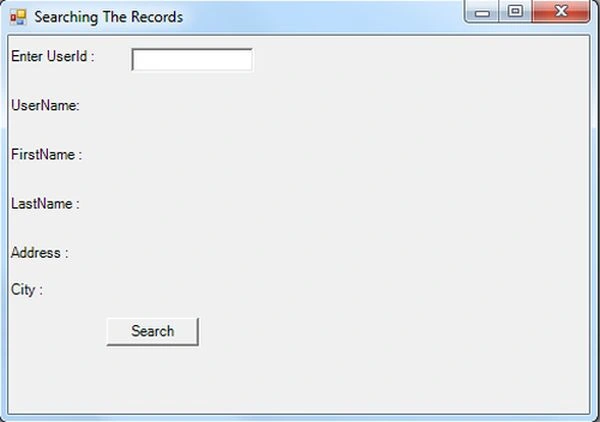
Debug the application by pressing F5 and the result will be shown in the application as given below.
Step 6:
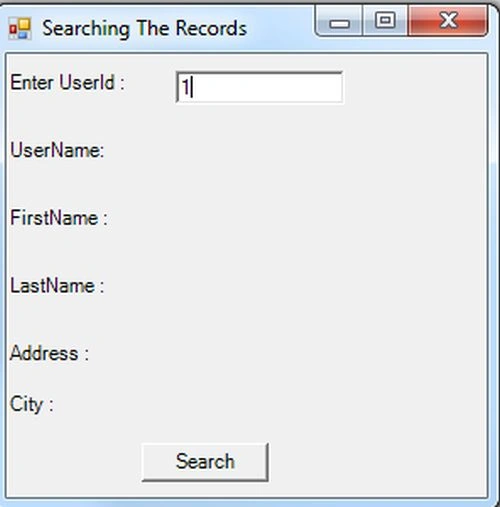
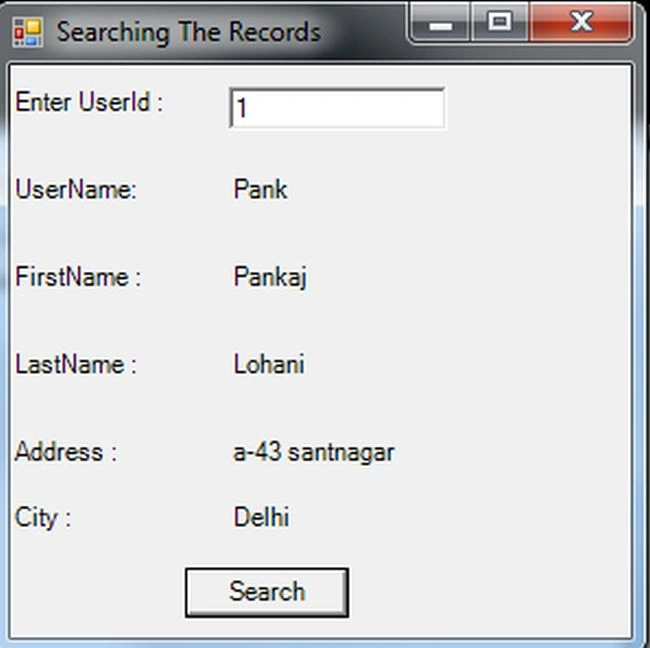
Now you need to enter the user id because the user id is defined as a primary key in the table that finds the records uniquely from the database.
Output
Join the conversation! Your thoughts help the community grow.