

What is Preprocessing in ML?
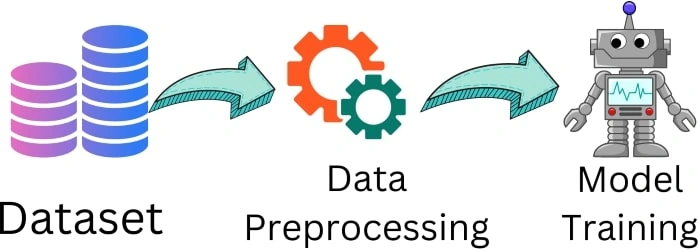
Preprocessing in machine learning involves getting the data ready for analysis by making it more useful and easier for machine learning algorithms to understand. It's like preparing ingredients before cooking a meal. You clean, chop, and measure everything so that the cooking process goes smoothly, as we know that it is very important to perform data preprocessing in machine learning. The main reason for data preprocessing is that we never get clean datasets. Always while we train the model or perform further operations, we need a clean dataset.
Need of Preprocessing
Data Preprocessing is the essential step in machine learning. The need for data preprocessing arises due to several reasons-
- Data Quality Improvement: Raw data often contains errors, inconsistencies, missing values, and outliers. Data preprocessing helps identify and address these issues to ensure the accuracy and quality of the data. By cleaning and correcting errors, we can prevent misleading or biased analysis results.
- Feature Extraction and Selection: Secondly, preprocessing techniques assist in extracting and selecting relevant features from the raw data. This helps reduce the dimensionality of the dataset and focus on the most informative attributes for analysis or modeling. By extracting the right features and selecting the most relevant ones, we can improve the performance of our models and avoid overfitting.
- Handling Missing Data: Handling missing data is another crucial aspect of data preprocessing. Real-world datasets often have missing values, which can cause problems during analysis or modeling. Preprocessing techniques provide methods to handle missing data, such as imputation techniques that estimate missing values based on existing information. This ensures that we have complete and reliable data for analysis.
- Data Normalization and Scaling: Data normalization and scaling are important preprocessing steps as well. Different features in a dataset may have different scales or units. Preprocessing techniques normalize or scale the elements to bring them to a common scale. This is particularly important for machine learning algorithms that are sensitive to the magnitude of features. Normalization ensures fair comparisons between different features and prevents certain features from dominating the analysis due to their larger values.
- Outlier Detection and Treatment: Outliers, which are extreme values that differ significantly from the majority of the data, can disrupt the analysis or modeling process. Preprocessing techniques assist in identifying outliers and provide strategies to handle them, such as removing outliers, transforming their values, or treating them separately in the analysis.
- Reducing Computational Requirements: In addition, data preprocessing can help reduce the computational requirements of the analysis or modeling task. By eliminating unnecessary data, reducing dimensionality, or applying data compression techniques, preprocessing makes the subsequent analysis faster and more efficient.
Steps of Preprocessing in Machine Learning
Obtaining the Dataset
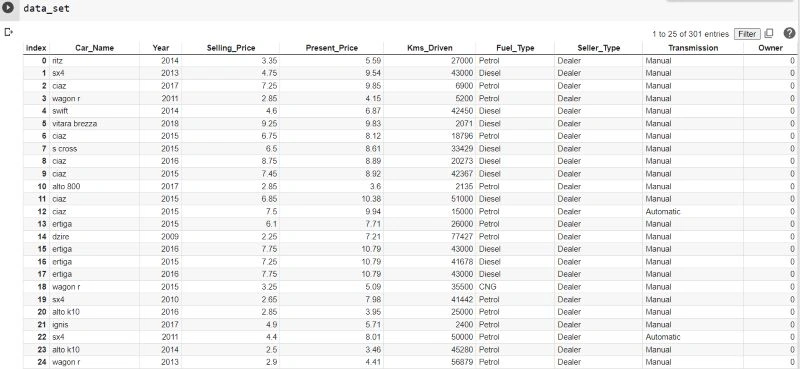
Gather the dataset you will be working with. Here is a dataset of cars. The dataset can be in any format. This dataset is in "CSV". It also can be in "JSON" or "XLXS" format. CSV stands for "Comma Separated Values" where all data is represented in a tabular format like a spreadsheet which is easy to understand.
Importing Libraries
Bring in the necessary libraries for data manipulation and analysis, like Pandas, NumPy, and Scikit-learn.
- pandas: pandas are the Python library that is basically used for loading and managing the dataset.
- numpy: numpy is also a Python library used for mathematical operations, or we can say that in scientific calculations like adding two large multidimensional arrays.
- sklearn and sci-kit-learn: both are the same libraries used for data analytics.
import pandas as pd
import numpy as np
from sklearn.model_selection import train_test_split
from sklearn.preprocessing import LabelEncoder, MinMaxScaler
Here pd and np are short naming conventions of pandas and numpy so that we can use these libraries by these short names.
Loading the Dataset
Load the dataset into your programming environment, which can be in different formats such as CSV, Excel, or datasets.
read_csv() is the function of the panda's library, which is basically used to read the CSV file, the file can be saved locally, or we can also give a URL to this.
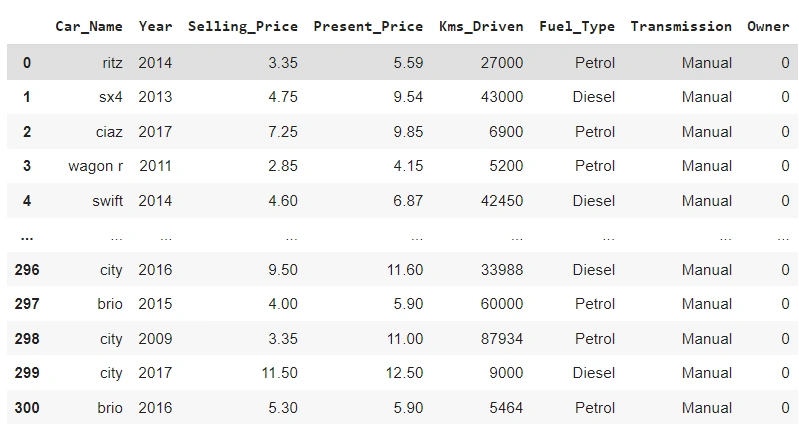
dataset.drop() is the function that is used to remove the specified column name, which is not needed in the dataset as here I am removing the 'Seller_Type' column name.
# Step 1: Obtaining the Dataset
# Assuming the dataset is in a CSV file called 'data.csv'
dataset = pd.read_csv('data.csv')
# Drop the 'index' column if it's not needed for analysis
df = dataset.drop('Seller_Type', axis=1)
Find Empty /Missing Data
Identify any missing values in the dataset and decide on a strategy to address them. Options include removing the rows or columns with missing data or filling in the missing values with methods like mean, median, or mode. In this code snippet, missing values are handled by simply dropping the rows that contain them. The df.dropna() function is used to remove any rows with missing values. Alternatively, you can use other methods like df.fillna() to impute missing values with appropriate strategies.
# Handling missing values (if any)
df = df.dropna()  # Remove rows with missing values
Encoding Categorical Data
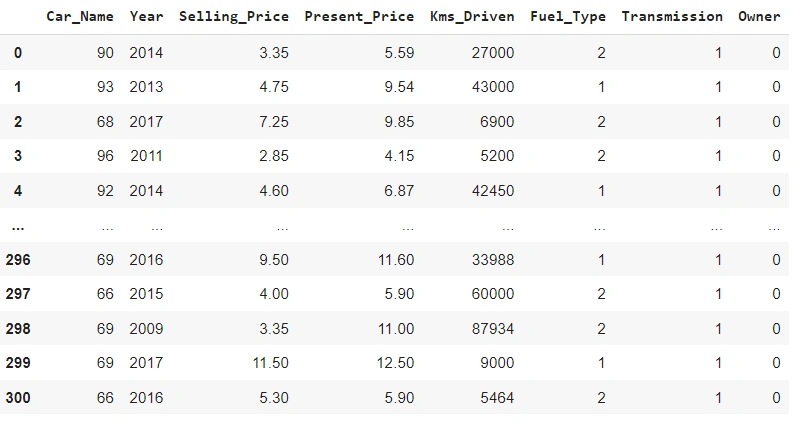
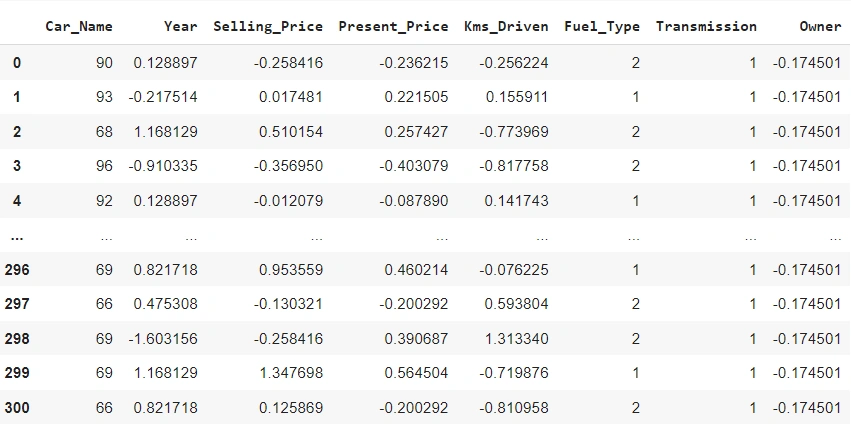
Convert categorical variables into numerical representations that can be understood by machine learning algorithms. This can involve techniques like one-hot encoding or label encoding. Categorical variables need to be encoded numerically before using them in machine learning models. The code performs label encoding on the categorical columns in the DataFrame using a for loop. The LabelEncoder is initialized for each column, and the fit_transform() method is used to encode the categories as integers. The encoded values replace the original values in the DataFrame.
# Encoding categorical variables
cat_cols = ['Car_Name', 'Fuel_Type', 'Transmission']
for col in cat_cols:
    encoder = LabelEncoder()
    df[col] = encoder.fit_transform(df[col])
Scaling Numerical Features
Normalize or standardize the numerical features in the dataset to ensure they are on a similar scale. This helps prevent certain features from dominating the model's calculations. Numerical features are often scaled to a similar range to avoid the dominance of certain features during modeling. Here, the code applies standardization to the numerical columns in the DataFrame. The StandardScaler is initialized, and the fit_transform() method is used to standardize the values in the selected numerical columns. The standardized values replace the original values in the DataFrame.
# Scaling numerical features
num_cols = ['Year', 'Selling_Price', 'Present_Price', 'Kms_Driven', 'Owner']
scaler = StandardScaler()
df[num_cols] = scaler.fit_transform(df[num_cols])
Split Dataset
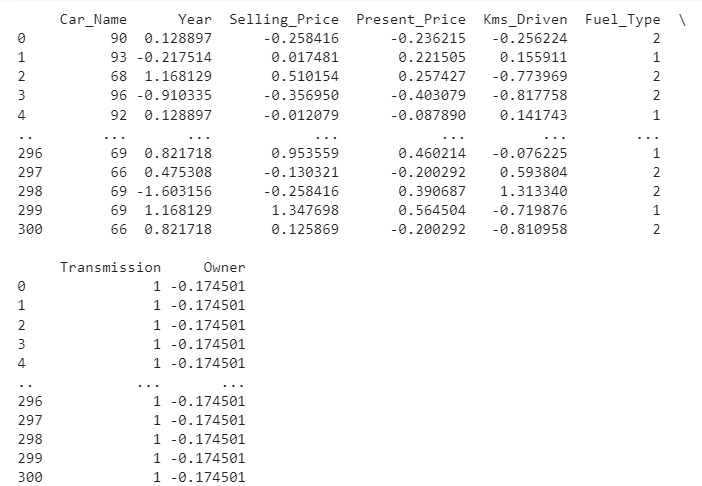
Divide the dataset into separate training and test sets. The training set is used to train the model, while the test set is used to evaluate its performance. This helps assess how well the model generalizes to new, unseen data. The code splits the preprocessed DataFrame into input features (X) and the target variable (y). The X DataFrame is obtained by dropping the 'Selling_Price' column, while y is assigned the 'Selling_Price' column. The train_test_split() function is used to split the X and y data into train and test sets, with a test size of 20% and a random state of 42. The resulting train and test sets are assigned to X_train, X_test, y_train, and y_test variables, respectively.
# Splitting the dataset into train and test sets
X = df.drop('Selling_Price', axis=1)
y = df['Selling_Price']
X_train, X_test, y_train, y_test = train_test_split(X, y, test_size=0.2, random_state=42)
Conclusion
Data preprocessing involves several essential steps. Firstly, the dataset is obtained, and the necessary libraries are imported. Next, the dataset is loaded into the programming environment. Missing data is handled by either removing or filling in the missing values. Categorical variables are encoded into numerical representations to make them suitable for analysis or modeling. The dataset is split into training and test sets to evaluate model performance. Numerical features are scaled to ensure they are on a similar scale, preventing the dominance of certain variables. Additional preprocessing steps, such as outlier handling, feature selection, or engineering, may be performed depending on the specific requirements. By following these steps, the data is transformed, cleaned, and organized, making it ready for further analysis or model training.
FAQ's
Q1. What are the main challenges in data preprocessing?
A. The challenges of data preprocessing may vary depending on the specific dataset, domain, and objectives of the analysis or machine learning task. Still, there are some challenges missing data, outliers, feature scaling, feature encoding, dimensionality reduction, data normalization, handling inconsistencies, and computational efficiency.
Q2. Which algorithm handles missing data?
A. The choice of algorithm depends on various factors, including the nature of the data and the amount of missingness. Still, we can use Mean/mode imputation and K-nearest neighbors (KNN) imputation.
Q3. Which tool is used for data preprocessing?
A. KNIME (Konstanz Information Miner) is an open-source data analytics platform that provides a visual workflow interface for data preprocessing.
Q4. Which of these is the most important part of data preprocessing?
A. Data Cleaning is the most important part of data preprocessing.
Join the conversation! Your thoughts help the community grow.