

Introduction
Moving data is important in any business or IT project, especially when switching to a new platform or improving existing systems. Microsoft's Power Platform has useful tools for making this process easier, and the Power Platform Build Tools are key to automating and simplifying it. This article looks into how these tools are used, with a focus on creating schema files using the Data Migration Utility.
Use Cases
- Automated Data Updates: Power Platform Build Tools automate the updating process, reducing the likelihood of errors associated with manual data entry. This ensures that accurate and up-to-date information is available to both internal stakeholders and customers.
- Deployment Processes: Automating this deployment process is essential to ensure consistency across multiple environments, such as development, testing, and production. Power Platform Build Tools facilitate the automation of the export and import of data. This use case highlights the efficiency gains and reliability achieved by incorporating automation.
- Reduced dependency: Power Platform Build Tools reduces dependency on Data Migration Utility or other softwares by automating at least two major operations, i.e, export and import of data.
There are many other use cases as well. For now, let's discuss a step-by-step process to implement this automation.
Step-by-Step Process to Automate Data Migration
Before we proceed we should understand 3 main operations in data migration in context of Power Platform. First is creation of schema, this step is performed manually using Data Migration Utility where we define tables, filters and solution from where data has to be exported. Second is Export from Source, this step can be automated using Power Platform Build Tools where data is exported from source environment. Third is Import to Target, in this step data is imported into target environment(s).
Step 1. Create Schema File Using Data Migration Utility
- Download the Configuration Migration Utility tool from this link: Download Nuget Tools.
- After successful installation, the folder structure will look as shown below:
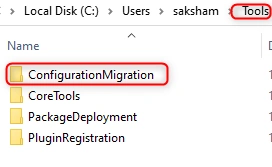
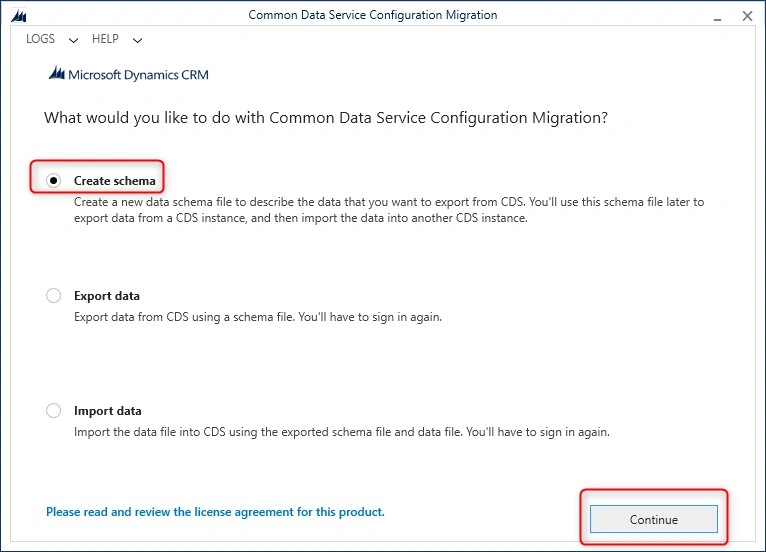
- In ConfigurationMigration folder, open DataMigrationUtility.exe file. A new window will open, select Create Schema, and click on Continue as shown below.
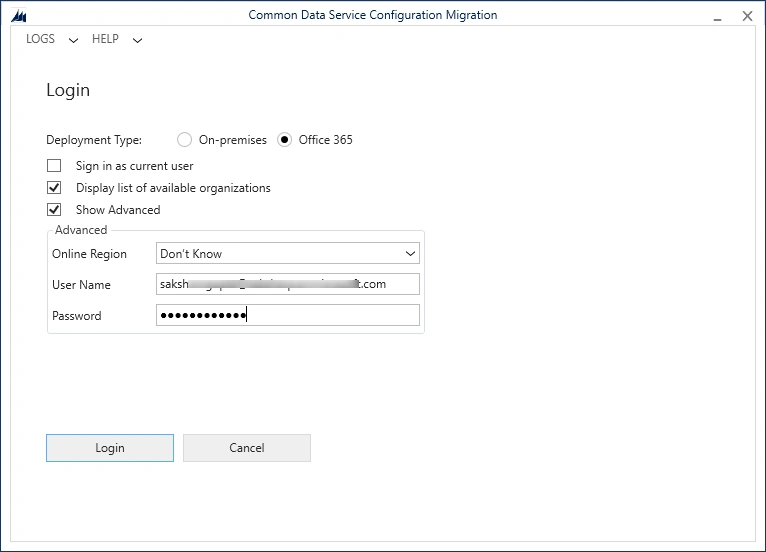
- Log in window will open, select default settings as shown below and enter your environment's username and password. Click login to proceed further.
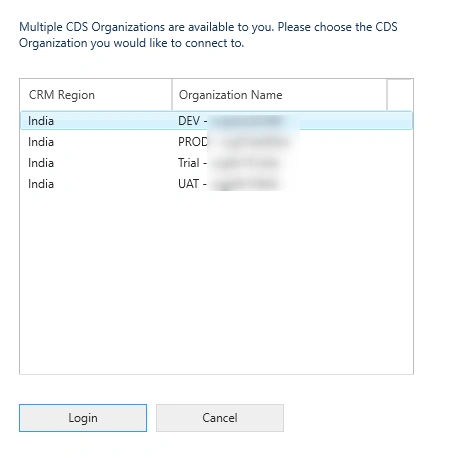
- Now select source environment from where schema file has to be generated as shown below and click login.
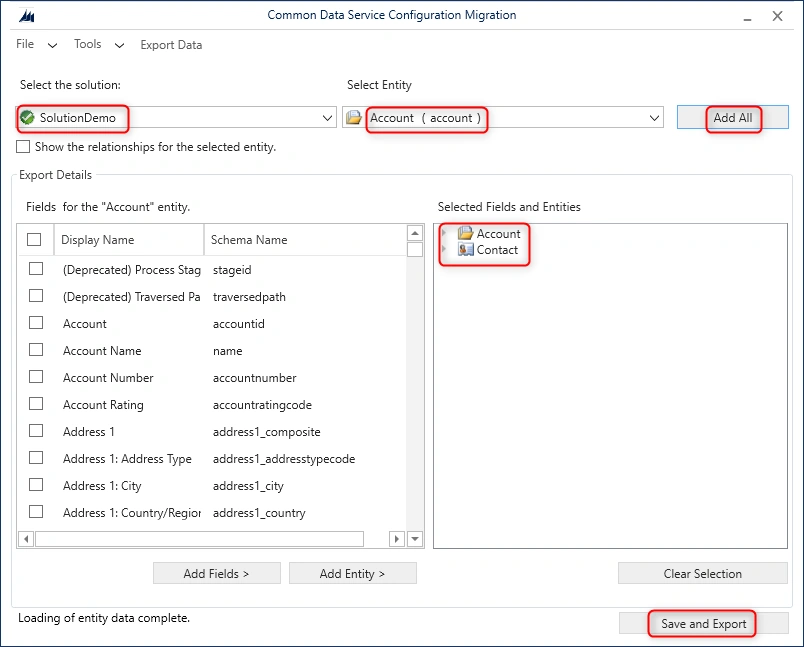
- In window shown below, first select the solution which contains the entities for which data has to be exported.Second step is to add the entities for schema creation. In screenshot shown below, I have clicked on 'Add All', it will add all the entities part of selected solution. Now once the entities are added click on save and export. A pop-up wil appear asking for file name and extension set to xml.
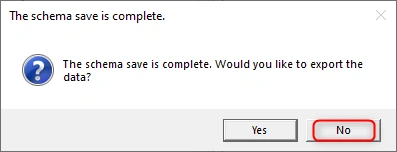
- Once the schema file is saved, a new pop-up will appear as shown below. Select No, as we will perform export and import from azure pipelines.
Step 2. Export data from source environment using schema file generated in Step1
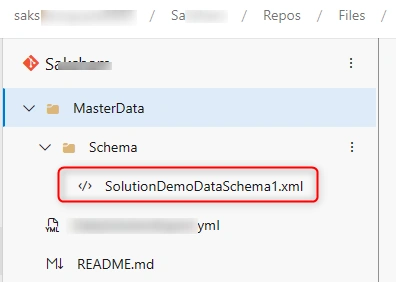
- Check-in schema file in your repos so that same can be referenced in our export data pipeline as shown below:
- Install Power Platform Build Tools and create a service connection. Follow this article for step by step process: Working with Service Connections in Azure DevOps (c-sharpcorner.com)
- Go to Azure Pipelines -> Create a new Starter Pipeline and update it as given below:
# The trigger section defines the conditions that will trigger the pipeline. In this case, 'none' means the pipeline won't be triggered automatically but manually. trigger: - none # The pool section specifies the execution environment for the pipeline. In this case, it uses a Windows VM image. pool: vmImage: windows-latest jobs: - job: Data_Export_DEV displayName: Data_Export_DEV pool: vmImage: windows-latest # Overrides the pool defined at the top level for this specific job steps: #Power Platform Tool Installer will install dependencies related to power platform tasks. - task: PowerPlatformToolInstaller@2 inputs: DefaultVersion: true displayName: 'Power Platform Tool Installer ' # Power Platform Export Data will export data from Dev environment based on contents in schema file - task: PowerPlatformExportData@2 inputs: authenticationType: 'PowerPlatformSPN' PowerPlatformSPN: 'DEV' Environment: '$(BuildTools.EnvironmentUrl)' SchemaFile: 'MasterData/Schema/SolutionDemoDataSchema1.xml' DataFile: '$(Build.SourcesDirectory)/MasterData/DataBackup/data.zip' Overwrite: true # Command line script will checkin data file into our Azure Repos. - task: CmdLine@2 displayName: Command Line Script inputs: script: | git config user.email "Your Email Id" git config user.name "Saksham Gupta" git checkout -b main git pull git add --all git commit -m "Data Backup" echo push code to new repo git -c http.extraheader="AUTHORIZATION: bearer $(System.AccessToken)" push origin main -f env: MY_ACCESS_TOKEN: $(System.AccessToken) # Set an environment variable with the value of the System.AccessToken - Pre-requisite before triggering the pipeline: Build Service account should have contribute permission set to allow for main branch.
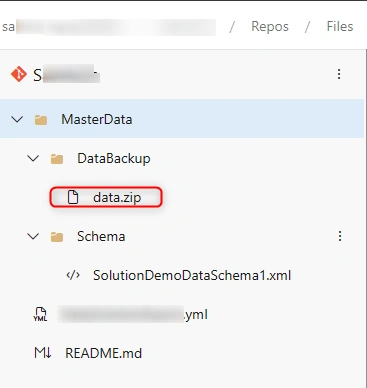
- Below is sample output of folder structure after successful pipeline run:
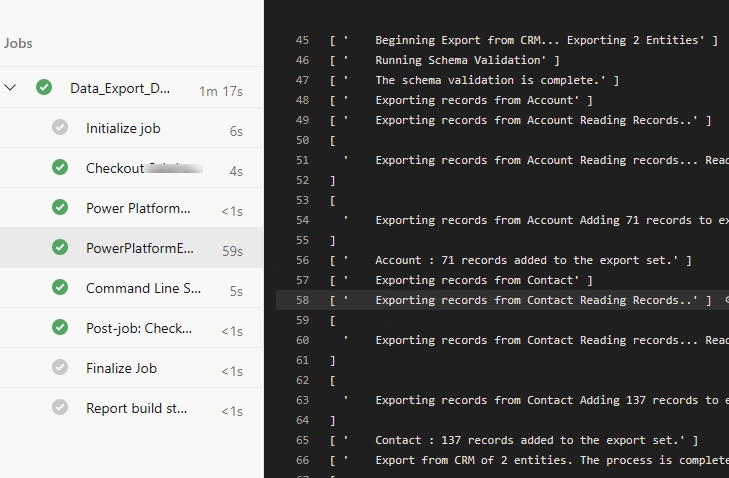
- Below is a successful pipeline run for Data Export Pipeline:
Step 3. Now let's proceed with import of data in target environment
- Pre-requisite: Target environment should have all dependencies installed before data is imported.
- Go to Azure Pipelines -> Create a new Starter Pipeline and update it as given below:
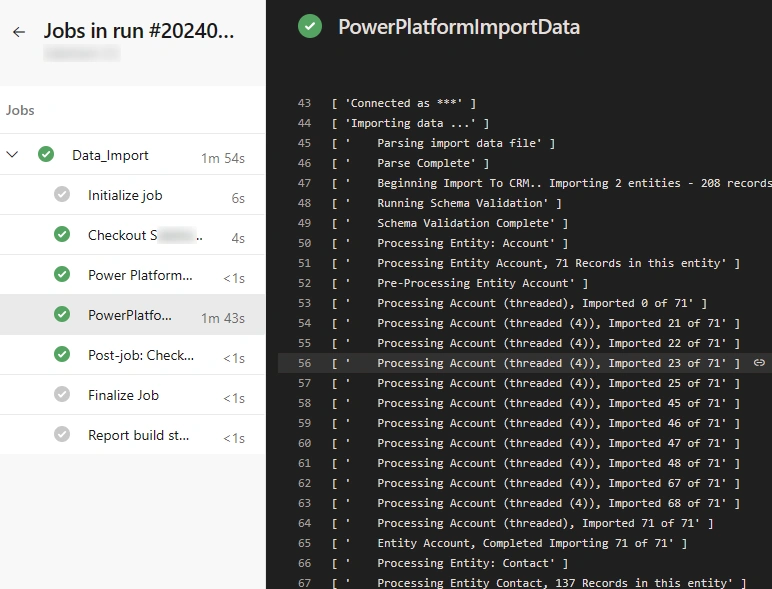
# Define the trigger for the pipeline. In this case, the pipeline has no explicit trigger. trigger: - none # Define the pool configuration for the pipeline, specifying the virtual machine image to be used. pool: vmImage: windows-latest jobs: - job: Data_Import displayName: Data_Import pool: vmImage: windows-latest steps: # This task installs the Power Platform tools - task: PowerPlatformToolInstaller@2 inputs: DefaultVersion: true displayName: 'Power Platform Tool Installer ' # This task imports data using Power Platform Import Data Task into UAT environment. - task: PowerPlatformImportData@2 inputs: authenticationType: 'PowerPlatformSPN' PowerPlatformSPN: 'UAT' Environment: '$(BuildTools.EnvironmentUrl)' DataFile: 'MasterData/DataBackup/data.zip' #File path is picked from main branch in azure repos. - Below is successful pipeline run for Data import into UAT environment:
Conclusion
In this article we discussed various use cases of automated Data migration in Power Platform using Azure Pipelines. This process will save a lot of manual effort as well as explicit monitoring. The step by step process discussed will help you get started without advancedknowledge on YAML concepts. We can extend this process further by inculcating these tasks in our ALM pipelines. Please reach out to me in caseany concerns.
Join the conversation! Your thoughts help the community grow.