
I have written this code in blend for Visual Studio for design and for other animation purpose you can do this code in Visual Studio too.
Step 1: Make a Model Class of which you want to bind to a ListView,
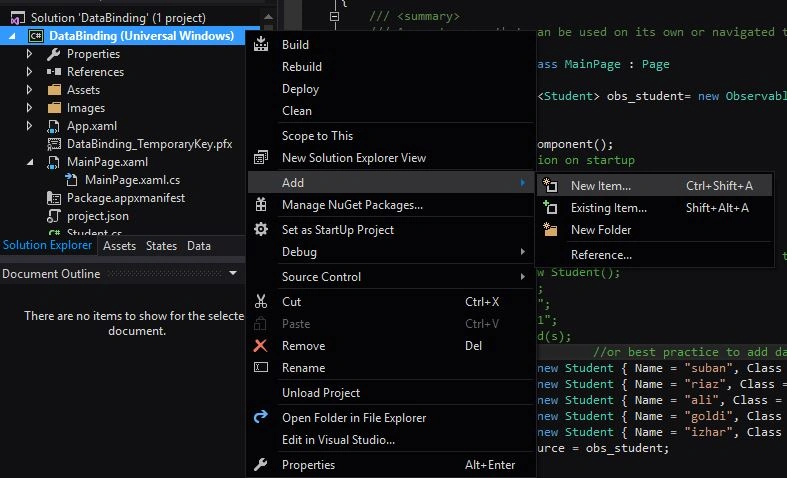
- To add class - Right click on your project, click Add, then New Item.
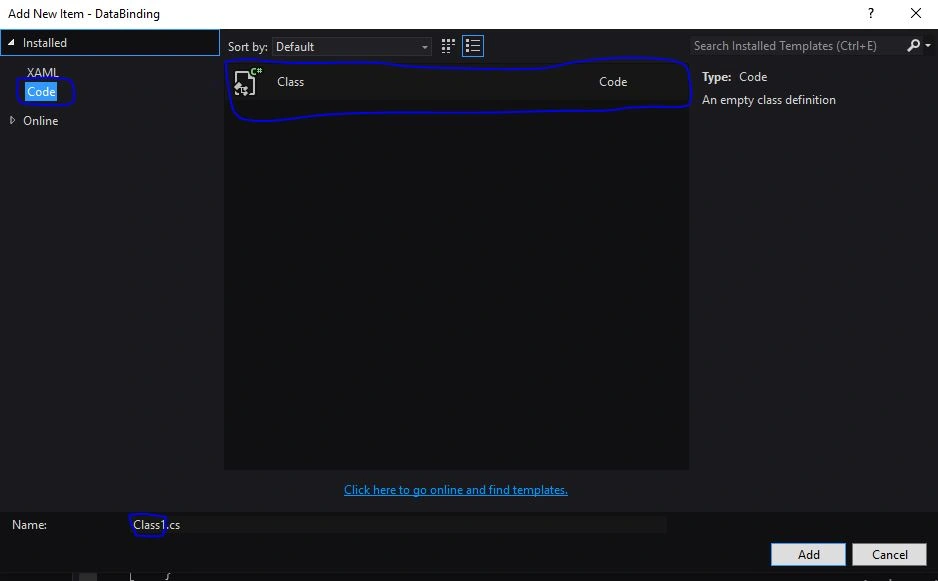
- In the new item you will see code on the left, click it and click on class rename and click Add.
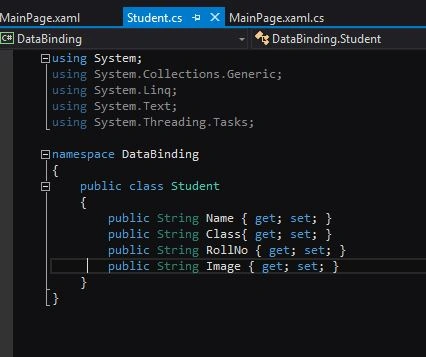
For example, In this image I have made a model class of a Student with attributes Name, Class , Rollno and image,
Step 2: Make a ListView and add a container (Stack panel) to it and Textblock where you are going to populate your data.
Open the MainPage.xaml editor, you can add ListView by drag and drop from the toolbox or you simply Edit the xaml by adding the following code,
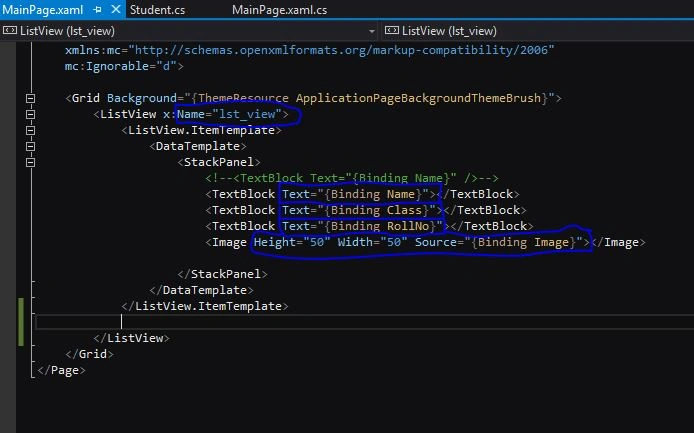
Here you can see in this image the textblocks Text Attribute binds with the properties of Student class.
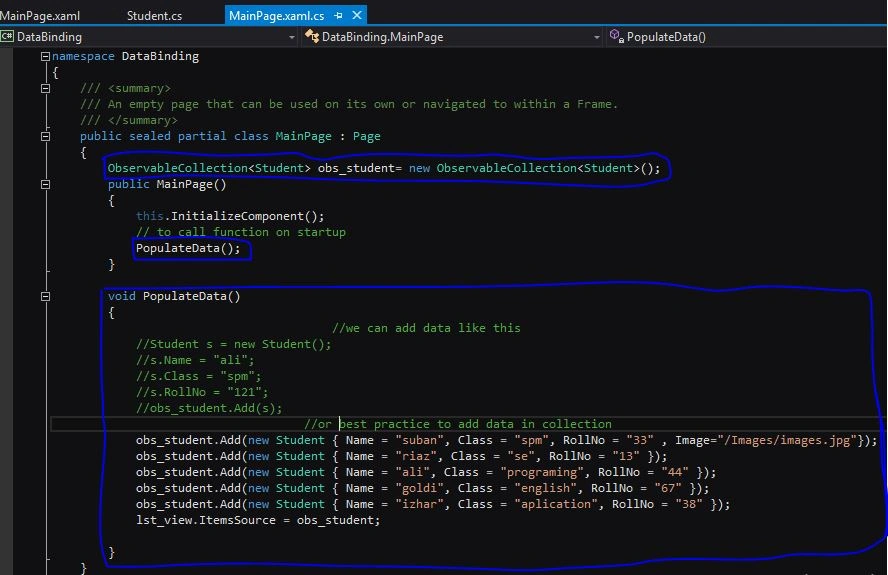
Step 3: Now the final step is to add changes to your xaml.cs file,
- Add an observable collection of student class.
- Make a function that adds objects in the collection.
- Provide the collection object to the list item source.
Ammar ShaukatPosted Aug 22, 2017, 1:35 AM
Can we achieve the same without using observable collection ?
Ammar ShaukatPosted Aug 22, 2017, 1:28 AM
What kind of binding you are doing here ? seems like its not strong binding , its a loosely coupled front end code bind with backend.
Mukesh KumarPosted Nov 29, 2015, 3:17 AM
Good One
Sibeesh VenuPosted Nov 28, 2015, 2:37 AM
Nice Share
Santhakumar MunuswamyPosted Nov 28, 2015, 2:16 AM
Good One
Harshad PansuriyaPosted Nov 27, 2015, 11:07 PM
Nice one
Raja TPosted Nov 27, 2015, 7:34 AM
Nice, Thanks for sharing