

What is CSS?
What are the advantages of using CSS?
There are following advantages of CSS-
- CSS saves time- We write a CSS once and use it again and again in our HTML projects.
- Pages load faster- If we use CSS, it speeds up the Web page loading time, because we don't write HTML attributes for every HTML tag.
- Easy maintenance- If we want to change the design of our Web page, it can be done by only changing it in the CSS file.
- Platform Independence- CSS is platform-independent.
What are the components of a CSS Style?
- Selector- HTML tag at which style is to be applied.
- Property- It is a style applied to the element.
- Value- It assigns the value to the property.
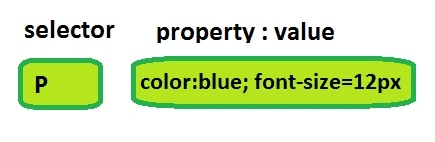
What is a type selector?
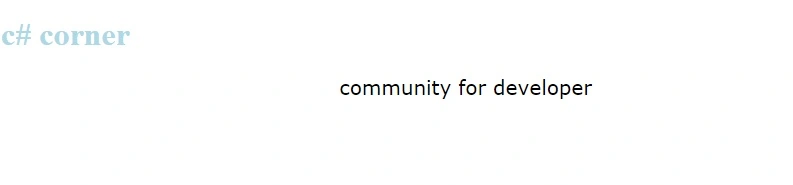
Example
- <!DOCTYPE html>
- <html>
- <head>
- <style>
- h1 {
- color: lightblue;
- text-align: left;
- }
- p {
- font-family: verdana;
- font-size: 20px;
- text-align: center;
- }
- </style>
- </head>
- <body>
- <h1>c# corner</h1>
- <p>community for developer</p>
- </body>
- </html>
Output
What is a universal selector?
A universal selector is used to select all HTML elements for styling.
Example
- <!DOCTYPE html>
- <html>
- <head>
- <style>
- *{
- color: red;
- text-align: center;
- }
- </style>
- </head>
- <body>
- <h1>c# corner</h1>
- <p>community for developer</p>
- </body>
- </html>
Output

What is the Descendant Selector?
- <!DOCTYPE html>
- <html>
- <head>
- <style>
- h1{
- color:red;
- }
- h1 em{
- color: blue;
- }
- </style>
- </head>
- <body>
- <h1>c# <em>Corner</em></h1>
- <p>community for developer</p>
- </body>
- </html>

What is the class selector?
Example
- <!DOCTYPE html>
- <html>
- <head>
- <style>
- .heading{
- color:red;
- text-align:center;
- }
- </style>
- </head>
- <body>
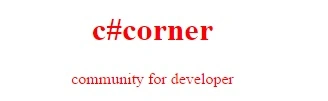
- <h1 class="heading">c#corner</h1>
- <p class="heading">community for developer</p>
- </body>
- </html>
Output
Can you make a class selector particular to an element type?
- <!DOCTYPE html>
- <html>
- <head>
- <style>
- h1.heading{
- color:red;
- text-align:center;
- }
- </style>
- </head>
- <body>
- <h1 class="heading">c#corner</h1>
- <p class="heading">community for developer</p>
- </body>
- </html>
Output
 Output
 Yes, we can make an ID selector for a particular element type.
Output
Yes, we can make an ID selector for a particular element type.
Output
What is the ID selector?
An ID selector is the one when we apply the style, based on the ID attribute.
Example
- <!DOCTYPE html>
- <html>
- <head>
- <style>
- #heading{
- color:red;
- text-align:center;
- }
- #para{
- color:blue;}
- </style>
- </head>
- <body>
- <h1 id="heading">c#corner</h1>
- <p id="para">community for developer</p>
- </body>
- </html>
Can you make an id selector particular to an element type?
Example
- <!DOCTYPE html>
- <html>
- <head>
- <style>
- h1#heading{
- color:red;
- text-align:center;
- }
- </style>
- </head>
- <body>
- <h1 id="heading">c#corner</h1>
- <p id="heading">community for developer</p>
- </body>
- </html>
What is a child selector?
A child selector is used to select the child element of the HTML tag.
Example
- <!DOCTYPE html>
- <html>
- <head>
- <style>
- body>p{
- color:red;
- font-size:30px;
- }
- </style>
- </head>
- <body>
- <h1 id="heading">c#corner</h1>
- <p id="heading">community for developer</p>
- <p>www.c-sharpcorner.com</p>
- </body>
- </html>
Output
What is an attribute selector?
We can apply the style to a particular attribute.
Example
- <!DOCTYPE html>
- <html>
- <head>
- <style>
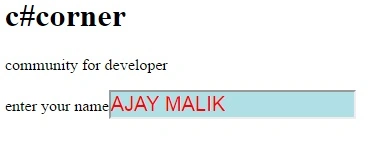
- input[type="text"]
- {
- color:red;
- background-color:powderblue;
- font-size:20px;
- }
- </style>
- </head>
- <body>
- <h1 id="heading">c#corner</h1>
- <p id="heading">community for developer</p>
- enter your name<input type="text"/>
- </body>
- </html>
Output
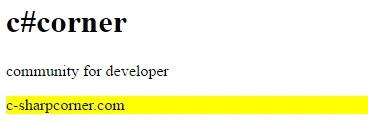
How to select all paragraph elements with a lang attribute?
To select all paragraph elements with a lang attribute, p[lang] is used.
Example
- <!DOCTYPE html>
- <html>
- <head>
- <style>
- p:lang(it) {
- background: yellow;
- }
- </style>
- </head>
- <body>
- <h1 id="heading">c#corner</h1>
- <p id="heading">community for developer</p>
- <p lang=it>c-sharpcorner.com</p>
- </body>
- </html>
Output
What are the various ways of using CSS in an HTML page?
There are four ways to use CSS in HTML page-
- Embedded CSS − <style> Element: You can write your CSS rules into HTML document, using the <style> element.
- Inline CSS − style Attribute: You can use style attribute of any HTML element to define the style rules.
- External CSS − <link> Element: <link> element can be used to include an external stylesheet file in your HTML document.
- Imported CSS − @import Rule: @import is used to import an external stylesheet in a manner, similar to the <link> element.
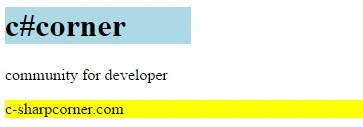
What is the purpose of the % measurement unit?
Example
- <!DOCTYPE html>
- <html>
- <head>
- <style>
- div{
- width:20%;
- background-color:lightblue;}
- p:lang(it) {
- background: yellow;
- }
- </style>
- </head>
- <body>
- <div>
- <h1 id="heading">c#corner</h1>
- </div>
- <p id="heading">community for developer</p>
- <p lang=it>c-sharpcorner.com</p>
- </body>
- </html>
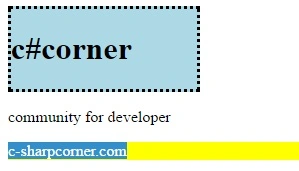
What is the purpose of the cm measurement unit?
Example
- <!DOCTYPE html>
- <html>
- <head>
- <style>
- div{
- width:20%;
- background-color:lightblue;
- border-style: dotted;
- border-width: 0.1cm;}
- p:lang(it) {
- background: yellow;
- }
- </style>
- </head>
- <body>
- <div>
- <h1 id="heading">c#corner</h1>
- </div>
- <p id="heading">community for developer</p>
- <p lang=it>c-sharpcorner.com</p>
- </body>
- </html>
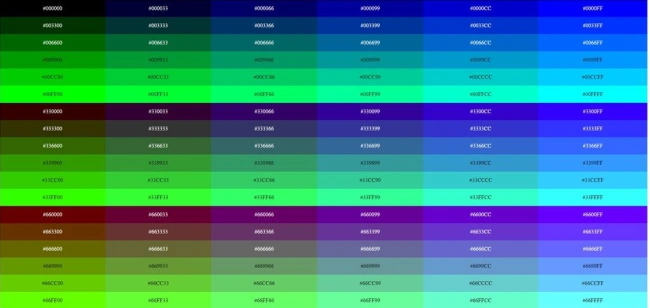
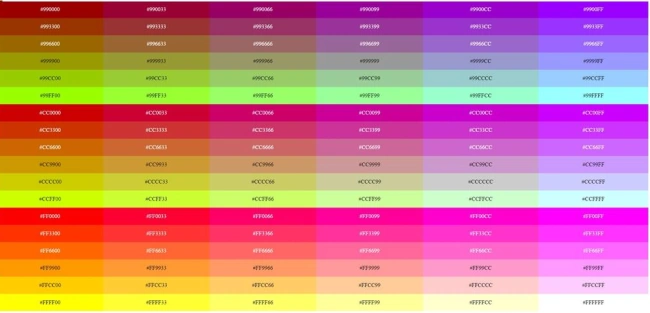
What are browser-safe colors?
There are listed all browser-safe colors-
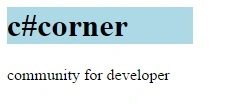
Which property is used to set the background color of an element?
To set the background color of an element, the background-color property is used.
Example
- <!DOCTYPE html>
- <html>
- <head>
- <style>
- div{
- width:20%;
- background-color:lightblue;
- }
- </style>
- </head>
- <body>
- <div>
- <h1 id="heading">c#corner</h1>
- </div>
- <p id="heading">community for developer</p>
- </body>
- </html>
Which property is used to set the background image of an element?
Example
- <!DOCTYPE html>
- <html>
- <head>
- <style>
- body {
- background-image: url("http://csharpcorner.mindcrackerinc.netdna-cdn.com/App_Themes/CSharp/Images/olympics_logo.png");
- background-repeat: no-repeat;
- }
- </style>
- </head>
- <body>
- <br>
- <h1>c# corner</h1>
- </body>
- </html>
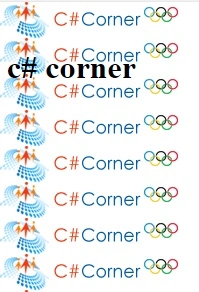
Which property is used to control the repetition of an image in the background?
Example
- <!DOCTYPE html>
- <html>
- <head>
- <style>
- body {
- background-image: url("http://csharpcorner.mindcrackerinc.netdna-cdn.com/App_Themes/CSharp/Images/olympics_logo.png");
- background-repeat: repeat-y;
- }
- </style>
- </head>
- <body>
- <br>
- <h1>c# corner</h1>
- </body>
- </html>
Output
Which property is used to control the position of an image in the background?
To set the position of the background image, the background-position property is used.
Example
- <!DOCTYPE html>
- <html>
- <head>
- <style>
- body {
- background-image: url("http://csharpcorner.mindcrackerinc.netdna-cdn.com/App_Themes/CSharp/Images/olympics_logo.png");
- background-repeat: no-repeat;
- background-position: center;
- }
- </style>
- </head>
- <body>
- <br>
- <h1>c# corner</h1>
- </body>
- </html>

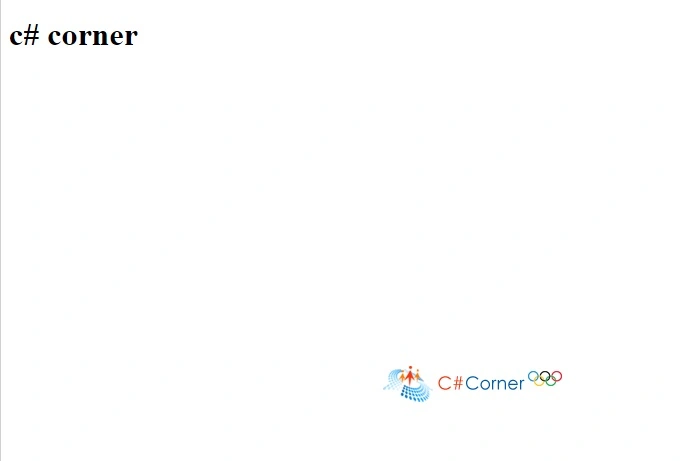
Which property is used to control the scrolling of an image in the background?
Example
- <!DOCTYPE html>
- <html>
- <head>
- <style>
- body {
- background-image: url("http://csharpcorner.mindcrackerinc.netdna-cdn.com/App_Themes/CSharp/Images/olympics_logo.png");
- background-repeat: no-repeat;
- background-position: center;
- background-attachment: fixed;
- }
- </style>
- </head>
- <body>
- <br>
- <h1>c# corner</h1>
- </body>
- </html>
Which property is used to change the face of a font?
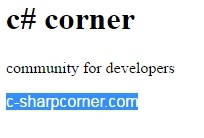
To change the font, the font-family property is used.
Example
- <!DOCTYPE html>
- <html>
- <head>
- <style>
- p.serif {
- font-family: "Times New Roman", Times, serif;
- }
- p.sansserif {
- font-family: Arial, Helvetica, sans-serif;
- }
- </style>
- </head>
- <body>
- <h1>c# corner</h1>
- <p class="serif">community for developers</p>
- <p class="sansserif">c-sharpcorner.com</p>
- </body>
- </html>
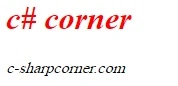
Which property is used to make a font italic or oblique?
Example
- <!DOCTYPE html>
- <html>
- <head>
- <style>
- .italic {
- font-style: italic;
- color:red;
- }
- .oblique {
- font-style: oblique;
- }
- </style>
- </head>
- <body>
- <h1 class="italic">c# corner</h1>
- <p class="oblique">c-sharpcorner.com</p>
- </body>
- </html>
Output
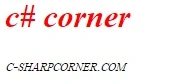
Which property is used to create a small-caps effect?
Example
- <!DOCTYPE html>
- <html>
- <head>
- <style>
- .italic {
- font-style: italic;
- color:red;
- }
- .oblique {
- font-style: oblique;
- font-variant: small-caps;
- }
- </style>
- </head>
- <body>
- <h1 class="italic">c# corner</h1>
- <p class="oblique">c-sharpcorner.com</p>
- </body>
- </html>
Which property is used to increase or decrease how bold or light a font appears?
- <!DOCTYPE html>
- <html>
- <head>
- <style>
- .italic {
- font-style: italic;
- color:red;
- font-weight: bold;
- }
- .oblique {
- font-style: oblique;
- font-weight: 900;
- }
- </style>
- </head>
- <body>
- <h1 class="italic">c# corner</h1>
- <p class="oblique">c-sharpcorner.com</p>
- </body>
- </html>
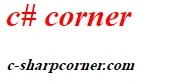
Which property is used to control the flow and formatting of text?
To control the flow and formatting of the text, the white-space property is used.
Example
- <!DOCTYPE html>
- <html>
- <head>
- <style>
- p {
- white-space: nowrap;
- }
- </style>
- </head>
- <body>
- <p>
- c# corner
- c# corner
- c# corner
- c# corner
- c# corner
- c# corner
- c# corner
- c# corner
- c# corner
- c# corner
- c# corner
- c# corner
- c# corner
- c# corner
- c# corner
- c# corner
- c# corner
- c# corner
- c# corner
- c# corner
- c# corner
- c# corner
- c# corner
- c# corner
- c# corner
- c# corner
- c# corner
- c# corner
- c# corner
- c# corner
- c# corner
- c# corner
- c# corner
- c# corner
- c# corner
- c# corner
- c# corner
- c# corner
- c# corner
- c# corner
- </p>
- </body>
- </html>
Output

Which property specifies the left margin of an element?
Example
- <!DOCTYPE html>
- <html>
- <head>
- <style>
- .lm{
- margin-left: 5cm;
- }
- </style>
- </head>
- <body>
- <p>c# corner</p>
- <p class="lm">www.c-sharpcorner.com</p>
- </body>
- </html>

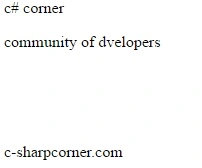
Which property specifies the bottom padding of an element?
Example
- <!DOCTYPE html>
- <html>
- <head>
- <style>
- p.padding {
- padding-bottom: 2cm;
- }
- p.padding2 {
- padding-bottom: 50%;
- }
- </style>
- </head>
- <body>
- <p>c# corner</p>
- <p class="padding">community of dvelopers</p>
- <p class="padding2">c-sharpcorner.com</p>
- </body>
- </html>
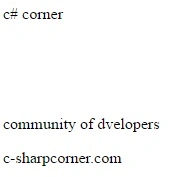
Which property specifies the top padding of an element?
- <!DOCTYPE html>
- <html>
- <head>
- <style>
- p.padding {
- padding-top: 2cm;
- }
- </style>
- </head>
- <body>
- <p>c# corner</p>
- <p class="padding">community of dvelopers</p>
- <p class="padding2">c-sharpcorner.com</p>
- </body>
- </html>
You can enhance your knowledge more, by reading the following articles.
More Interview Questions
- Azure Interview Questions
- ASP.NET MVC Interview Questions
- C# interview questions
- ASP.NET interview questions
- Bootstrap interview questions
- Html 5 interview questions
- WCF interview questions and answers
- WPF interview questions and answers
- Angularjs interview questions
- SQL Server interview questions
- ADO.NET interview questions and answers
- Interview question on.NET framework or clr
- Javascript interview questions
- Interview questions for 2 year experience in SQL and C#
- Important.NET interview questions and answers
- Software Testing Interview Questions/
- Dot.NET interview questions for experienced and fresher
- SQL interview questions
- C# interview questions and answers
- jQuery interview question and answer with practices part 2
- Python interview questions
Sajid HussainPosted Jul 11, 2017, 3:00 AM
Nicely explained.....
SubashPosted Sep 16, 2016, 12:19 AM
Useful one sir
Delpin Susai RajPosted Aug 28, 2016, 2:56 AM
Nice
Vignesh ManiPosted Aug 25, 2016, 6:30 AM
Good one
RakeshPosted Aug 25, 2016, 5:30 AM
Good share
Ajay MalikPosted Aug 25, 2016, 2:43 AM
Tq..
Ramesh PalaniappanPosted Aug 25, 2016, 2:30 AM
Good one