
Introduction
In this article I will explain how to make a cross browser marquee using jQuery.
Description
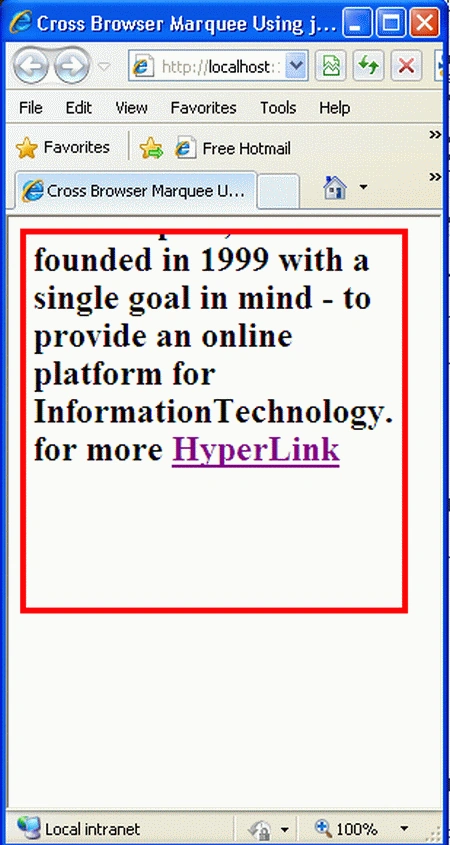
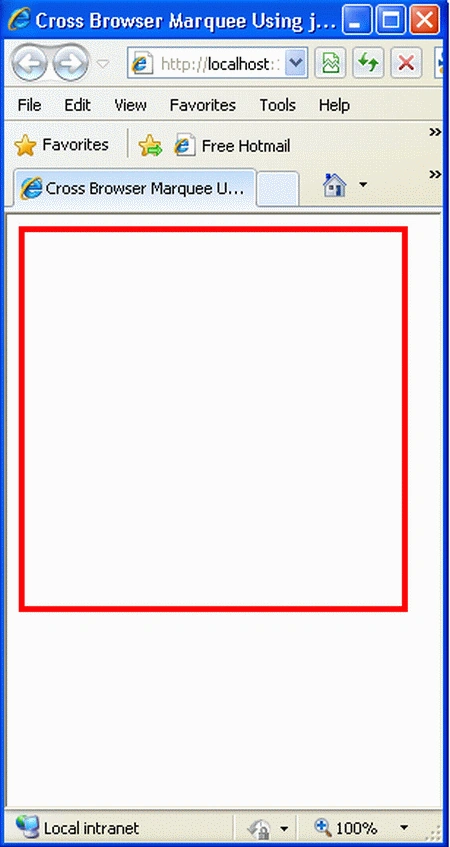
In this script the Text scrolls from bottom to top (instead of sideways), pauses, then scrolls up and out of view. A link can be added. It's also different in that the content to scroll is not stored inside JavaScript variables, but as plain HTML wrapped around a special DIV. This makes specifying long and complex HTML a breeze.
Step 1: First we have to create a Web Application.
- Go to Visual Studio 2010.
- New--> And select the Web Application.
- Give whatever name you want to.
- Click OK.
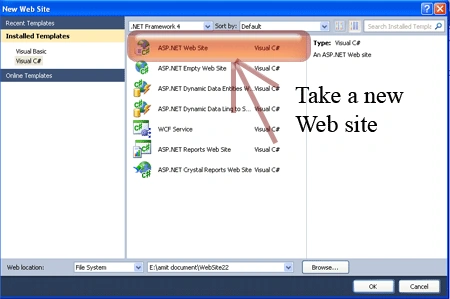
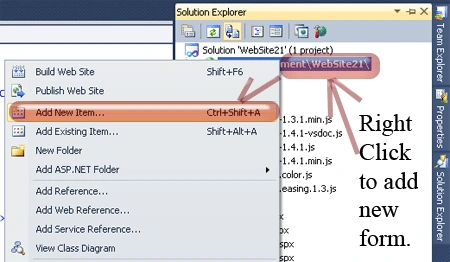
Step 2: Secondly you have to add a new page to the website.
- Go to the Solution Explorer.
- Right-click on the project name.
- Select add new item.
- Add new web page and give it a name.
- Click OK.
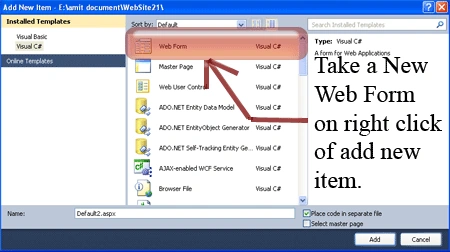
Step 3: In this step we will see how to add style sheet code. Whenever we write style sheet code you have to be careful that it is written inside the <style></style> tags and you have to place it inside the head section.
<style type="text/css">
#marqueecontainer
{
position: relative;
width: 250px; /*marquee width */
height: 250px; /*marquee height */
background-color: white;
overflow: hidden;
border: 4px solid red;
padding: 3px;
padding-left: 5px;
}
</style>
Step 4: In this step we have to write the script reference to the aspx page; let us see from where you have to write the script code.
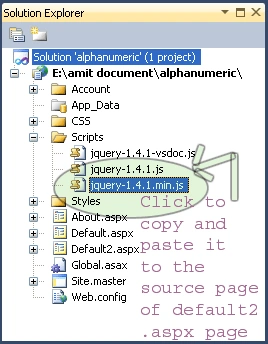
Step 5: Let us see the script code to add inside the <script></script> tags and that will be placed either in the <head> section or the <body> section as you prefer.
<script type="text/javascript" src="Scripts/jquery-1.4.1.min.js"></script>
Step 6: In this step we have to write the jQuery code which is given below.
<script type="text/javascript">
var delayb4scroll = 2000
var marqueespeed = 2
var pauseit = 1
var copyspeed = marqueespeed
var pausespeed = (pauseit == 0) ? copyspeed : 0
var actualheight = ''
function scrollmarquee() {
if (parseInt(cross_marquee.style.top) > (actualheight * (-1) + 8))
cross_marquee.style.top = parseInt(cross_marquee.style.top) - copyspeed + "px"
else
cross_marquee.style.top = parseInt(marqueeheight) + 8 + "px"
}
function initializemarquee() {
cross_marquee = document.getElementById("vmarquee")
cross_marquee.style.top = 0
marqueeheight = document.getElementById("marqueecontainer").offsetHeight
actualheight = cross_marquee.offsetHeight
if (window.opera || navigator.userAgent.indexOf("Netscape/7") != -1) { //if Opera or Netscape 7x, add scrollbars to scroll and exit
cross_marquee.style.height = marqueeheight + "px"
cross_marquee.style.overflow = "scroll"
return
}
setTimeout('lefttime=setInterval("scrollmarquee()",30)', delayb4scroll)
}
if (window.addEventListener)
window.addEventListener("load", initializemarquee, false)
else if (window.attachEvent)
window.attachEvent("onload", initializemarquee)
else if (document.getElementById)
window.onload = initializemarquee
</script>
Step 7 : In this step you will see the body code of the Default2.aspx page which is given below.
Body Code
<body>
<form id="form1" runat="server">
<div id="marqueecontainer" onmouseover="copyspeed=pausespeed" onmouseout="copyspeed=marqueespeed">
<div id="vmarquee" style="position: absolute; width: 98%;">
<!--YOUR SCROLL CONTENT HERE-->
<h2>
The Mindcracker Network with its global headquarters in Philadelphia,
PA was founded in 1999 with a single goal in mind - to provide an online
platform for InformationTechnology.
for more <asp:HyperLink ID="HyperLink1" runat="server"
NavigateUrl="http://www.c-sharpcorner.com">HyperLink</asp:HyperLink>
</h2>
<!--YOUR SCROLL CONTENT HERE-->
</div>
</div>
</form>
</body>
Step 8: In this step we will see the complete code of the Default2.aspx page which is given below.
Code
<%@ Page Language="C#" AutoEventWireup="true" CodeFile="Default2.aspx.cs" Inherits="Default2" %>
<!DOCTYPE html PUBLIC "-//W3C//DTD XHTML 1.0 Transitional//EN" "http://www.w3.org/TR/xhtml1/DTD/xhtml1-transitional.dtd">
<html xmlns="http://www.w3.org/1999/xhtml">
<head runat="server">
<title> Cross Browser Marquee Using jQuery </title>
<script type="text/javascript" src="Scripts/jquery-1.4.1.min.js"></script>
<script type="text/javascript">
var delayb4scroll = 2000
var marqueespeed = 2
var pauseit = 1
var copyspeed = marqueespeed
var pausespeed = (pauseit == 0) ? copyspeed : 0
var actualheight = ''
function scrollmarquee() {
if (parseInt(cross_marquee.style.top) > (actualheight * (-1) + 8))
cross_marquee.style.top = parseInt(cross_marquee.style.top) - copyspeed + "px"
else
cross_marquee.style.top = parseInt(marqueeheight) + 8 + "px"
}
function initializemarquee() {
cross_marquee = document.getElementById("vmarquee")
cross_marquee.style.top = 0
marqueeheight = document.getElementById("marqueecontainer").offsetHeight
actualheight = cross_marquee.offsetHeight
if (window.opera || navigator.userAgent.indexOf("Netscape/7") != -1) { //if Opera or Netscape 7x, add scrollbars to scroll and exit
cross_marquee.style.height = marqueeheight + "px"
cross_marquee.style.overflow = "scroll"
return
}
setTimeout('lefttime=setInterval("scrollmarquee()",30)', delayb4scroll)
}
if (window.addEventListener)
window.addEventListener("load", initializemarquee, false)
else if (window.attachEvent)
window.attachEvent("onload", initializemarquee)
else if (document.getElementById)
window.onload = initializemarquee
</script>
<style type="text/css">
#marqueecontainer
{
position: relative;
width: 250px; /*marquee width */
height: 250px; /*marquee height */
background-color: white;
overflow: hidden;
border: 4px solid red;
padding: 3px;
padding-left: 5px;
}
</style>
<body>
<form id="form1" runat="server">
<div id="marqueecontainer" onmouseover="copyspeed=pausespeed" onmouseout="copyspeed=marqueespeed">
<div id="vmarquee" style="position: absolute; width: 98%;">
<!--YOUR SCROLL CONTENT HERE-->
<h2>
The Mindcracker Network with its global headquarters in Philadelphia,
PA was founded in 1999 with a single goal in mind - to provide an online
platform for InformationTechnology.
for more <asp:HyperLink ID="HyperLink1" runat="server"
NavigateUrl="http://www.c-sharpcorner.com">HyperLink</asp:HyperLink>
</h2>
<!--YOUR SCROLL CONTENT HERE-->
</div>
</div>
</form>
</body>
</html>
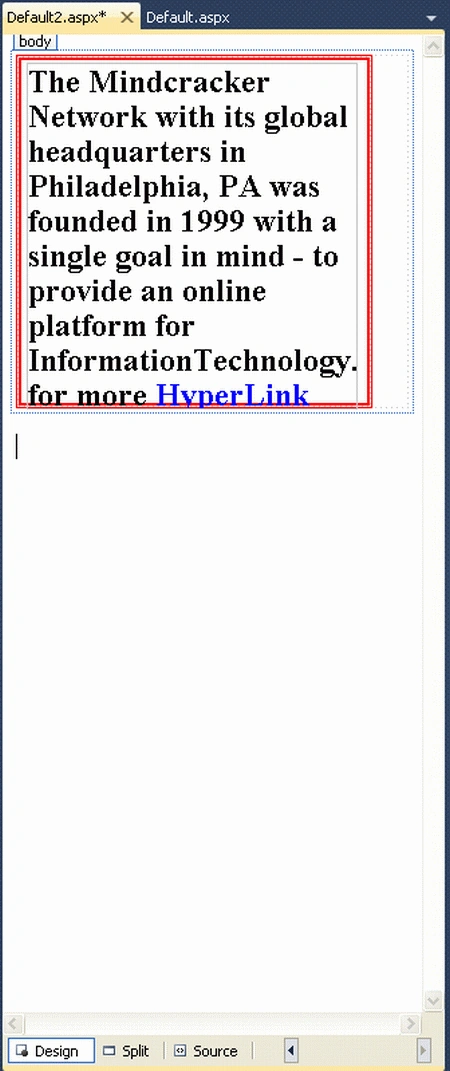
Step 9 : In this step we will see the design of the Default2.aspx page which is given below.
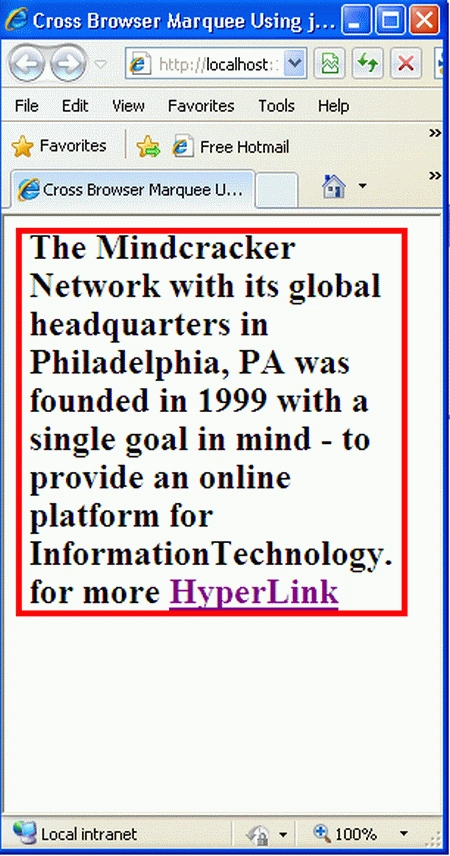
Step 10: In this step we are going to run the Default2.aspx page by pressing F5.
Resources
Join the conversation! Your thoughts help the community grow.