

Create Trigger
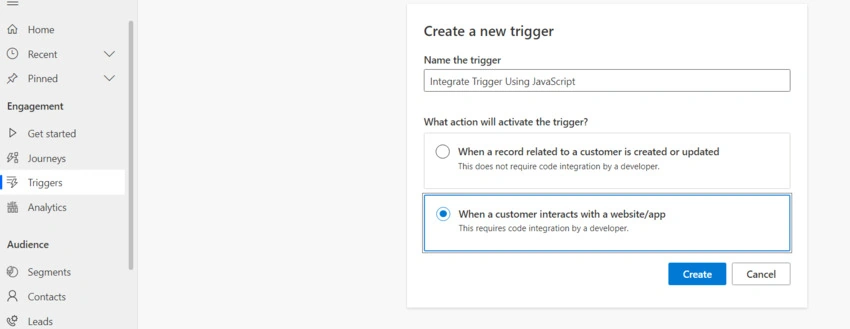
Create a Trigger by Adding the Trigger Name and selecting Action When a customer interacts with a website/app.
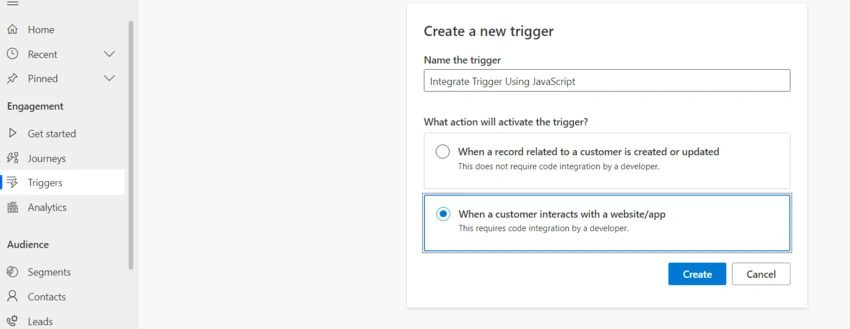
You will be navigated to Set Up Step.
Add the attributes
Enter the Attribute name and Data type as Text and Click the Next Button.
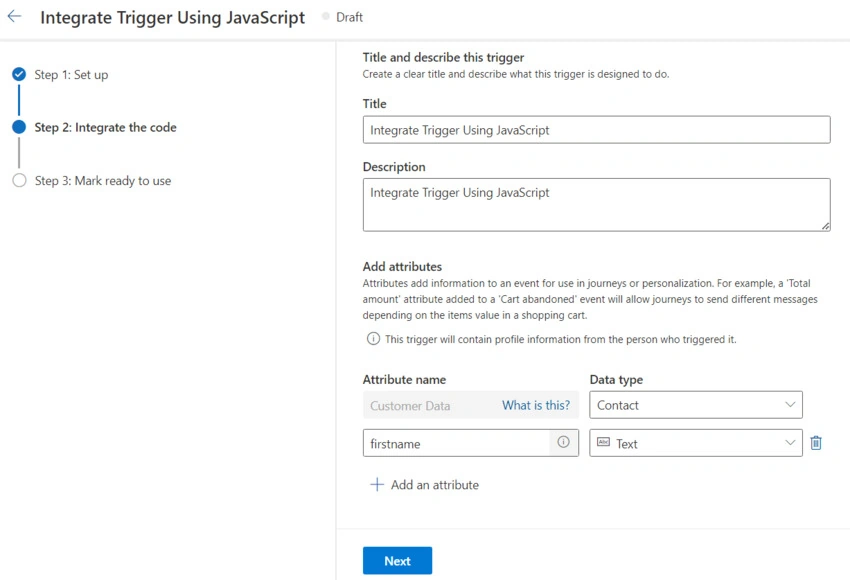
Integrate the code > Click Next Button.
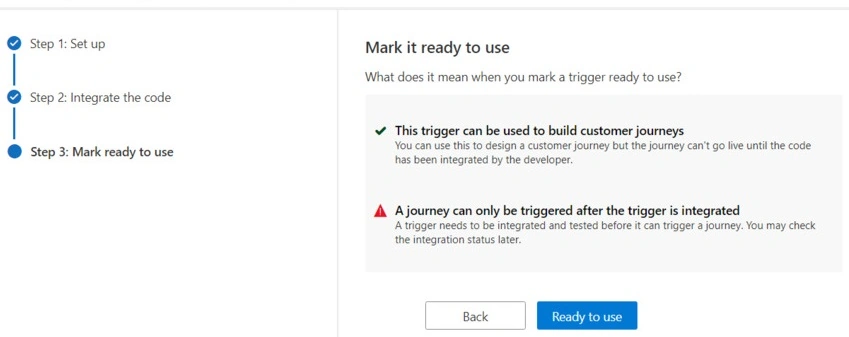
Mark ready to use > Click Ready to use Button.
Final Trigger View
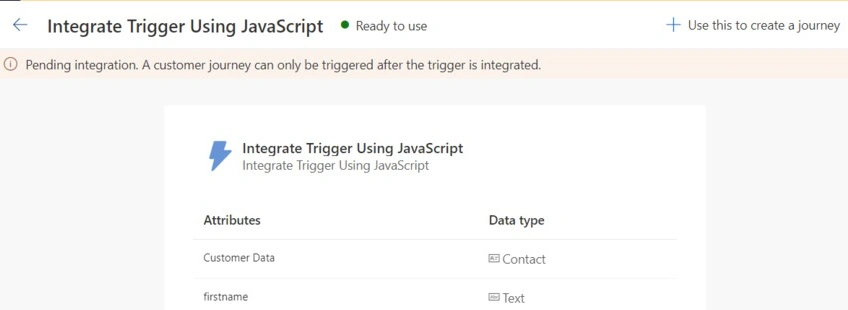
Create Journey
Create a New Journey.
- Select Journey type > Trigger–based.
- Choose a trigger > Created Trigger as Above
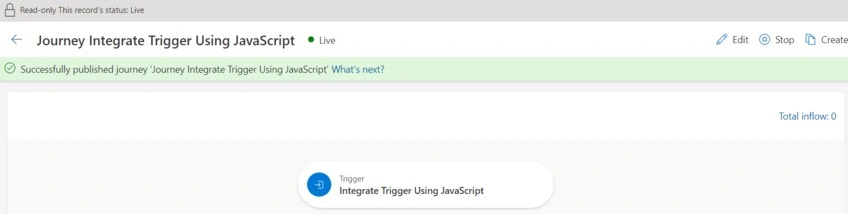
Add Action and Publish
Go to Created Trigger there. You will see the journey which we have created will be mapped.
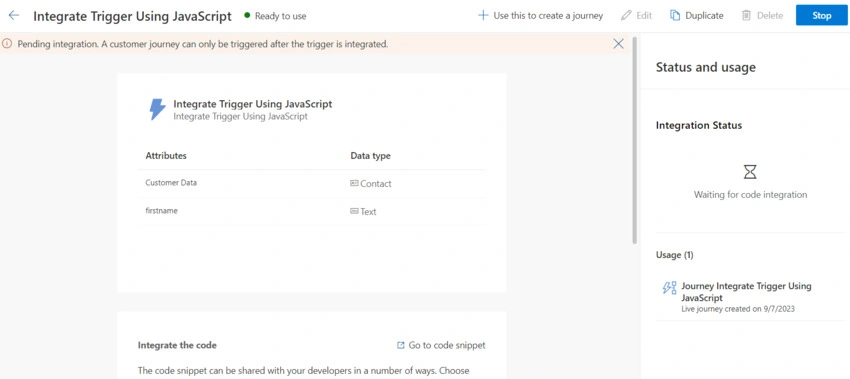
Integrate Trigger
(function (a, t, i) {
    var e = "MSEI";
    var s = "Analytics";
    var o = e + "queue";
    a[o] = a[o] || [];
    var r = a[e] || function (n) {
        var t = {};
        t[s] = {};

        function e(e) {
            while (e.length) {
                var r = e.pop();
                t[s][r] = function (e) {
                    return function () {
                        a[o].push([e, n, arguments]);
                    };
                }(r);
            }
        }
        var r = "track";
        var i = "set";
        e([r + "Event", r + "View", r + "Action", i + "Property", i + "User", "initialize", "teardown"]);
        return t;
    }(i.name);
    var n = i.name;
    if (!a[e]) {
        a[n] = r[s];
        a[o].push(["new", n]);
        setTimeout(function () {
            var e = "script";
            var r = t.createElement(e);
            r.async = 1;
            r.src = i.src;
            var n = t.getElementsByTagName(e)[0];
            n.parentNode.insertBefore(r, n);
        }, 1);
    } else {
        a[n] = new r[s];
    }
    if (i.user) {
        a[n].setUser(i.user);
    }
    if (i.props) {
        for (var c in i.props) {
            a[n].setProperty(c, i.props[c]);
        }
    }
    a[n].initialize(i.cfg);
})(window, document, {
    src: "https://download.pi.dynamics.com/sdk/web/msei-0.js",
    name: "msdynmkt",
    cfg: {
        ingestionKey: "Pass your ingestionKey"
    }
});
window["msdynmkt"].setUser({ authId: "Pass Contact Id" });
window["msdynmkt"].trackEvent({
    name: "Pass the Trigger Name",
    ingestionKey: "Pass your ingestionKey",
    version: "1.0.0",
    properties: {
        "firstname": "Add the Custom Value",
        "bindingid": "Pass Contact ID"
    }
});
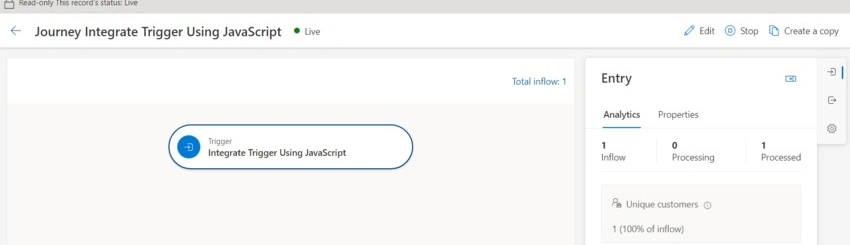
Example

Join the conversation! Your thoughts help the community grow.