

Introduction
The article given below explains how to create a site to site VPN connection. We can use these connected site to site VPNs to create the connections between two different Virtual Machines. Before we get into the process, I need you to create two different virtual networks on Azure portal. If you know how to create a new virtual network, then please do it. If you are not familiar with it, click on the link.
Once you finish creating two different virtual networks, proceed with this article.
Site to Site VPN
A site-to-site VPN allows offices in multiple fixed locations to establish secure connections with each other over a public network, such as the internet. Site-to-site VPN extends the company's network, making computer resources from one location available to the employees at the other locations. An example of a company that needs a site-to-site VPN is a growing corporation with dozens of branch offices around the world. Surf about these site to site VPNs to learn a lot about them.
- Deciding IP addresses.
- Creating virtual networks.
- Creating local network gateway.
- Creating virtual network gateway.
- Creating connection.
Deciding VPN and virtual networks
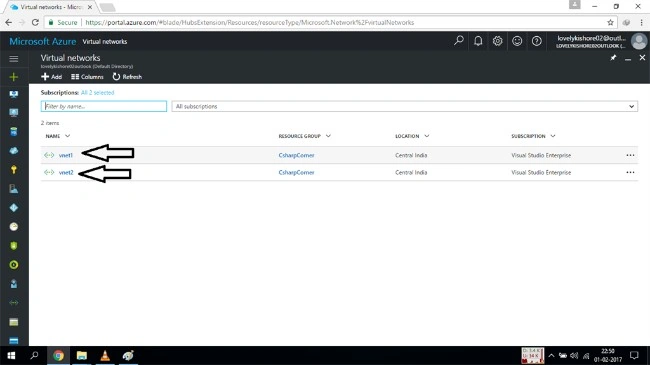
Be certain about the number of IP addresses you like to have in your site to site connection. The number of IP addresses range you have is the number of instances you can make. And the next step is to create two different virtual networks which you have already created. Once you finish creating two different VNets, click on the "All Resources" option in the left pane. This will display all the resources which you have created. Or go to the VNets option. You will be shown the new virtual networks you have created.
Creating local network gateway
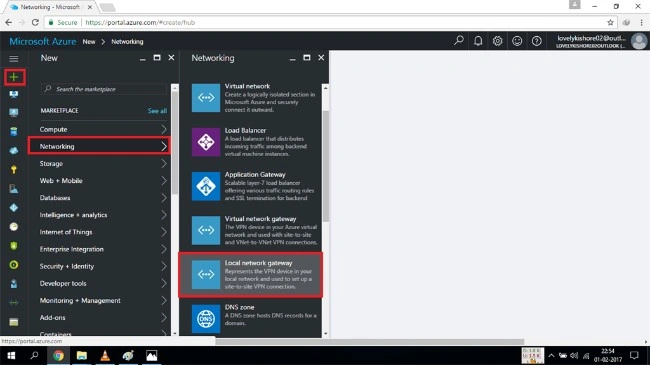
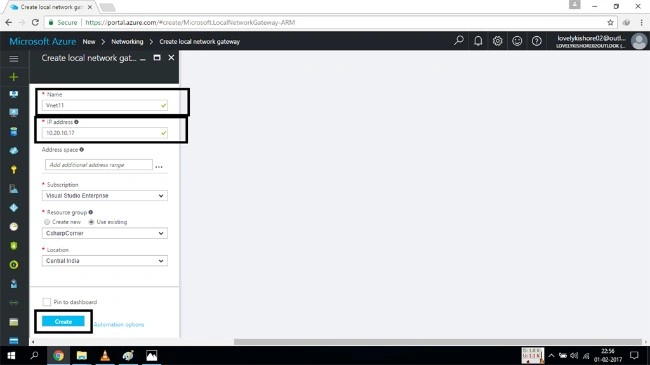
The next step is to create a new network gateway.
Creating Virtual Network Gateway
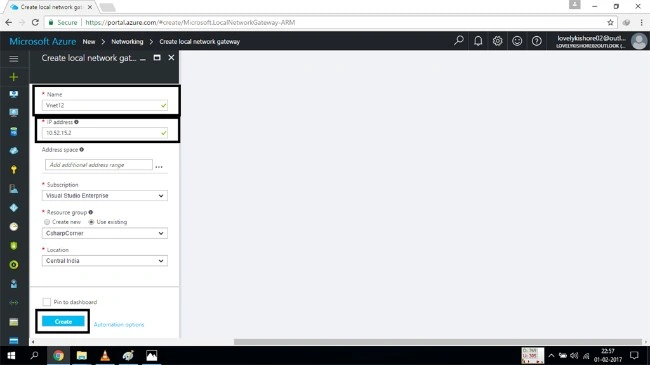
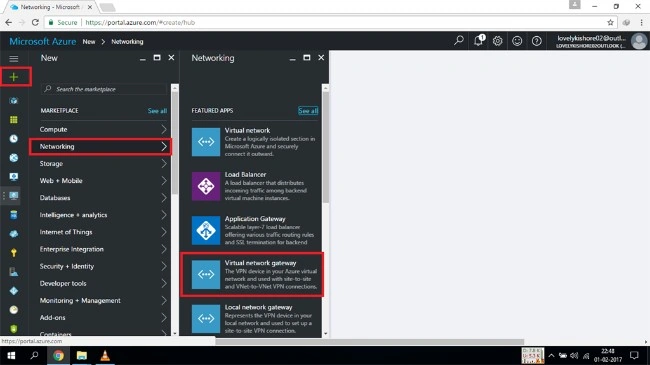
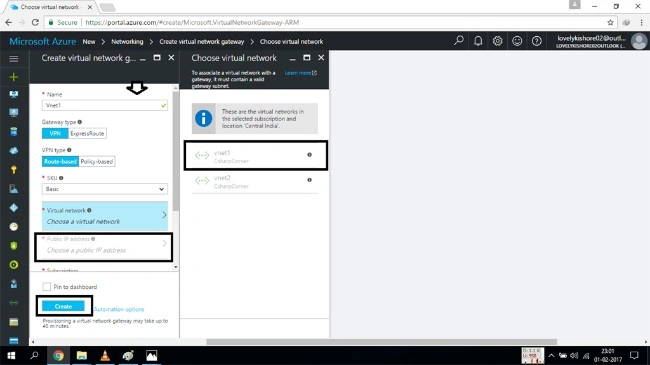
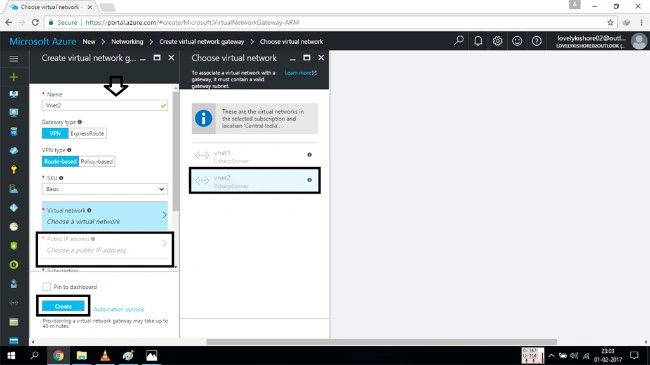
After finishing two new local networking gateways, now you have to create two different virtual network gateways again, for your VNETS.
Creating connection
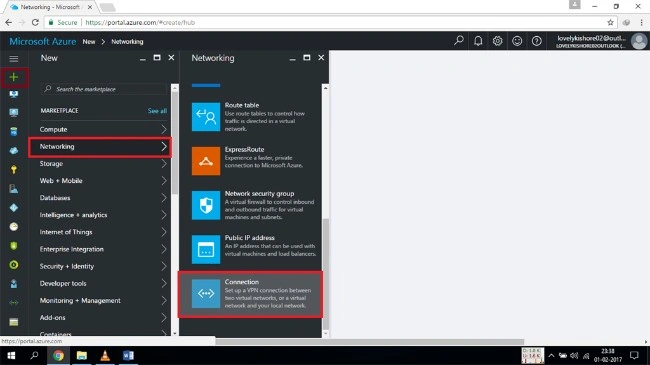
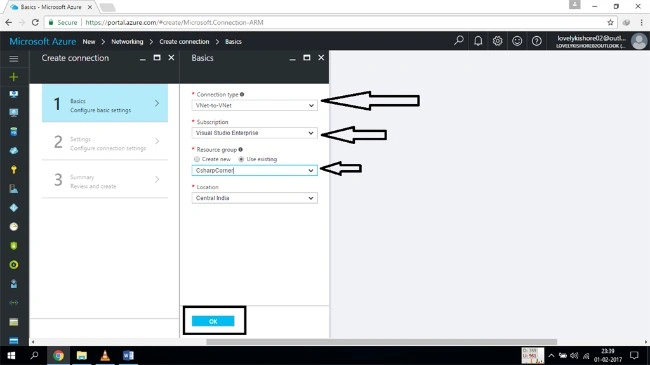
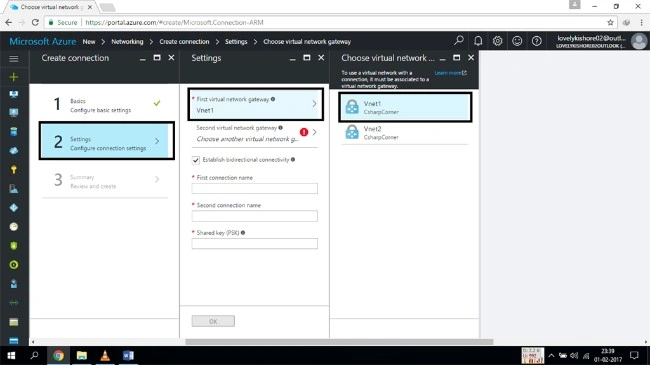
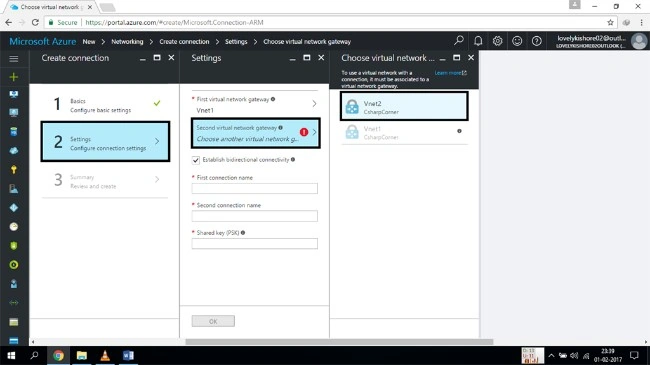
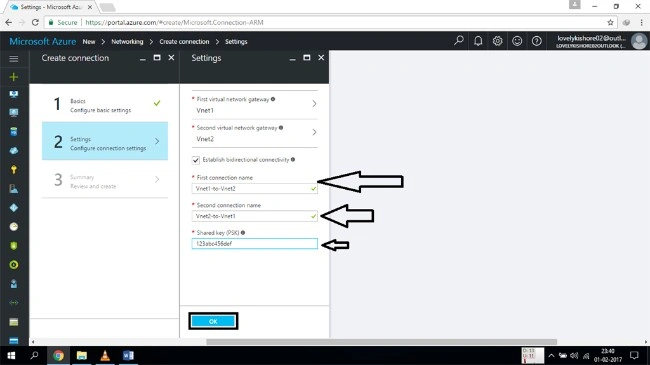
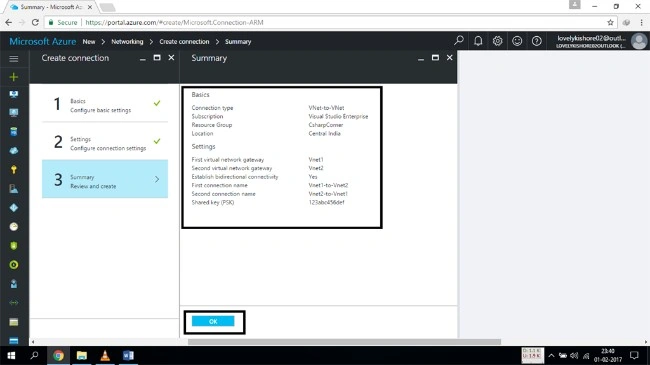
The final step is to create the connection between the two different VPN sites which we have created.
Conclusion
Thus, we have successfully created a site to site VPN connection. Now, you can create separate virtual machines in two different VNETs and share the data in between them. Hope, you have learned a new trick from the following article.
Aaron PaceyPosted May 12, 2020, 7:01 AM
Great article. It was worth reading. My question is how it is different from any vpn software or service like Hostnoc business vpn or browsec, etc?