

Introduction
So far, I have written articles on different add-in capabilities on Office applications.
In this article, we are going to create an Add-in on PowerPoint. When I tried to search for PowerPoint add-ins on the web, I found very little information. That's when I thought, I shall write an article on this.
We will create a VSTO add-in, which will work on slides and shapes of the PPT we are working on.
To begin with, let's first create a sample .Ppt file on which we will be playing around.
So I have two slides in my .Ppt file, with the second slide adding multiple shapes.
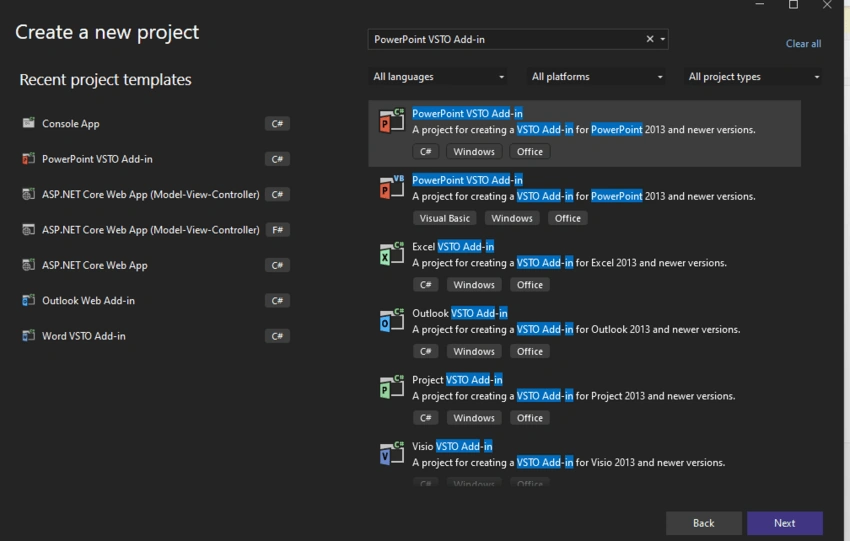
- Open Visual Studio -> Create New project -> Select the template "PowerPoint VSTO Add-in"
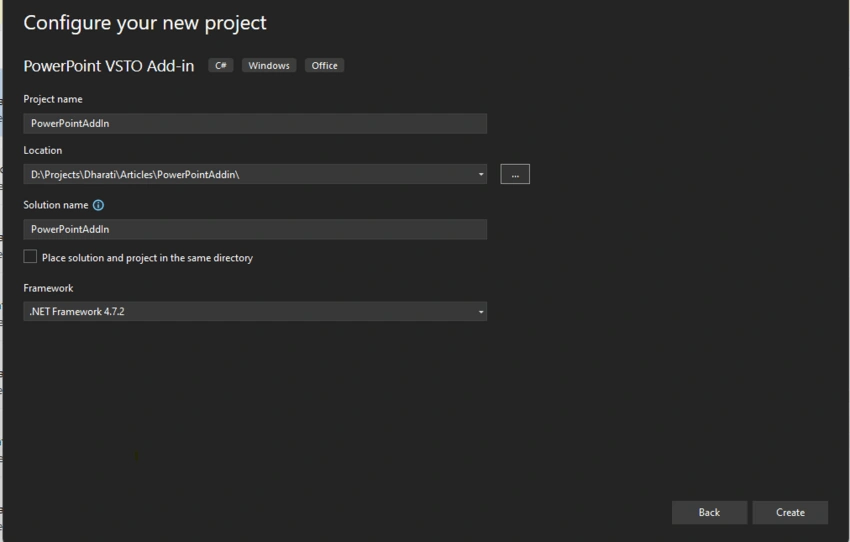
- Name the Addin project.
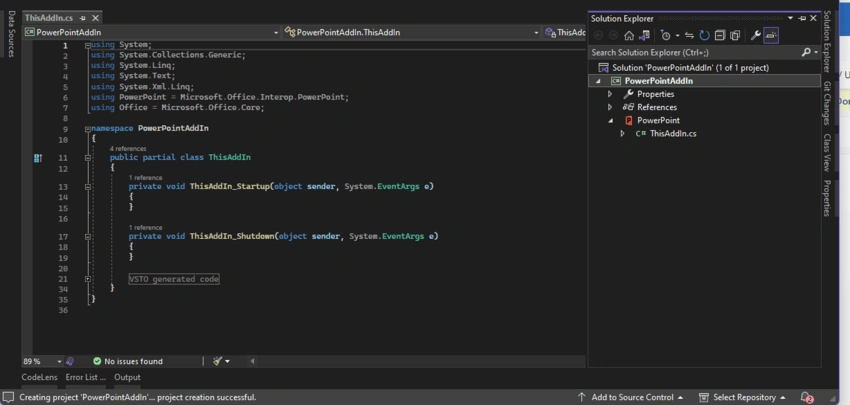
- A new class named ThisAddIn.cs will be added.
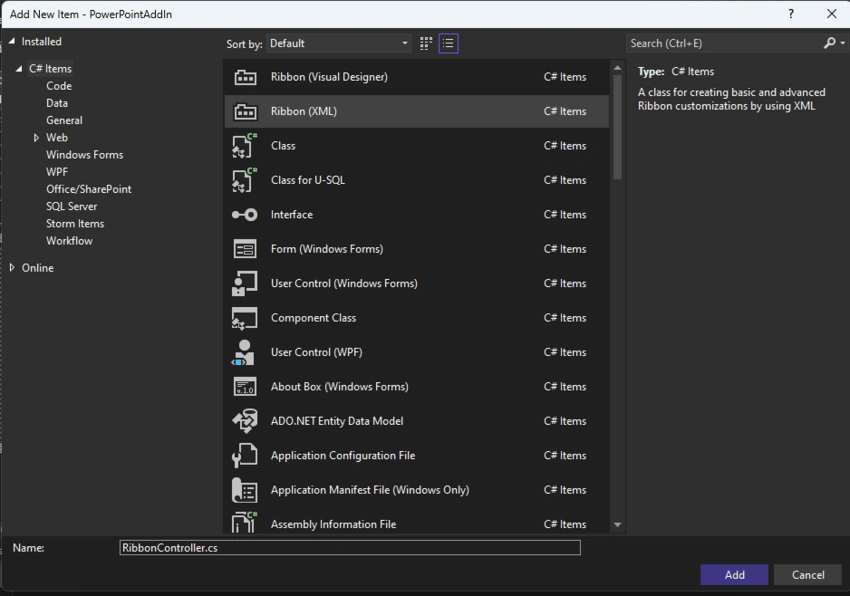
- Add new item -> Ribbon xml, name it RibbonController.cs.
- Open ThisAddIn.cs and add code in class ThisAddIn below.
protected override Microsoft.Office.Core.IRibbonExtensibility CreateRibbonExtensibilityObject()
   {
        return new RibbonController();
   }
This overrides the CreateRibbonExtensibilityObject method and returns the ribbon XML class to the Office application.
- Copy the below code to RibbonControl.xml.
<?xml version="1.0" encoding="UTF-8"?>
<customUI xmlns='http://schemas.microsoft.com/office/2009/07/customui'>
	<ribbon>
		<tabs>
			<tab id='sample_tab' label='Copy Objects'>
				<group id='sample_group' label='Operations'>
					<button id='copy_objects' label='Copy Selected Object' onAction='CopySelectedObject'/>
				</group>
			</tab>
		</tabs>
	</ribbon>
</customUI>
As you would have noticed, we have created a new tab called "Copy Objects" in PowerPoint; the name of the button group is "Operations", and the label of the button is "Copy Selected Object". The event handler on button click is named "CopySelectedObject". Let's write the code for this event handler.
This button is supposed to copy the active/selected object.
- Open RibbonController.cs and copy the code in RibbonController class below.
public void CopySelectedObject(Microsoft.Office.Core.IRibbonControl control)
        {
            //handle to power point app
            var app = Globals.ThisAddIn.Application;

            //below code gets the active/selected object from the active powerpoint slide
            Shape activeShape = null;
            var activeShapes = app.ActiveWindow.Selection.ShapeRange;
            foreach (var shape in activeShapes)
            {
                activeShape = (Shape)shape;
                break;
            }

            //below copies the active object/shape and pastes at the right of current object with is 10 px away
            var range = activeShape.Duplicate();

            range.Left = activeShape.Left + activeShape.Width + 10;
            range.Top = activeShape.Top;
        }
- Let's save the code and run the project. Upon running the project, the PowerPoint app opens, and you can open the sample ppt we saved earlier. Notice the new ribbon menu "Copy Objects" with the button we added to copy the objects.
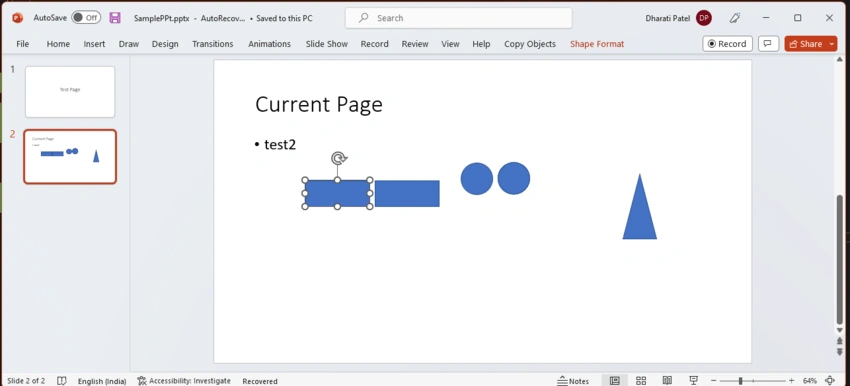
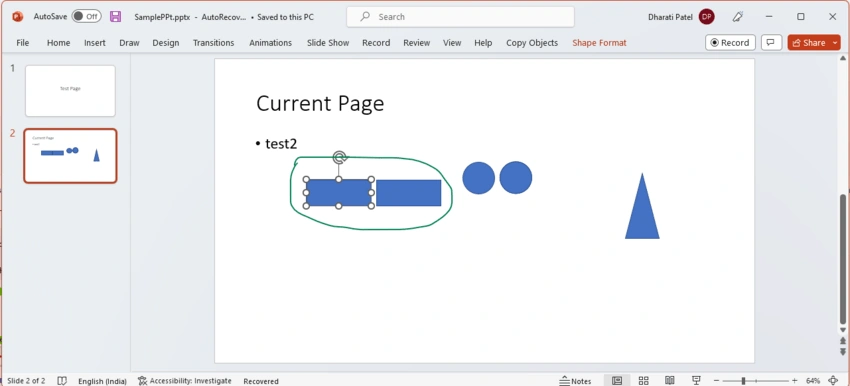
- I have right now selected the rectangle shape. I'll click on the "Copy Selected Object" button. As shown in the code, it will create a copy of the rectangle object. Below is the output of the button click.
Summary
In this article, we learned how to create PowerPoint addin, more importantly, how to access the PowerPoint objects to create more complicated addins in PowerPoint. When working on shapes, they can be placed in more accurate locations with pixel-perfect gaps between them.
Join the conversation! Your thoughts help the community grow.