

Introduction
In this article, we will learn how we can create our first Angular 4 application or Installation of angular 4 or upgrade exisitng angular 2 application to angular 4 application. Let's see step by step.
In this article, we will learn how we can create our first Angular 4 application or Installation of angular 4 or upgrade exisitng angular 2 application to angular 4 application. Let's see step by step.
Step 1
Install Angular-CLI, To Install Angular-CLI, you can use the command given below.
Install Angular-CLI, To Install Angular-CLI, you can use the command given below.
- First, install NodeJS from https://nodejs.org/.
- Now, open command prompt and install Angular-CLI, using command given below.
- npm install -g angular-cli

Step 2
Now, create Angular project. The syntax is given below.
Now, create Angular project. The syntax is given below.
- ng new <project_name>
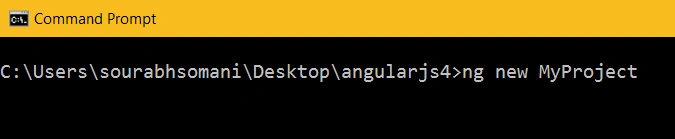
Now, go inside MyProject, using cd <project_name>.
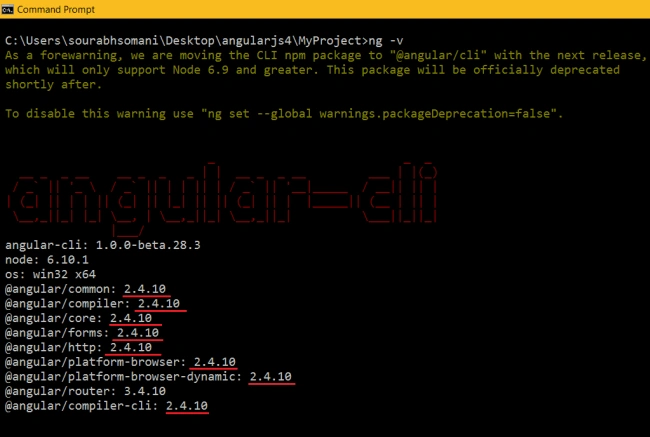
Now, if we see our project version, then we will get to know that this project is Angular2 project. Just type ng -v.
Step 3
Updating to 4.0.0
Updating to 4 is as easy as updating your Angular dependencies to the latest version and double checking, if you want animations. This will work for most use cases.
Updating to 4 is as easy as updating your Angular dependencies to the latest version and double checking, if you want animations. This will work for most use cases.
- On Linux/Mac
- npm install @angular/{common,compiler,compiler-cli,core,forms,http,platform-browser,platform-browser-dynamic,platform-server,router,animations}@latest typescript@latest --save
- On Windows
- npm install @angular/common@latest @angular/compiler@latest @angular/compiler-cli@latest @angular/core@latest @angular/forms@latest @angular/http@latest @angular/platform-browser@latest @angular/platform-browser-dynamic@latest @angular/platform-server@latest @angular/router@latest @angular/animations@latest typescript@latest --save
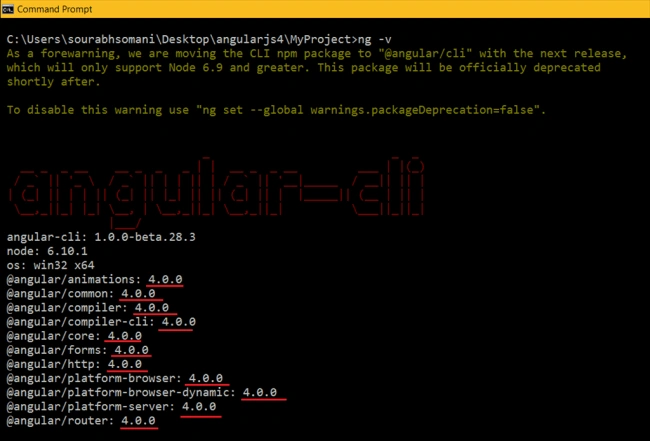
Now, again check Angular version, using ng -v command.
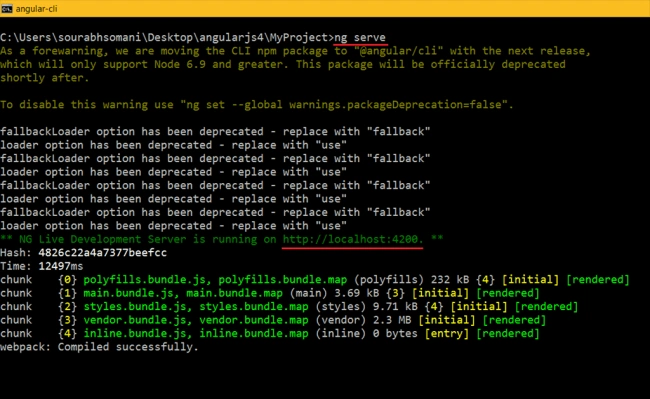
Finally, you can run your project, using ng serve.
Finally, you can run your project, using ng serve.
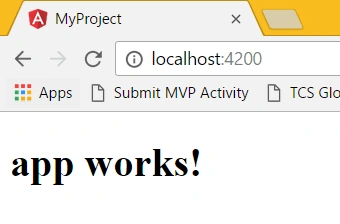
Now, run the Application in the Browser with the URL http://localhost:4200. The output is shown below.
steve brosharPosted Dec 31, 2017, 9:06 AM
Super!! Works for Angular 5 too.
Upendra Pratap ShahiPosted Dec 28, 2017, 5:20 AM
Nice one article................
Guest UserPosted Dec 26, 2017, 1:46 PM
It works, amazing article. Thanks, for posting.
Shaili DashoraPosted Jun 16, 2017, 8:19 AM
Nice article and explanation.Thanks Sourabh Somani.
Vinay Kumar GuptaPosted May 14, 2017, 7:17 AM
Nice article Great thanks
Sarvesh KumarPosted Apr 21, 2017, 3:56 AM
Nice article, specially ng -v in angular. thanks
Mohammad KhalidPosted Apr 17, 2017, 12:30 AM
Very good and useful information for newbie in this technology. Thank you Saurabh !
Upendra Pratap ShahiPosted Apr 13, 2017, 12:29 PM
Nice info shared ..thanks..