

This article shows how to create a Class Library project and include it in a web application project. ASP.NET is part of the Microsoft .NET Framework. To build ASP.NET pages, you need to take advantage of the features of the .NET Framework. A Class Library is one of them. A Class Library contains one or more classes that can be called on to perform specific actions. Creating a Class Library makes a DLL that can be used for reusability.
Creating Class Library
Now open the Visual Studio and select "File" -> "New" -> "Project..." -> "Class Library". The following code will be generated:
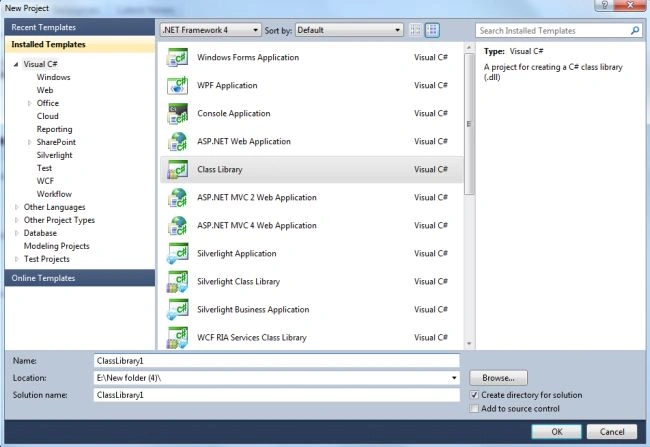
Now click on the "Ok" button. The Solution Explorer contains C# classes (class.cs) in your project. Now replace the default code (shown above) with the following code:
- using System;
- using System.Collections.Generic;
- using System.Linq;
- using System.Text;
- namespace ClassliberaryDemo
- {
- public class PersonalDetail
- {
- private string _firstname;
- private string _lastname;
- private string _Email;
- private long _PhoneNumber;
- public string FirstName
- {
- get { return _firstname; }
- set { _firstname = value; }
- }
- public string LastName
- {
- get { return _lastname; }
- set { _lastname = value; }
- }
- public string Email
- {
- get { return _Email; }
- set { _Email = value; }
- }
- public long PhoneNumber
- {
- get { return _PhoneNumber; }
- set { _PhoneNumber = value; }
- }
- }
- }
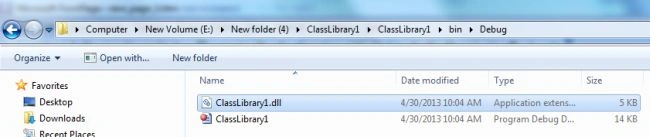
Now build this project. After building this project, you will see ClassLibrary1.dll in your project's bin/debug directory.
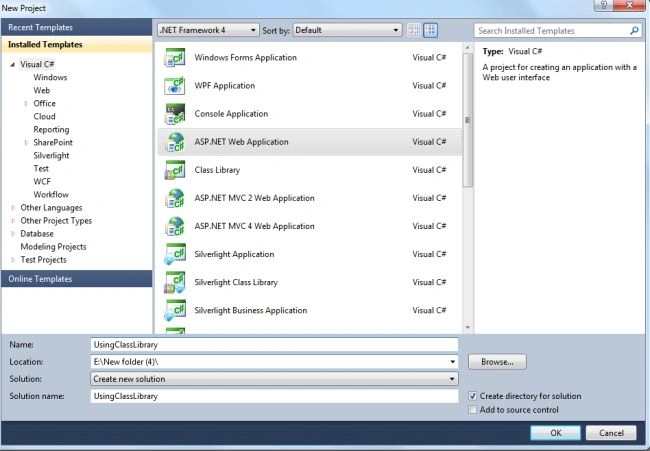
Now open the Visual Studio again and select "File" -> "New" -> "Project..." -> "ASP.NET web application"
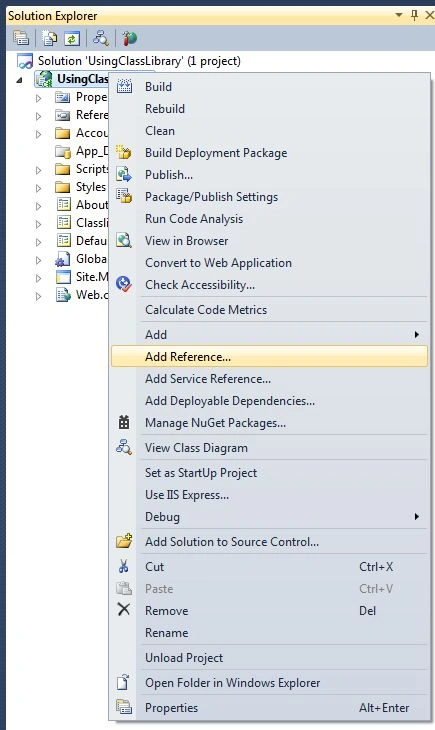
Now add the reference of the preceding created DLL. To add a reference right-click on the project then seelct "Add Reference".
Now browse to the ClassLibrary1.dll file and add it to the application.
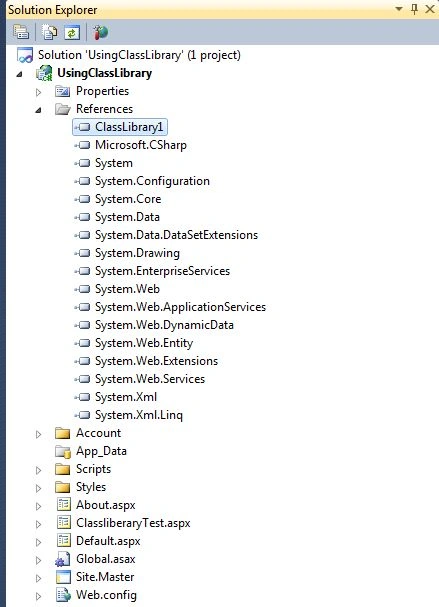
Use the following procedure to call the properties of your component.
Using namespace
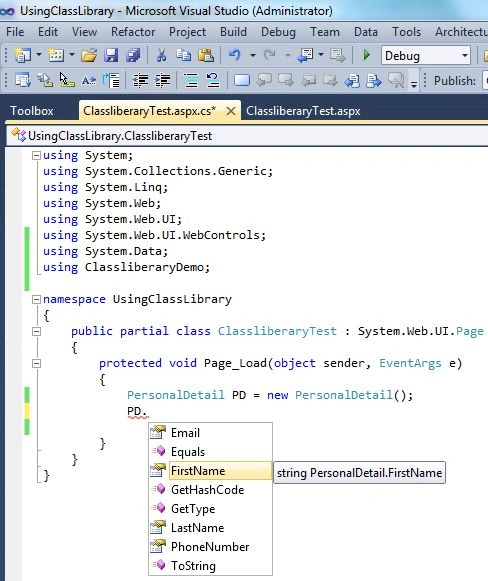
Add a using statement (as in the following) for ClassliberaryDemo to the beginning of your project.
- using ClassliberaryDemo;
Create an Object of the "PersonalDetail" class, as in the following:
- PersonalDetail PD = new PersonalDetail();
Now Calling Properties
Hitanshi MehtaPosted Nov 21, 2018, 8:48 PM
Nice article sir!!!