

Introduction
In this article I am going to demonstrate how we can create an App with Announcement list. Creating Apps is simple in SharePoint, this article is mainly targeted for freshers to SharePoint 2013.
Steps to Create App
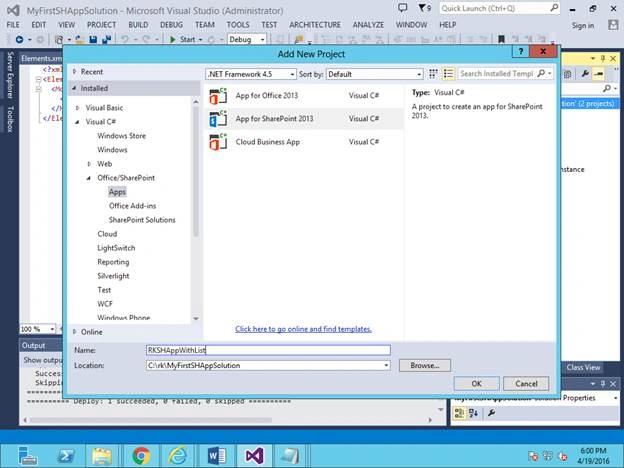
- Run Visual studio as administrator and create new SharePoint 2013 App.
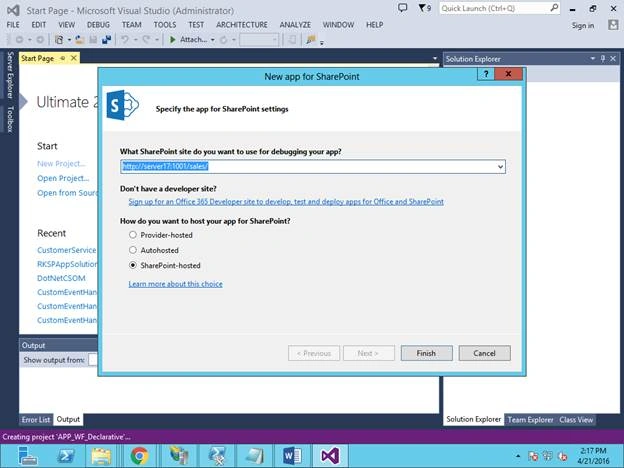
- Provide a web URL in which you are going to deploy this App and select option SharePoint-hosted option.
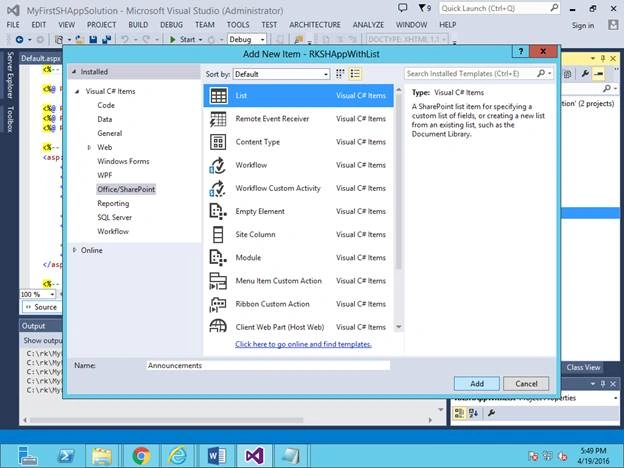
- Add SharePoint list (name as Announcements) to that project,
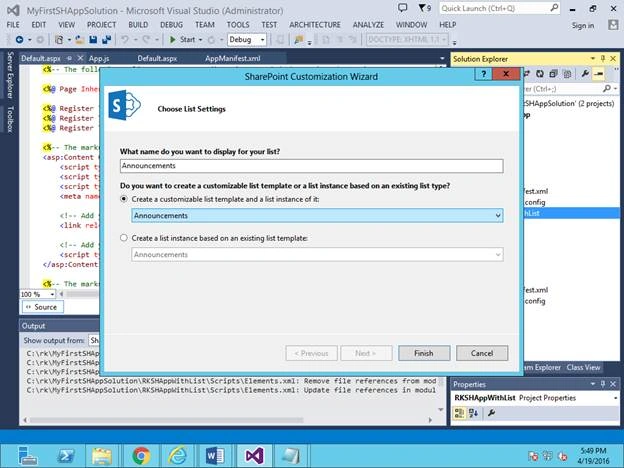
- Select Announcements list template to create this list.
- Add new announcements to the list, add below data rows in ‘Announcement’ List Element file. This will add the events.
- <?xml version="1.0" encoding="utf-8"?>
- <Elements xmlns="http://schemas.microsoft.com/sharepoint/">
- <ListInstance Title="Announcements"
- OnQuickLaunch="TRUE"
- TemplateType="10000"
- Url="Lists/Announcements"
- Description="My List Instance">
- <Data>
- <Rows>
- <Row>
- <Field Name="Title">RK Announcement 1</Field>
- </Row>
- <Row>
- <Field Name="Title">RK Announcement 2</Field>
- </Row>
- <Row>
- <Field Name="Title">RK Announcement 3</Field>
- </Row>
- <Row>
- <Field Name="Title">RK Announcement 4</Field>
- </Row>
- <Row>
- <Field Name="Title">RK Announcement 5</Field>
- </Row>
- </Rows>
- </Data>
- </ListInstance>
- </Elements>
- Deploy the project and browse the App.
- Edit the default home page and add WebPart zone to that and add the announcement list which we created in the App.
- <h1>My App with Announcement List !!!</h1>
- <br />
- <br />
- <!-- Adding webpart zone to add the announcement list -->
- <WebPartPages:WebPartZone runat="server" FrameType="TitleBarOnly"
- ID="full" Title="loc:full">
- <WebPartPages:XsltListViewWebPart ID="XsltListViewWebPart1"
- runat="server" ListUrl="Lists/Announcements" IsIncluded="True"
- NoDefaultStyle="TRUE" Title="Announcements" PageType="PAGE_NORMALVIEW"
- Default="False
- Browse the home page, the app is created with the announcement list with added announcements.
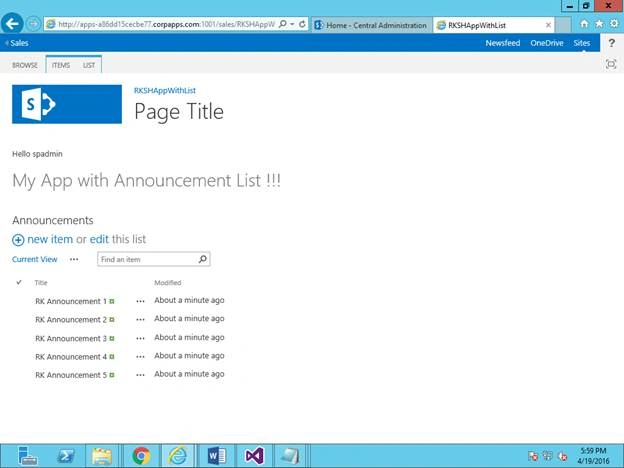
Hope this article helps you in creating simple SharePoint Online Apps with Lists, we can also create custom listswhere we manually need to add the fields and others.
Read more articles on SharePoint:
Ramakrishna BasagallaPosted May 5, 2016, 2:31 AM
Thanks all for your feedback
Humayun Kabir MamunPosted May 3, 2016, 2:51 AM
Nice...
Kuppurasu NagarajPosted Apr 30, 2016, 2:48 PM
Nice Sharing..
Vignesh ManiPosted Apr 29, 2016, 8:40 AM
nice
Bhuvanesh MohankumarPosted Apr 29, 2016, 7:32 AM
Good sample screen shot
Rahul Kumar SaxenaPosted Apr 29, 2016, 6:44 AM
Good Show
Gowtham RajamanickamPosted Apr 29, 2016, 2:35 AM
good one..