

I know it may sound pretty easy to all the experienced developers out there to build an Appx using Visual Studio but it may be a daunting task for a newcomer (at least it was for me when I was a newbie). If you are making an App and you want to share it with friends just to get feedback, sharing with them the Appx file is a cool idea. They can install the Appx on their windows phone and enjoy your App. This post tells you how to do that.
Please Note: This post doesn’t tell how to make an Appx to upload to Windows Store.
Step 1: Open the Solution(.sln) file using Visual Studio.
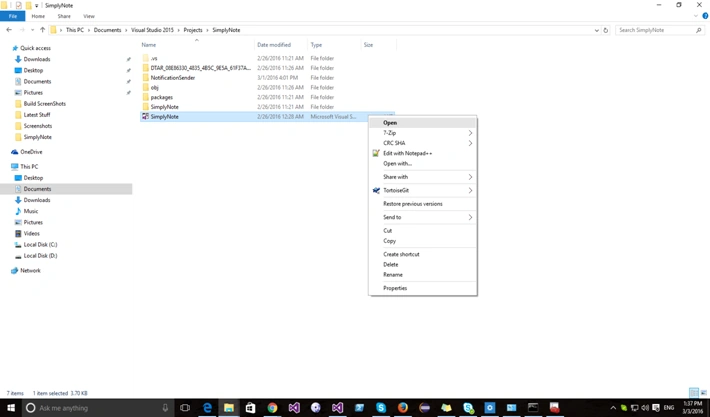
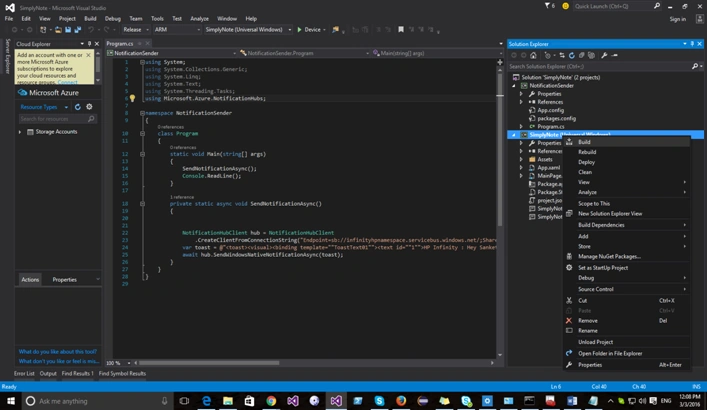
Step 2: Build the Project (Don’t forget to select “Release” and “ARM” or as you require)
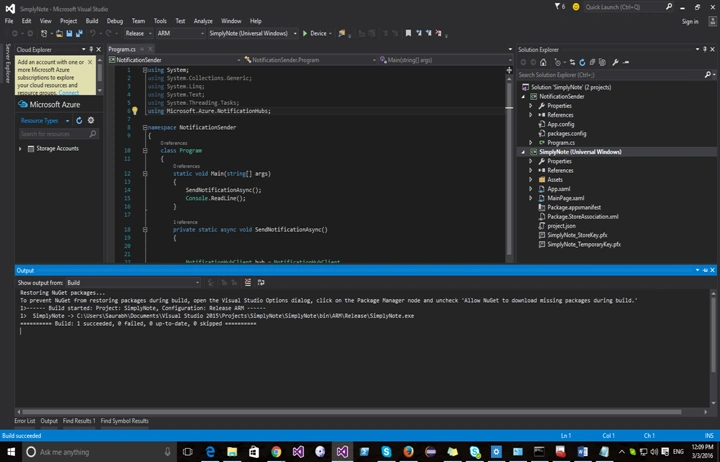
Step 3: Build succeeded
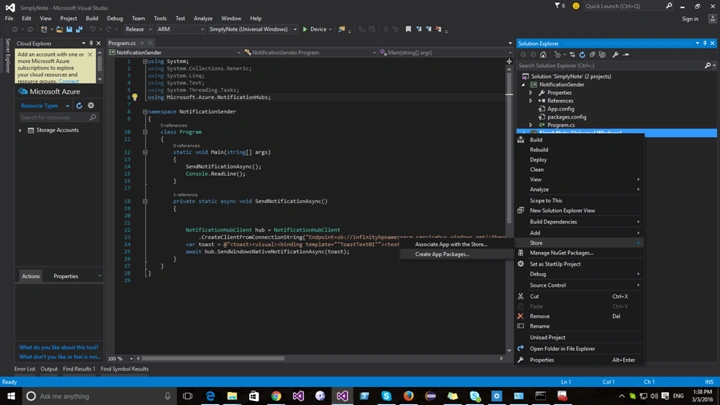
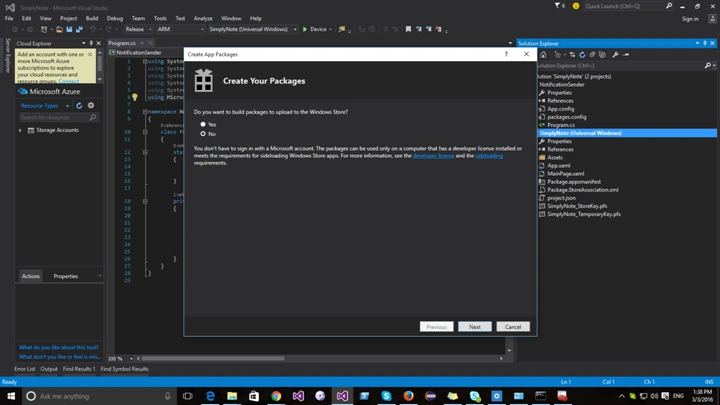
Step 4: Right click on the Project. Go to Store -> Create App Packages,
Step 5: The prompt asks whether you are making appx for store? Select NO and click Next.
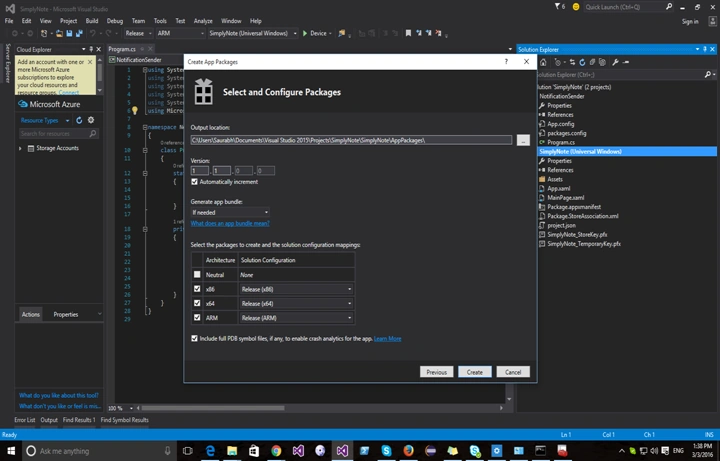
Step 6: Give the Output Location for the Appx and select the type of Appx you want.
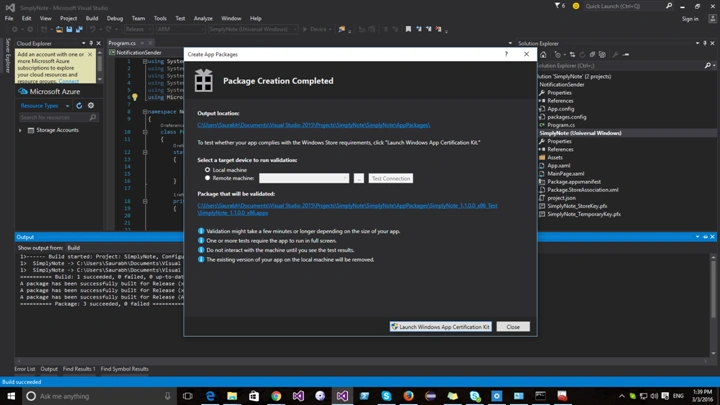
Step 7: Package creation completed (Launch Windows Certification Kit [If Required]).
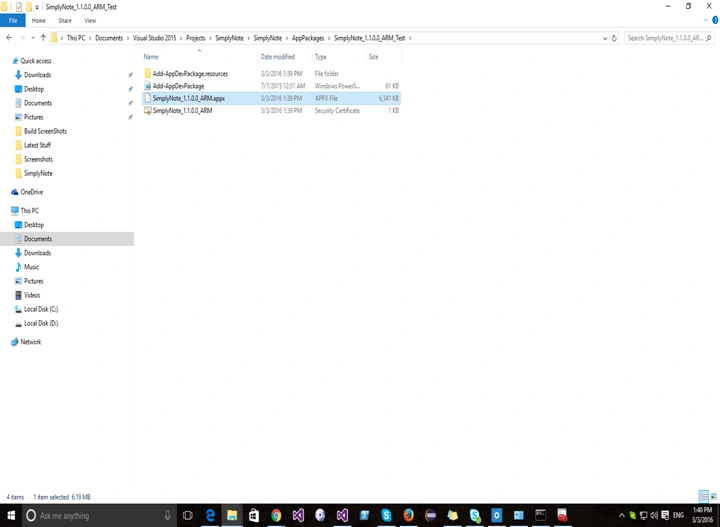
Step 8: Go to the Output folder that you had mentioned to see the Packages that were created.
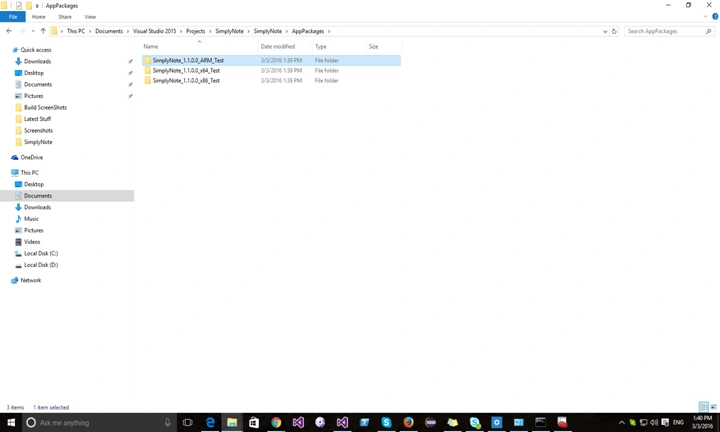
Step 9: Use the Appx as you want e.g. copy it to a Windows Phone and install it.
Read more articles on Visual Studio:
Bhuvanesh MohankumarPosted May 3, 2016, 12:54 PM
Nice
Manoj KulkarniPosted Apr 11, 2016, 12:45 AM
Nice one
NitinPosted Apr 10, 2016, 1:17 AM
nice
Rahul Kumar SaxenaPosted Apr 9, 2016, 12:27 PM
Good Show
Saurabh RaiPosted Apr 9, 2016, 12:04 PM
Thanks :)
Vignesh ManiPosted Apr 9, 2016, 11:21 AM
Good
Kuppurasu NagarajPosted Apr 9, 2016, 10:15 AM
Nice