

Introduction
In this article we will see how to create the ASP. NET Web API With an Entity Framework (EF) Database.
By using the EF database, developers can work easily with an object model that can be mapped to various storage schemas, and can be implemented within a different database.
Now the procedure for creating the ASP. NET Web API with an EF Database.
Step 1
First we create the Web API application:
- Start the Visual Studio 2010
- Click on "New Project" from the Start Page.
- The New Project window opens; choose ASP. NET MVC4 Web Application and click on the "OK" button.
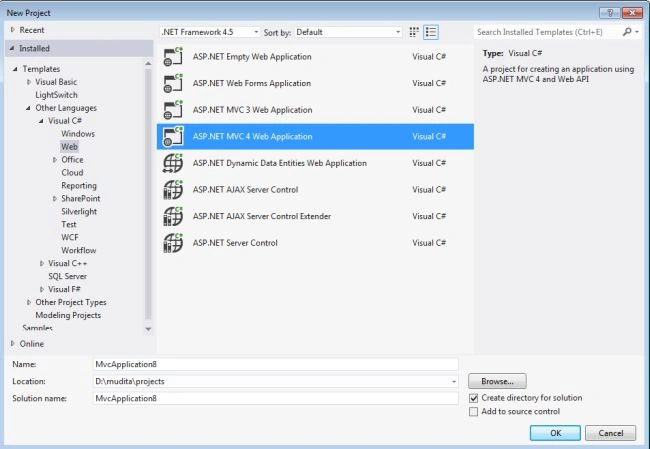
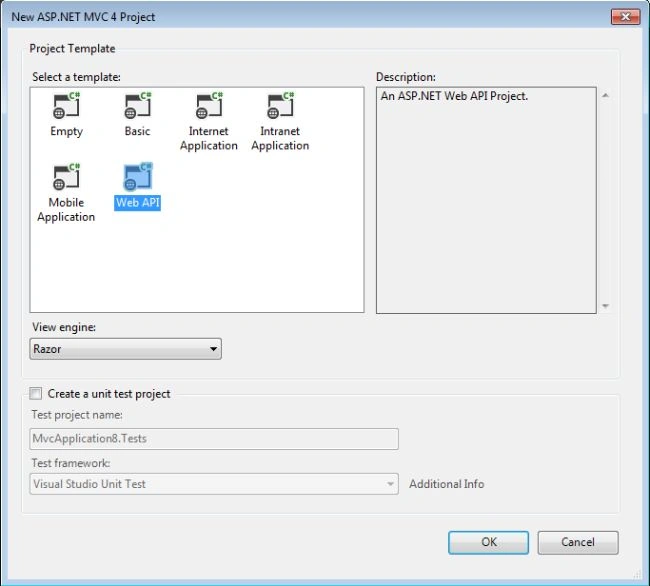
- Now open a new ASP. NET MVC4 Project template.
- We choose Web API and click on the "OK" button.
Step 2
We create the SDF Database in the App_Data folder.
- In the Solution Explorer.
- Right-click on the App_Data folder
- Select "Add" -> "New Item".
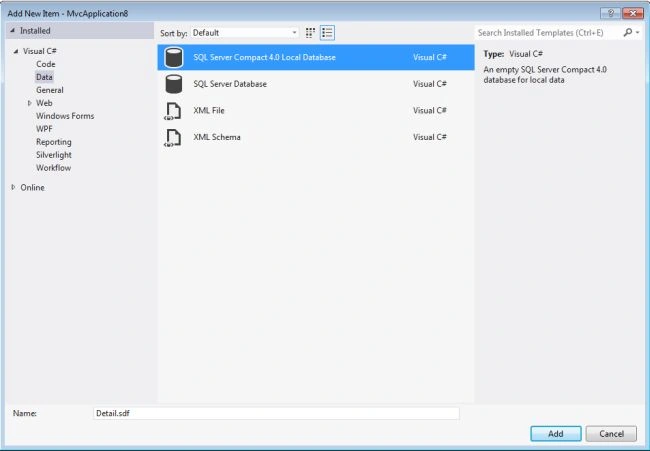
- Open a window; from that window we select the SQL Server Compact 4.0 Local Database.
- And change the name to "Detail.sdf".
- Click on the "OK" button.
Step 3
We create the DataModel in the Model folder using the following procedure:
- In the Solution Explorer.
- Right-click on the Model folder.
- Select "Add" -> "New Item".
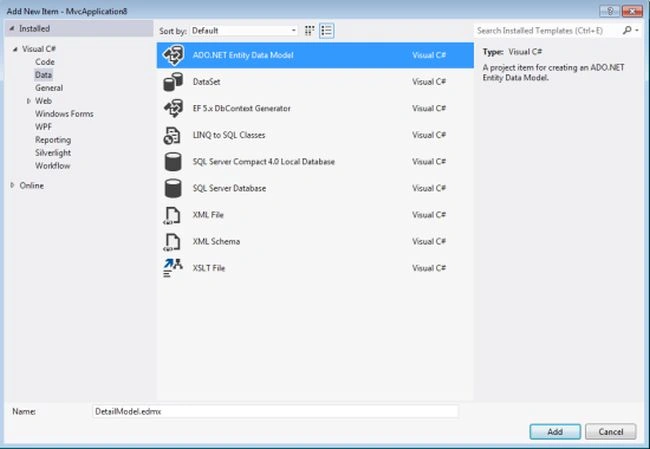
- Open window then select the ADO.NET Entity model.
- Change its name to "DetailModel.edmx".
- Click on OK button.
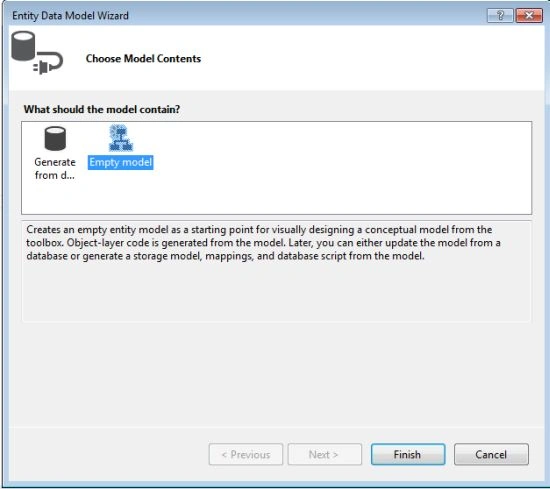
The Entity Detail Model Wizard is open then:
- From the wizard we select Empty model.
- And click on the "Finish" button.
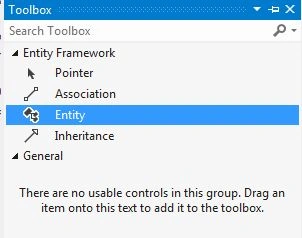
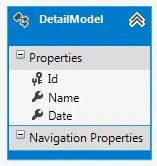
Now open a Tool box. From the Tool box we drag the Entity in to the surface. And name it as DetailModel. We add the field name into this entity.
Step 4
We generate the database script using the following procedure:
- Right-click on surface.
- Select the Generate Database Model.
- Open the Generate Database Wizard.
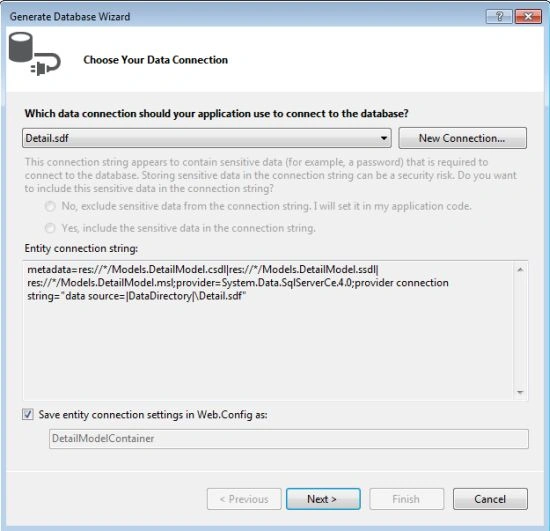
- The Detail Model Database is selected by default.
- Press the "Next" button.
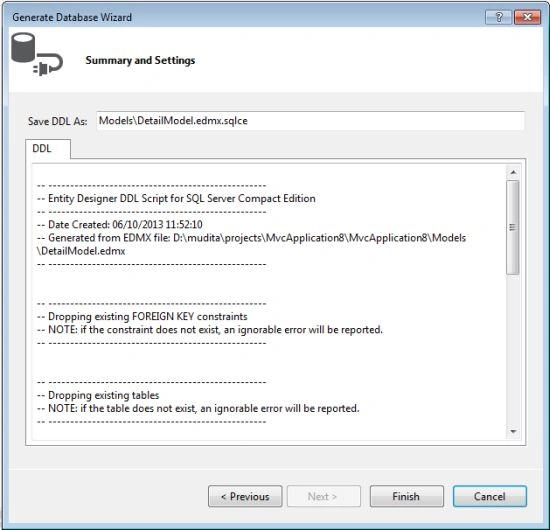
- Press the Finish button.
- A "Detail.edmx.sqlc" file is generated.
Step 5
Now we execute the database.
First we install the SQL CE Toolbox. We we install it. Then it will be visible in the View/Other Windows/SQL Server Compact Toolbox.
Now we open it.
- View/Other Windows/SQL Server Compact Toolbox.
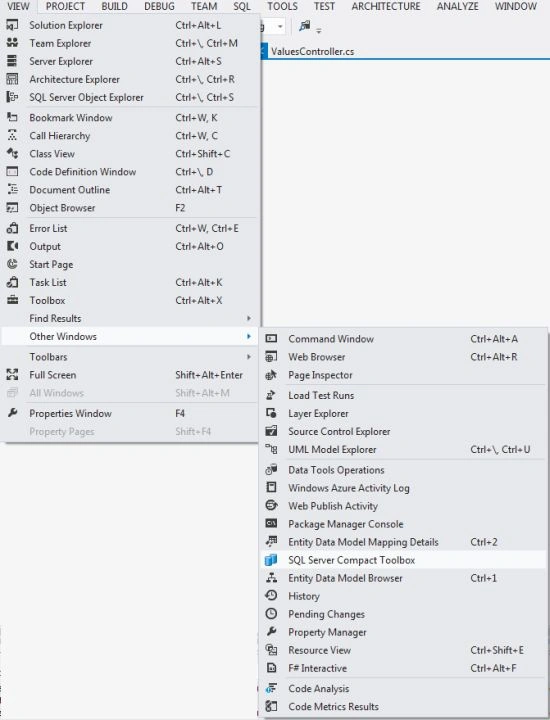
- The SQL Server Compact Toolbox is opened.
- Right-click on the "DetailModelContainer" -> "Open SQL Editor".
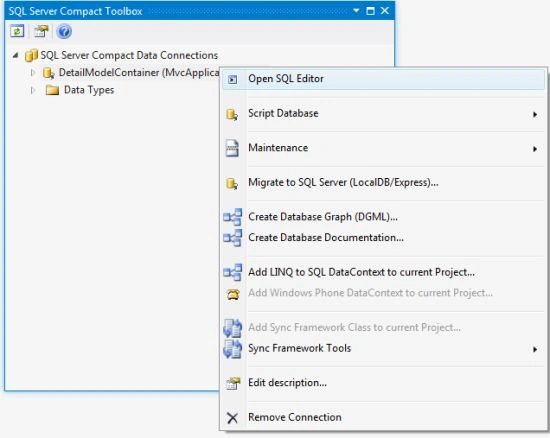
- When it is open, copy the contents of Detail.edmx.sqlc and paste it on this SQL Editor.
The copied code is this:
- -- --------------------------------------------------
- -- Entity Designer DDL Script for SQL Server Compact Edition
- -- --------------------------------------------------
- -- Date Created: 06/10/2013 13:23:21
- -- Generated from EDMX file: D:\mudita\projects\MvcApplication9\MvcApplication9\Models\TodoModel.edmx
- -- --------------------------------------------------
- -- --------------------------------------------------
- -- Dropping existing FOREIGN KEY constraints
- -- NOTE: if the constraint does not exist, an ignorable error will be reported.
- -- --------------------------------------------------
- -- --------------------------------------------------
- -- Dropping existing tables
- -- NOTE: if the table does not exist, an ignorable error will be reported.
- -- --------------------------------------------------
- -- --------------------------------------------------
- -- Creating all tables
- -- --------------------------------------------------
- -- Creating table 'TodoModels'
- CREATE TABLE [TodoModels] (
- [Id] int IDENTITY(1,1) NOT NULL,
- [Name] nvarchar(4000) NOT NULL,
- [Date] datetime NOT NULL
- );
- GO
- -- --------------------------------------------------
- -- Creating all PRIMARY KEY constraints
- -- --------------------------------------------------
- -- Creating primary key on [Id] in table 'TodoModels'
- ALTER TABLE [TodoModels]
- ADD CONSTRAINT [PK_TodoModels]
- PRIMARY KEY ([Id] );
- GO
- -- --------------------------------------------------
- -- Creating all FOREIGN KEY constraints
- -- --------------------------------------------------
- -- --------------------------------------------------
- -- Script has ended
- -- --------------------------------------------------
Now execute the application.
Step 6
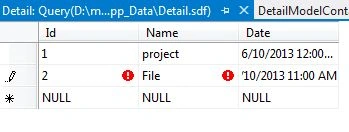
Add the demo data.
- Double-click on "Detail.sdf".
- Open the Server Explorer.
- Right-click on the table then select "Create table".
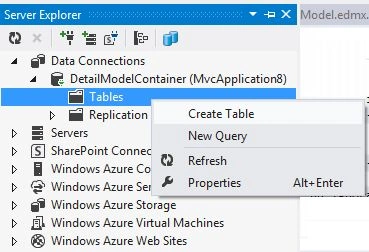
Add some data to the table: - In the Table folder right-click on the Detail table.
- And add some data.
Sandeep SharmaPosted Jun 12, 2013, 5:50 AM
nice...article