

This article will help you understand how you can set up or create a virtual machine in Azure. Basically Azure virtual machine is a computer which you can configure according to your needs. It allows load balance traffic, so if you host your website or anything in the virtual machines, it will be fast enough. We can set up the virtual machines from your azure portal. It will be great if you have any existing MSDN subscription with you before you go with this. Now we will discuss more about how we can configure a virtual machine in Azure. I hope you will like this.
If you are new to azure, I recommend you to read here: Azure.
Please see this article in my blog here.
Background
There are so many reasons why you should go with a virtual machine. I will share with you what exactly my need was. I was using a cleardb for my wordpress website. I was have some limitation of 20 MB as the database size. For me that was not sufficient, and after my db crossed the limit, I was unable to login to my WordPress dashboard. I was getting some database errors when I try to login to admin.
Steps to create Virtual Machine in Azure
Login to your azure portal https://manage.windowsazure.com.
Click on the NEW Icon.

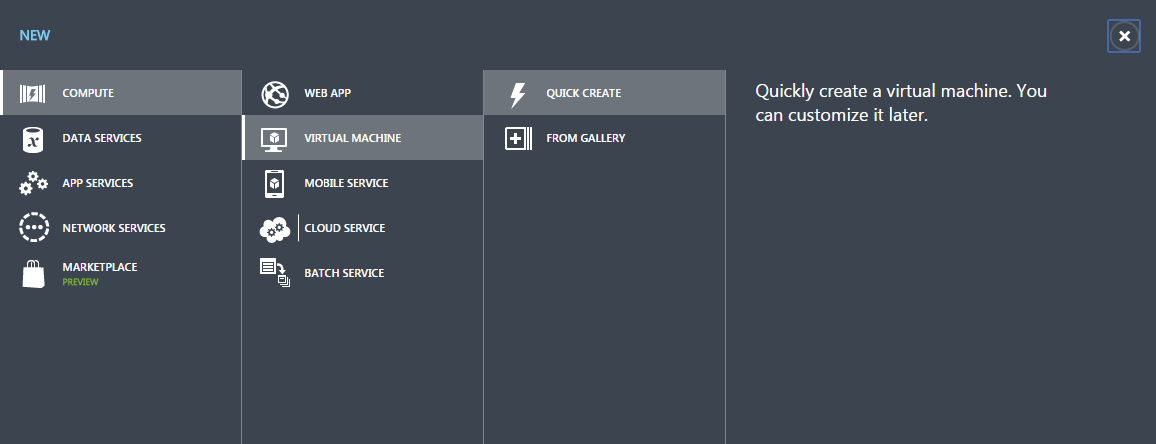
Click Compute, then Virtual Machine and QUICK CREATE
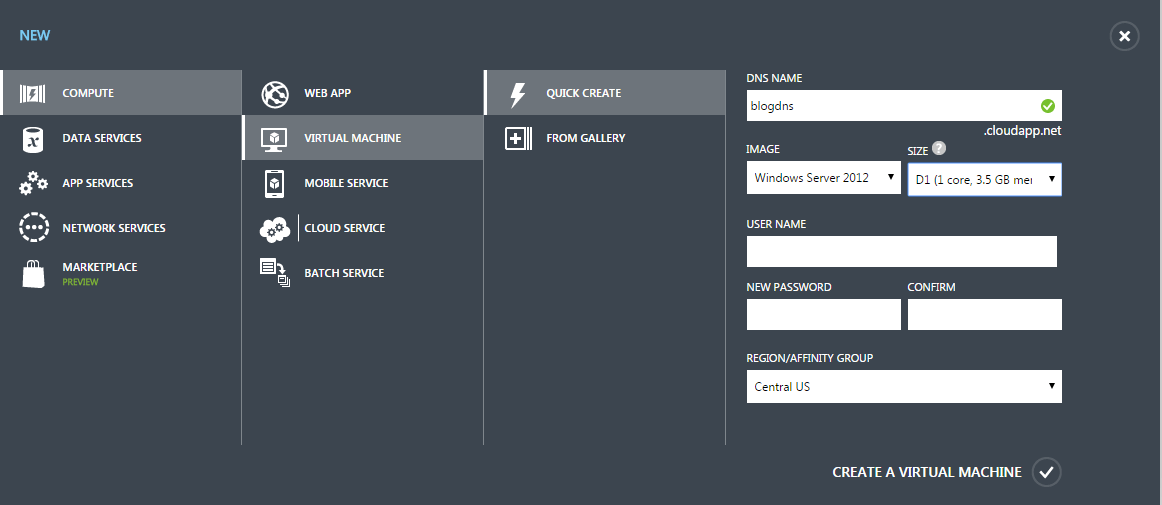
Type your DNS name, size of your virtual machine.
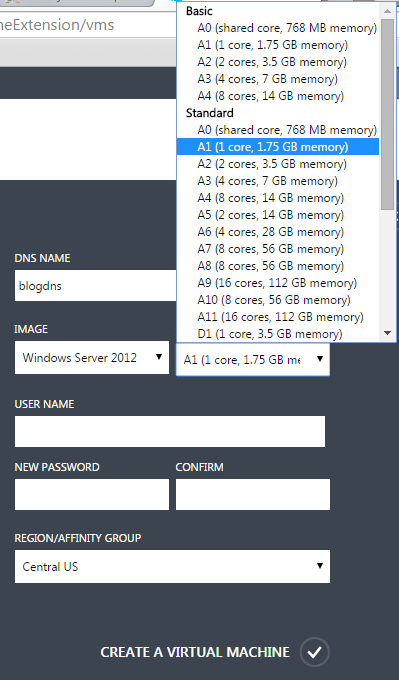
Please be cautious while selecting the size of your server.
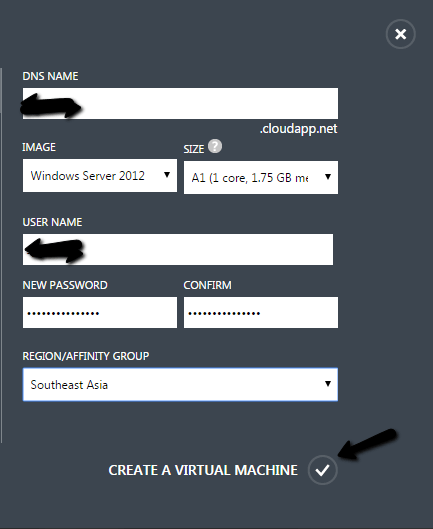
Once you fill those required details, please click on tick icon.
Now you will get the progress bar of creating virtual machine.

Meanwhile you can click connect.

Create_Virtual_Machine_In_Azure
Once the virtual machine is created, you will get a message as follows and also one rdp file.

Click on the rdp file.

Type your credentials and then you will be logged in to your virtual machine.
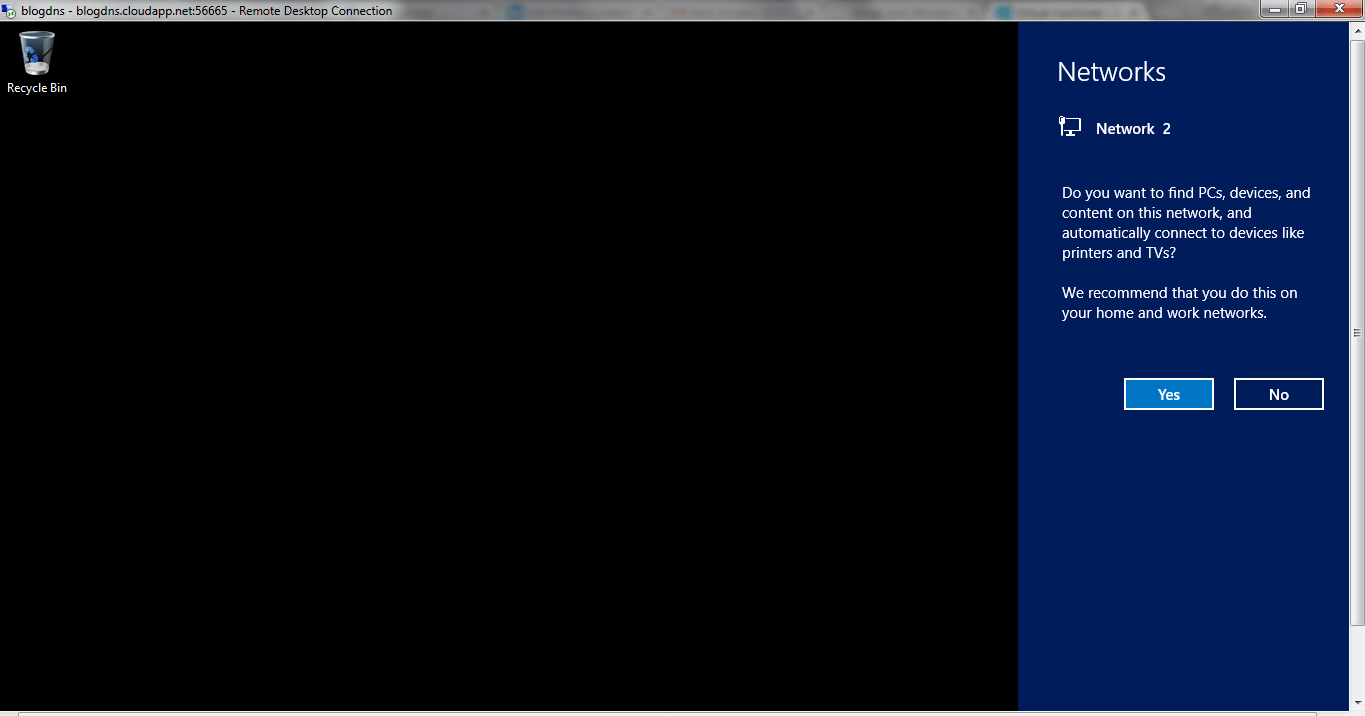
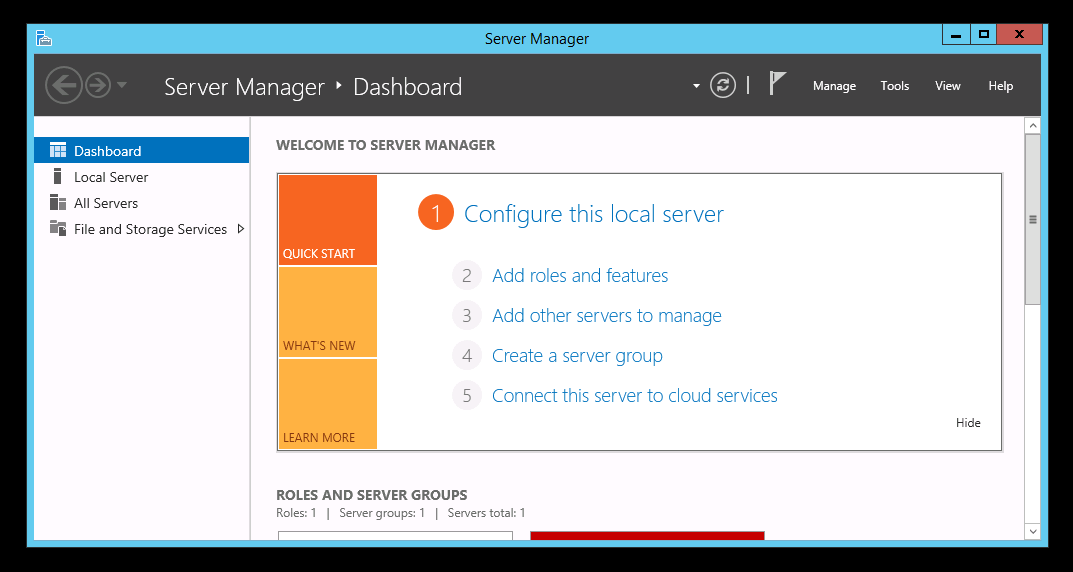
Now you are ready to go, you can do whatever you wish to.
Conclusion
Did I miss anything that you may think which is needed?. Have you ever tried virtual machine in azure?. If not, I strongly recommend that. I hope you liked this article. Please share me your valuable suggestions and feedback.
Your turn. What do you think?
A blog isn’t a blog without comments, but do try to stay on topic. If you have a question, then please mention it in the comments section.
Sundaram SubramanianPosted May 27, 2020, 9:14 PM
how much it will be cost ?. any ideas ?. I am looking for a virtual machine,.