

Introduction
This article explains the simple model in the ASP. NET Web API. Here we create two views the first is "index.cshtml" and the second is "Displayinformation.cshtml". These are used for displaying the data of the model class.
The following is the procedure for creating the application using the model class.
Step 1
Create an application.
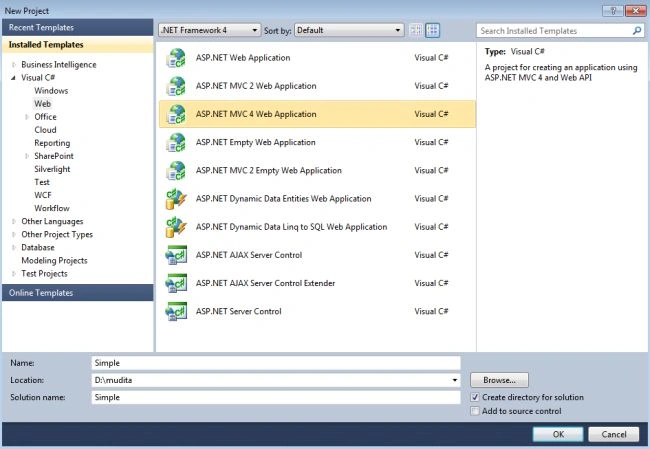
- Start Visual Studio 2010 and from the start window select "New Project".
- In template window select "Installed Template"->"Visual C#"->"Web".
- Select application "ASP.NET MVC4 Application".
- Click on the "OK" button.
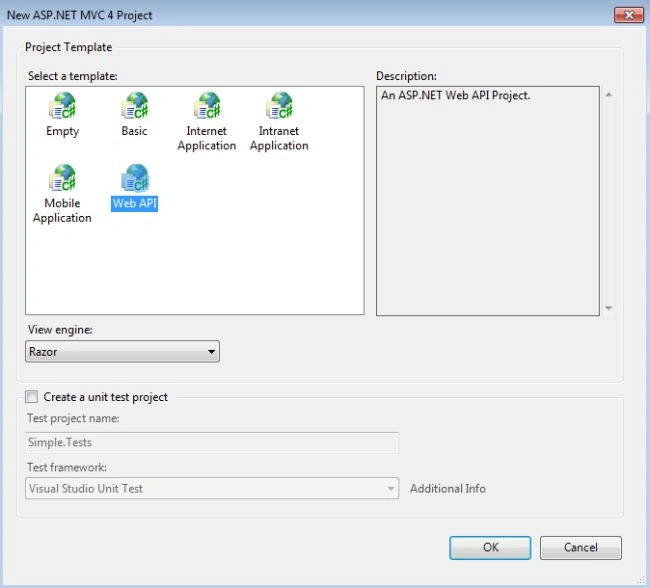
- From the MVC4 Project window select Web API.
Step 2
Creating a model class "Employee.cs".
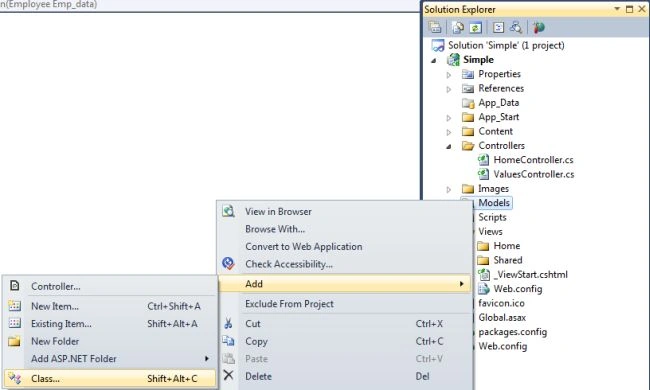
- In the Solution Explorer.
- Right-click on the "Model" folder then select "Add" -> "Class".
- In the Template Window, select "Installed template" -> "Visual C#" -> "Class".
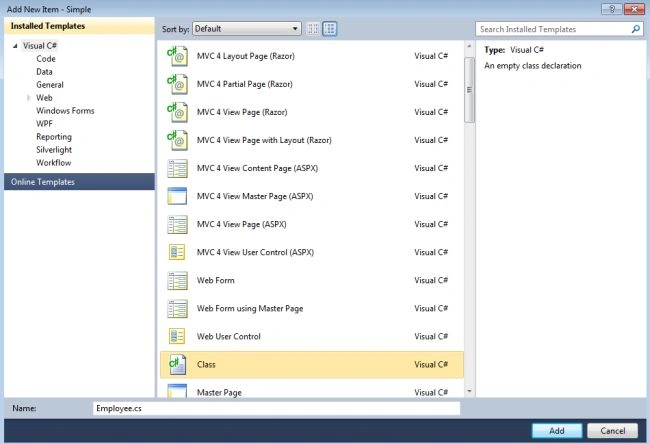
- Click on the "OK" button.
And write this code:
using System;
using System.Collections.Generic;
using System.Linq;
using System.Web;
namespace Simple.Models
{
    public class Employee
    {
        public string emp_Name { get; set; }
        public string emp_Address { get; set; }
        public int emp_Age { get; set; }
        public string emp_Contact { get; set; }
    }
}
Step 3
Add a controller as in the following:
- In the "Solution Explorer".
- In the "Controller" folder and select "HomeController".
In this controller add an "Action" Method as in the following:
public ActionResult Displayinformation(Employee Emp_data)
{
    return View(Emp_data);
}
The entire code of this controller looks as in the following:
using System;
using System.Collections.Generic;
using System.Linq;
using System.Web;
using System.Web.Mvc;
using Simple.Models;
namespace Simple.Controllers
{
    public class HomeController : Controller
    {
        public ActionResult Index()
        {
            return View();
        }
        public ActionResult Displayinformation(Employee Emp_data)
        {
            return View(Emp_data);
        }
    }
}
Step 4
Open the "index.cshtml" file as in the following:
-
In the Solution Explorer.
-
Select "View folder" -> "Home" -> "Index.cshtml".
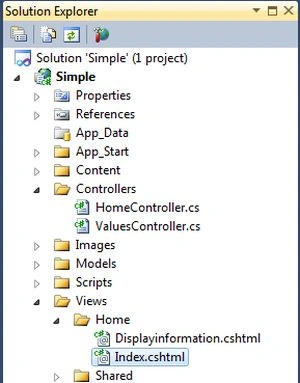
And add this code:
@model Simple.Models.Employee
@{
    ViewBag.Title = "Index";
}
@using (Html.BeginForm("Displayinformation", "Home"))
{
   @Html.Label("Employee Name:: ");
   @Html.TextBoxFor(m => m.emp_Name)<br />
   @Html.Label("Customer Age:: ");
   @Html.TextBoxFor(m => m.emp_Age)<br />
   @Html.Label("Customer Contact:: ");
   @Html.TextBoxFor(m => m.emp_Contact)<br />
   @Html.Label("Customer Address:: ");
   @Html.TextBoxFor(m => m.emp_Address)<br />
  <input type="submit" value="Send" />
}
Step 5
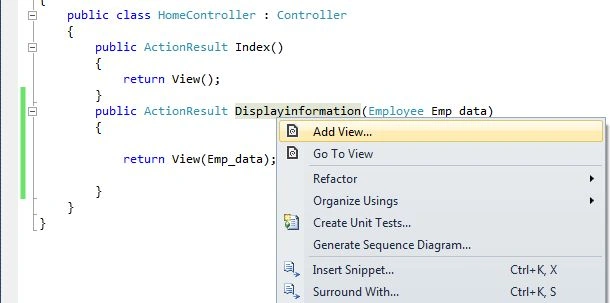
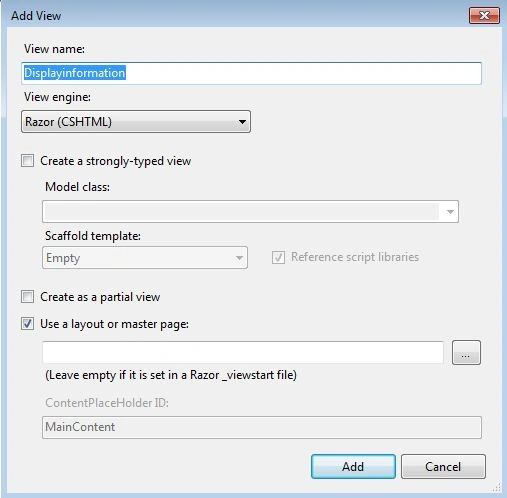
Now create an "Displayinformation.cshtml" file as in the following:
-
In the "HomeController".
-
Right-click on the" Displayinformation".
-
Click on "Add View".
-
Then click on the "OK" button.
Insert this code:
@model Simple.Models.Employee
@{
    ViewBag.Title = "Displayinformation";
}
<h2>Displayinformation</h2>
Customer Name  @Model.emp_Name <br />
Customer Age  @Model.emp_Age <br />
Customer Contact  @Model.emp_Contact <br />
Customer Address  @Model.emp_Address <br />
Step 6
Execute the application by pressing F5.
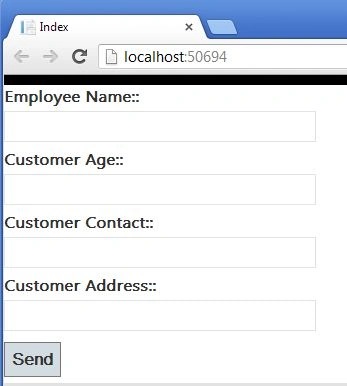
Now fill in all the information.
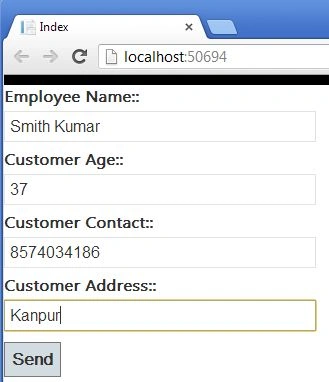
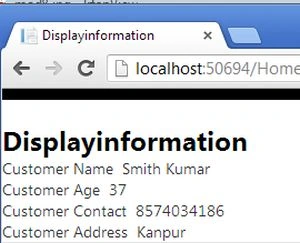
Click on the "Send" button.
Join the conversation! Your thoughts help the community grow.