

Introduction
In this article I will create a registration form with validation fields. In this application, if we leave a field empty then it displays a validation message. Here we need the following JavaScript files:
<script src="http://code.jquery.com/jquery.min.js"></script>
<script src="http://underscorejs.org/underscore.js"></script>
<script src="http://backbonejs.org/backbone.js"></script>
<script src="js/backbone-forms.js"></script>
<script src="js/bootstrap3.js"></script>
Use the following procedure to create the application.
Step 1
Create a web application as in the following:
- Start Visual Studio 2013. From the Start window select "New Project".
- Select "Installed" -> "Template" -> "Visual C#" -> "Web" -> "Visual Studio 2012" and select "ASP.NET Empty Web Application".
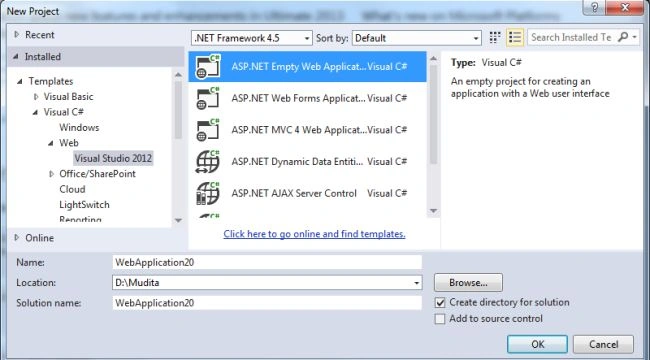
- Click on the "OK" button.
Step 2
Now add a HTML page.
- In the Solution Explorer.
- Right-click on the project and select "Add" -> "HTML page".
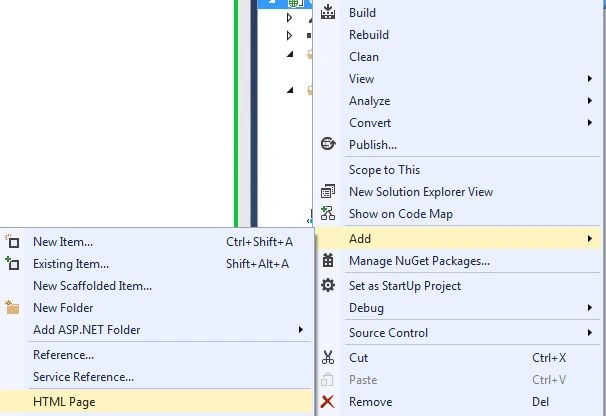
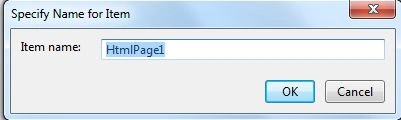
- Change the name of the page.
- Click on the "Add" button.
Add the following code:
<!DOCTYPE html>
<html>
<head>
<title></title>
<script src="http://code.jquery.com/jquery.min.js"></script>
<script src="http://underscorejs.org/underscore.js"></script>
<script src="http://backbonejs.org/backbone.js"></script>
<script src="js/backbone-forms.js"></script>
<script src="js/bootstrap3.js"></script>
<script src="js/app.js"></script>
<link href="http://getbootstrap.com/dist/css/bootstrap.css" rel="stylesheet" type="text/css" />
</head>
<body>
<script id="formtemp" type="text/html">
<form action="response.html">
<h2>Register Form</h2>
<h3>Your personal Details</h3>
<div data-fields="Title,Name,BirthDay"></div>
<h3>Your Login Details</h3>
<div data-fields="Email,Password,ConfirmPassword"></div>
<input type="submit" class="btn_submit" />
</form>
</script>
</body>
</html>
Step 3
Add a JavaScript file as in the following:
- In the Solution Explorer.
- Right-click on the "js" folder, select "Add" -> "New Item".
- Select "JavaScript".
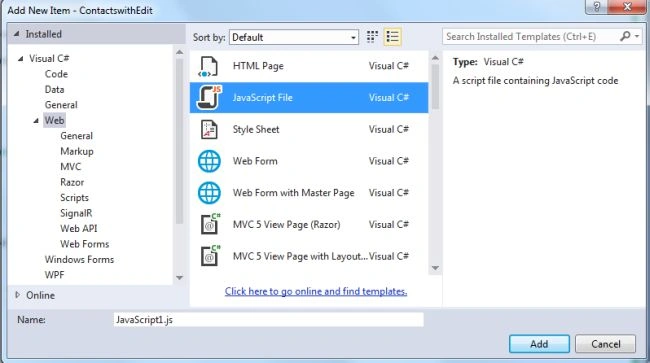
Add the following code:
$(function(){
var RegForm = Backbone.Form.extend({
template: _.template($('#formtemp').html()),
schema:{
Title:{
type:'Select',options:['Mrs','Ms','Mr']
},
Name: {
validators:['required']
},
BirthDay:
{
type:'Date'
},
Email:{
validators:['required','email']
},
Password: {
type: 'Password',
validators: ['required']
},
ConfirmPassword: {
type: 'Password',
validators: [
'required',
{ type: 'match', field: 'Password', message: 'Both passwords Must be match' }
]
}
}
});
var formdata=new RegForm().render();
$('body').append(formdata.el);
formdata.on('submit',function(event){
var error=formdata.validate();
if(error)event.preventDefault();
});
});
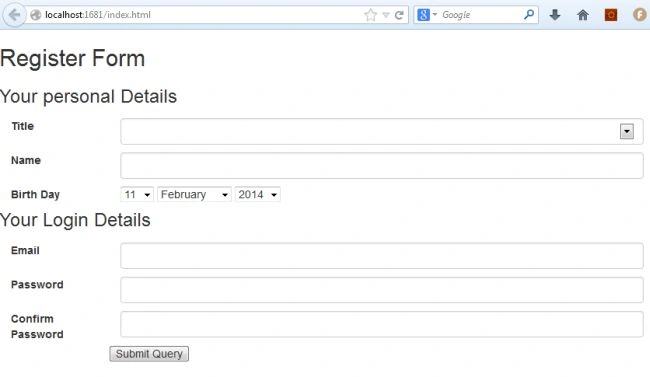
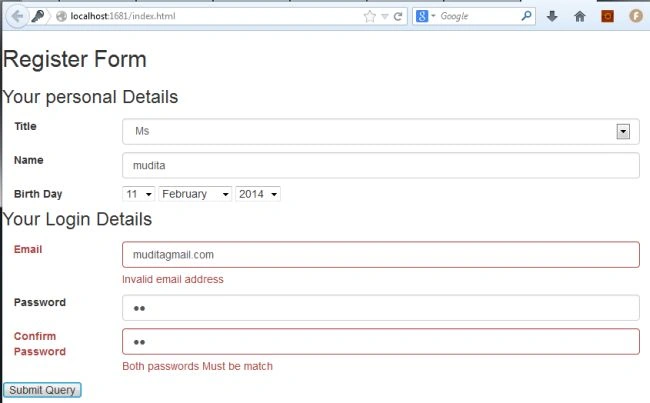
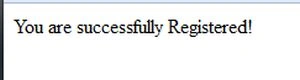
Execute the application:
Join the conversation! Your thoughts help the community grow.