

Two Popular Approaches
- Create React App (CRA): Official React tool, uses Webpack, easy but slower.
- Vite: Modern build tool, faster dev server and build times, lightweight.
Prerequisites
How to Open Terminal in VSCode?
- Open VSCode
- Press Ctrl + ` (backtick) or go to View > Terminal
- This opens the built-in terminal at the bottom
1. Using Create React App (CRA)
Step 1. Open Terminal in VSCode (see above) or simply use cmd.
Step 2. Cd to the folder where you wish to install an app.
Step 3. Run the CRA TypeScript template command.
npx create-react-app my-app --template typescript
Name of the app: my-app.
What is npx?
- npx runs a package without installing it globally.
- create-react-app is fetched and used instantly, then discarded.
Once you execute the command, you should see the following output.
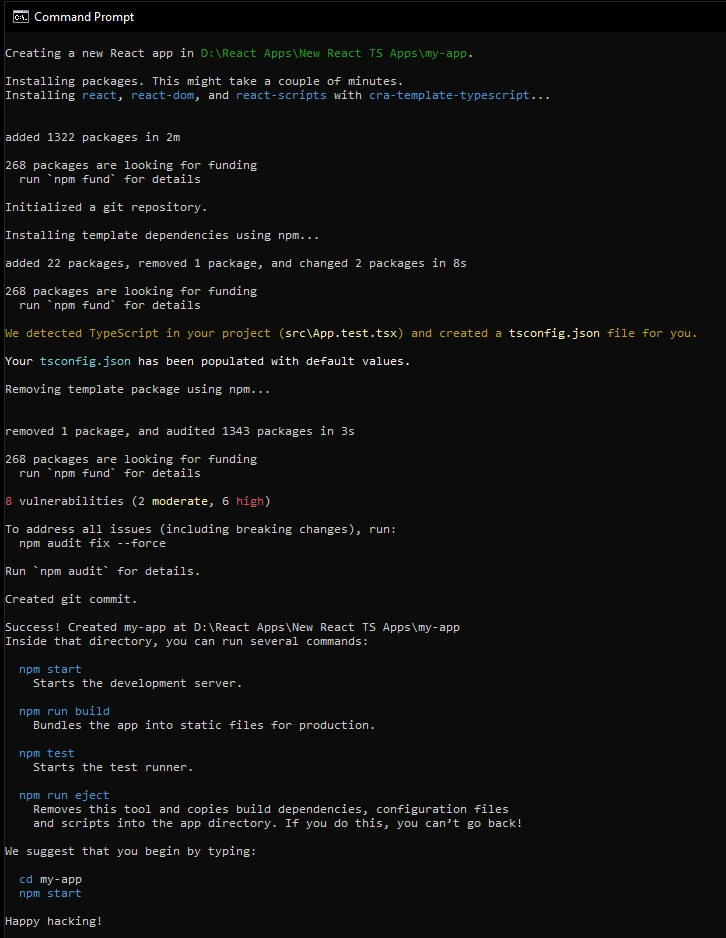
Step 4. Navigate into your project folder (my-app) in this case.
cd my-app
Step 5. Open the project in VSCode
code .
This opens the current folder in VSCode.
Step 6. Start the development server
npm start
CRA uses "npm start" because the "start script" in package.json runs Webpack Dev Server.
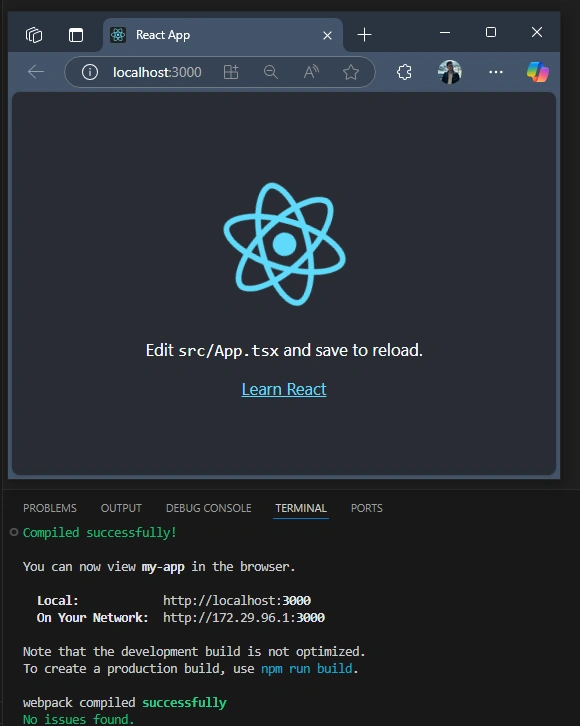
Step 7. Open http://localhost:3000 in your browser
You should see the React welcome page as shown below.
2. Using Vite
Step 1. Open Terminal in VSCode or use the command.
Step 2. Run the Vite create command with the React + TS template.
npm create vite@latest my-app2 --template react-ts
What is npm create?
-
Like npx, it fetches and runs Vite’s scaffolding tool.
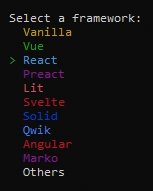
First, it will ask you to pick a UI framework; choose React here.
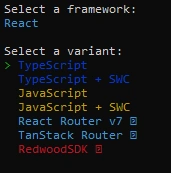
Then it will ask you to choose a language, choose TypeScript.
Step 3. Navigate to your project folder
cd my-app2
Step 4. Open the project in VSCode
code .
Step 5. Install dependencies
npm install
Step 6. Start the dev server
npm run dev
Vite uses "npm run dev" because it's the custom script Vite sets in package.json to launch its ultra-fast dev server (powered by ESBuild).
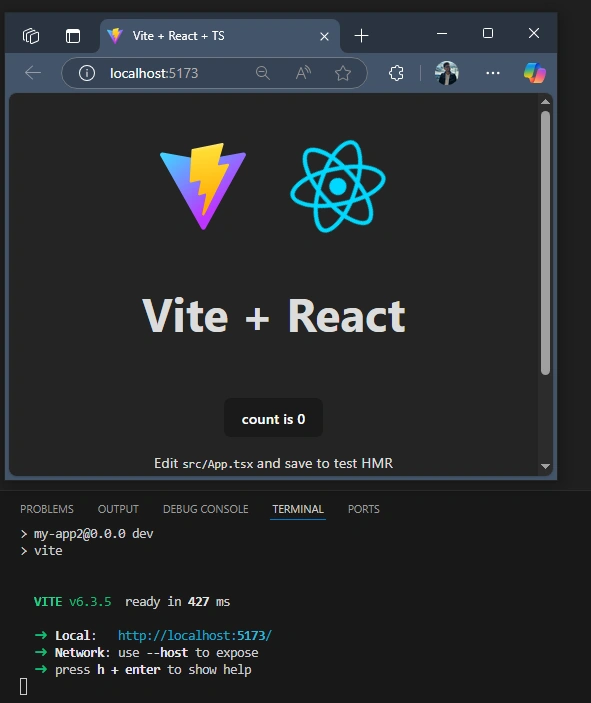
Step 7. Open the URL shown in the terminal (usually http://localhost:5173)
You should see the React welcome page as follows.
Why is npm install needed in Vite but not in CRA?
- CRA (npx create-react-app) automatically installs all dependencies after generating the project. That includes React, ReactDOM, TypeScript, and other internal packages. CRA runs npm install for you after setup.
- Vite (npm create vite@latest) only scaffolds the project; it sets up the folder and files, but doesn't install dependencies. You must manually run npm install to install everything (react, react-dom, vite, etc.).
| Feature | CRA (create-react-app) | Vite |
|---|---|---|
| Setup Command | npx create-react-app ... | npm create vite@latest ... |
| Dev Start Cmd | npm start | npm run dev |
| Dev Server Port | 3000 | Usually 5173 |
| Build Tool | Webpack | ESBuild |
| Speed | Slower | Much Faster |
| TypeScript | Supported via --template flag | Supported via template flag |
This might come in handy, too
- npm: Node package manager. Used to install and manage packages.
- npx: Runs a package without installing it globally.
- npm start: Default script for CRA (Webpack dev server).
- npm run dev: Custom script for Vite (ESBuild dev server).
- code: Opens the current directory in VSCode.
Join the conversation! Your thoughts help the community grow.