

PowerApps, React, and Bootstrap can be used together to create powerful and responsive web applications. PowerApps is a low-code platform that allows users to create custom business applications without extensive programming knowledge. React is a JavaScript library for building user interfaces, and Bootstrap is a popular front-end framework for designing responsive and mobile-friendly websites. By combining these three technologies, developers can quickly create custom business applications that are both functional and visually appealing.
Prerequisites
Create PowerApps Solution
pac pcf init -n "name" -ns "namespace" -t [dataset or field]
- "name" (-n) is a project name.
- "namespace" (-ns) is the namespace for the project.
- "type" (-t) can either be a dataset or a field.

Install Core React Packages
npm install react react-dom

Install type definitions for the above packages as dev dependencies
npm install -–save-dev @types/react @types/react-dom

Install react-bootstrap & Bootstrap
npm install react-bootstrap
npm install boostrap


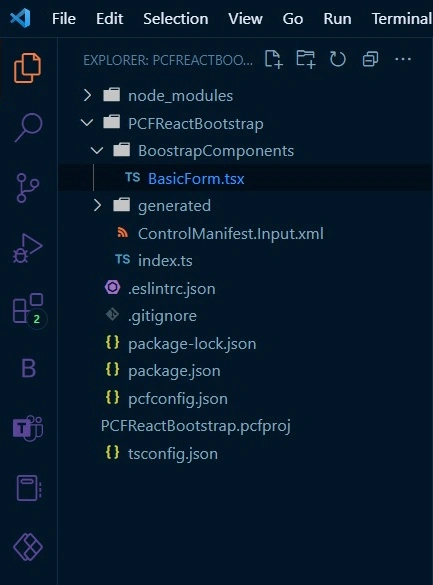
Structure for components
I usually create a separate folder and add components to it.
- Created folder "BoostrapCompnents"
- Created a new TSX file
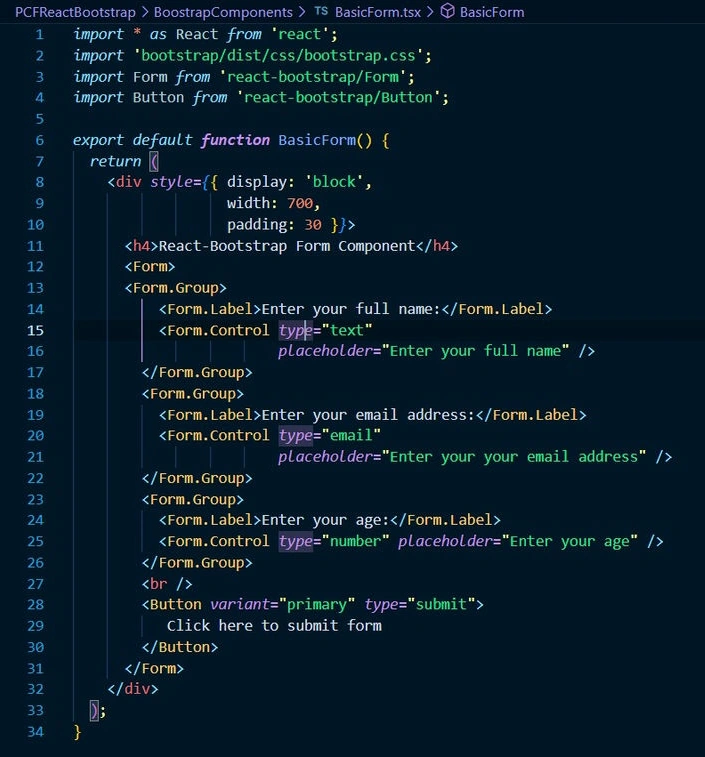
Update the TSX file, add code for the form & save changes
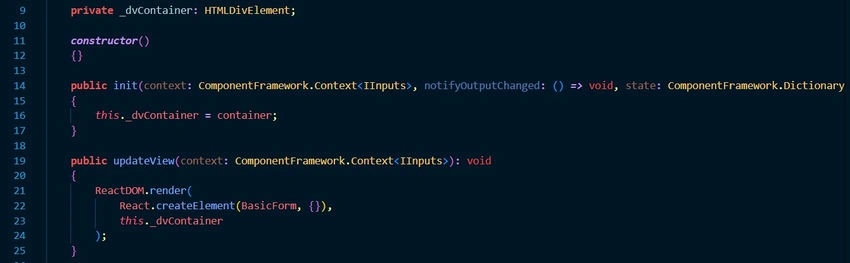
Render the form
Import required dependencies
- On top of the file, import React and React-dom.
- Import form component

Render the component
- Created a private variable "_dvContainer".
- In the init function, set the value of "_dvcontainer" to be the container(init function gets as a parameter)
- In the updateView function, use ReactDOM and React.createElement to create and render “BasicForm”.
- Save the changes, and it's done.
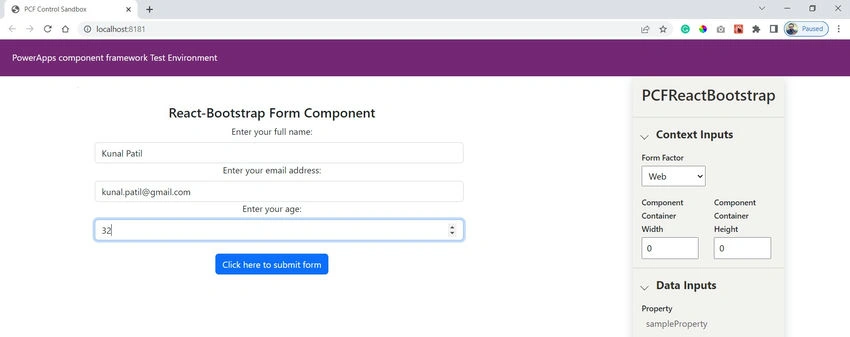
Output
Join the conversation! Your thoughts help the community grow.