
Step 1 - Open the Visual Studio 2015 for creating the basic Windows app.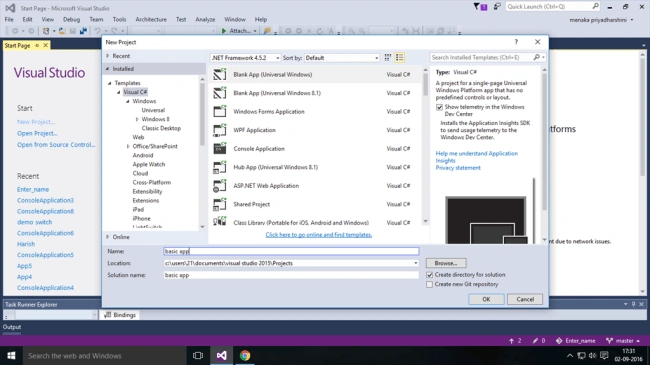
Step 2 - Choose Visual C# from there and select blank app. Name the application.
Step 3 - MainPage.xaml will be loaded and the corresponding designer page is chosen.
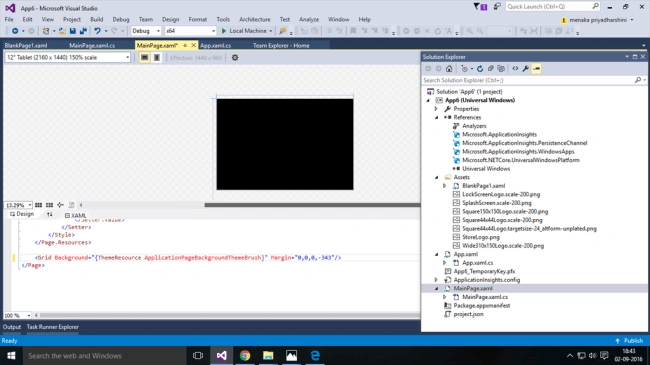
Step 4 - In this designer page, "BUTTON" is used for the purpose of navigation.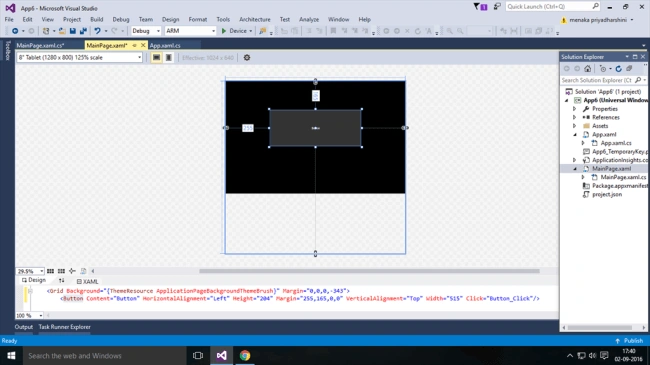
Step 5 - To add a new page, go to the Assets and click New. The new page will be added, successfully.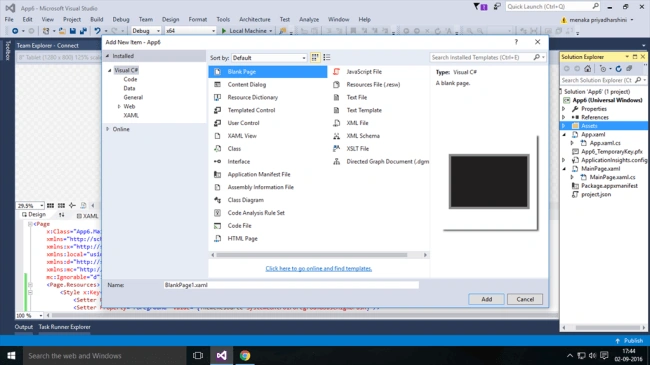
Step 6 - Now, the simple application is ready. When the button is clicked, the page should be navigated.
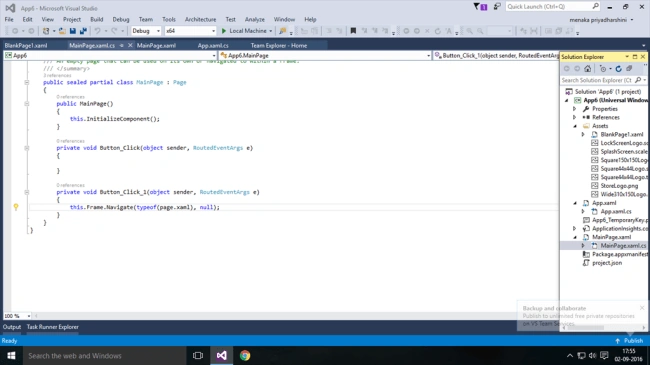
Conclusion - Navigation is one of the basic thing needed for the application. In my next article, I will explain how to insert content and pictures in the application.

Creating Basic Window App Using C#
Join the conversation! Your thoughts help the community grow.
Sign in to leave a comment
It is the same account you read, post and publish with — and you will come straight back to this page.
Menaka Priyadharshini BPosted May 18, 2018, 3:26 AM
Thank you munish for ur comment
Munish APosted Sep 7, 2017, 8:31 AM
Nice article........
SubashPosted Sep 5, 2016, 9:59 PM
Good article
Prasanna MuraliPosted Sep 5, 2016, 10:56 AM
Nice post....
Vignesh ManiPosted Sep 4, 2016, 4:59 PM
Nice one