

Introduction
Azure virtual machine scale sets provide the management capabilities for applications that run across many VMs, automatic scaling of resources, and load balancing of traffic.
I will provide step by step with screenshots below.
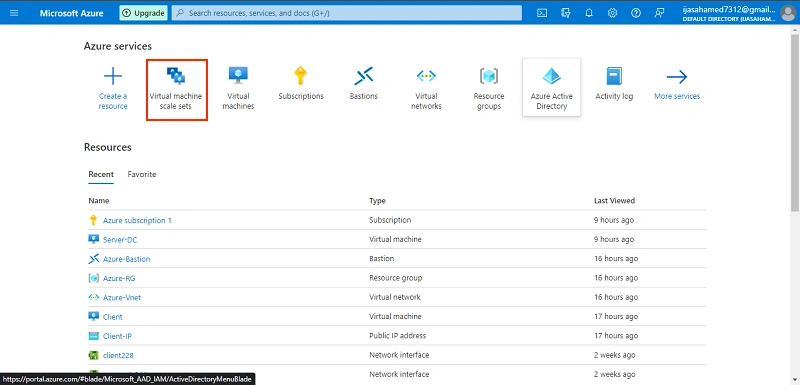
Go to Azure portal. Click virtual machine scale sets
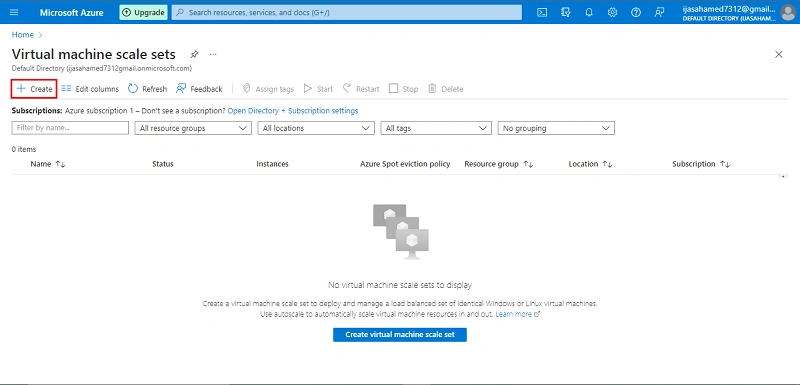
Next click create button
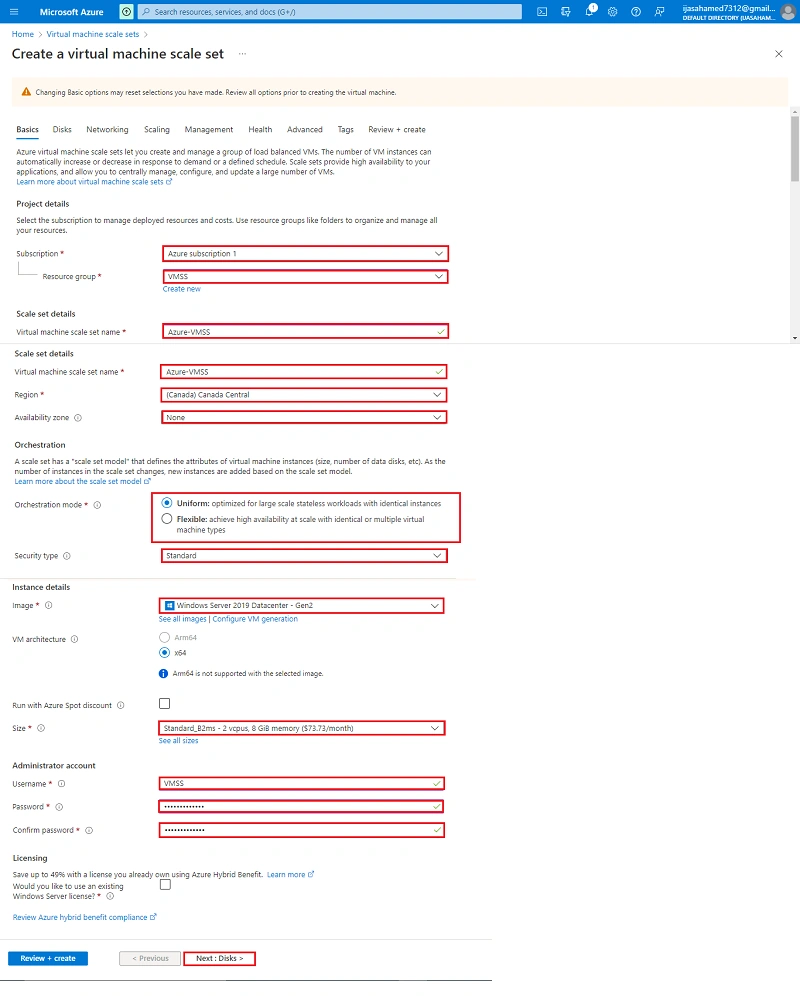
Select Project details subscription, Resources group and create Scale set details, Orchestration, Instance details, and Administrator account
Click Next + Disk button
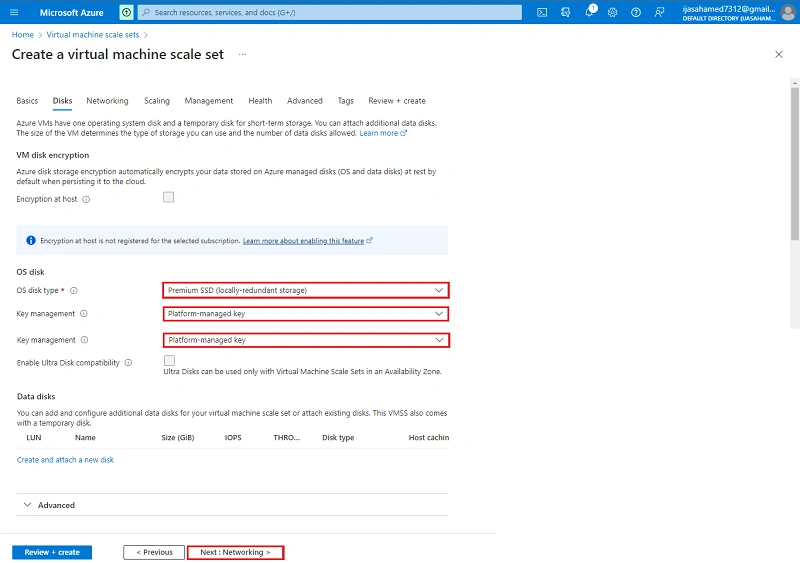
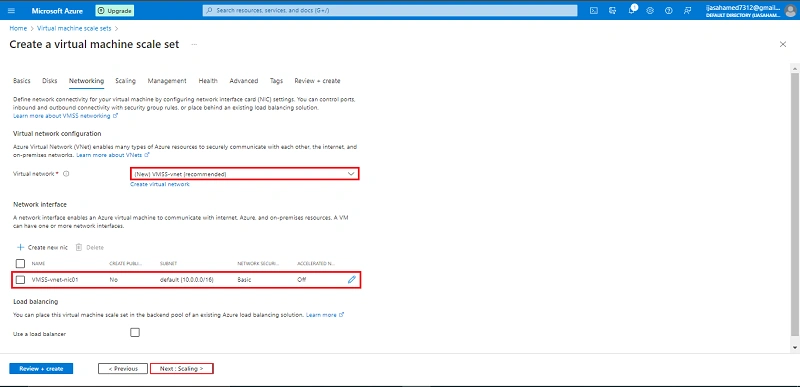
Click Next +Networking button
Select to edit the Network interface
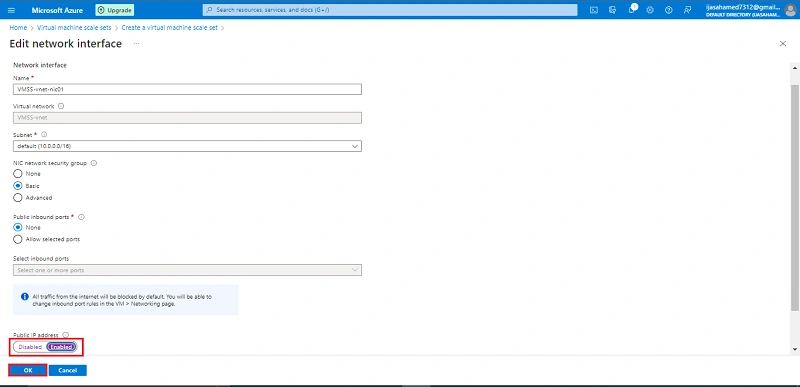
Enable Public IP Address and click OK
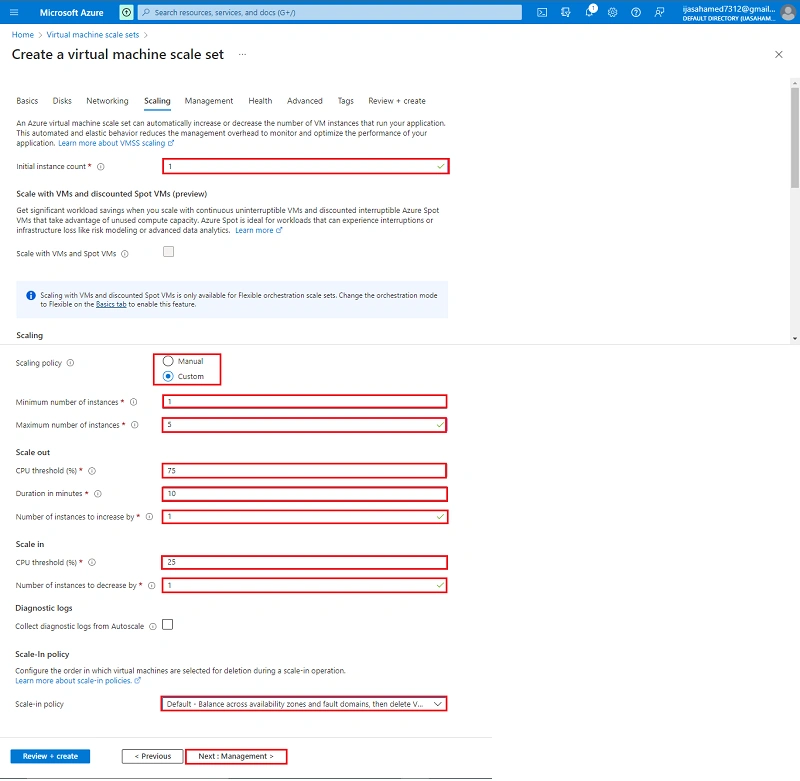
Next enter the Initial instance count, Scaling and Scale-In policy
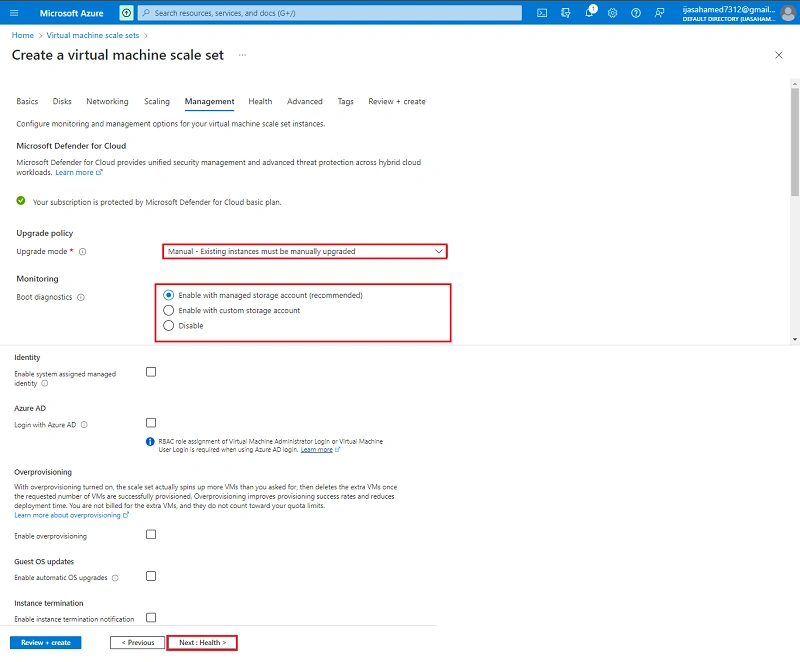
Click Next+Management Button
Click Next Health button
Create the Health and click Next + Advanced button
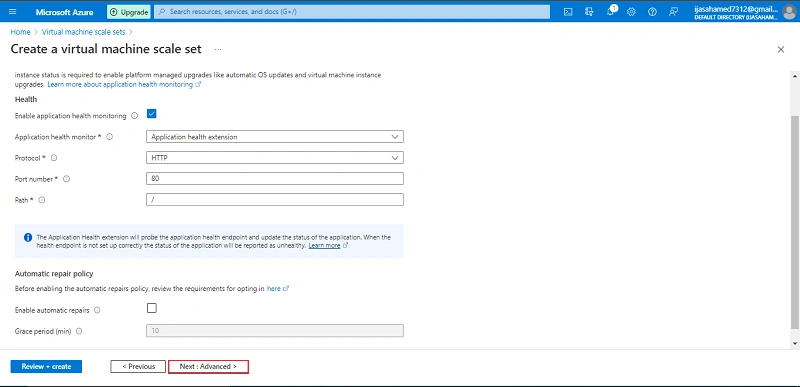
Next Tag Button
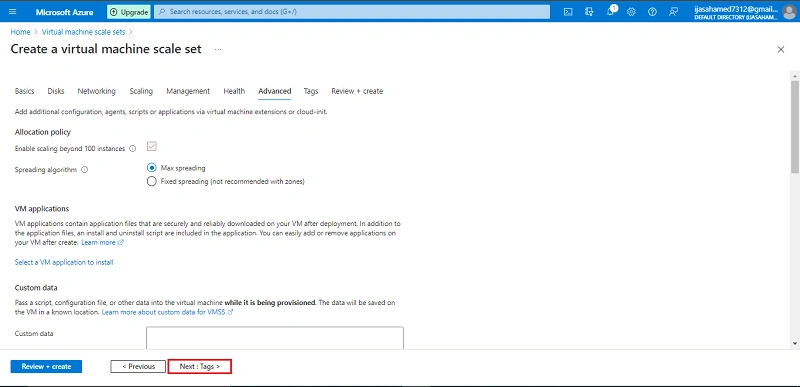
Next Review + create Button
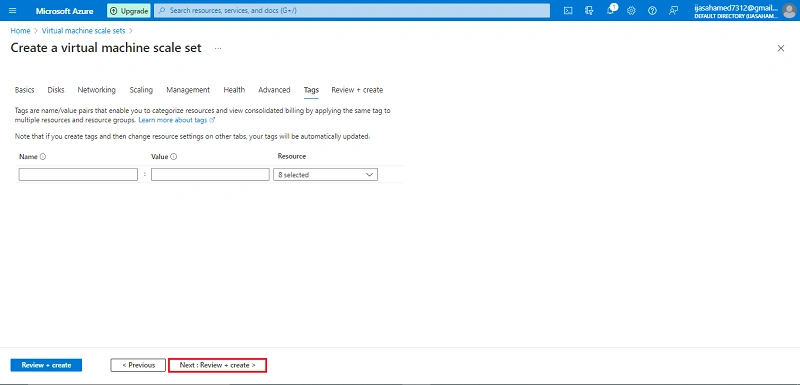
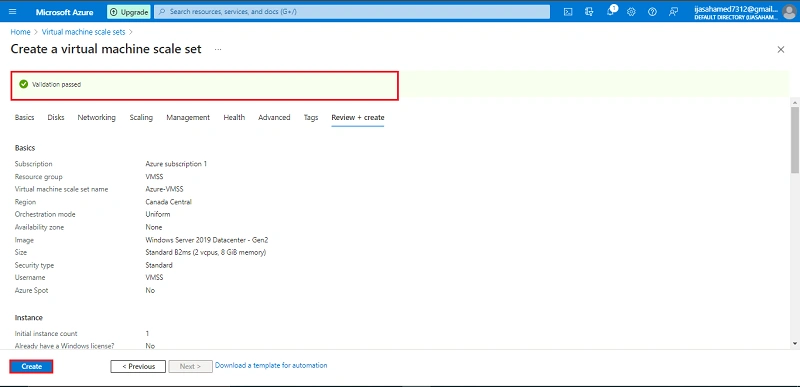
Validation Passed after click create
Running VMSS
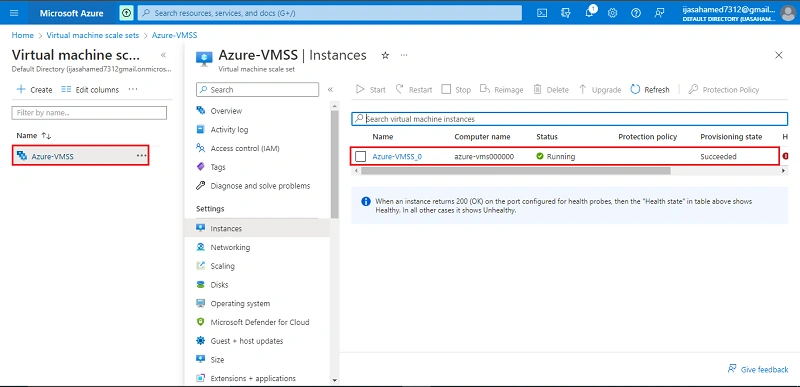
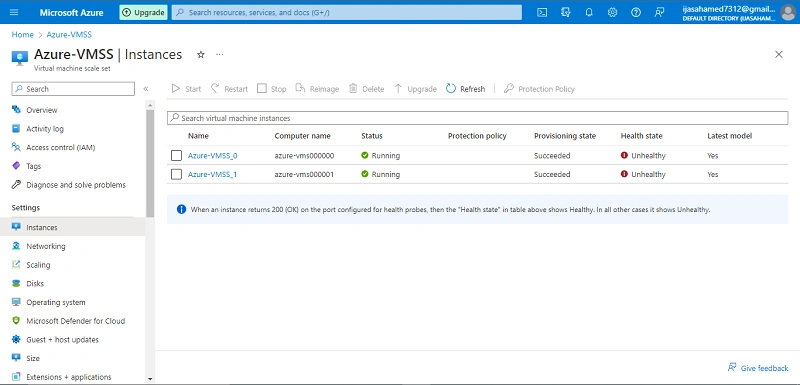
Increase the CPU Stress to 75% and increase the VMSS instance
Conclusion
This article taught us how to create a Azure virtual machine scale sets in our azure portal. And if you have any questions please contact me.
Thanks.
Join the conversation! Your thoughts help the community grow.