

Introduction
In this article we will create an application for adding book details such as publish date, book Title, Writer, Keywords and so on. We can also delete the details of a book.
We need to add the following scripting files:
<script src="Scripts/js/lib/jquery-1.9.0.js"></script>
<script src="Scripts/js/lib/jquery-ui-1.10.0.custom.js"></script>
<script src="Scripts/js/lib/jquery-dateFormat-1.0.js"></script>
<script src="Scripts/js/lib/underscore.js"></script>
<script src="Scripts/js/lib/backbone.js"></script>
- First create a web application as in the following:
- Start Visual Studio 2013.
- From the Start window select "New Project".
- Select "Installed" -> "Template" -> "Visual C#" -> "Web" -> "Visual Studio 2012" and select "Empty web application".
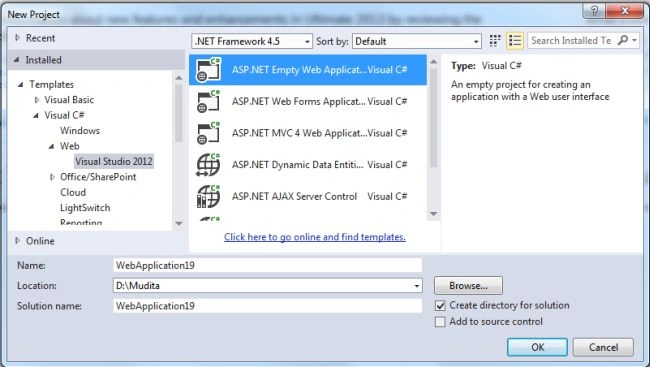
- Click on the "OK" button.
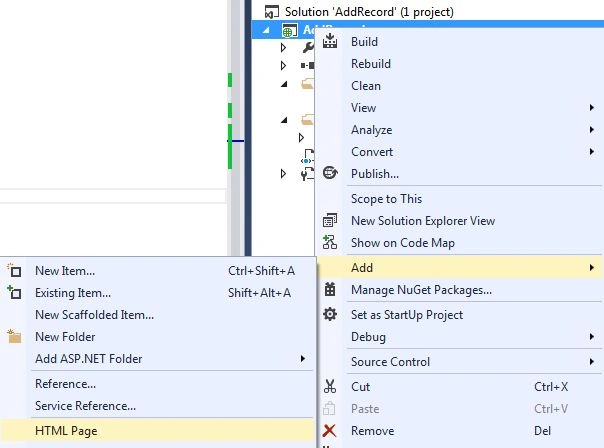
- Now add a HTML Page to the project as in the following:
- In the Solution Explorer.
- Right-click on the project and select "Add" -> "HTML Page".
- Change the name.
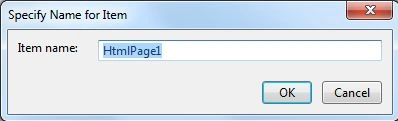
- Then click on the "OK" button.
Add the following code:
<!DOCTYPE html>
<html lang="en">
<head>
<meta charset="UTF-8" />
<title>Backbone.js Library</title>
</head>
<body>
<div id="books">
<form id="addBook" action="#">
<div>
<label for="title">Book Title </label><input id="title" type="text" /><br />
<label for="writer">Writer: </label><input id="writer" type="text" /><br />
<label for="publishDate">Book Published date: </label><input id="publishDate" type="text" /><br />
<label for="keywords">Keywords: </label><input id="keywords" type="text" /><br />
<button id="add">Add New Book</button>
</div>
</form>
</div>
<script id="bookTemplate" type="text/template">
<img src="<%= coverImage %>" />
<ul>
<li><%= title %></li>
<li><%= writer %></li>
<li><%= $.format.date( new Date( publishDate ), 'MMMM yyyy' ) %></li>
<li><% _.each( keywords, function( keyobj ) {%> <%= keyobj.keyword %><% } ); %></li>
</ul>
<button class="delete">Delete</button>
</script>
<script src="Scripts/js/lib/jquery-1.9.0.js"></script>
<script src="Scripts/js/lib/jquery-ui-1.10.0.custom.js"></script>
<script src="Scripts/js/lib/jquery-dateFormat-1.0.js"></script>
<script src="Scripts/js/lib/underscore.js"></script>
<script src="Scripts/js/lib/backbone.js"></script>
<script src="Scripts/js/models/book.js"></script>
<script src="Scripts/js/collections/library.js"></script>
<script src="Scripts/js/views/book.js"></script>
<script src="Scripts/js/views/library.js"></script>
<script src="Scripts/js/app.js"></script>
</body>
</html>
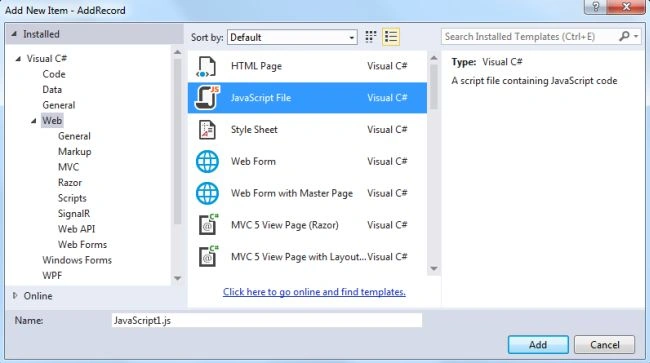
- Now we add a JavaScript file as in the following:
- In the Solution Explorer.
- Right-click on the project then select "Add" -> "New Item" -> "JavaScript".
- Click on the "Add" button.
One is app.js as in the following:
var app = app || {};
$(function() {
$('#publishDate').datepicker();
new app.LibraryView();
});
var app = app || {};
app.Library = Backbone.Collection.extend({
model: app.Book,
url: '/api/books'
});
The third is book.js in the model folder:
var app = app || {};
app.Book = Backbone.Model.extend({
defaults: {
coverImage: 'img/tiger.jpg',
title: 'No title',
writer: 'Unknown',
publishDate: 'Unknown',
keywords: 'None'
},
idAttribute: '_id'
});
The fourth is book.js in the View folder:
var app = app || {};
app.BookView = Backbone.View.extend({
tagName: 'div',
className: 'bookContainer',
template: $( '#bookTemplate' ).html(),
events: {
'click .delete': 'deleteBook'
},
deleteBook: function() {
//Delete model
this.model.destroy();
this.remove();
},
render: function() {
var tmpl = _.template( this.template );
this.$el.html( tmpl( this.model.toJSON() ) );
return this;
}
});
And then the last library.js in the View folder:
var app = app || {};
app.LibraryView = Backbone.View.extend({
el: $( '#books' ),
initialize: function() {
this.collection = new app.Library();
this.collection.fetch();
this.render();
this.listenTo( this.collection, 'add', this.renderBook );
this.listenTo( this.collection, 'reset', this.render );
},
events: {
'click #add': 'addBook'
},
addBook: function( e ) {
e.preventDefault();
var formData = {};
$( '#addBook div' ).children( 'input' ).each( function( i, el ) {
if( $( el ).val() != "" )
{
if( el.id === 'keywords' ) {
formData[ el.id ] = [];
_.each( $( el ).val().split( ' ' ), function( keyword ) {
formData[ el.id ].push({ 'keyword': keyword });
});
} else if (el.id === 'publishDate') {
formData[el.id] = $('#publishDate').datepicker('getDate').getTime();
} else {
formData[ el.id ] = $( el ).val();
}
}
});
this.collection.create( formData );
},
render: function() {
this.collection.each(function( item ) {
this.renderBook( item );
}, this );
},
renderBook: function( item ) {
var bookView = new app.BookView({
model: item
});
this.$el.append( bookView.render().el );
}
});
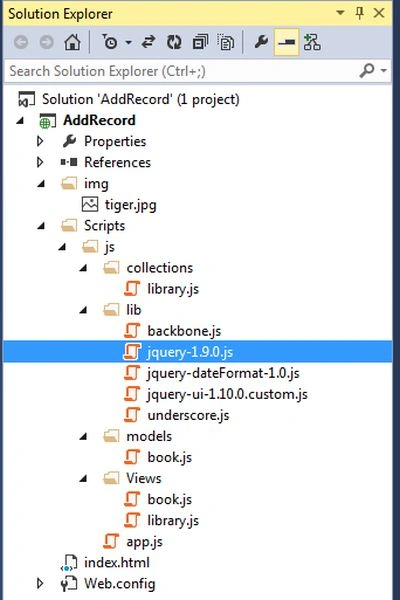
The Solution Explorer looks like this:
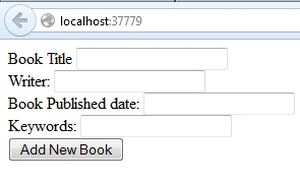
- Now execute the application as in the following:
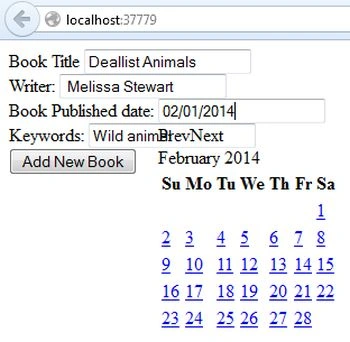
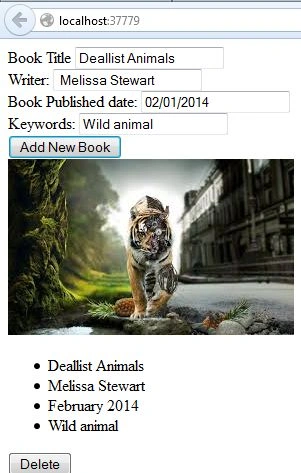
Add the record:
Join the conversation! Your thoughts help the community grow.