
Step 1: Create a web application in Visual Studio
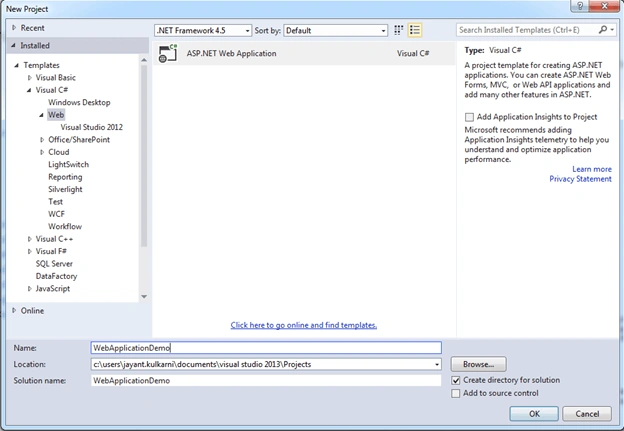
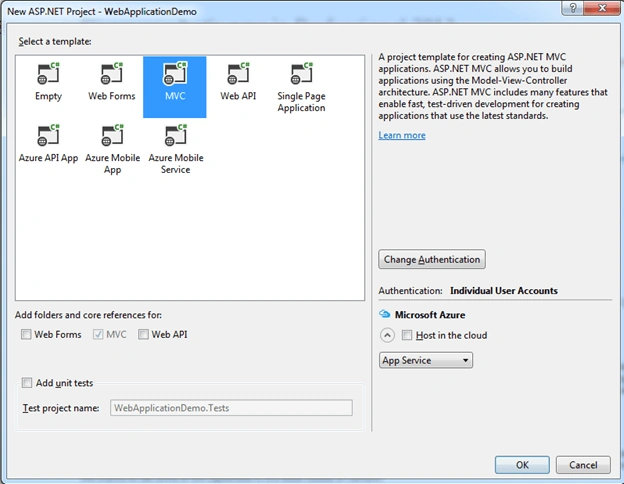
Here, I am selecting MVC Template. In this, I am not changing anything.
Step 2: Create and Publish Web App
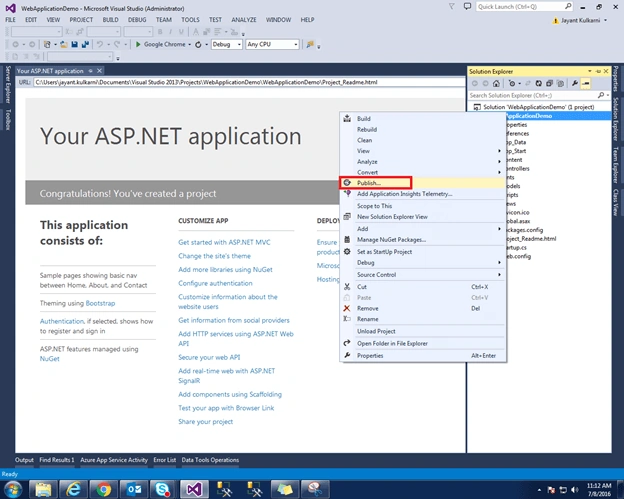
Right click on project and select publish. It will give you a popup for details.
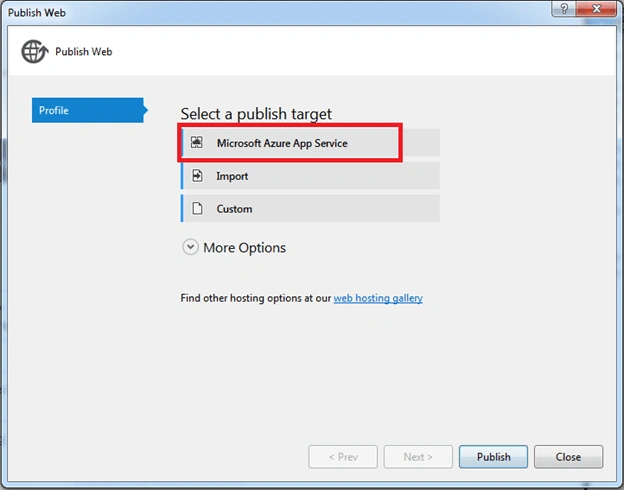
Select Microsoft Azure App Service option.
Put the credentials.
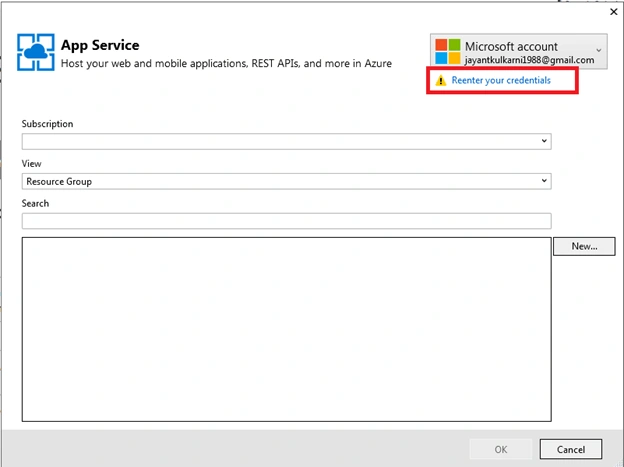
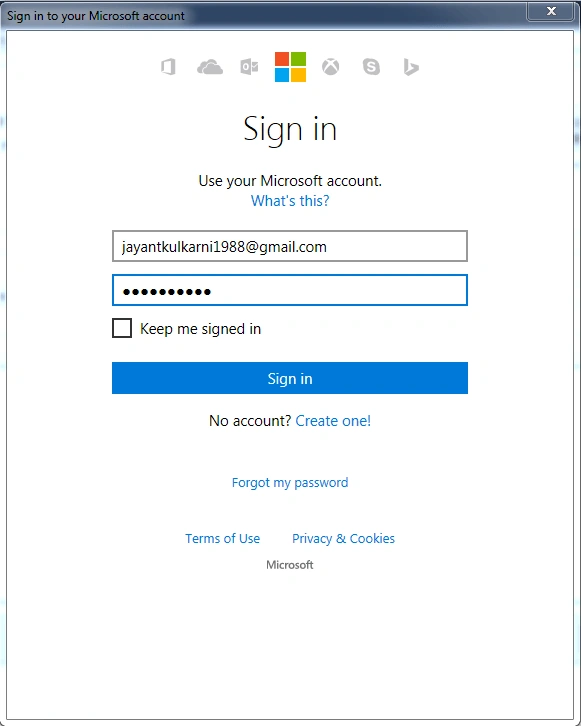
It will fetch all your Web App Services.
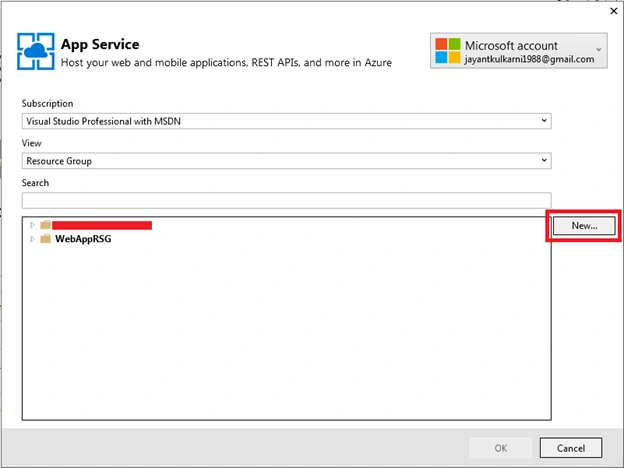
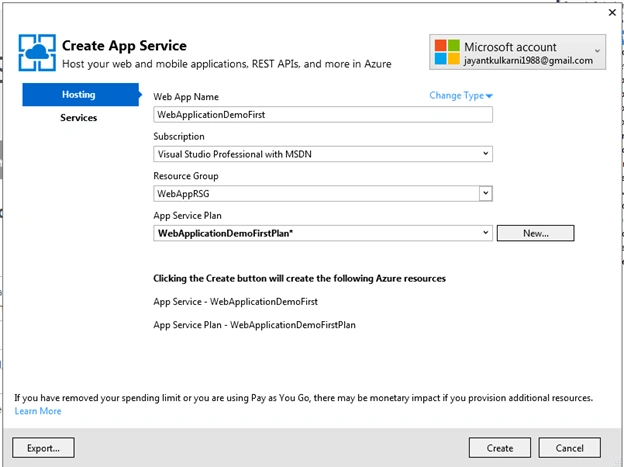
Click on New button to create a new Web App. It will pop up for Configure App Service Plan. Give a name for the App Service Plan and choose location and size. Here, I am choosing S1 (1 core, 1.75 GB RAM).
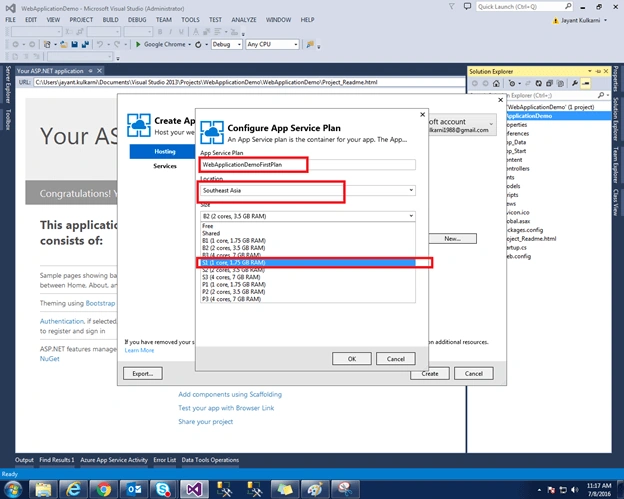
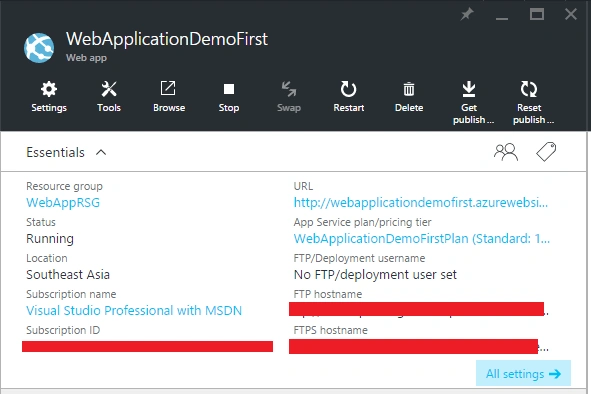
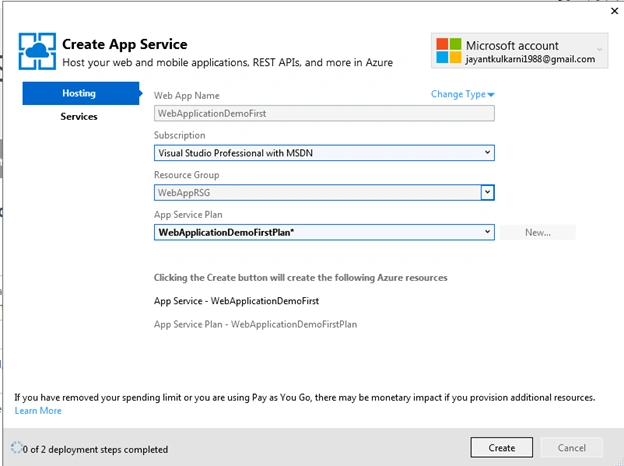
Click on Create button and it will create the Web App. You can see that the Web App is created on the portal.
Now, validate the connection for publishing.
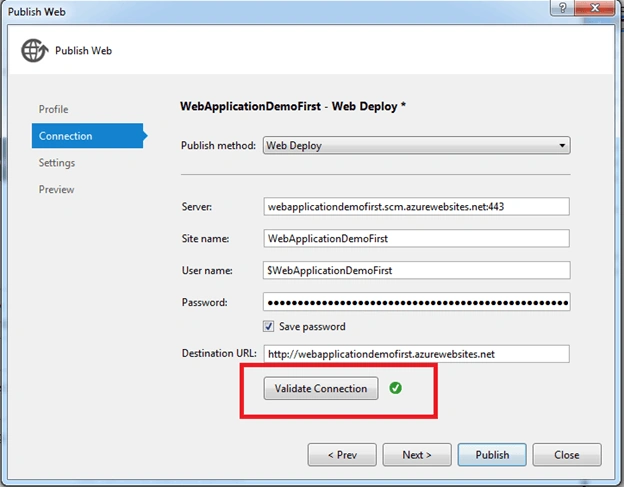
Click on Publish button to publish the Web App through Visual Studio.
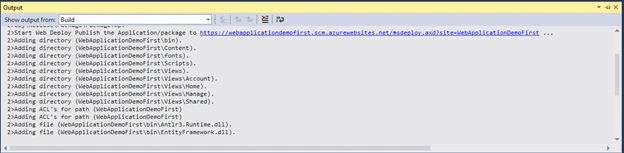
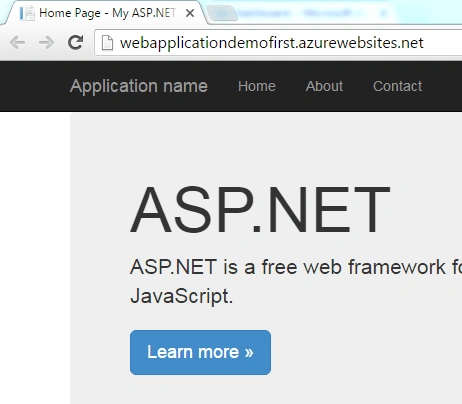
Now, you can create Web Application using Visual Studio.

Create And Publish Azure Web App Using Visual Studio
Join the conversation! Your thoughts help the community grow.
Sign in to leave a comment
It is the same account you read, post and publish with — and you will come straight back to this page.
yugandhar pallelaPosted Aug 3, 2016, 2:16 AM
Sir, I want to know the process of azure, what is the use of azure and how to develop an application in azure. please kindly help to learn about azure. Thanks.
Ganesh SattawanPosted Aug 2, 2016, 2:12 AM
Excellent...
Tarun DPosted Aug 1, 2016, 1:01 AM
Nice one.. Thanks for sharing..
Humayun Kabir MamunPosted Aug 1, 2016, 12:30 AM
Nice...
Bhavik PatelPosted Jul 31, 2016, 2:15 AM
Good. Do we need any paid subscription?
Vignesh ManiPosted Jul 30, 2016, 8:09 PM
Nice