

Open SharePoint Designer.
Create .HTML file under SiteAssets folder.
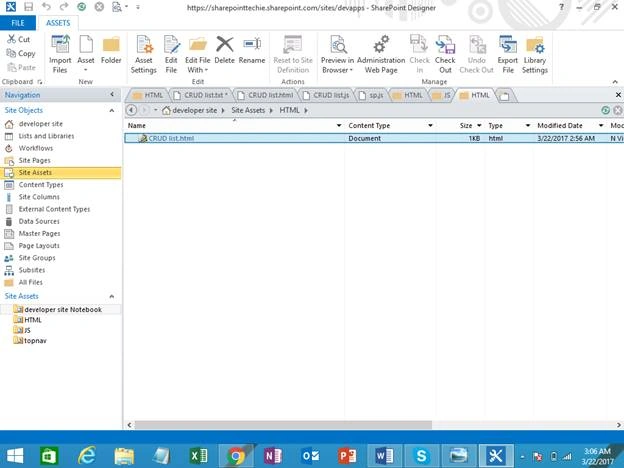
Add the necessary scripts into top of HTML file to create a SharePoint list.
Add one text input box to get the list title and add one input button to create an action.
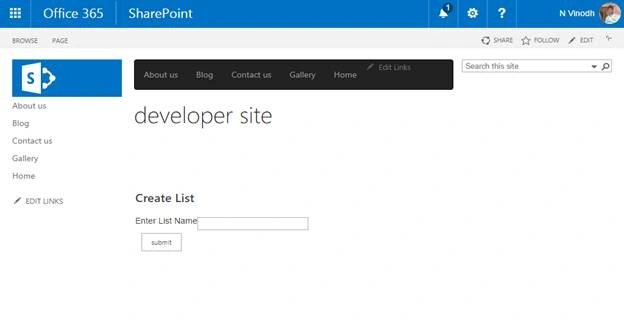
Let's add some piece of code to create a list
Scripts
- <script src="_layouts/15/sp.runtime.js" type="text/javascript"></script>
- <script src="_layouts/15/sp.js" type="text/javascript"></script>
- <script src=" /SiteAssets/JS/CRUD list.js" type="text/javas
HTML
- <div id="form">
- <table>
- <tr>
- <td>
- <p>Enter List Name</p>
- </td>
- <td> <input type="text" id="txtlistname" /> </td>
- </tr>
- <tr>
- <td> <input type="button" id="btncreate" value="submit" /> </td>
- </tr>
- </table>
- </div>
- <div id="results"></div>
CreateList.js
Create a function named btncreate.
Note
Using this function, I will get the value of the list name from HTML input box on button click event.
Now, pass the list value into another function CreateList.
Code
- function btncreate()
- {
- $('#btncreate').on("click", function() {
- var listValue = $('#txtlistname').val();
- CreateList(listValue);
- });
- }
Code
- function CreateList(listValue)
- {
- var context = new SP.ClientContext() // Get the site collection from the context
- var web = context.get_web(); // Get all the list properties
- var listcreation = new SP.ListCreationInformation(); // Used for create a list
- listcreation.set_title(listValue); // get the title of the list
- listcreation.set_templateType(SP.ListTemplateType.genericList) // Provide the template for list ex:announcement, task in this scenario used genericlistproperty
- this.list = web.get_lists().add(listcreation); // Create a list using web property
- context.load(list); // load the values into the site context
- context.executeQueryAsync(Function.createDelegate(this, this.onsuccess), Function.createDelegate(this, this.onfailed));
- }
- function onsuccess() {
- var results = list.get_title() + 'Create success'; // if success message will be rendered into html element
- $('#results').html(results);
- }
- function onfailed(sender, args) {
- alert('Creation Failed' + args.get_message() + '\n' + args.get_stackTrace()); // If failed shows error message
- }
Full code
- $(function() {
- btncreate();
- });
- function btncreate() {
- $('#btncreate').on("click", function() {
- var listValue = $('#txtlistname').val();
- CreateList(listValue);
- });
- }
- function CreateList(listValue) {
- var context = new SP.ClientContext()
- var web = context.get_web();
- var listcreation = new SP.ListCreationInformation();
- listcreation.set_title(listValue);
- listcreation.set_templateType(SP.ListTemplateType.genericList)
- this.list = web.get_lists().add(listcreation);
- context.load(list);
- context.executeQueryAsync(Function.createDelegate(this, this.onsuccess), Function.createDelegate(this, this.onfailed));
- }
- function onsuccess() {
- var results = list.get_title() + 'Create success';
- $('#results').html(results);
- }
- function onfailed(sender, args) {
- alert('Creation Failed' + args.get_message() + '\n' + args.get_stackTrace());
- }
Final Result
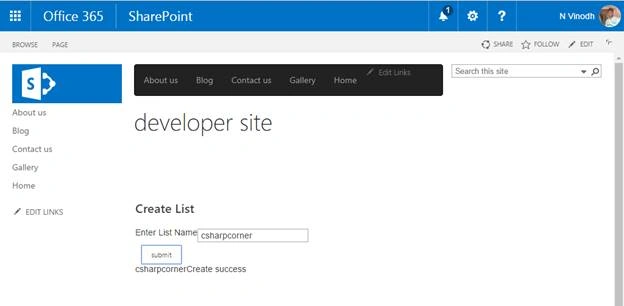
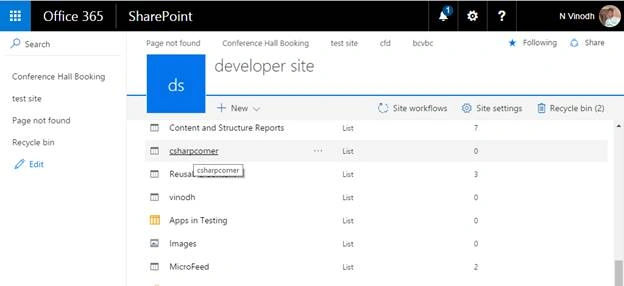
Now, let’s go and delete a created SharePoint list.
Delete a list, using JSOM.
HTML
- <div id="form">
- <table>
- <tr>
- <td>
- <p>Enter List Name</p>
- </td>
- <td> <input type="text" id="txtlistname" /> </td>
- </tr>
- <tr>
- <td> <input type="button" id="btncreate" value="submit" /> <input type="button" id="btndelete" value="delete" /> </td>
- </tr>
- </table>
- </div>
- <div id="results"></div>
Scripts
- <script src="_layouts/15/sp.runtime.js" type="text/javascript"></script>
- <script src="_layouts/15/sp.js" type="text/javascript"></script>
- <script src=" SiteAssets/JS/DeleteList.js" type="text/javascript"></script>
DeleteList.js
- $(function() {
- btndelete()
- });
- function btndelete() {
- $('#btndelete').on("click", function() {
- var listValue = $('#txtlistname').val();
- DeleteList(listValue);
- });
- }
- function DeleteList(listValue) {
- var context = new SP.ClientContext();
- var web = context.get_web();
- this.list = web.get_lists().getByTitle(listValue);
- list.deleteObject(); // Delete the created list from the site
- context.executeQueryAsync(Function.createDelegate(this, this.ondeletesuccess), Function.createDelegate(this, this.ondeletefailed));
- }
- function ondeletesuccess() {
- $('#results').html("List deleted successfully"); // on success bind the results in HTML code
- }
- function ondeletefailed(sender, args) {
- alert('Delete Failed' + args.get_message() + '\n' + args.get_stackTrace()); // display the errot details if deletion failed
- }
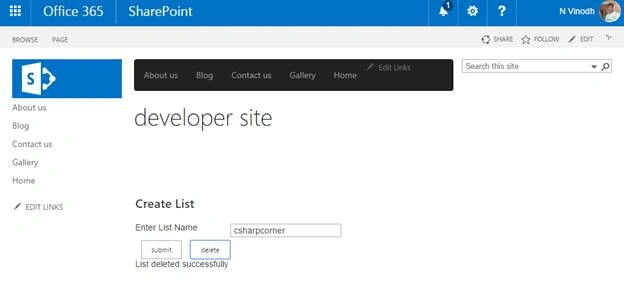
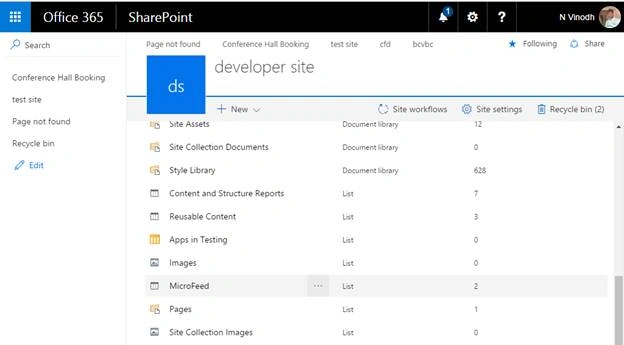
Final result
Rafael NascimentoPosted Aug 15, 2019, 1:08 PM
Nice.... =)
Nivetha SPosted Sep 15, 2018, 3:29 AM
Nice......