

Introduction
In this article I will create an abstract View with backbone.js. In this tutorial we will create two views working on the Mouse Hover and Mouse click events. When we move the mouse on the view then it will be hidden and the same as when we click on the other View then it will also be hidden.
Here we need to add the following three scripting files:
<script src="http://ajax.googleapis.com/ajax/libs/jquery/1.7.1/jquery.min.js"></script>
<script src="http://cdnjs.cloudflare.com/ajax/libs/underscore.js/1.3.1/underscore-min.js"></script>
<script src="http://cdnjs.cloudflare.com/ajax/libs/backbone.js/0.9.1/backbone-min.js"></script>
Now we will see how to create the application.
Step 1
- Start Visual Studio 2013. From the Start window select "New Project".
- Select "Installed" -> "Template" -> "Visual C#" -> "Web" -> "Visual Studio 2012" and select "Empty Web Application".
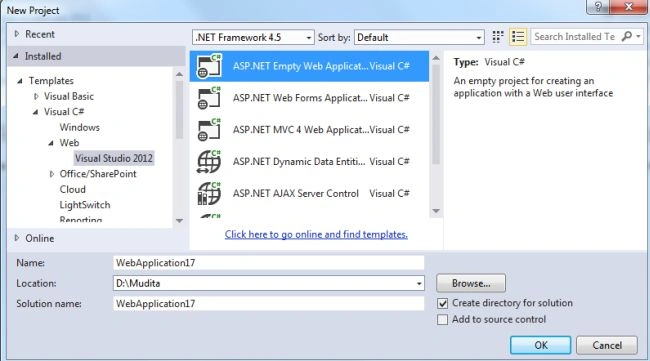
- Click on the "OK" button.
Step 2
Now add the HTML page.
- In the Solution Explorer.
- Right-click on the project then select "Add" -> "HTML page".
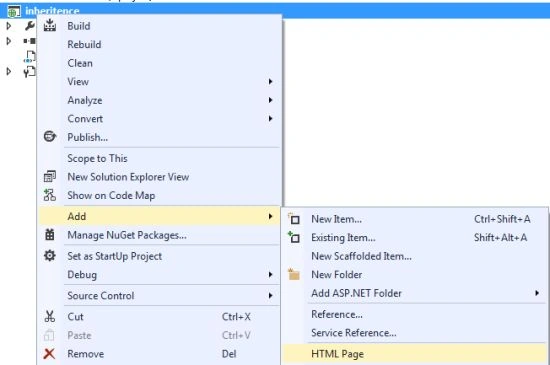
- Change the name of the page.
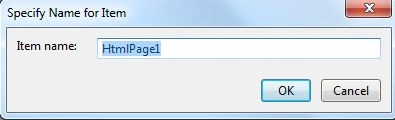
- Click on the "Add" button.
Add the following code:
<html>
<head>
<title>Creating abstract views with Backbone.js - Inheritance!</title>
<style>
.abstract-view {
background-color: #0094ff;
margin: 20px;
padding: 10px;
width: 400px;
font-size:15pt;
color:white;
}
</style>
</head>
<body>
Click or mouse over on the Views:
<div id="main">
</div>
<script src="http://ajax.googleapis.com/ajax/libs/jquery/1.7.1/jquery.min.js"></script>
<script src="http://cdnjs.cloudflare.com/ajax/libs/underscore.js/1.3.1/underscore-min.js"></script>
<script src="http://cdnjs.cloudflare.com/ajax/libs/backbone.js/0.9.1/backbone-min.js"></script>
<script>
$(function () {
//Backbone code - begin
var MainView = Backbone.View.extend({
id: "main-view-id",
tagName: "div",
template: null,
events: {
},
initialize: function () {
_.bindAll(this);
},
render: function () {
var newView = new CustomView();
newView.render();
this.$el.append(newView.el);
var secondNewView = new SecondCustView();
secondNewView.render();
this.$el.append(secondNewView.el);
$('#main').append(this.el);
return this;
}
});
var AbstractView = Backbone.View.extend({
className: "abstract-view",
initialize: function () {
throw 'If you use the Abstract View then you must apply the inheritence';
},
_initialize: function () {
console.log('This is the abstract view!');
this.template = _.template('<div>My title is: <%= title %></div>');
},
//public and overridable methods
killMe: function () {
this.$el.animate({ height: 0 }, 800, this.killMeHandler);
},
killMeHandler: function () {
this.remove();
}
});
//Extending AbstractView
var CustomView = AbstractView.extend({
events: {
"click": "clickHandler"
},
initialize: function () {
_.bindAll(this);
//calling the initialize of our parent class
this._initialize();
},
render: function () {
this.$el.html(this.template({ title: "click on me" }));
},
clickHandler: function () {
//Here we are using one method from our Abstract Class
this.killMe();
}
});
//Extending AbstractView
var SecondCustView = AbstractView.extend({
events: {
"mouseover": "clickHandler"
},
initialize: function () {
_.bindAll(this);
//calling the initialize of our parent class
this._initialize();
},
render: function () {
this.$el.html(this.template({ title: "Mouse hover on me" }));
},
clickHandler: function () {
//Here we are using one method from our Abstract Class
this.killMe();
}
});
//Backbone code - end
var test = new MainView();
test.render();
})
</script>
</body>
</html>
Step 3
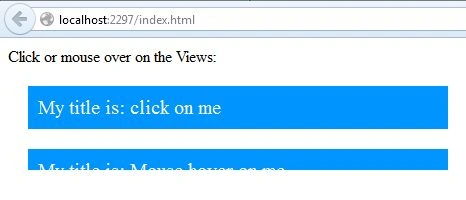
Execute the application. Here we can see the following two Views:
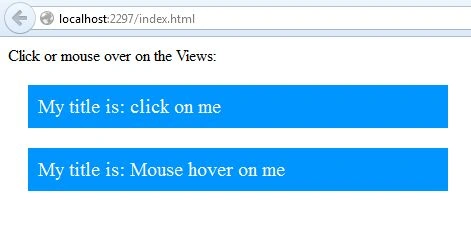
When we hover the mouse over the bottom view then it will be hidden:
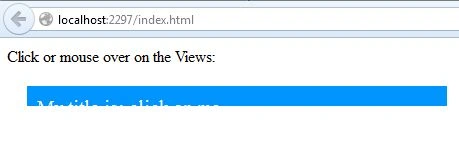
When we click on the other view then it will also be hidden:
Join the conversation! Your thoughts help the community grow.