

Upload a Word document in a Canvas app using Power Automate and save it to a SharePoint location.
- Goto: https://make.powerapps.com/
- Create a Canvas App.
- Open App ex: CreateFileInSharePointLocation.
- Click ->Insert-> Select Media->Add picture.
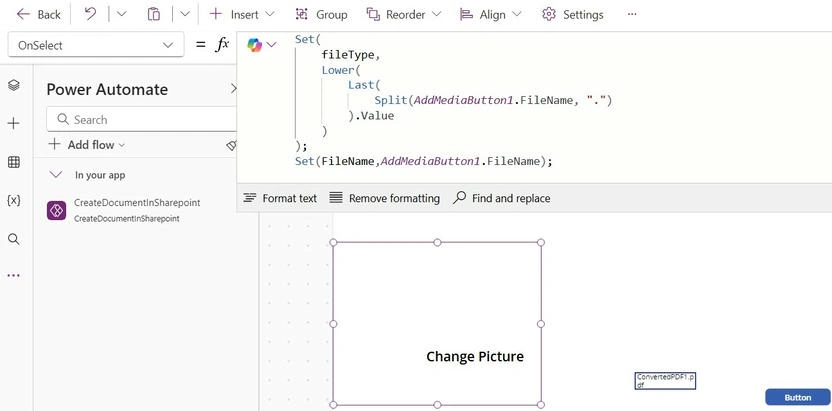
- Add Picture Event OnSelect.
Set(fileType, Lower(Last(Split(AddMediaButton1.FileName, ".")).Value));
Set(FileName, AddMediaButton1.FileName);
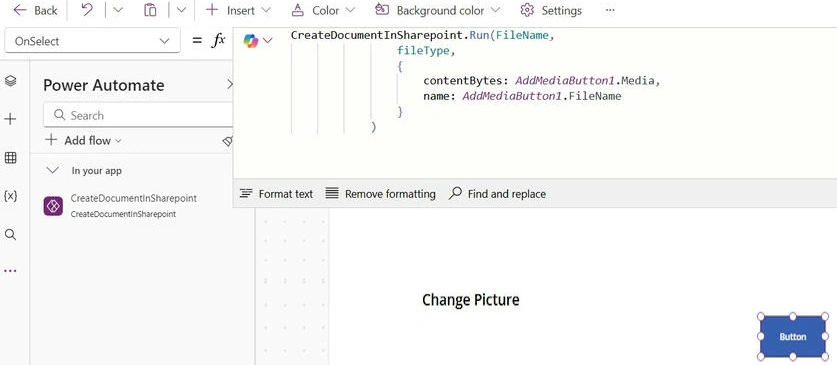
Button Event OnSelect
CreateDocumentInSharepoint.Run(
    FileName,
    fileType,
    {
        contentBytes: AddMediaButton1.Media,
        name: AddMediaButton1.FileName
    }
);
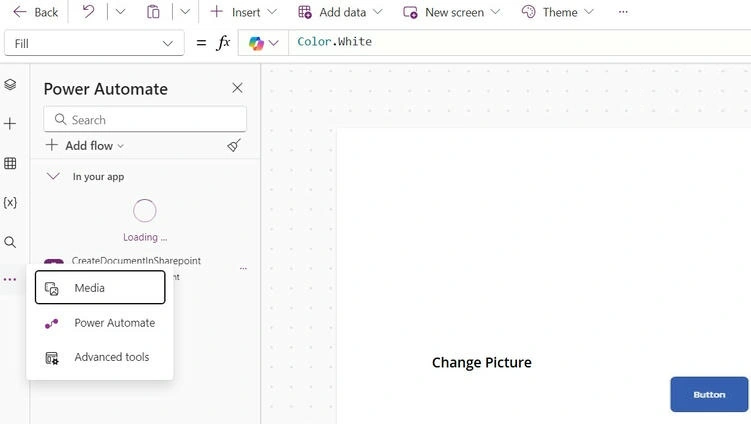
Click on three dots. Select PowerAutomate, and Create a power automate flow with CreateDocumentInSharepoint.
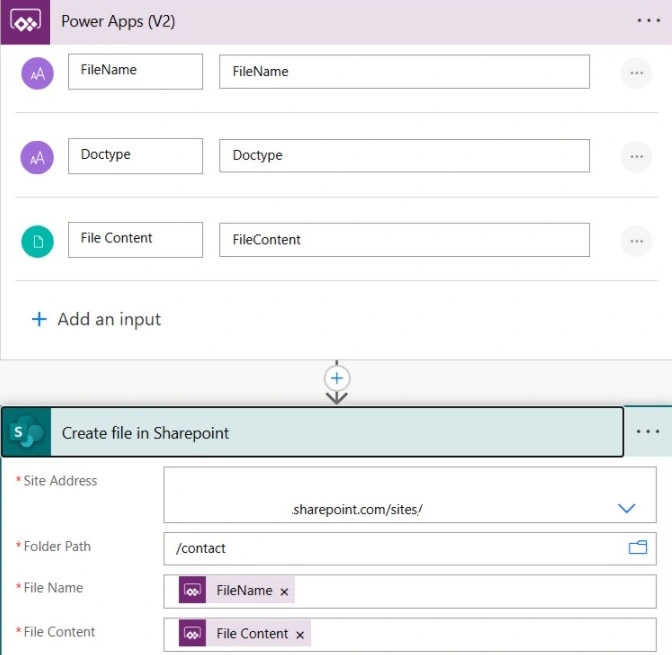
The flow will open. Add three parameters.
- Filename
- DocType
- FileContent
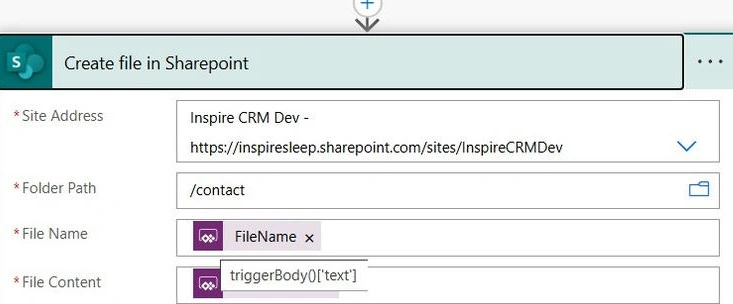
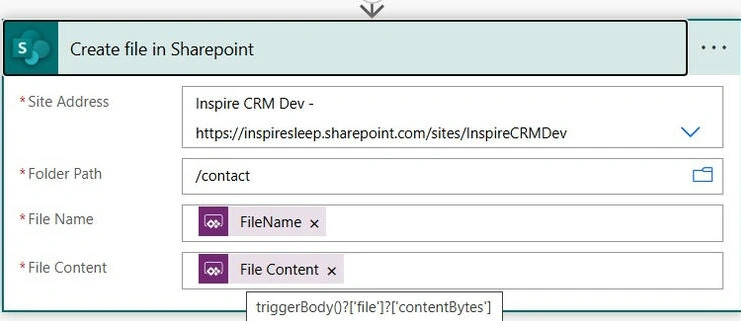
Create File (SharePoint)
- Site Address: select SharePoint to connect
- Folder Path: Select site content in SharePoint document folder path
- File Name: trigger body()[“text]
- File Content: triggerBody()?[‘file’]?[‘contentBytes’]
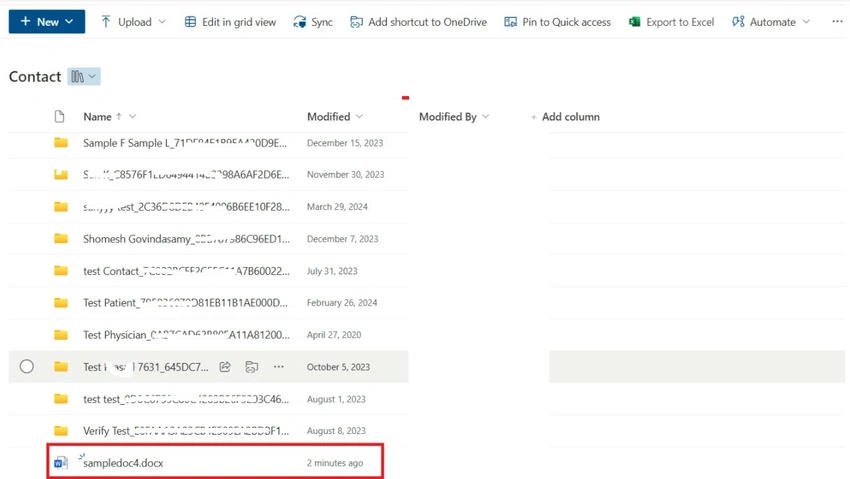
Power Automate Flow succeeded.

Output

Join the conversation! Your thoughts help the community grow.