

Introduction
In this article, we explore the creation of a custom calendar in Power Apps. Explore how to design and implement this essential tool for efficient scheduling and organization.
Steps to Make a Calendar
Step 1. Add a Calendar
- Add a vertical gallery to the screen called galCalendar. This gallery will contain the days of the month.
- Set the OnStart property of the app or the OnVisible property of the screen to return to the current day.
This sets a variable to the first day of the current month.Set( varFirstDayOfCurrentMonth, Date( Year(Today()), Month(Today()), 1 ) ) - Set the Wrap Count of the gallery to 7 This ensures that there are 7 items in each row of the gallery, corresponding to the days of the week.
- Populate the gallery with a 42-day sequence starting from the 1st day of the month, aligning them so that the initial date consistently falls on a Sunday. Use a ForAll loop with a Sequence function to generate the dates.
-
ForAll( Sequence(42), Value + varFirstDayOfCurrentMonth - Weekday(varFirstDayOfCurrentMonth) ) - This ensures that the dates are aligned properly in a grid format.
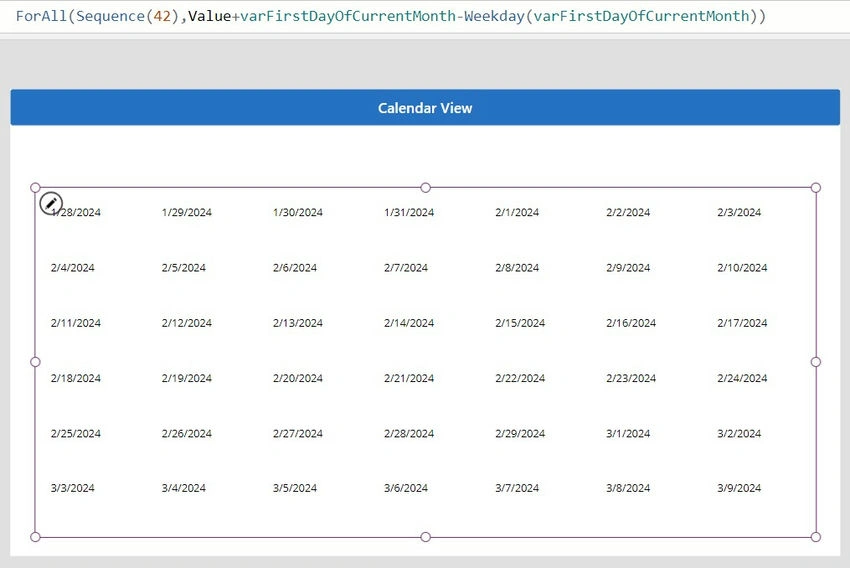
- Add a label to display as a grid. Adjust the label's appearance as desired.
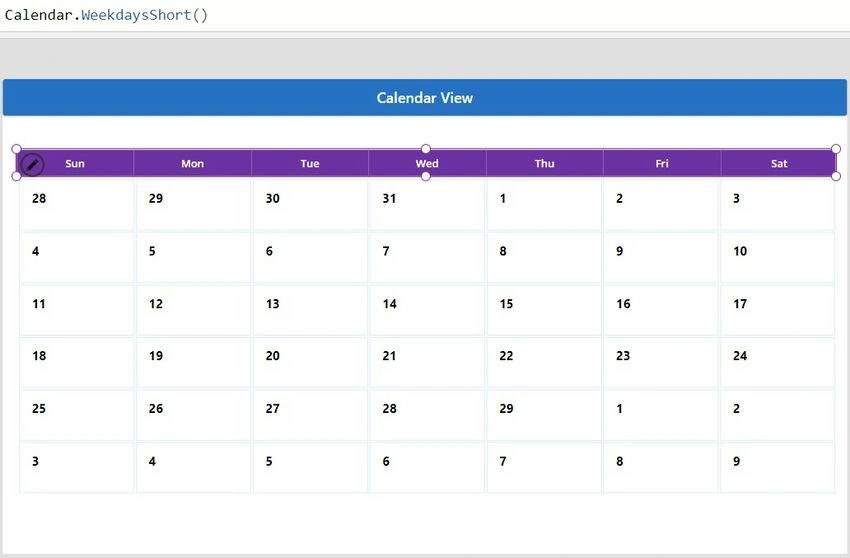
- Add a label to Set the Text property of this label to "Day(ThisItem.Value)" to display the day number.
- Add another gallery to display the weekdays above each column. Insert a horizontal gallery called "galCalendarWeekdays" onto the screen. Set the Item property of this gallery to "Calendar.WeekdaysShort()" to display abbreviated weekdays. Use conditional formatting to differentiate the selected or current month date.
If(
    Month(ThisItem.Value) <> Month(varFirstDayOfCurrentMonth),
    RGBA(139,154,159,0.38),
    RGBA(0,0,0,1)
)
Step 2. Add a Month Selection
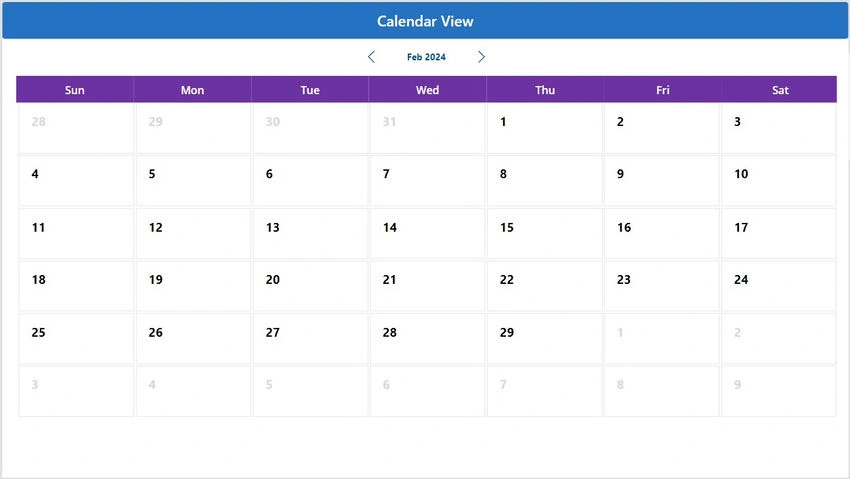
- Add a left arrow icon, a label, and a right arrow icon to allow users to navigate between months.
- Define the OnSelect property of the left arrow icon to move to the previous month.
Set( varFirstDayOfCurrentMonth, Date( Year(varFirstDayOfCurrentMonth), Month(varFirstDayOfCurrentMonth) - 1, 1 ) ) - Define the Text property of the label to display the current month and year.
Text( varFirstDayOfCurrentMonth, "mmm yyyy" ) - Define the OnSelect property of the right arrow icon to move to the next month.
Set(
    varFirstDayOfCurrentMonth,
    Date(
        Year(varFirstDayOfCurrentMonth),
        Month(varFirstDayOfCurrentMonth) + 1,
        1
    )
)
Conclusion
Designing a custom calendar in PowerApps enhances scheduling efficiency. By following these steps, users can create a personalized tool tailored to their organization's needs, facilitating better time management and organization.
Enjoy Learning!
Join the conversation! Your thoughts help the community grow.