

Introduction
Azure function is a serverless concept of cloud native design that allows a piece of code to be deployed and executed without any need of server infrastructure, web server, or any configurations. Azure functions can be written in multiple language such as c#, Java, JavaScript, TypeScript, and Python.
You can write, debug, and deploy an Azure Function using Azure Portal . However, there are many scenarios when writing functions directly in the production and test environment might be risky and customizing and adding unit testing feasibility in azure portal is more complex, most developers prefer to use visual studio code editors.
Developer easily maintain from same service API solutions project, we have shared one more article with same topic for create azure function using Visual studio 2017, We will cover in this article very detail to create azure function including new feature using Visual studio 2019 and Microsoft released following version of azure function and make sure you are updated visual studio and having latest version Azure function V3.
-
Azure Function V1 – uses the .net Framework 4.7 and trigger can only be create using Windows
-
Azure Function V2(v2x) – runs using .Net Core 2 and trigger wherever possible
-
Azure Function V3(v3x) – Contains JavaScript and .Net Changes
Create new Azure Function Project
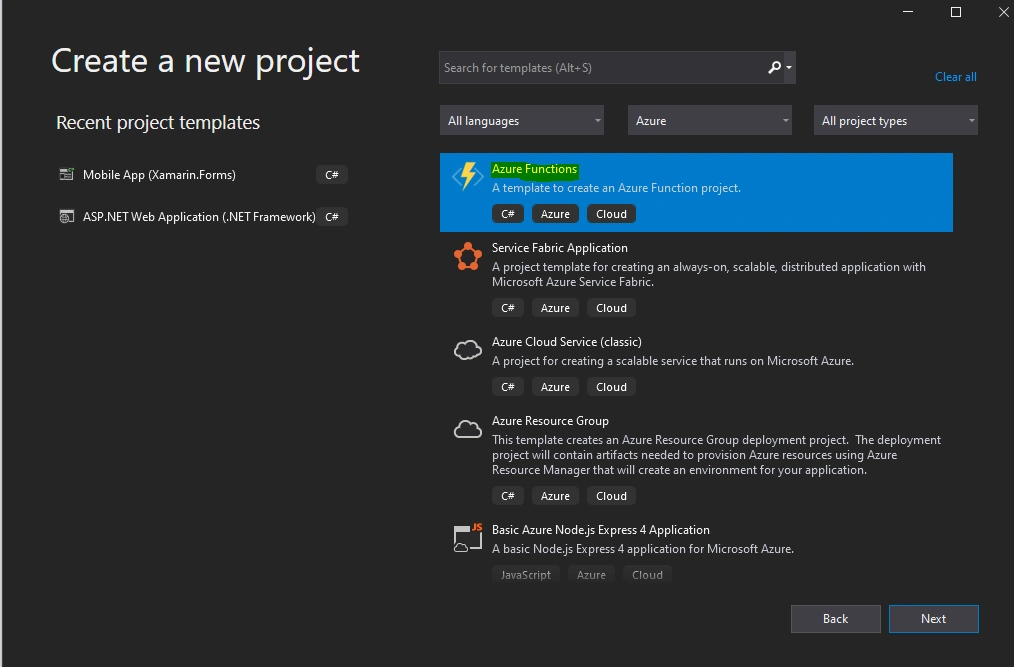
In Visual Studio, select New, create a new project page. In that you can select language as c#, platform as Azure and project type as Cloud after that you can easily search the Azure function or Scroll down, select Azure Functions, and then select Next.
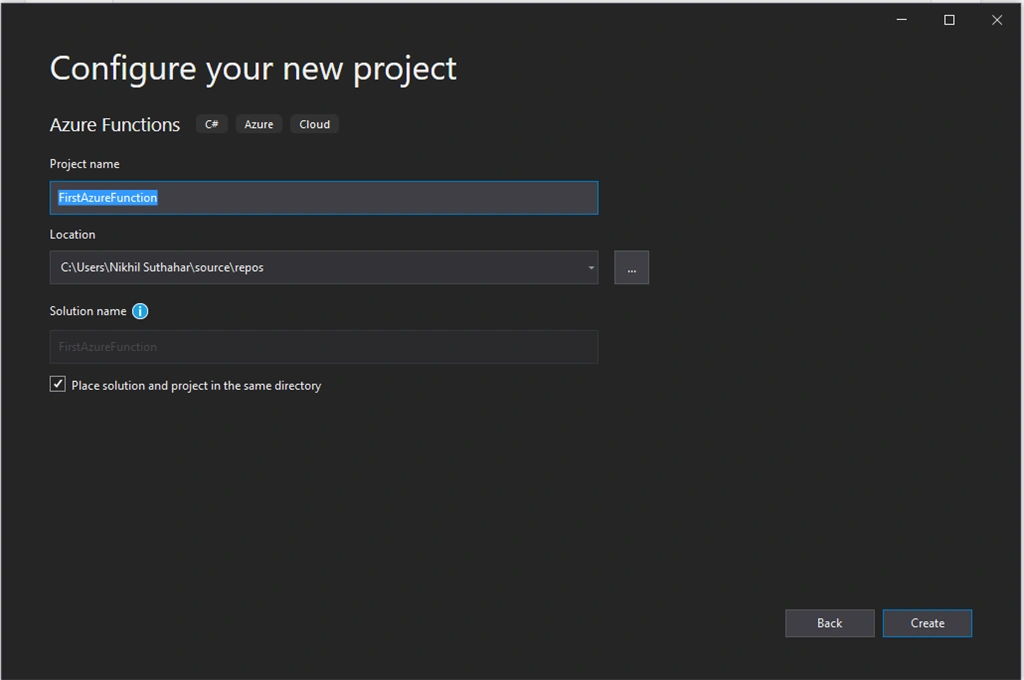
You can provide the Project Name and location information and click on next.
Azure Function Triggered
The azure functions are triggered by an event rather than being called directly from an app. you specify the type of event that will trigger the functions in your azure function app. The following screen you can azure function triggers.
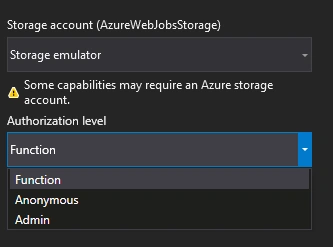
Select Azure Function V3(.Net Core), and then select HTTP Trigger for now, leave the storage account dropdown set to storage emulator and authorization level select as “Anonymous” because we are running the app locally and select the create
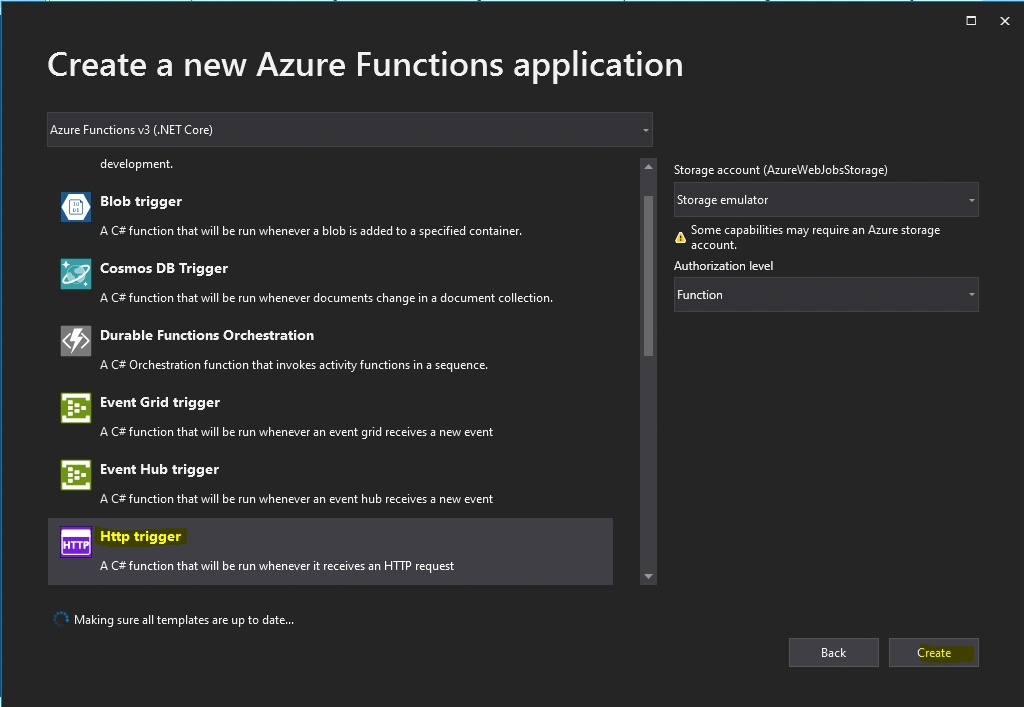
Here, The following azure function trigger is available.
|
Blob Trigger
|
Blob Trigger function will run when a file is upload or modified in azure Blob Storage
|
|
Event Hub Trigger
|
Event Hub trigger azure function will run when event hub receives the message
|
|
Azure Cosmos DB trigger
|
Azure Cosmos DB trigger will use when document is added or modified in Cosmos DB.
|
|
Http Trigger
|
Http Trigger runs the function when an http request occurs in a web app.
|
|
Queue Trigger
|
Queue trigger occurs when new item added to an azure storage queue.
|
|
Service Bus Queue Trigger
|
Service bus queue trigger will run when new item added in the azure bus queue.
|
|
Service Bus Topic Trigger
|
Service bus topic trigger will run when new message arriving on the azure bus topic.
|
|
Timer Trigger
|
Use this event to run the Azure Function at regular intervals.
|
Azure Function Access rights
As a client perspective security is more important while accessing sensitive information and also Http requests could be exposed publicly. Azure Function triggered by an HTTP request supports three levels of access rights
-
Anonymous - No authentication is required, and any user can trigger the function.
-
Function - The HTTP request must provide a key that enables the Azure Function runtime to authorize the request.
-
Admin - This is similar to Function but user must specify a key with the HTTP request that triggers the function.
Azure Function project structure
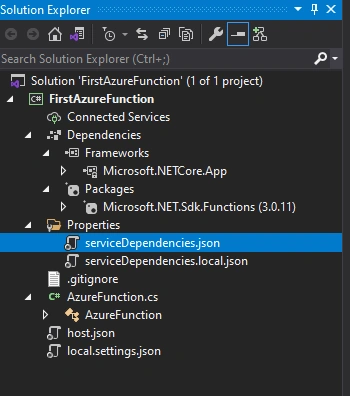
The code for all the functions in a specific function app is located in a root project folder that contains a host configuration file and one or more subfolders. Each subfolder contains the code for a separate function. The folder structure is shown in the following representation
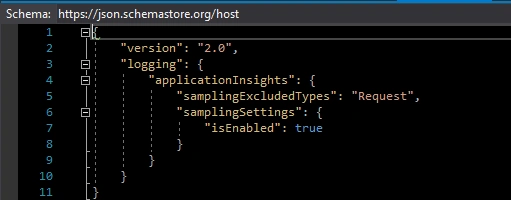
The host.json metadata file contains global configuration options that affect all functions for a function app.
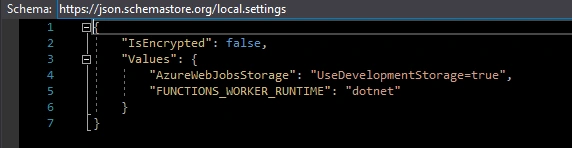
The project contains the class file and the local setting file named local.setting.json will contain a Key and value pair of Azure Storage connection string.
Azure Function Static Class
-
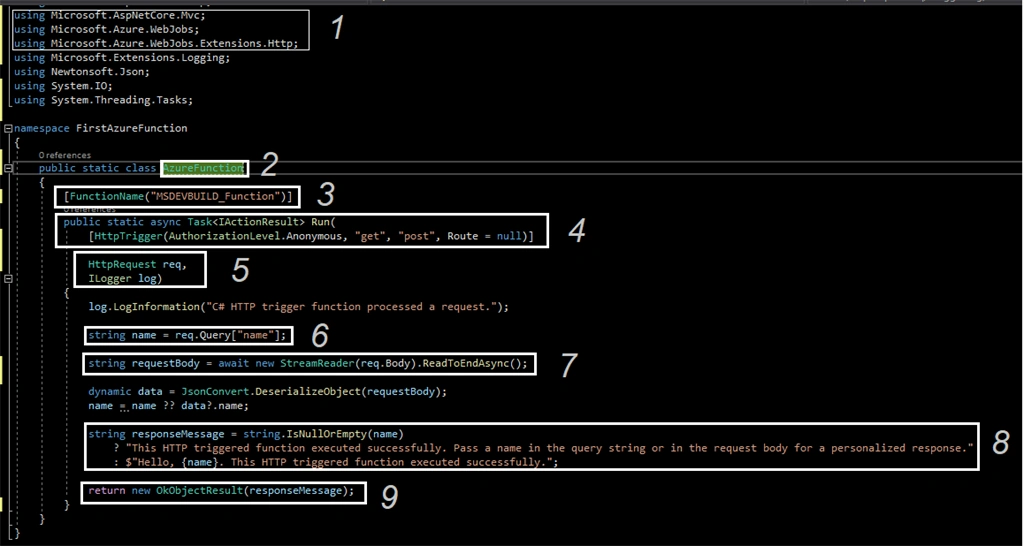
If you need to import namespaces, you can do so as usual, with the using clause.
-
Function Static class Function name [AzureFunction]
-
The static FunctionName attribute marks the method as a function entry point [MSDEVBUILD_Function] and The name must be unique within a project, start with a letter and only contain letters, numbers, _, and -, up to 127 characters in length.
-
Project templates often create a method named Run, but the method name can be any valid C# method name.
-
Recall from the previous unit that the parameters to the Run method are an HttpRequest object containing the details of the request that triggered the function
-
The above function will accept both get and post requests. If the request is GET type, it will get the value from the query string with the key as name and for POST, it will get a value of key name from the request body. Finally, it will respond with a string “Hello <name value>” to the user
Build and Run Azure Function
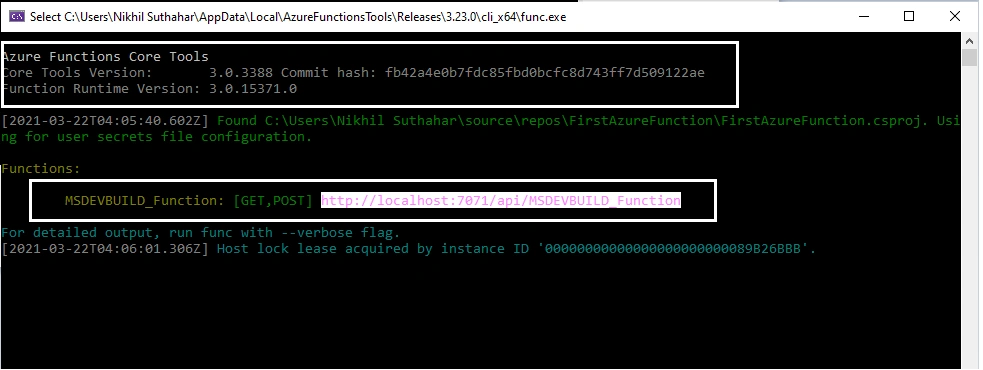
Let you start to run the Azure function, press F5. If prompted, accept the request from Visual Studio to download and install Azure Functions Core (CLI) tools. You may also need to enable a firewall exception so that the tools can handle HTTP requests.

Copy the URL of your function from the Azure Functions runtime output.
Test Azure Functions locally
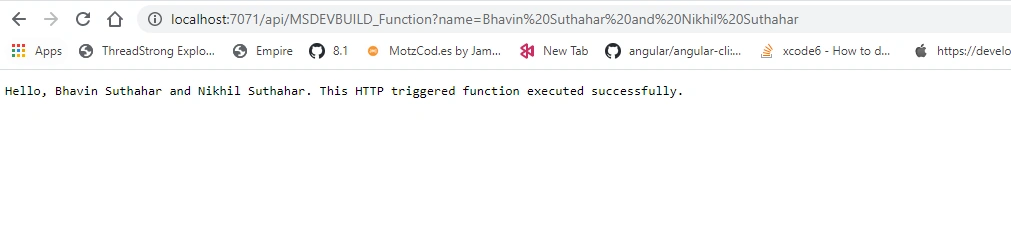
Paste the URL for the HTTP request into your browser’s address bar

Append the query string? name=<yourname> to this URL and execute the request. The following shows the response in the browser to the local GET request returned by the function
Summary
In this article, you learned about Azure Functions, Event trigger and create, test, locally run Azure Functions using visual studio 2017.If you have any questions/ feedback/ issues, please write in the comment box.
Learn more about Azure Functions here - What is Azure Functions.
Aman VermaPosted May 12, 2022, 11:17 AM
Thank you very much for explaining Azure function working in detail. It is really helpful for me.