

Introduction
In this article we will create a basic Backbone application. Backbone is the JavaScript library that provides the structure to a web application through the model with the key value and custom events. We use the backbone for the client-side web applications. It is gaining attention in the web development community among other frameworks. It uses the structure provided by JavaScript.
In this article we create a template in the HTML file that is rendered with the bit of data from the model, this model is created in the Scripting file.
Here we need to add these scripts:
<script src="http://cdnjs.cloudflare.com/ajax/libs/jquery/1.7.1/jquery.min.js"></script>
<script src="http://cdnjs.cloudflare.com/ajax/libs/json2/20110223/json2.js"></script>
<script src="http://cdnjs.cloudflare.com/ajax/libs/underscore.js/1.3.1/underscore-min.js"></script>
<script src="http://cdnjs.cloudflare.com/ajax/libs/backbone.js/0.9.2/backbone-min.js"></script>
<script src="js/main.js"></script>
Now let's create the application as in the following:
- Create the Web application:
- Start Visual Studio 2013.
- From the Start window select "New project".
- Select "Installed" -> "Template" -> "Visual C#" -> "Web" -> "Visual Studio 2012"and select "ASP.NET" Web Application.
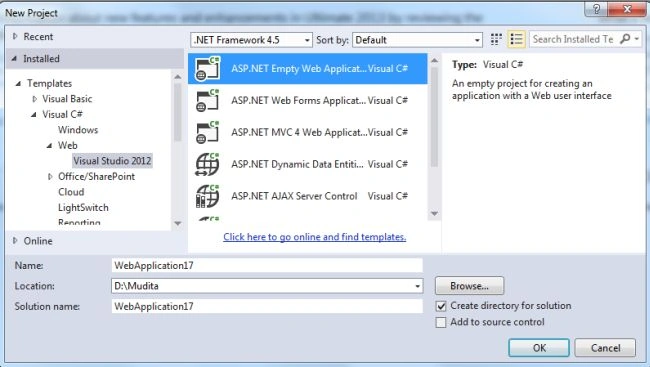
- Click on the "OK" button.
- Now add an HTML page to the project.
- In the Solution Explorer.
- Right-click on the project and select "Add" -> "HTML page".
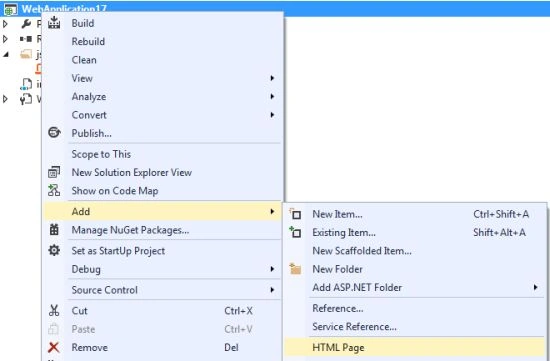
- Change the name of the page.
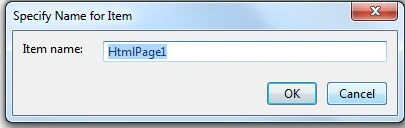
- Click on the "OK" button.
Add the following code:
<!DOCTYPE html>
<html>
<head>
<title>Backbone Basic application</title>
<script src="http://cdnjs.cloudflare.com/ajax/libs/jquery/1.7.1/jquery.min.js"></script>
<script src="http://cdnjs.cloudflare.com/ajax/libs/json2/20110223/json2.js"></script>
<script src="http://cdnjs.cloudflare.com/ajax/libs/underscore.js/1.3.1/underscore-min.js"></script>
<script src="http://cdnjs.cloudflare.com/ajax/libs/backbone.js/0.9.2/backbone-min.js"></script>
<script src="js/main.js"></script>
</head>
<body>
<div id="super">
</div>
<!-- Templates -->
<script type="text/template" id="super-template">
Yes <%= SampleText %>
</script>
</body>
</html>
- Now we add a JavaScript file:
- In the Solution Explorer.
- Right-click on the project then select "Add" -> "New Item" -> "JavaScript".
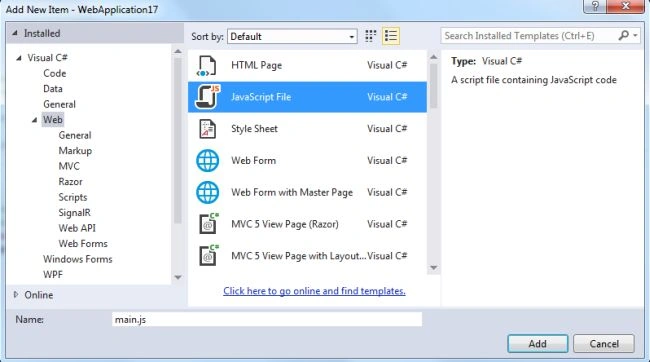
- Click on the "Add" button.
Add the following code:
$(document).ready(function () {
// A model which just contains some text.
var SuperBasic = Backbone.Model.extend({
defaults: {
text: "nothing"
}
});
// The view for our SuperBasic model
var SuperBasicView = Backbone.View.extend({
render: function () {
// This line is a bit confusing because it incorporates both jQuery code
// as well as underscore code. It's adapted from the Backbone code example
// for View.render(), which uses 'this.template' but doesn't bother to explain
// that has to point to a custom 'template' attribute you create in
$(this.el).html(_.template($('#super-template').html(), { SampleText: this.model.get('text') }));
return this;
}
});
// Now, the minimum amount needed to get a template to render
// with a bit of data from the SuperBasic model we've created.
var mySuperBasic = new SuperBasic({ text: "I Have created Backbone.js application" });
var mySuperBasicView = new SuperBasicView({ model: mySuperBasic, el: '#super' });
mySuperBasicView.render();
});
-
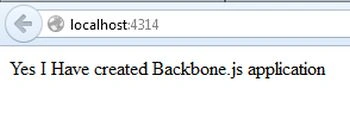
Execute the application.We can see that it displays the template text with the script file text.
Join the conversation! Your thoughts help the community grow.