

In this article, we will see how we can convert a string of data to PDF and then send email with attached copy of generated PDF in C#.
Firstly, we can convert the string of data to PDF by using Popular Library for rendering PDF in ItextSharp. Secondly, we can download/save the converted PDF by using HTTP Response Class which provides response to client and contains information about response in the form of headers and other piece of necessary information.
So, lets start to build our first step,
Step 1: Convert HTML String to PDF,
In this step we will first create a button which will do the rest of the work on Click event.
Let's create the button to perform the required operation.
<asp:Button ID="btn_PDFEmail" runat="server" Text="Convert HTML to PDF and Send Email with Attachment" OnClick="btn_PDFEmail_Click" />
The UI view looks like the following:
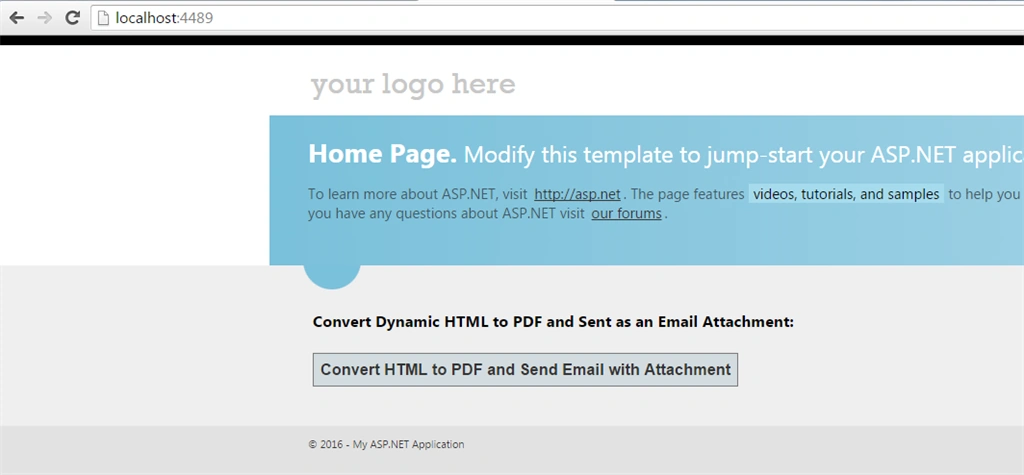
So our front end is all set and we need to apply the cs logic to perform operation.
Let's start building HTML string.
StringBuilder sb = new StringBuilder();
sb.Append("<header class='clearfix'>");
sb.Append("<h1>INVOICE</h1>");
sb.Append("<div id='company' class='clearfix'>");
sb.Append("<div>Company Name</div>");
sb.Append("<div>455 John Tower,<br /> AZ 85004, US</div>");
sb.Append("<div>(602) 519-0450</div>");
sb.Append("<div><a href='mailto:[email protected]'>[email protected]</a></div>");
sb.Append("</div>");
sb.Append("<div id='project'>");
sb.Append("<div><span>PROJECT</span> Website development</div>");
sb.Append("<div><span>CLIENT</span> John Doe</div>");
sb.Append("<div><span>ADDRESS</span> 796 Silver Harbour, TX 79273, US</div>");
sb.Append("<div><span>EMAIL</span> <a href='mailto:[email protected]'>[email protected]</a></div>");
sb.Append("<div><span>DATE</span> April 13, 2016</div>");
sb.Append("<div><span>DUE DATE</span> May 13, 2016</div>");
sb.Append("</div>");
sb.Append("</header>");
sb.Append("<main>");
sb.Append("<table>");
sb.Append("<thead>");
sb.Append("<tr>");
sb.Append("<th class='service'>SERVICE</th>");
sb.Append("<th class='desc'>DESCRIPTION</th>");
sb.Append("<th>PRICE</th>");
sb.Append("<th>QTY</th>");
sb.Append("<th>TOTAL</th>");
sb.Append("</tr>");
sb.Append("</thead>");
sb.Append("<tbody>");
sb.Append("<tr>");
sb.Append("<td class='service'>Design</td>");
sb.Append("<td class='desc'>Creating a recognizable design solution based on the company's existing visual identity</td>");
sb.Append("<td class='unit'>$400.00</td>");
sb.Append("<td class='qty'>2</td>");
sb.Append("<td class='total'>$800.00</td>");
sb.Append("</tr>");
sb.Append("<tr>");
sb.Append("<td colspan='4'>SUBTOTAL</td>");
sb.Append("<td class='total'>$800.00</td>");
sb.Append("</tr>");
sb.Append("<tr>");
sb.Append("<td colspan='4'>TAX 25%</td>");
sb.Append("<td class='total'>$200.00</td>");
sb.Append("</tr>");
sb.Append("<tr>");
sb.Append("<td colspan='4' class='grand total'>GRAND TOTAL</td>");
sb.Append("<td class='grand total'>$1,000.00</td>");
sb.Append("</tr>");
sb.Append("</tbody>");
sb.Append("</table>");
sb.Append("<div id='notices'>");
sb.Append("<div>NOTICE:</div>");
sb.Append("<div class='notice'>A finance charge of 1.5% will be made on unpaid balances after 30 days.</div>");
sb.Append("</div>");
sb.Append("</main>");
sb.Append("<footer>");
sb.Append("Invoice was created on a computer and is valid without the signature and seal.");
sb.Append("</footer>");
I am using StringBuilder class for generating HTML string and pass to the parser for generating PDF. Before proceeding further add the following references.
using iTextSharp.text;
using iTextSharp.text.html.simpleparser;
using iTextSharp.text.pdf;
using System.Configuration;
using System.IO;
using System.Linq;
using System.Net;
using System.Net.Mail;
using System.Text;
using System.Web;
Now let's write the code for generating in-memory PDF from HTML string.
StringReader sr = new StringReader(sb.ToString());
Document pdfDoc = new Document(PageSize.A4, 10f, 10f, 10f, 0f);
HTMLWorker htmlparser = new HTMLWorker(pdfDoc);
using (MemoryStream memoryStream = new MemoryStream())
{
    PdfWriter writer = PdfWriter.GetInstance(pdfDoc, memoryStream);
    pdfDoc.Open();

    htmlparser.Parse(sr);
    pdfDoc.Close();

    byte[] bytes = memoryStream.ToArray();
    memoryStream.Close();
}
Now let's understand the Line of code. After building the string we can read from the string as we have passed the generated string.
StringReader sr = new StringReader(sb.ToString());
We are building the PDF document with default page size of A4 Page size.
Document pdfDoc = new Document(PageSize.A4, 10f, 10f, 10f, 0f);
Parse the HTML string using HTMLWorker of Itextsharp library,
HTMLWorker htmlparser = new HTMLWorker(pdfDoc);
Use the memory stream to reside the file in-memory.
using (MemoryStream memoryStream = new MemoryStream())
{
}
Now we get the PDF and memory stream to create the instance and write the document. Then first open the document, parse by the html worker and then after completing the work close the document (dispose off the resources) managing the resource properly.
PdfWriter writer = PdfWriter.GetInstance(pdfDoc, memoryStream);
pdfDoc.Open();
htmlparser.Parse(sr);
pdfDoc.Close();
Now we add the created document to the memory stream and use the bytes of it as a in-memory reference to later attach to the email.
byte[] bytes = memoryStream.ToArray();
memoryStream.Close();
This is all about first step which will generate the PDF file and we will later use this as an attachment.
First Output
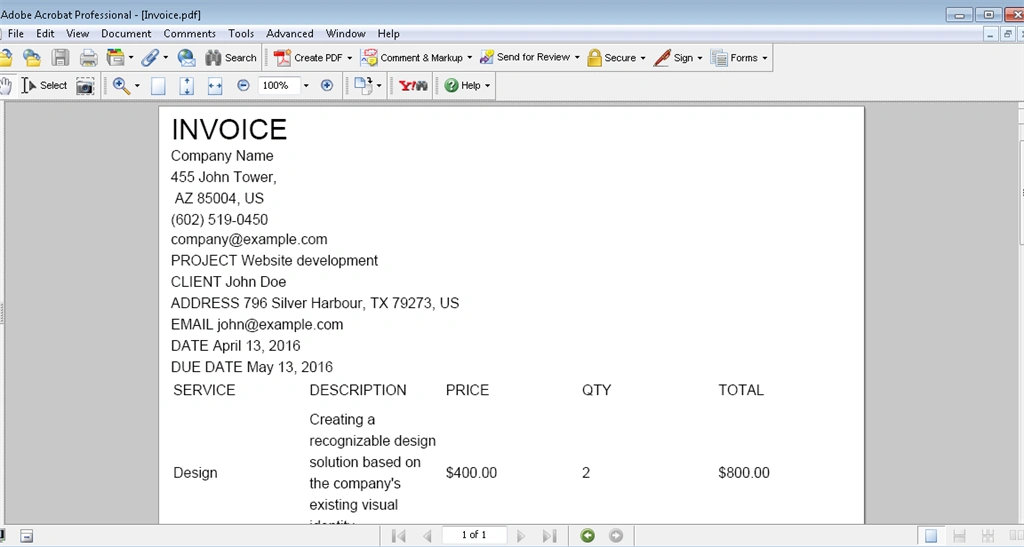
Now let's proceed to the second step:
Step 2
In the next step we will see how we can download the in memory generated PDF File.
As we are using the stream so that we use response method to send the information to the client.
// Clears all content output from the buffer stream
Response.Clear();
// Gets or sets the HTTP MIME type of the output stream.
Response.ContentType = "application/pdf";
// Adds an HTTP header to the output stream
Response.AddHeader("Content-Disposition", "attachment; filename=Invoice.pdf");

//Gets or sets a value indicating whether to buffer output and send it after
// the complete response is finished processing.
Response.Buffer = true;
// Sets the Cache-Control header to one of the values of System.Web.HttpCacheability.
Response.Cache.SetCacheability(HttpCacheability.NoCache);
// Writes a string of binary characters to the HTTP output stream. it write the generated bytes .
Response.BinaryWrite(bytes);

// Sends all currently buffered output to the client, stops execution of the
// page, and raises the System.Web.HttpApplication.EndRequest event.
Response.End();
// Closes the socket connection to a client. it is a necessary step as you must close the response after doing work.its best approach.
Response.Close();
Final Output

Now I will compare the ironPDF Library with itextsharp for Converting HTML to PDF, so that we can get better idea which one library convert it in better way without losing formatting.
C# HTML to PDF rendering is undertaken by a fully functional version of the Google Chromium engine, embedded within IronPDF DLL.
Lets Start, the Configuration of IronPDF in our project.
Step 1
Open Visual Studio and Create New Dot Net Web App Project By Pressing Ctrl + Shift + N Combination of Keys or File --> New --> Project.

Lets Name the project as per your business need as its demo so I have mentioned this name.

After creating new project, Lets Start adding Nuget package of IronPDF,
Open nuget packager and type IronPDF and select to install or go to the above link and use command interface to install.

or using Package Manager Console of nuget Manager using this command
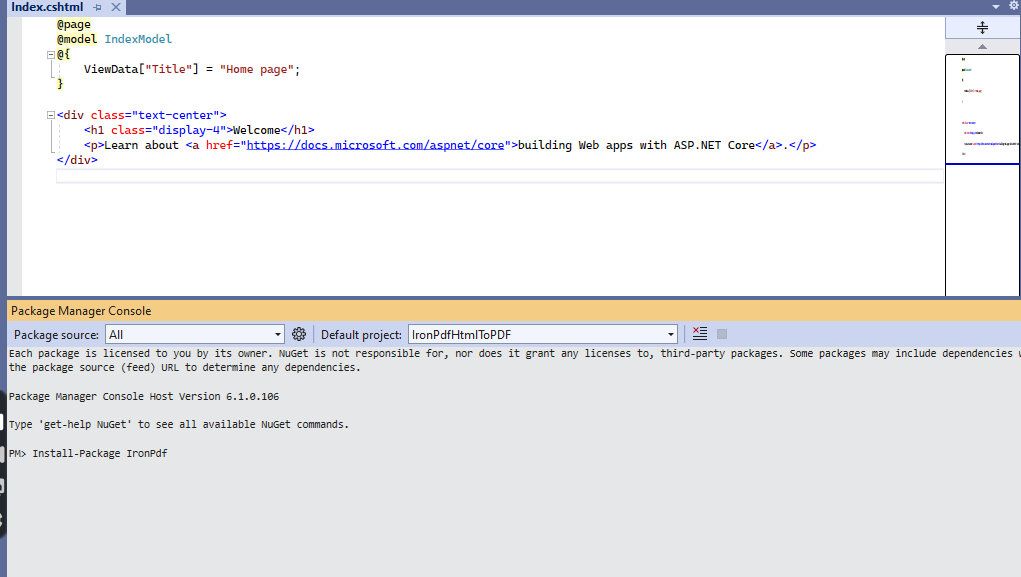
Now we All set to configure IronPDF in our project.

Step 2
Once you have IronPDF installed and referenced in you project you can start using it right away by typing a couple of code lines: regarding how to convert HTML to PDF in C#.
But Firstly, Lets Create Button for Export into PDF
Then, Create instance of ChromerPdfRenderer.
var ChromePdfRenderer = new ChromePdfRenderer();
Secondly, Add couple of lines to convert html to pdf.
// render html to pdf
var PDF = Renderer.RenderHtmlAsPdf(InvoiceHtml());
// output to pdf
var OutputPath = Server.MapPath("HtmlToPDF.pdf");
PDF.SaveAs(OutputPath);
// after pdf saved it will open it in the default browser
System.Diagnostics.Process.Start(OutputPath);
And the perfect (without losing formatting) exported pdf preview is shown below:

Lets now compare the difference between itextsharp and IronPDF rendering below:
iText is a lower level library which focuses on a drawing API where we add objects, shapes, and text to pages.
While IronPDF uses a full embedded web browser renderer to convert HTML to PDF.
At the end a key difference with HTML to PDF between C# iTextSharp and IronPDF is that IronPDF has more advanced and accurate HTML-To-PDF rendering by using an embedded Chrome based web browser.
Read more articles on C#:
Tripurari sharmaPosted May 16, 2022, 9:58 AM
Use itext7
akram khanPosted Mar 15, 2021, 10:41 AM
Inline css is not working in pdf. can any one suggest me any solution?
Mashhood SadiquePosted Mar 25, 2020, 8:51 AM
Can I convert html with Css to pdf with this method
Tejashri SawashePosted Jul 18, 2019, 8:14 AM
How to apply a style to content in pdf
Amar ZaidiPosted Jul 17, 2019, 9:38 AM
How can we use arabic characteres
Ruchi RajPosted Feb 15, 2019, 7:30 AM
Htmlparser.Parse(sr), throws exception Object reference not set to an instance of an object.
Gajanan ShindePosted Oct 8, 2018, 3:56 AM
How we can add page number to above downloaded PDF
Rodrigo silvaPosted Sep 6, 2018, 12:09 PM
Hi thank you for this post, i get this erro "The input string was not in a correct format." when a put a html markup.
farid bayramPosted Jun 16, 2018, 3:19 PM
What is this Response class, where can i find it, and i dont need asp.net project, i am writing simple form application. Thanks in advance
sai amiPosted Jun 12, 2018, 12:30 AM
How to apply the css mentioned in the above article ? Many thanks
Piyush SrivastavaPosted Jun 10, 2018, 11:38 PM
Hello sir pdf is generated but css is not comming
jitendra jayswalPosted Nov 2, 2017, 1:35 AM
Hi Muhammad Aqib Shehzad sir I am generating Pdf Invoice using Itextsharp its working fine But Now I want to add blank pdf page after each page in genrated invoice please help me sir
Ali Jago SeifPosted Oct 25, 2017, 1:08 PM
What libraries you used for this conversion?
Usha ChowdaryPosted May 19, 2017, 3:22 AM
If we add styles in the html content it is not impacting in PDF .
Sarvesh GanatraPosted May 2, 2017, 5:23 PM
I tried to add Image, everything is working fine but cannot see Image in the downloaded file.
Moneer TarabishiPosted Mar 1, 2017, 1:56 AM
Many thanks for this great article, in the latest version of iTextSharp. the HTMLWorker is deprecated, any alternative?
Akash SrivastavaPosted Mar 1, 2017, 12:59 AM
Where can I define it to take larger string? , because I can't make the string which I am sending to pdf smaller.
Akash SrivastavaPosted Mar 1, 2017, 12:58 AM
Hi, I am getting error "Invalid URI: The Uri string is too long." on the line htmlparser.Parse(sr).
WSIX MediaPosted Dec 22, 2016, 1:47 AM
Error got in this place htmlparser.Parse(sr);
WSIX MediaPosted Dec 22, 2016, 1:47 AM
Hello i have use this article but i got the error like this:Unable to cast object of type 'iTextSharp.text.html.simpleparser.TableWrapper' to type 'iTextSharp.text.ITextElementArray'
Iqrar AliPosted Dec 9, 2016, 9:48 AM
Very knowledgeable piece of data.
Sonu ChaudharyPosted Jun 8, 2016, 2:56 PM
good one ..
Vivek KumarPosted Apr 28, 2016, 2:53 PM
Good one
Humayun Kabir MamunPosted Apr 17, 2016, 1:52 AM
Very Nice...
Debasis SahaPosted Apr 16, 2016, 2:39 AM
Nice One..
Vignesh ManiPosted Apr 15, 2016, 4:25 PM
Nice
Rahul Kumar SaxenaPosted Apr 15, 2016, 2:14 PM
Good show
Kuppurasu NagarajPosted Apr 15, 2016, 1:17 PM
Nice Sharing..