

This is a very interesting use for the keyboard through Python language.
- Firstly Install the Python in your system.
- After Installing the pip command download this file and install it with python. You can also follow this article for installing pip command in windows.
- After Successful Installation of "pip", then open the command prompt and write command: pip install pyautogui. I have already installed it.
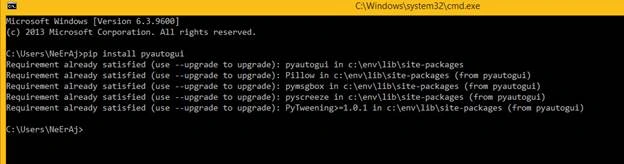
- After this write command in CMD: python.
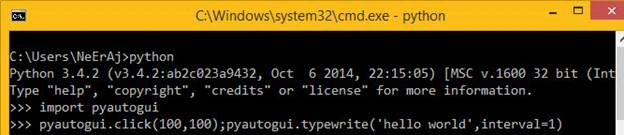
- It will open the python terminal of python.
- Before trying keyboard open notepad on your computer.
- Write code in terminal: import pyautogui then press enter
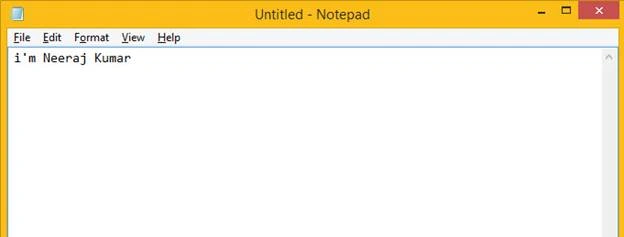
- Again write code in next line : pyautogui.click(100,100); pyautogui.typewrite(“I’m Neeraj Kumar”, interval=1) then press enter and fastly click mouse on notepad file.
- You will see that “I’m Neeraj Kumar” text automatic write character by character in 1-second intervals.
- Another Example of Keyboard use.
- Write code in python terminal as below,
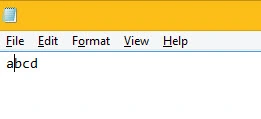
“pyautogui.click(100,100); pyautogui.typewrite(['a', 'c', 'left', 'b', 'right', 'd'],interval=5)”This code writes abcd in the notepad file.

- In the next example, you can click any key with Keyboard.
- Write code in python terminal. pyautogui.KEYBOARD_KEYS.
- It shows the test of each keyboard button that can work with python using text like the below image.

- After checking if this is working or not write code again as below.
pyautogui.press(‘capslock’)If the caps lock button is OFF then it will ON and if ON then OFF.
- Now we see How to hotkeys using this.
- Task Manager Button is ctrl+shift+esc. To open the task manager through this.write code as below.
pyautogui.hotkey('ctrl','shift','esc')
- It will open Task Manager.
You can also do multiple things with the keyboard using the pyautogui library.
Gopi ChandPosted May 8, 2016, 12:40 AM
Interesting :)
kalu singh raoPosted May 6, 2016, 12:38 PM
Nice...
Neeraj KumarPosted May 6, 2016, 9:34 AM
Thank you all :)
Kuppurasu NagarajPosted May 6, 2016, 9:17 AM
Nice Sharing..
Sr KarthigaPosted May 6, 2016, 3:42 AM
good one
Anbu ManiPosted May 6, 2016, 2:36 AM
Nice share