

Introduction
In this post, we will learn about Container and Presentation components in Angular with a sample project.
Prerequisites
- Visual Studio Code
- Node JS and NPM
- Angular 8 or above
- Angular CLI
About Container Components
Container components are similar to Parent-Child components. A container component acts as a Parent and the "Presentation component" is like a child component. Container components will manage and retrieve object/model states, whereas Presentation components are just present or render the state.
- The container component will share data/state to the Presentation component using "Input" properties.
- The presentation component will communicate to the Container component using "Output" properties.
- You need to set a "Change detection strategy" to push state changes to the Container component.
- The presentation/Child component should not change the state/data.
Create an Angular Application
We need to run the below command to create an Angular Application:
- ng new test-employee-app
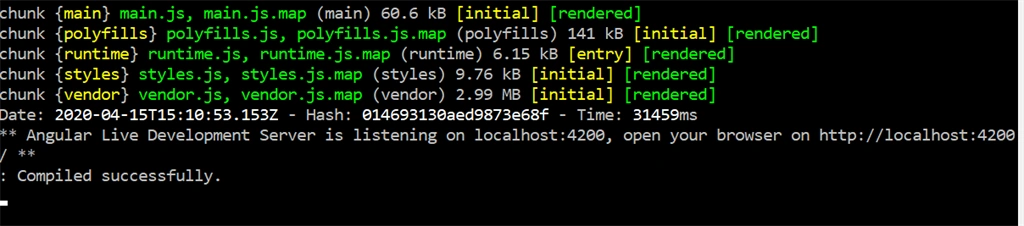
Once the application is created, run the below command to make sure that it's created correctly.
- cd test-employee-app
- ng serve
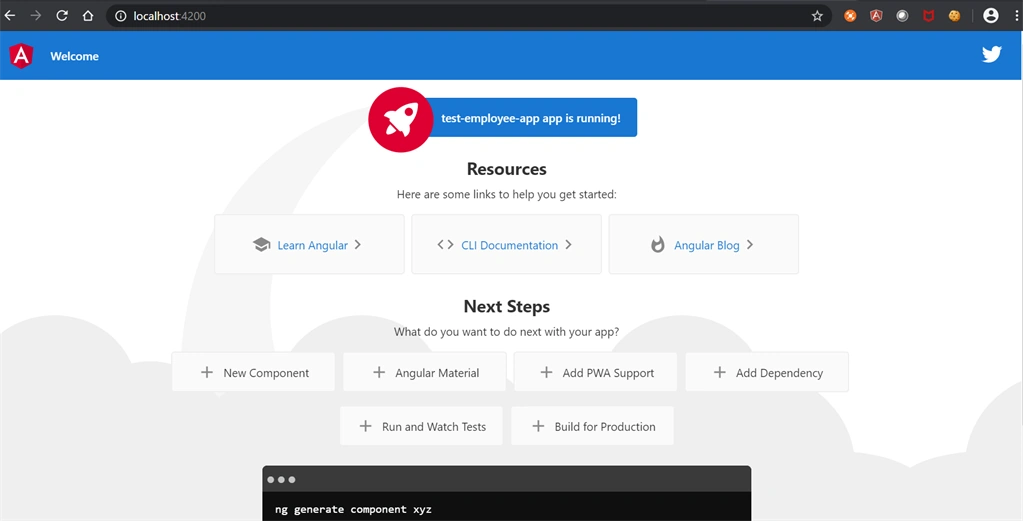
If we run the application, we can see the below Test page.
Add Modules and Components
To add modules and components run the below commands. we will create a "employee" module and component with the employeedetail child component.
- ng g m employee
- ng g c employee
- ng g c employee/employeedetail
Add Parent(Container) and child(presentation) component codes
We need to add below code in "employee.component.ts". We have added "employeeData" property and assigned a test data. (Line:02 and 05 to 08).
- export class EmployeeComponent implements OnInit {
- public employeeData: any;
- constructor() { }
- ngOnInit(): void {
- this.employeeData = {
- name : 'Test EmployeeName',
- email: '[email protected]'
- };
- console.log(this.employeeData.name);
- }
- }
- <p>Employee</p>
- <app-employee-detail [employeeData]="employeeData"></app-employee-detail>
- export class EmployeeDetailComponent implements OnInit {
- @Input() public employeeData: any;
- constructor() { }
- ngOnInit(): void {
- console.log(this.employeeData.name);
- }
- }
- Name: {{employeeData.name}}
- <br/>
- Email: {{employeeData.email}}
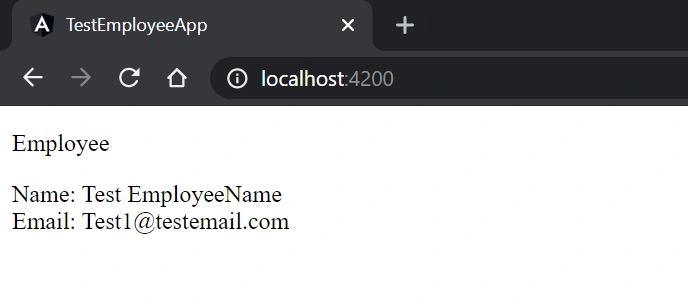
Add Output Property
Now we will try to change data in the child component and pass it to the container component using the "Output" property.
Add the below output property in "employee-detail" component. Line 03 we have added "employeeChanged" output property. Also, I added the "employeeChange" event to change the employee name (Line 07 to 11).
- export class EmployeeDetailComponent implements OnInit {
- @Input() public employeeData: any;
- @Output() public employeeChanged = new EventEmitter<any>();
- constructor() { }
- ngOnInit(): void {
- }
- employeeChange(){
- console.log(this.employeeData.name);
- this.employeeData.name = 'Name Changed from EmployeeDetail';
- this.employeeChanged.emit(this.employeeData);
- }
- }
- <button (click)="employeeChange()">Update Employee</button>
- <app-employee-detail [employeeData]="employeeData" (employeeChanged)='changed($event)'></app-employee-detail>
- changed(employeeData: any){
- this.employeeData = employeeData;
- }
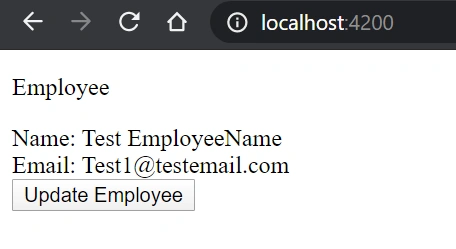
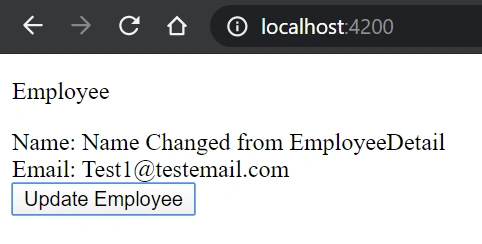
Once we click the "Update Employee" button, "Employee Name" is changed as expected.
Add Change detection strategy
The strategy that the default change detector uses to detect changes is called "ChangeDetectionStrategy". By default, angular will use the "Default" strategy to all the child components.
"Presentation/Child component should not change the state/data", we can achieve this point using change detection strategy. Our child components have various user events, timer, promises. Angular will detect changes for all these events, we don't need to detect changes for all these events, we need only to trigger if any input or output property got changed. This will prevent the presentation/child component from updating the state.
In "employee-component.ts", add the below line to implement the change detection strategy.
- changeDetection: ChangeDetectionStrategy.OnPush
Codes
Added below codes for your reference:
employee.module.ts:
- import { NgModule } from '@angular/core';
- import { CommonModule } from '@angular/common';
- import { EmployeeComponent } from './employee.component';
- import { EmployeeDetailComponent } from './employee-detail/employee-detail.component';
- @NgModule({
- declarations: [EmployeeComponent, EmployeeDetailComponent],
- imports: [
- CommonModule
- ],
- exports: [EmployeeComponent]
- })
- export class EmployeeModule { }
employee.component.ts:
- import { Component, OnInit } from '@angular/core';
- @Component({
- selector: 'app-employee',
- templateUrl: './employee.component.html',
- styleUrls: ['./employee.component.css']
- })
- export class EmployeeComponent implements OnInit {
- public employeeData: any;
- constructor() { }
- ngOnInit(): void {
- this.employeeData = {
- name : 'Test EmployeeName',
- email: '[email protected]'
- };
- console.log(this.employeeData.name);
- }
- changed(employeeData: any){
- this.employeeData = employeeData;
- }
- }
employee.component.html
- <p>Employee</p>
- <app-employee-detail [employeeData]="employeeData" (employeeChanged)='changed($event)'></app-employee-detail>
- import { Component, OnInit, Input, Output, EventEmitter, ChangeDetectionStrategy } from '@angular/core';
- @Component({
- selector: 'app-employee-detail',
- templateUrl: './employee-detail.component.html',
- styleUrls: ['./employee-detail.component.css'],
- changeDetection: ChangeDetectionStrategy.OnPush
- })
- export class EmployeeDetailComponent implements OnInit {
- @Input() public employeeData: any;
- @Output() public employeeChanged = new EventEmitter<any>();
- constructor() { }
- ngOnInit(): void {
- }
- employeeChange(){
- console.log(this.employeeData.name);
- this.employeeData.name = 'Name Changed from EmployeeDetail';
- this.employeeChanged.emit(this.employeeData);
- }
- }
- Name: {{employeeData.name}}
- <br/>
- Email: {{employeeData.email}}
- <br/>
- <button (click)="employeeChange()">Update Employee</button>
Summary
In this post we learned about "Container(parent)" component and "Presentation(child)" components. We looked at how these components communicate with each other and saw the importance of change detection strategies.
Join the conversation! Your thoughts help the community grow.