

Introduction
ASP.NET Web API is a framework for building and consuming HTTP services that can be reached by a broad range of clients including browsers and mobile devices. In this sample I will show how you can build Web APIs that support browser clients and can be easily called using jQuery.
Requirement
- Visual Studio 2010 SP1, Visual Web Developer 2010 SP1 or Visual Studio 2012
- ASP.NET MVC4
Getting Started
The following simple steps show you how to create a WebAPI and calling that WebAPI using a JSON object.
Step 1
Open Visual Studio 2010 and under Web select "ASP.NET MVC4 Web Application" and name it as "HelloWebAPI" and click ok.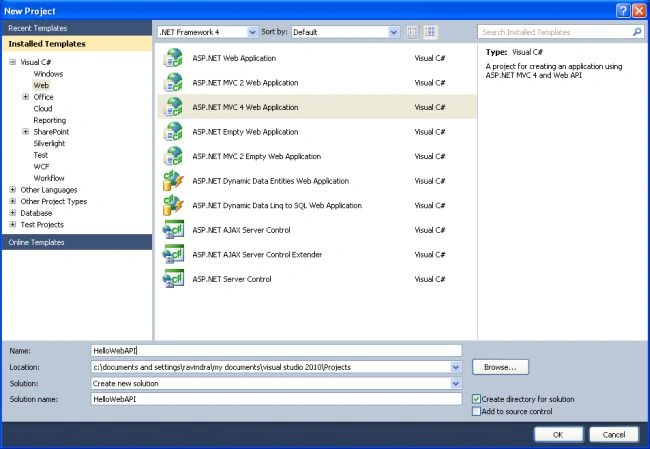
Step 2
After clicking the ok button the New "ASP.NET MVC4 Project" Window will open, in that select "WebAPI" and click ok.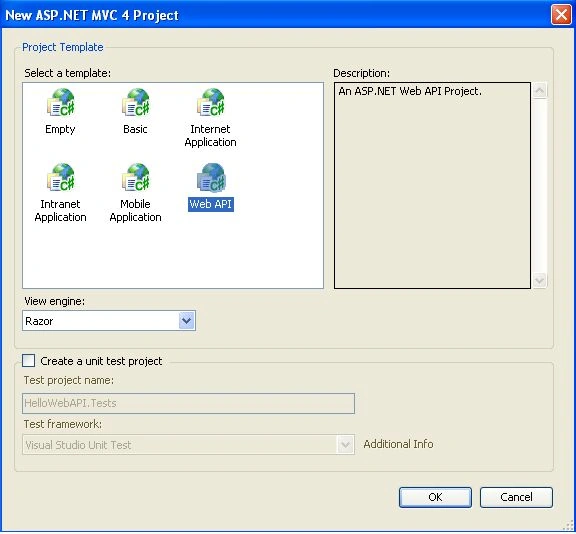
Step 3
To create a new Model Class go to Solution Explorer (F4), right-click on Model->Add->Class and name the Class as "Product" and paste the following code: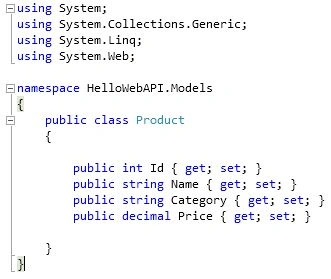
Step 4
To create a new controller right-click on the Controller Add -> Controller; the "Add Controller" dialog will open, name the Controller "ProductsController" then in the Scaffolding options Template select "Empty API Controller" and click Add button.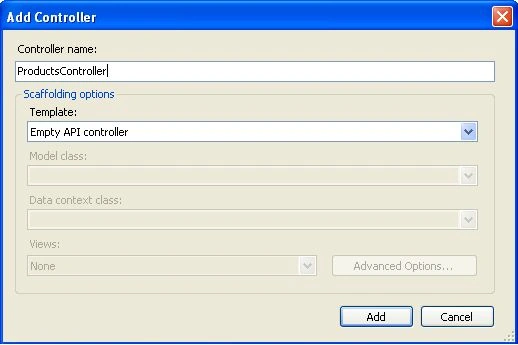
Step 5
In "ProductsController.cs" paste the following code: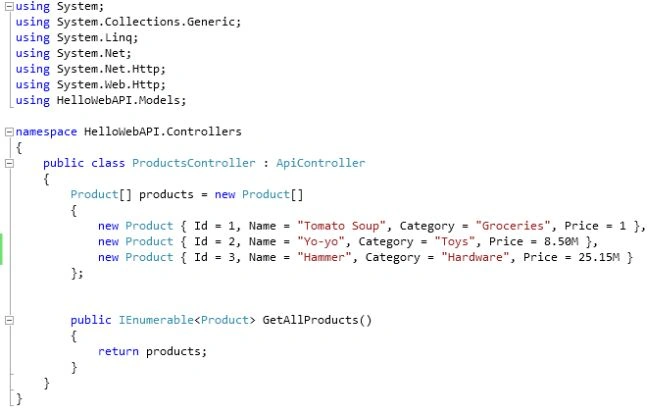
Step 6
In Solution Explorer expand the Views folder and open Index.cshtml, replace with the following code: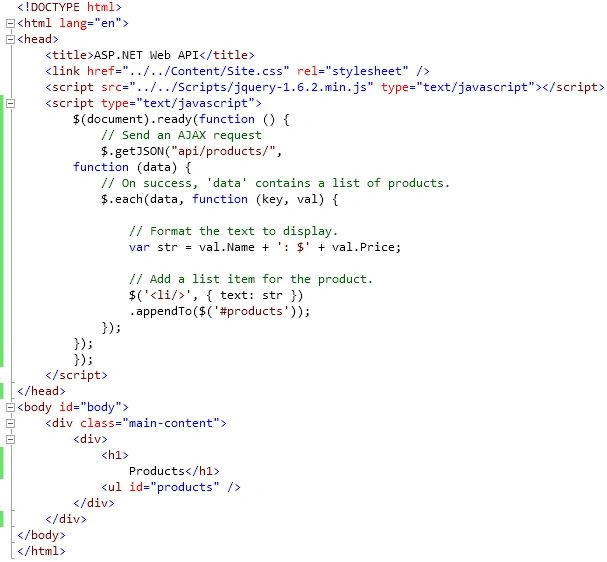
Step 7
Click on Start debugging (F5), the following result will show in the browser:
keyur soniPosted Sep 12, 2012, 2:09 AM
Helpful article...